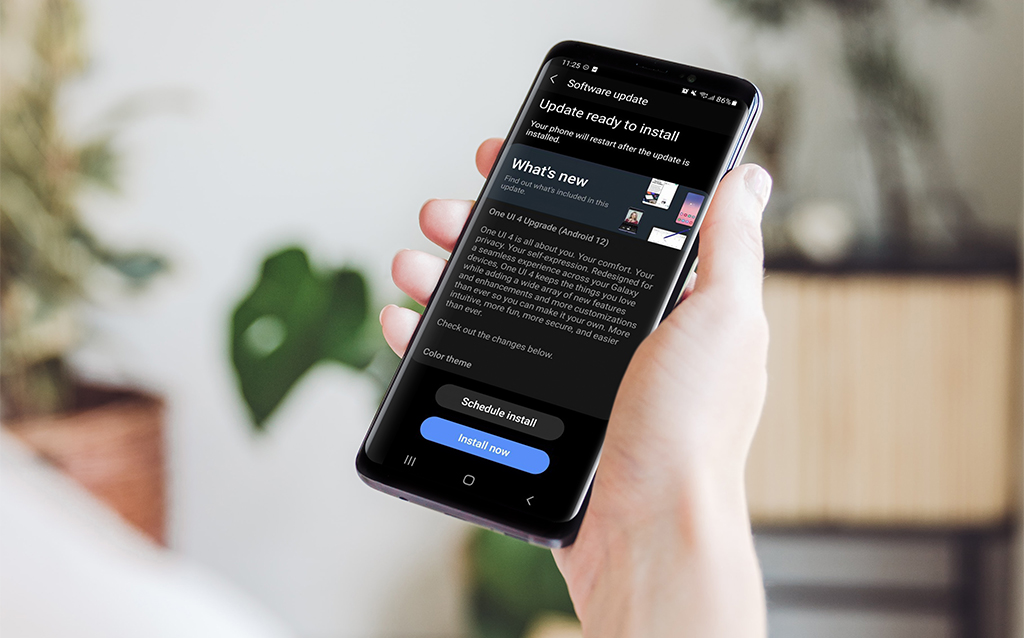
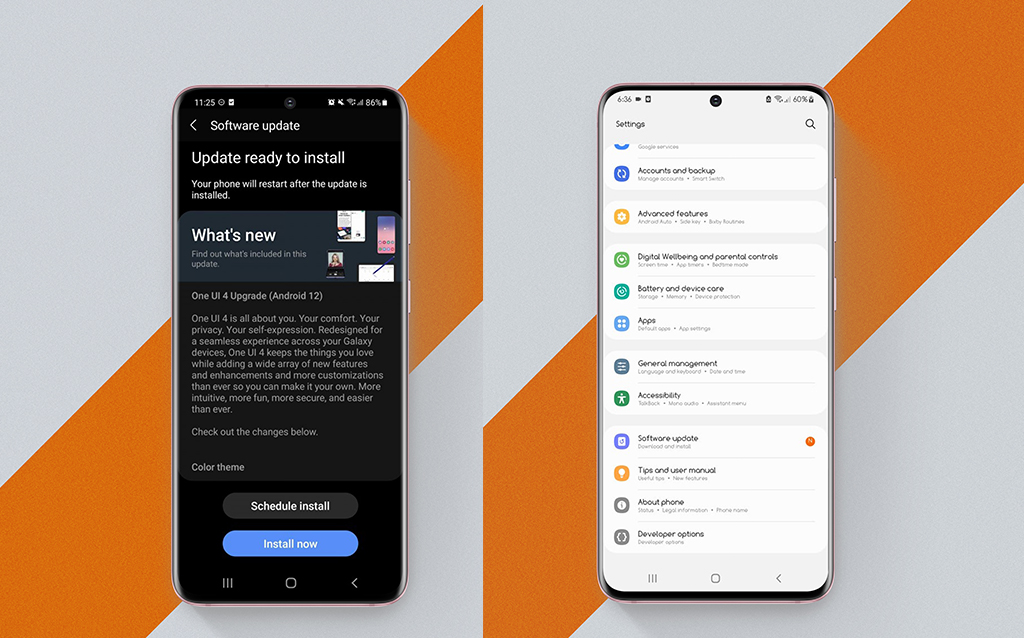
Samsung is the world’s one of the most popular smartphone brands. Samsung gives a manufacturer’s guarantee on its smartphones and accessories for added peace of mind.
Samsung Phone Warranty : What Does It Cover?
A 12-month manufacturer guarantee is included with all Samsung mobile devices. The battery guarantee for cell phone accessories ends after 12 months, while the charger and headset warranties expire after six months. If your phone’s problem is covered by the warranty, Samsung will repair or replace it for free.
Even after the original warranty period on your equipment has expired, the Samsung extended warranty program guarantees that you have total peace of mind.
The company’s warranty extension program is known as Samsung Care.
Samsung customer service considers client satisfaction to be critical to their success.
As a response, Samsung introduced Samsung Care, which extends Samsung’s warranty coverage for an additional year.
As a consequence, even if your original manufacturer warranty has expired, you don’t have to worry since the extended Samsung claim warranty is similar to the manufacturer warranty.
Samsung Phone Warranty : What Does Not Cover?
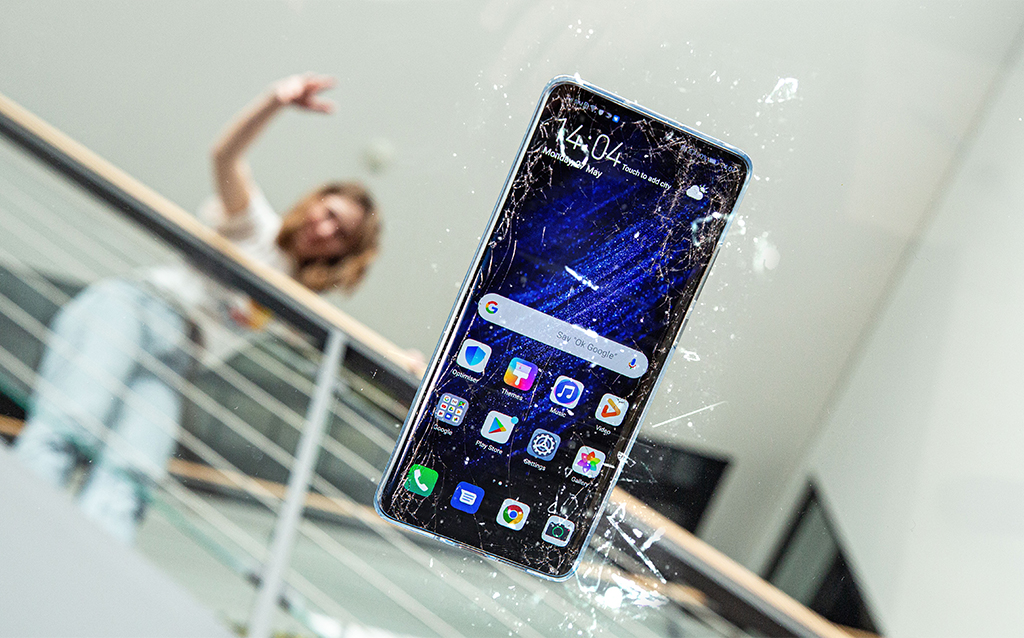
Accidental damage, misuse, abuse, alteration, tampering, or failure of the purchaser to follow the user’s manual’s regular operating instructions;
Defects or damage caused by spilled food or drinks, or incorrect electrical supply and voltage use;
Fire, flood, or other acts of God, as well as animal or insect infestations, cause damage, losses, faults, or malfunction.
Wear and tear, corrosion, rusting, or discoloration are all examples of normal wear and tear.
Defects or damage arising from non-Samsung testing, operation, maintenance, installation, servicing, or adjustment, including but not limited to unauthorized software installation and unauthorized root access, all of which will invalidate this limited warranty;
Performing routine maintenance and service;
After 7 days from the date of purchase, claims for damaged or missing parts;
If any portion of the device is replaced with a part or parts that are not supplied or approved by us, or if the unit is disassembled or repaired by someone who is not a Samsung authorized technician;
Any equipment/product whose serial number has been deleted, unreadable, or tampered with.
Use of Samsung-supplied and/or approved goods, equipment, systems, utilities, services, parts, supplies, accessories, applications, installation, repairs, external wiring, and connections that harm this device or cause service difficulties
Conditions Of Warranty
To claim a warranty, you’ll need a warranty card or evidence of purchase. Only approved Samsung service shops will be able to perform repairs throughout the warranty period.
The warranty terms are not valid if the product is damaged or misused in a Samsung service facility, and repairs will be done on a charged basis only.
The warranty shall be invalidated if the defect is caused by improper usage.
If the product fails under particular conditions/types, the warranty will be voided (example: Waterlogging, misuse, etc.)
The guarantee will also be invalid if the customer modifies or modifications the circuitry in any way.
Claiming Of Warranty
Documents Required in Order to file a Warranty claim :
Warranty Card
Invoice Copy
Original Product
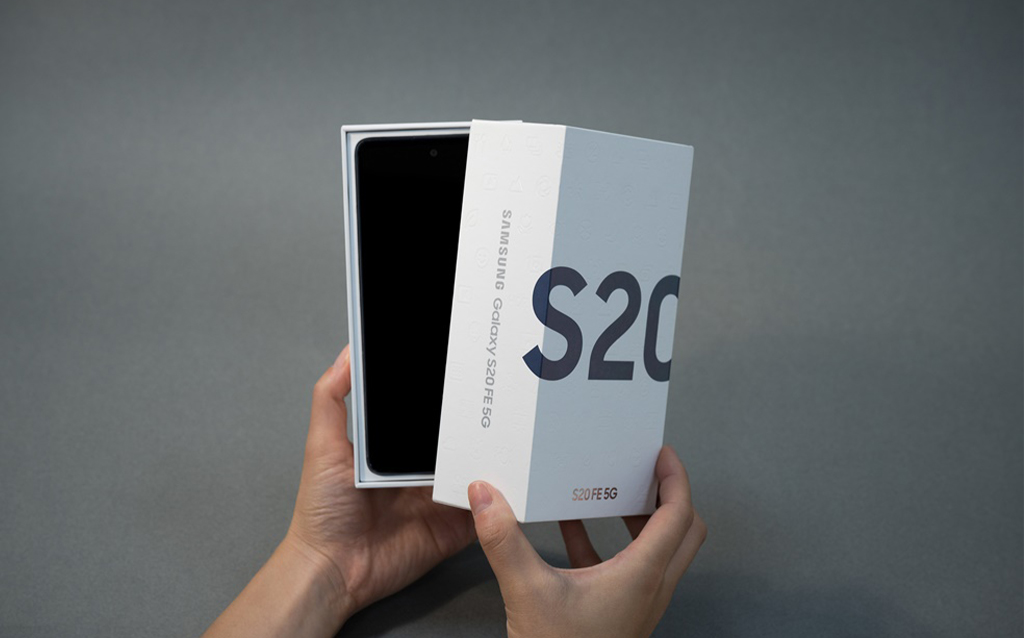
Product Box
Identification Card
You may only claim Samsung warranty at authorized Samsung service facilities if you have a problem with your Samsung product.
Samsung will only cover manufacturing flaws and problems. If your phone develops a malfunction or an issue on its own, Samsung will fix it for free at one of their service locations.
Conclusion
If you’re experiencing unusual behavior on Samsung mobiles, tablets, you should maximize your device as early as today before anything happens! You should constantly evaluate all elements of a product, not only the specs, but also the benefits of utilizing it, to be a good client.
Please share your thoughts in the comments area below if you consider yourself a wise shopper.
All products, and company names, logos, and service marks (collectively the "Trademarks") displayed are registered® and/or unregistered
trademarks™ of their respective owners.
The authors of this web site are not sponsored by or affiliated with any of the third-party trade mark or third-party registered trade mark owners,
and make no representations about them, their owners, their products or services.
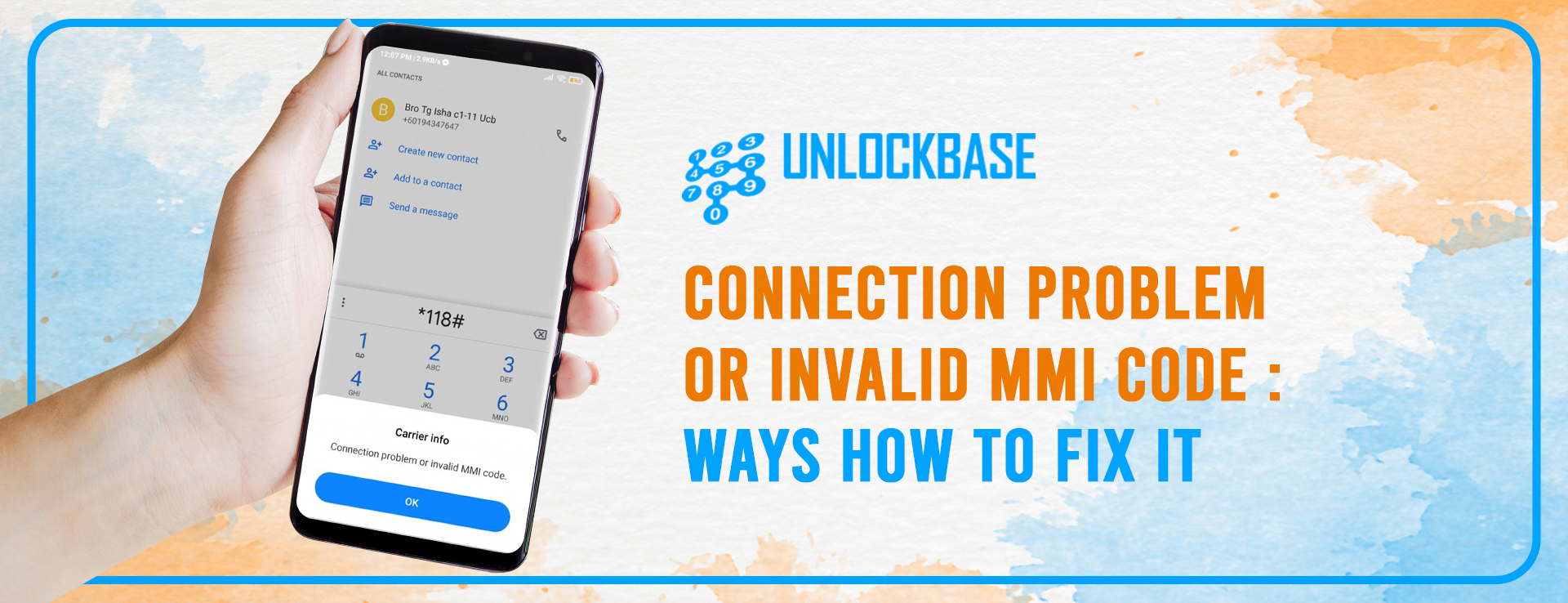
A notification stating “Connection trouble or invalid MMI code” appears on occasion, which might be annoying for Android users. When the invalid MMI code notification occurs, it usually implies that you won’t be able to make calls or send texts until the problem is fixed.
This usually happens when a user tries to send an MMI code (Man-Machine-Interface code).
Fortunately, there are a few options for resolving the Android “Connection problem or invalid MMI code” issue.
What is MMI Code?
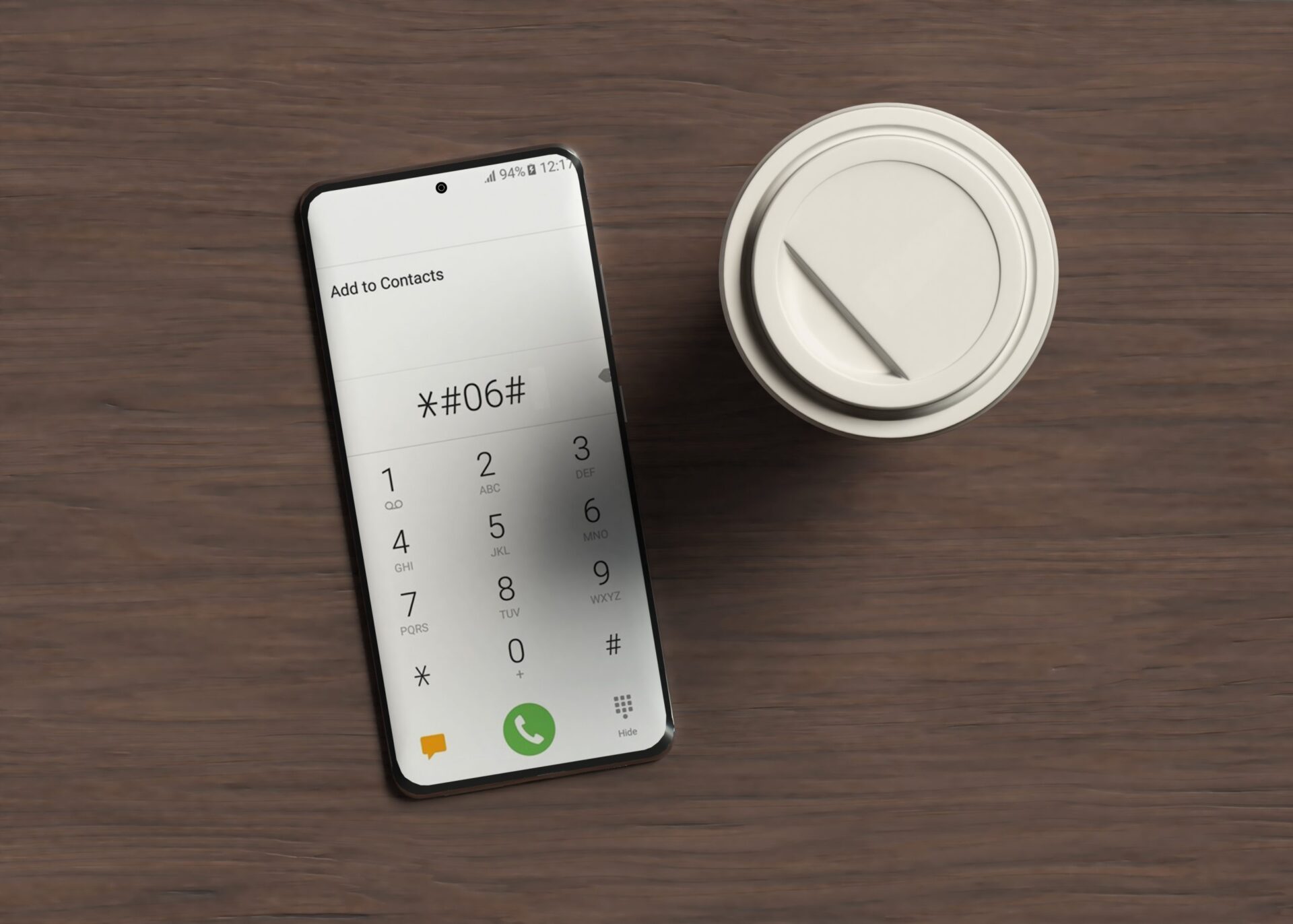
A mobile code that starts with a star/hash (*#) prefix is known as an MMI (Man Machine Interface code) code. MMI codes are input in the same way that phone numbers are to get a range of information and to enable and disable certain functions. Entering *#06# on a GSM phone, for example, displays the model and serial number (see IMEI).
Different Fixes for Connection Problem or Invalid MMI Code
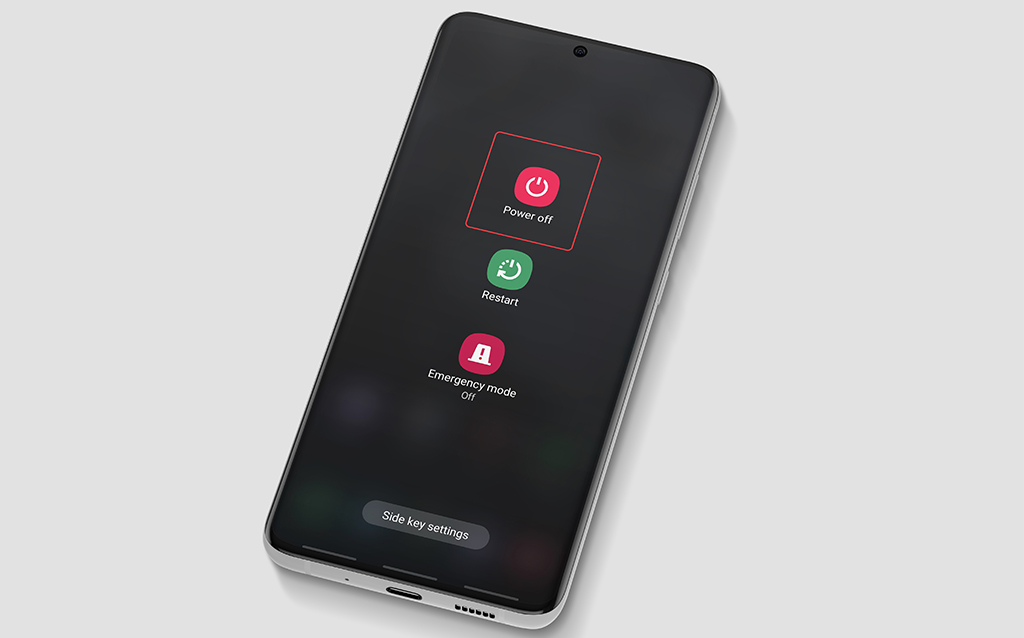
1.Reboot your Android device.
A mobile code that starts with a star/hash (*#) prefix is known as an MMI code. MMI codes are input in the same way that phone numbers are to get a range of information and to enable and disable certain functions. Entering *#06# on a GSM phone, for example, displays the model and serial number (see IMEI).
2.Enter Safe Mode
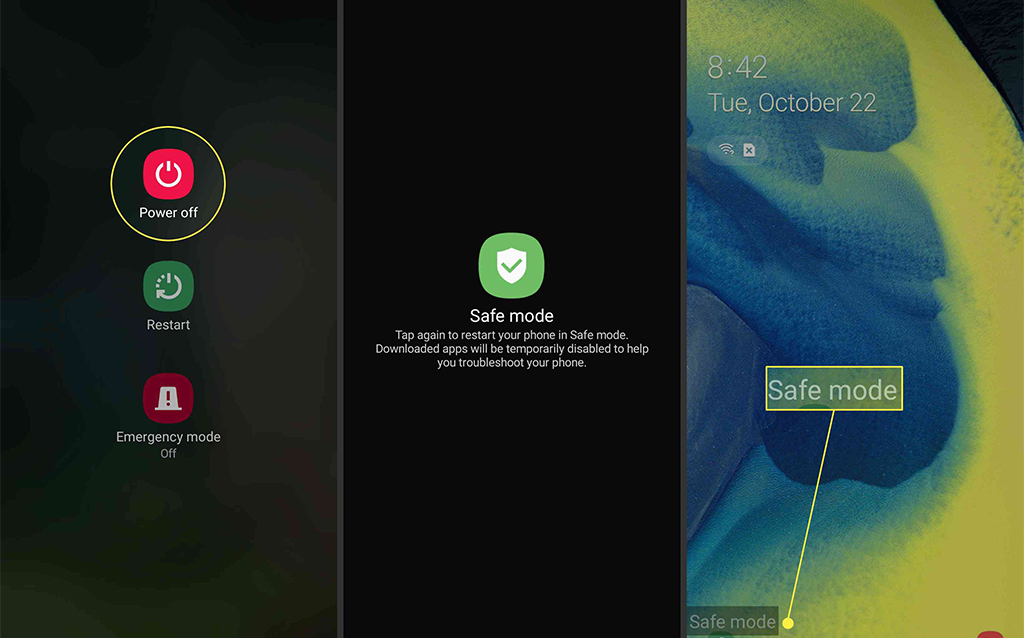
Safe mode allows you to debug your phone more effectively because it only runs stock Android programs. You can see if the invalid MMI code problem persists without any other programs running in the background by disabling them. Safe mode will turn off any pre-installed apps or services on the phone.
Please follow the instructions below to enter safe mode and see whether there is a suspect app interfering with your phone’s network operation. To enter safe mode, however, follow these steps:
Switch off your phone.
Keep the power button pressed.
Keep hitting the menu button, which is to the left of the home key, while holding down the power button.
A safe mode emblem will appear in the bottom left corner of the screen.
Now it’s time to put everything to the test.
Within the dialer, enter the same Prefix code you tried earlier to test whether it works, e.g. “*#06#”
If it works, there is an app on your Android phone that is causing the Invalid MMI Code problem.
Restart your phone and uninstall any newly downloaded apps.
3.Modify Prefix Code
Another option for resolving your connection issue is pretty straightforward. Only a comma (,) must be added to the end of the prefix code (*135#). With this addition, the operation is forced to look for the problem. After your prefix code, you can also put ‘+’ (plus). It also functions similarly to a comma.
4.Turn on the radio to enable IMS over SMS.
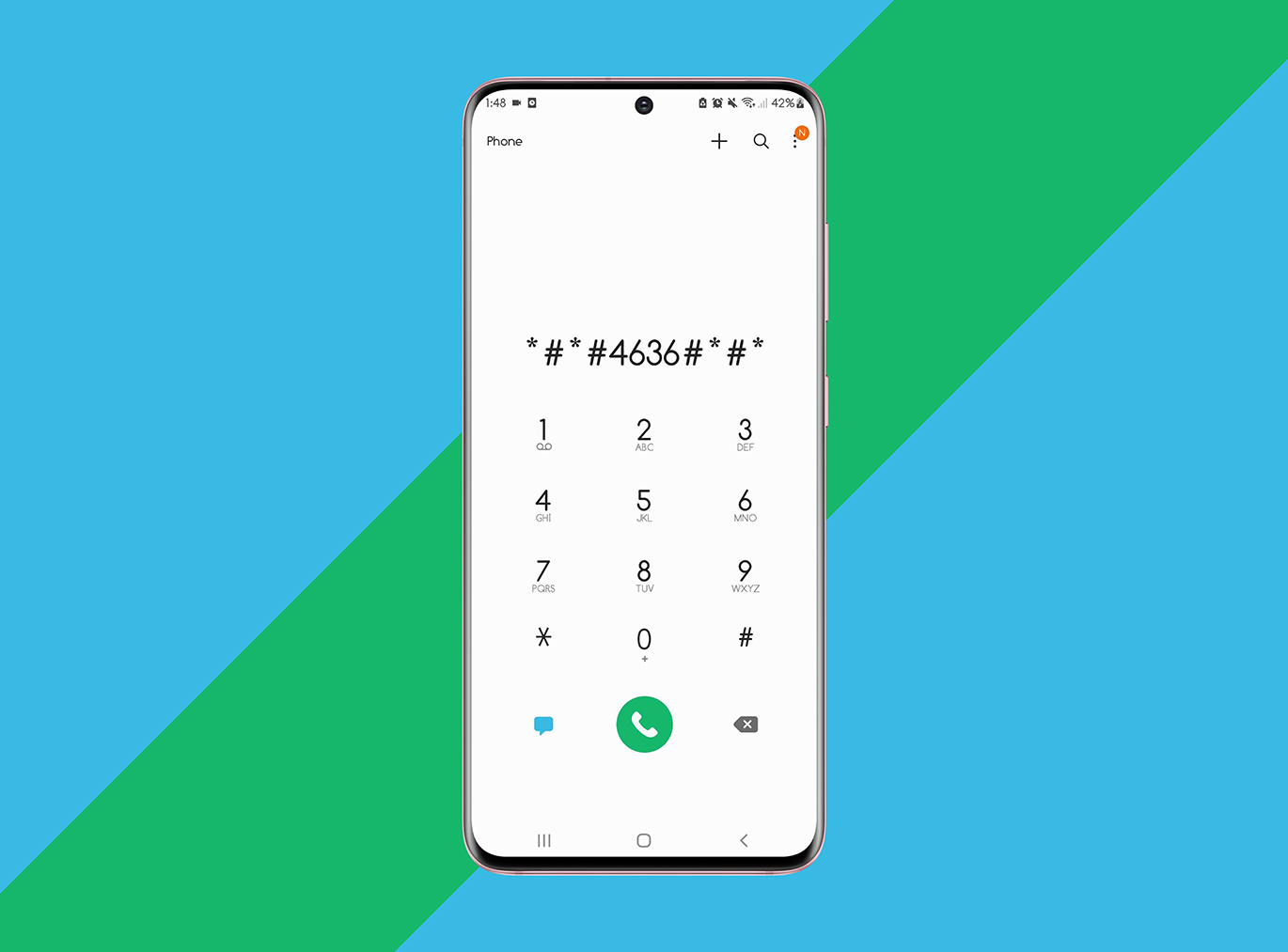
Type : (*#*#4636#*#*)
NOTE: There is no need to push the send button; the Service mode will appear automatically.
Switch to the Service mode.
Go to Device information or Phone information.
Run Ping Test
Click on ‘Turn Off Radio
Now click on “Turn on IMS over SMS’
Reboot your phone.
5.Check Network Setting
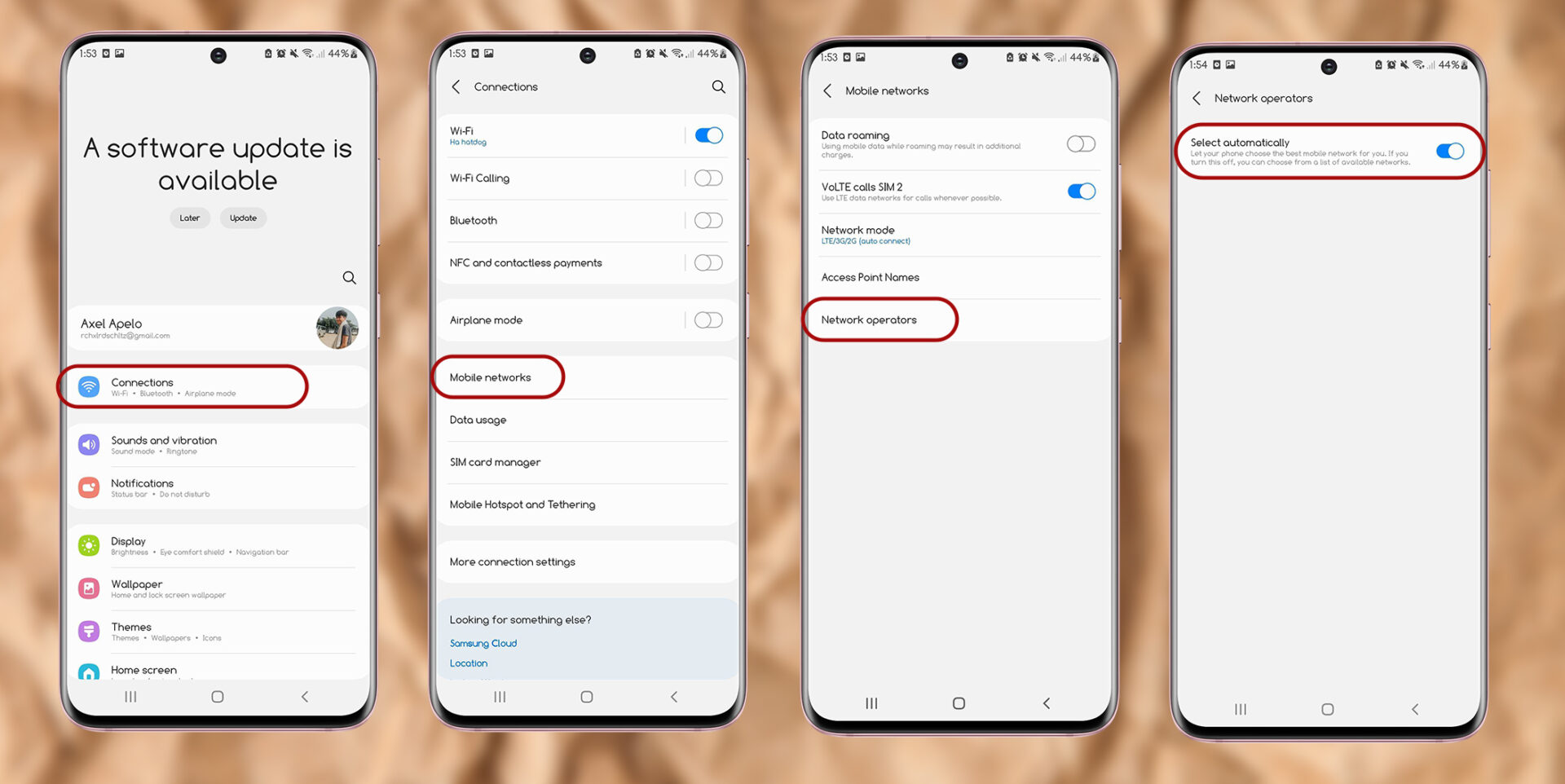
Because you are not getting reception, you may be getting the Connection Problem or Invalid MMI Code error. Go here to change your wireless carrier.
Settings
Connection to the Internet
Networks for mobile devices
Select Network Operators from the drop-down menu.
Search for networks and pick a wireless service provider.
It may take several attempts to connect to the available networks. If your carrier or service provider is not shown in the network operator search, you should examine your SIM card for any issues that could be interfering with network or SIM authentication.
Unlock Your Phone
Maybe the reason why your provider is not shown in the network operator search is that your phone is unlocked and the sim card is not supported? There are loads of service providers in the market, and loads of competitive packages for you to choose from. Why get handcuffed to just one?
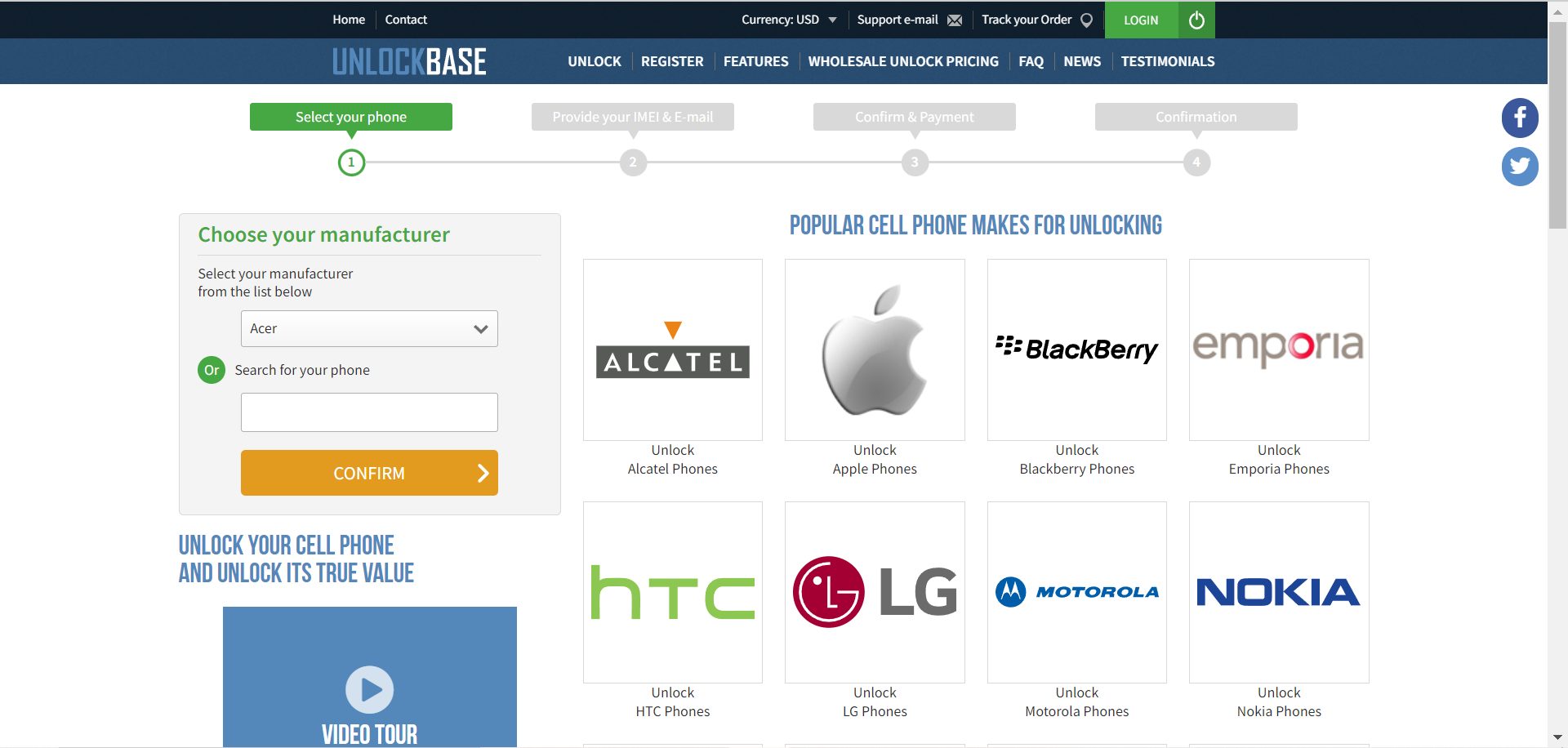
Unlock your phone here at UnlockBase : https://www.unlockbase.com/unlock-phone/ It’s so easy to unlock your phone with UnlockBase.com you will wonder why you spent months locked into an unattractive contract. Make extortionate roaming rates a thing of the past, or escape from the fees and charges.
Conclusion
As you can see, there are several ways on how you can fix the MMI code error. If you still have a network connection or invalid MMI code error on your Android phone after trying the procedures many times, you might need to visit a local shop and have your phone checked properly by an authorized technician. There might be some hardware issues that’s preventing your device to recognize the network operators for mobile networks network. Have you had a smartphone that gives a” Connection Problem or Invalid MMI Code” Error? Let us know in the comments below!
All products, and company names, logos, and service marks (collectively the "Trademarks") displayed are registered® and/or unregistered
trademarks™ of their respective owners.
The authors of this web site are not sponsored by or affiliated with any of the third-party trade mark or third-party registered trade mark owners,
and make no representations about them, their owners, their products or services.
Cell phone usage has risen dramatically in most every country in the globe in recent years. As a result of the rising demand for cell phones, the number of cell phone manufacturers has also expanded. Cell phones from a decade ago are vastly different from those available now. Today’s phones offer unique features and capabilities that cater to the needs of the user. There are two sorts of phones: locked and unlocked.
Both have advantages and disadvantages, but it all comes down to one thing. Aside from all of the software and hardware options to consider when purchasing a smartphone, there is also the question of whether to purchase a locked or unlocked phone. This is something you should think about before making a big purchase.
Difference between Locked and Unlocked?
Locked phone
Only one network service provider is supported by these mobile phones. They use a CDMA technology that is exclusive to them. In addition, these phones come with a pre-installed SIM card that cannot be changed. You may attempt placing another SIM card into a locked phone; you’ll get a message claiming the SIM card is undetectable/unacceptable right away. This is frequently done by carriers to prevent you from going off and giving your business to competitors. You’ll have to get a new phone if you wish to transfer network carriers.
Unlocked Phone
The term “unlocked phone” refers to a phone that has no network constraints. You may practically utilize whatever service provider you want and swap at any time. You are in complete command. Simply switch your SIM card from one provider to another and you’re set to go. Unlocked phones are those that have been offered without network constraints or those that have been locked and then unlocked.
Advantages and Disadvantages
Unlocked Phones Advantages
Carrier Choice
Because they are SIM card compatible, these phones provide a variety of advantages. The majority of people prefer to get this sort of cell phone because of the variety of options accessible. One of the key advantages of this sort of phone is the possibility to swap networks while using the same phone. You may use the same phone in a different nation simply swapping the SIM card with a local network.
No Contract
You have the option to switch carriers at any moment.
Few unnecessary applications
Carriers may get on your nerves at times by installing programs that are impossible to delete. Some people want extra storage space on their phones for business or school materials, and installing unnecessary apps takes away that flexibility and space.
Unlocked Phones Disadvantages
No Support from Carriers
If you encounter network problems at any point, you’ll have to resolve them on your own; the service provider won’t help you with anything.
Warranties and Insurance Packages
Insurance offers are also beneficial and difficult to overlook. They protect your phone in the event of theft, drops, or software faults. You receive a piece of mind, which is something you wouldn’t have with an unlocked phone.
Pay the entire cost upfront.
Up front, unlocked cell phones are significantly more costly. In the long term, though, an unlocked cell phone may be less expensive. Don’t forget to do some math to figure it out. An unlocked cell phone can really save you money in the long term if you can afford the initial purchase.
Want to Get Rid of carrier’s Limitation?
Have you noticed the way mobile phone service providers love to lock you into contracts, the longer the better? Yes, they give you the phone for free, but with it comes that contract you have to pay for month after month. This is often a license for service providers to start taking liberties with all sorts of extra charges and fees they quietly slip into your package each month, hoping you won’t notice.
And even if you do notice and you do complain, they point to the fact that you signed up for the contract. We have all felt ripped off by a phone contract at one point or another. Then should you ever go overseas, well, that’s an even better excuse to start ramping up the charges. Costly texts, crazy internet access charges, eye watering call tariffs.
The basic concept of having an unlocked phone is that it should work with your carriers; to ensure this, just bring your Sim Card with you and have it tested before you pay for the phone and walk out of the store, only to regret it later. Second, look at coverage; the phone you choose should be compatible with a provider that provides broad coverage. If you have any thoughts, let us know in the comment section below!
All products, and company names, logos, and service marks (collectively the "Trademarks") displayed are registered® and/or unregistered
trademarks™ of their respective owners.
The authors of this web site are not sponsored by or affiliated with any of the third-party trade mark or third-party registered trade mark owners,
and make no representations about them, their owners, their products or services.
Android 12 is now available for download. Android 12 is a huge update to the operating system that includes plenty of new features. After Google’s Pixel presentation , the new OS was released.
Android 12 is the most significant redesign of the operating system in years. Customizable color palettes, enhanced alerts, and speedier, battery-saving performance are all expected in Android 12. Google’s Pixel 6 and Pixel 6 Pro phones, which are powered by Google’s own Tensor processors, were introduced alongside the new OS.
Is my smartphone Android 12 compatible?
It’s impossible to identify all of the Android phones that will support the upgrade to Android 12 because there are so many. However, you can anticipate the Google Pixel 3 and later, as well as newer phones from Samsung, Huawei, LG, Nokia, Motorola, OnePlus, Oppo, and other manufacturers, to be compatible with Android 12.
Where can I get Android 12?
The exact method and timing of the update will be determined by the manufacturer of your device, such as Google, Samsung, OnePlus, or Xiaomi. However, once the update is available, you should go to System > Advanced > System update > Check for update If you’re still waiting for your phone to get the Android 12 or you’re interested to switch on using Android when you saw this update you can also Read Latest Apple iOS 15
Android 12 Features
Material You
https://blog.google/
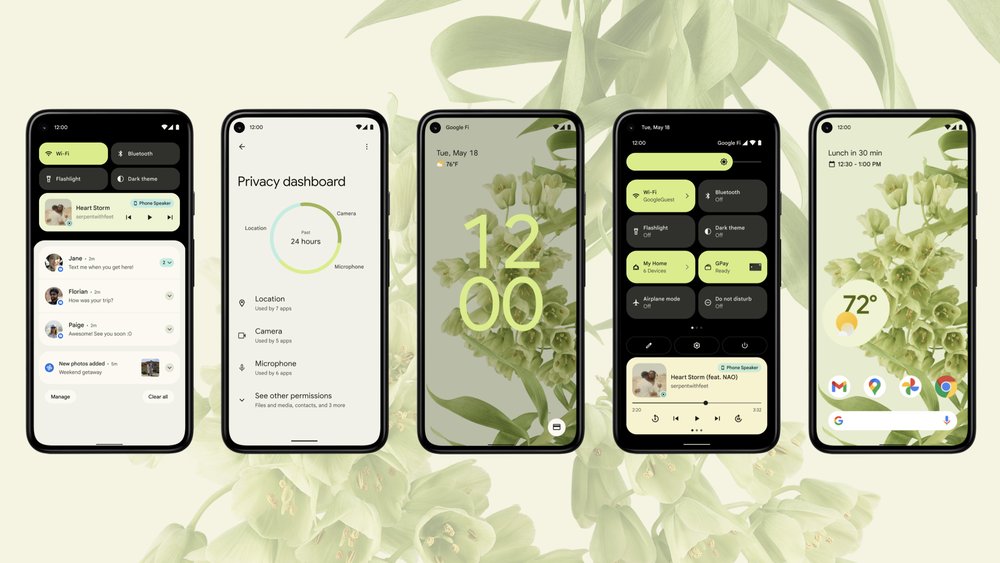
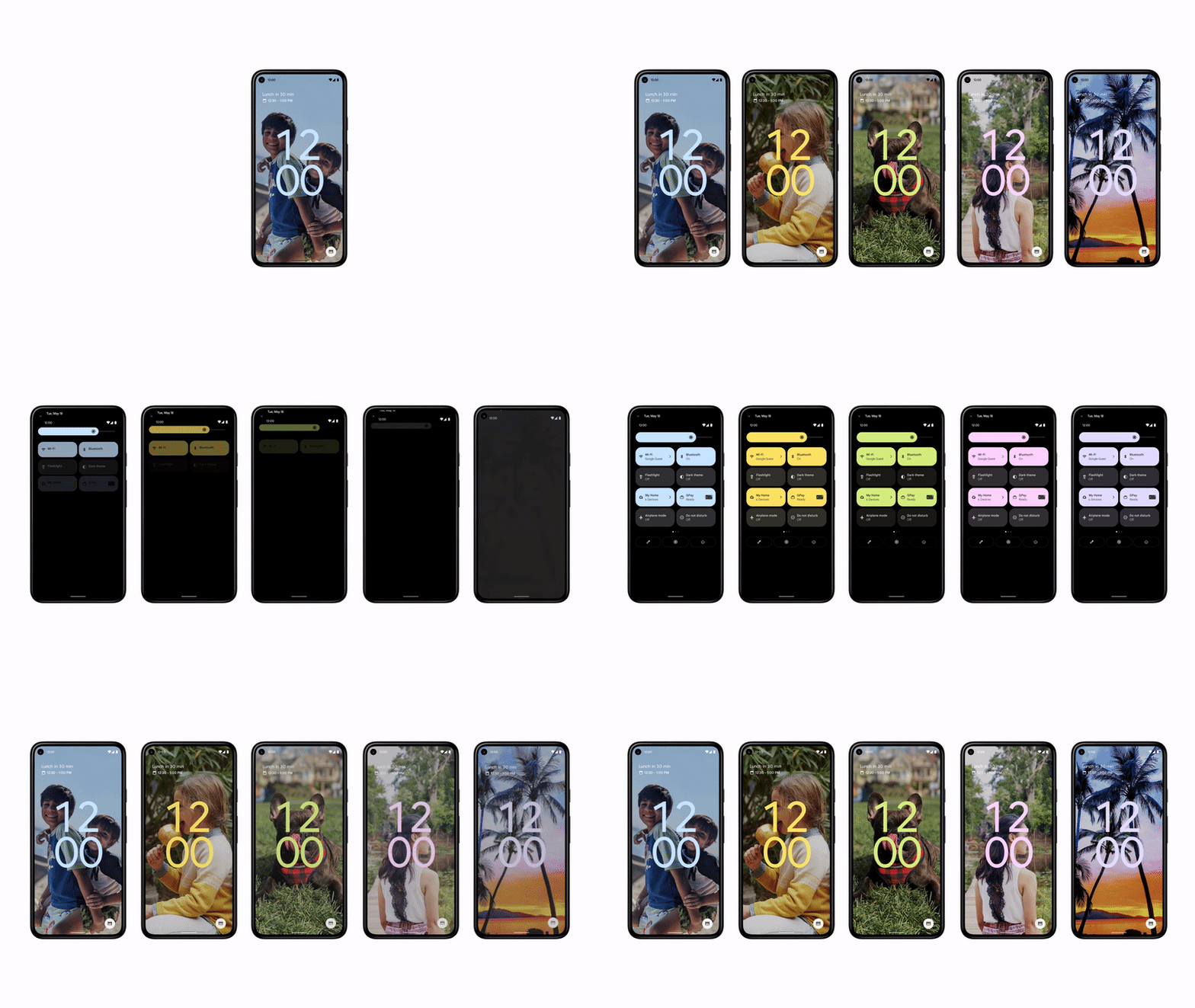
Android 12 introduces a new design language called Material You, helping you to build more personalized, beautiful apps. The new design combines many aspects into a single, clear and concise design language that operates across the OS. The color changes occur throughout the OS, including in Settings, Quick Settings tiles, and any app that supports Material You.
Redesigned notifications and widgets
https://blog.google/
Google is revamping its notification interface to make it more trendy and convenient. Instead of going through an intermediate provider to initiate an activity, tapping on a notice will lead you straight to the app or action you wish to do. Everything should run more quickly as a result of this.
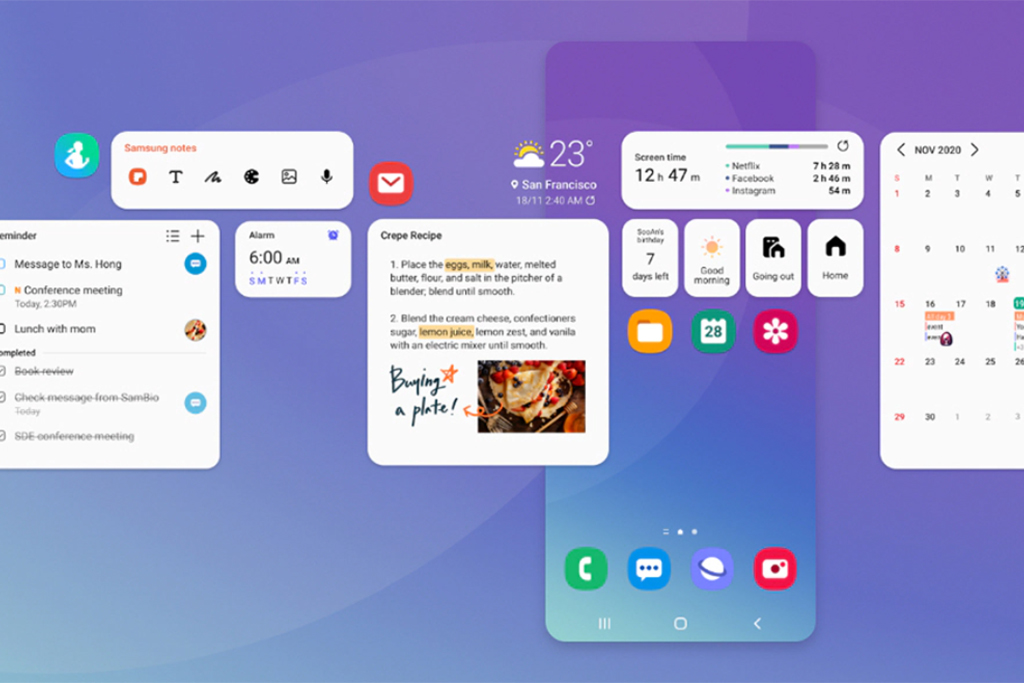
App widgets have been updated to make them more helpful, attractive, and discoverable. With new interactive controls, mobile-friendly layouts, and dynamic colors, you can create a unique yet consistent design.
Face-based auto rotate
For years, auto-rotation was determined by the accelerometer on your phone. When your phone is flipped on its side, it detects it, and the screen follows suit. Face recognition for auto-rotation is now available in Android 12. Basically, your phone looks at your face and rotates only if it detects that the phone’s orientation has changed. As a result, you may do things like sleep on your side in bed and the phone will not rotate.
Performance
Faster, more efficient system performance. For quicker app loading, improved app startup times and streamlined I/O, and increased Cursor Window by up to 49x for big windows while doing database queries. Optimized foreground services, Android 12 prevents apps from starting foreground services while in the background More responsive notifications. Faster machine learning gets the best possible performance through the Neural Networks API.
Privacy
New features in Android 12 give you more visibility into which applications are accessing your data and additional controls so you can make educated decisions about how much personal information your apps may access.
Users now have more control over whether your app receives microphone, camera, and location data thanks to a new dashboard in Settings. Users have even more control over their location data, and they can give your app access to an estimated position even if it asks for a precise location. Indicators in the status bar notify users when your app is utilizing the device camera or microphone. Without requiring location permission, your app may search for and link with nearby devices using new permissions.
Conclusion
Android 12 is a major update to the OS with a number of new features, marking a significant shift in Google’s mobile strategy. While Android 12 may be out of reach for the time being, you explore more your Android’s recent Update! Android 12 marked a significant shift in Google’s mobile strategy. Let us know your thoughts in the comment below!
All products, and company names, logos, and service marks (collectively the "Trademarks") displayed are registered® and/or unregistered
trademarks™ of their respective owners.
The authors of this web site are not sponsored by or affiliated with any of the third-party trade mark or third-party registered trade mark owners,
and make no representations about them, their owners, their products or services.
Typically, you root your Android smartphone if you want to get beyond constraints imposed by your phone’s manufacturer. Rooting Android effectively grants your operating system privileged authority over various Android components. Rooting, on the other hand, is not the same as SIM or bootloader unlocking.
What is Rooting?
The process of getting root access or privileged control over devices, most often Android smartphones and tablets, is known as rooting. Rooting is also possible on devices that run on the Linux operating system. Although rooting sounds similar to phrases like unlocking and jailbreaking, it is essentially distinct. Rooting allows a non-administrative user to have administrator-level access to the operating system. In the case of Android devices, it aids in the circumvention of security architecture, but if done incorrectly, it may cause issues. It is a method of unlocking an Android smartphone in order to offer the user privileged control, or root access. It is not to be confused with jailbreaking (on iOS devices). It’s similar to having administrator rights on a Windows or Linux-based operating system.
Disadvantages of Rooting Android Phone
The following are the main drawbacks of rooting your Android phone:
The phone’s warranty is voided. A phone that has been rooted is no longer covered by the manufacturer’s warranty.
There’s a chance you’ll “brick” your phone. A phone that has been bricked is utterly useless.
The phone contract is broken. This is dependent on how you bought the phone. If you lease the device or pay for it, rooting it will undoubtedly violate your carrier’s contract.
This was a poor performance. The goal of rooting a phone is to increase the performance of the device. However, some users who root their phones in order to increase performance or add new features discover that their phones lose both performance and features.
Malware may quickly compromise the security of your mobile device. Gaining root access also includes getting over the Android operating system’s security constraints. Worms, viruses, adware, and Trojans may all infiltrate rooted Android software if it isn’t protected by a good Android mobile antivirus.
Also, terrible news if you’re a Netflix user or use Google Pay. These, as well as a number of other apps, will not operate on a rooted Android smartphone. So, consider if it’s worthwhile to give it a shot.
Advantages of Rooting Android Phone
Rooting your Android phone has a number of advantages, including:
Getting rid of pre-installed programs. When you root a phone, you may get rid of the pre-installed apps that you don’t want.
Memory is being freed. When you download an app on your phone, it is saved in the memory of the device. Rooting your phone allows you to relocate installed programs to an SD card, freeing up system capacity for other files or apps.
ROMs that have been customized. The most powerful feature of rooted phones is this. There are hundreds of custom ROMs available that boost the processing speed of a phone while also changing the appearance and feel.
Rooting your phone allows you to run apps that you wouldn’t be able to run otherwise. Many of these applications provide additional customization and power management choices, as well as more control over the phone.
Almost every theme and image may be fully customized. Any program, regardless of where it’s available, may be downloaded. additional performance and increased battery life If your smartphone is old and no longer gets updates from the manufacturer, you can upgrade to the newest version of Android.
Will Rooting Android Phone also unlock the service provider’s lock?
It’s important to realize that rooting an Android phone is different from unlocking it. Unlocking a phone enables it to be used on several networks.
The procedures of rooting and removing a carrier lock are fundamentally different. Superuser permissions, such as access to Android’s internal folders and control over your whole filesystem, are obtained via rooted Android phones. These rights may be used to flash a custom ROM, a custom kernel, underclock or overclock your GPU, and much more. However, getting your smartphone carrier unlocked is not included in the package.
It’s so easy to unlock your phone with UnlockBase.com you will wonder why you spent months locked into an unattractive contract. Make extortionate roaming rates a thing of the past, or escape from the fees and charges.
Conclusion
It’s absolutely acceptable if you still want to root your Android device. However, be certain that you made the best warranty and security option possible. Please leave a comment in the box below if you have any additional recommendations for rooting Android phones!
All products, and company names, logos, and service marks (collectively the "Trademarks") displayed are registered® and/or unregistered
trademarks™ of their respective owners.
The authors of this web site are not sponsored by or affiliated with any of the third-party trade mark or third-party registered trade mark owners,
and make no representations about them, their owners, their products or services.
The IMEI (International Mobile Equipment Identity) is a unique identifier for mobile devices. It’s a 15-digit number that’s unique to each device, so think of it as your phone’s fingerprint. IMEI numbers are shared between phone carriers and manufacturers in order to track stolen or hacked handsets.
An IMEI number, serial number, and model number are all part of a mobile device’s unique identification. There are a few various ways to find out this information depending on your device model.
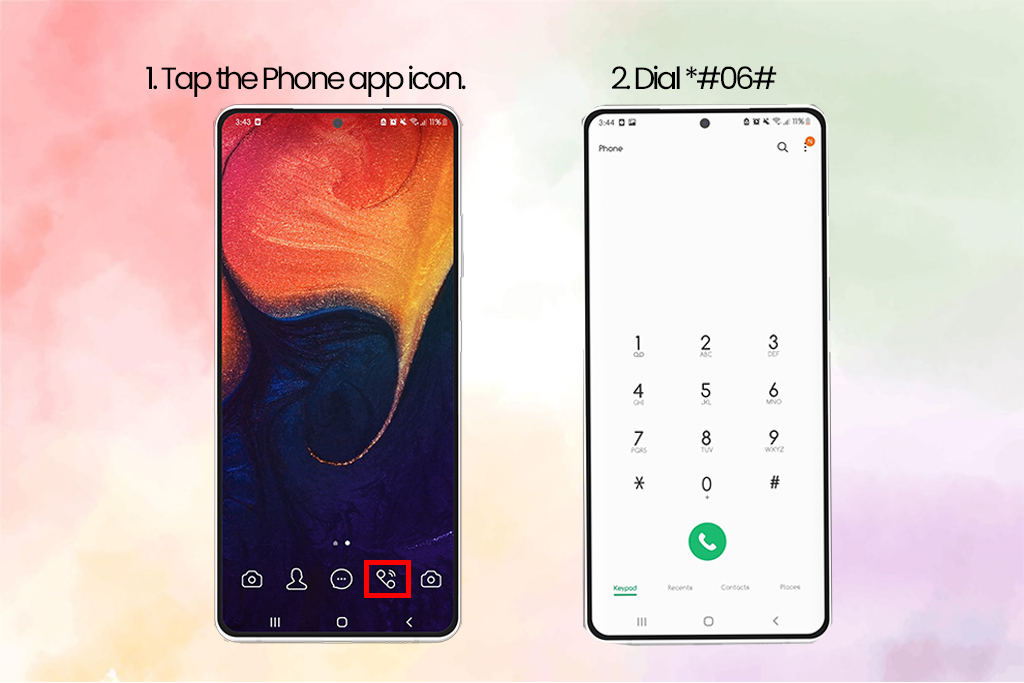
1. Samsung IMEI Check Using USSD code
This is the most straightforward technique of determining your phone’s IMEI number. The advantage of this strategy is that it is almost popular. It is compatible with nearly all feature phones and smartphones.
Tap the Phone app icon.
Dial *#06# in your keypad.
The IMEI number of your current device, as well as the Serial Number (S/N), will be displayed on the screen. Depending on whatever Android OS version your smartphone is running, the displayed screen may seem different.
2. Samsung IMEI Check Number on the Phone
For phones that have been sealed (non-removable cover or battery)
Take a look at your phone’s backside. On the back of your device, you’ll find the Model Number, Serial Number, and IMEI.
For phones with a detachable battery or case
Remove the battery and rear cover.
The Model Number, Serial Number, and IMEI are printed on the sticker.
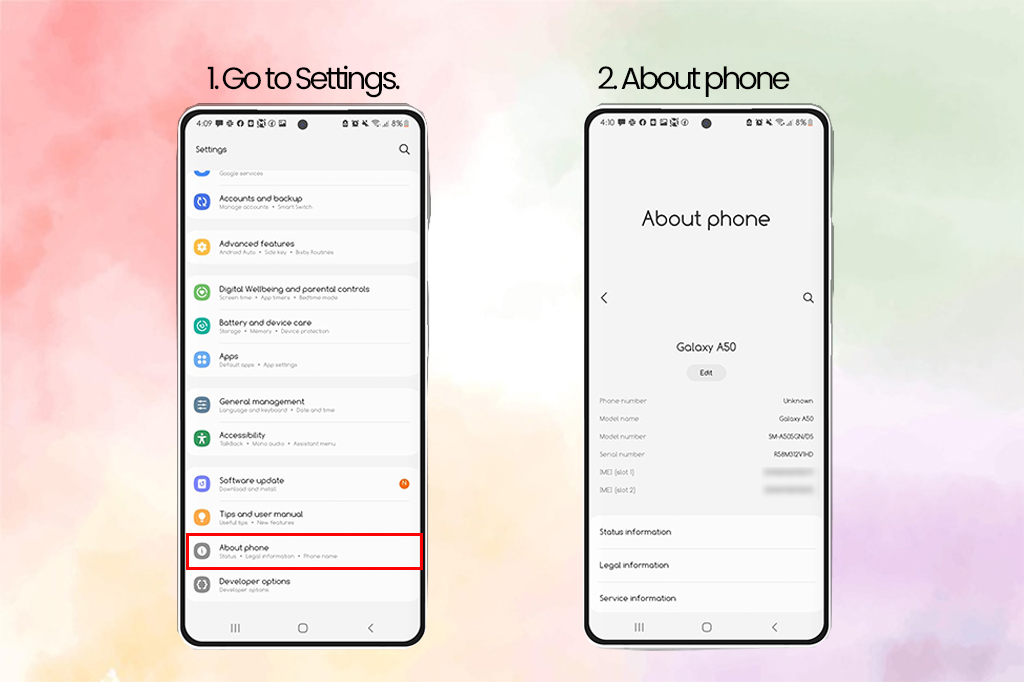
3. Samsung IMEI Check Via Settings
On Android, go to Settings > About > IMEI to see the IMEI number. Tap Status and scroll down to see the IMEI information
Note: If you’re using an older device, you might have to press Status to see this information.
4. Samsung IMEI Check on Retail Box
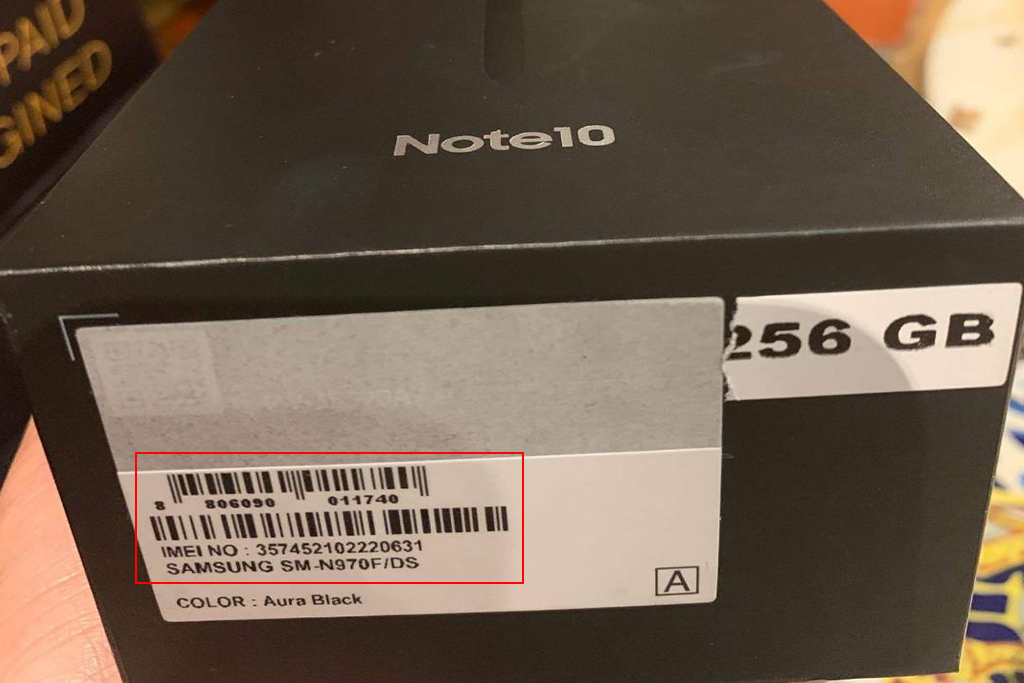
The IMEI number is stated on both the retail boxes, which is a good idea to save both instead of tossing them away. At the very least, keep the box since it will come in handy if you need to check the IMEI or if you decide to resell the phone later. The IMEI number is printed on a sticker on the box’s side.
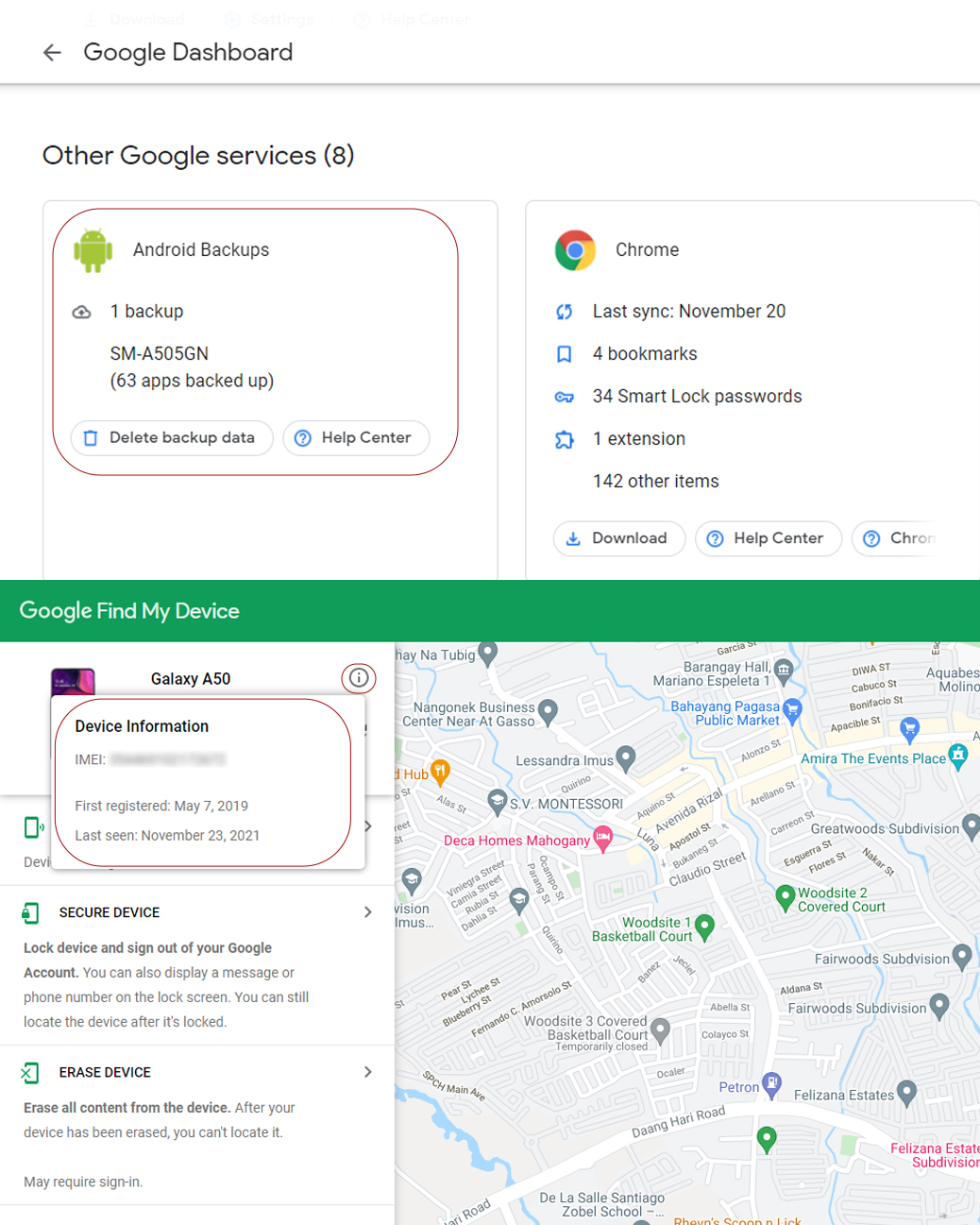
5. Samsung IMEI Check using Google Dashboard
Even if they’ve misplaced their phone, Android users may check the IMEI number. All of the techniques listed above are effective and faster, but if you’ve misplaced your phone and haven’t retained the box, you may still use this approach.
Use the Google account associated with the Android phone to access Google Dashboard.
Next to the green robot logo, select Android.
This will provide a list of all devices associated with the account, as well as their IMEI numbers.
Conclusion
You can check your Samsung’s device even if it’s not in your possession! We hope that this quick tutorial helped you out! Have you had the same problem before? Do you know another way on how to get an IMEI number on an iPhone if locked? Let us know in the comments below!
All products, and company names, logos, and service marks (collectively the "Trademarks") displayed are registered® and/or unregistered
trademarks™ of their respective owners.
The authors of this web site are not sponsored by or affiliated with any of the third-party trade mark or third-party registered trade mark owners,
and make no representations about them, their owners, their products or services.
Trying to turn on your smartphone and finding that nothing occurs is every smartphone owner’s worst fear. Your phone isn’t working. A dark screen with no indication of life is a tragedy waiting to happen. What are the possible causes of your Android device won’t turn-on? Let’s look at some of the causes and potential remedies.
1. Check your cord, charger, outlet, and case for problems. – Android device won’t turn-on
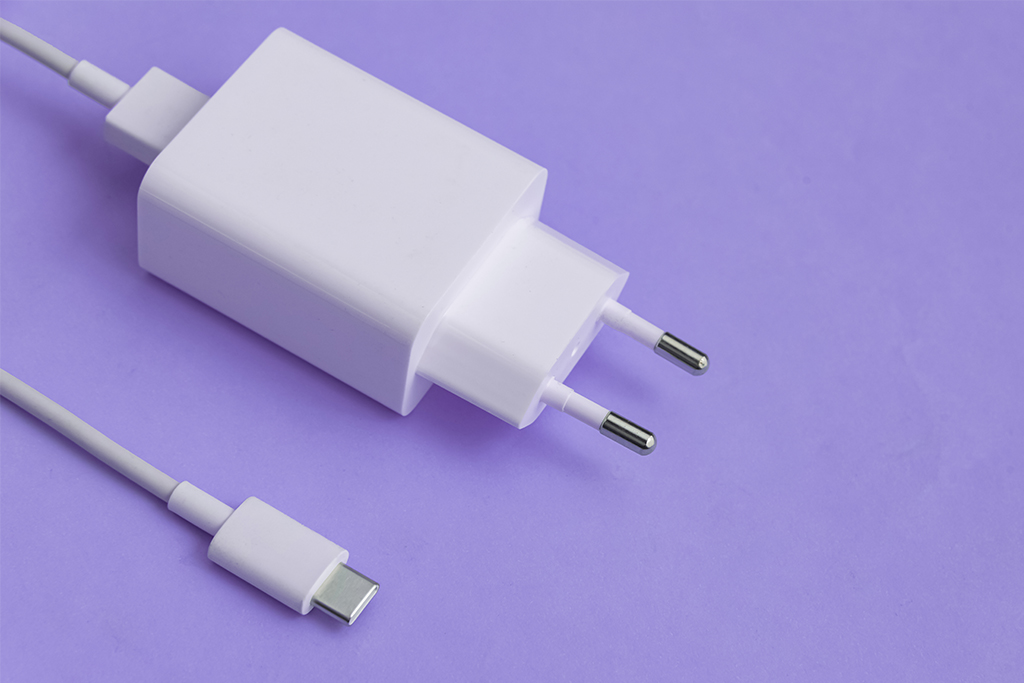
Make sure your cord and charger are in good working order. Try them on a different device. Make sure the charger and your phone are both properly linked with the wire. Make sure there’s no debris, such as dust or dirt, in your phone’s port. Make sure your outlet is functioning. Connect the charger to a power outlet. Check that no accessories, such as covers or battery packs, are covering or pressing your phone’s sensors or buttons.
2. Check your battery’s charge.
Wait one minute after plugging in your phone with a functional cable, charger, and outlet. Your phone is switched down and charging if you see a battery icon. You can immediately restart. Your battery is entirely depleted if you see a red light. There isn’t enough electricity to turn on if the red light is blinking. Before restarting your phone, make sure it’s fully charged. If you plug in your phone and don’t see a battery indication or a red light, the problem might be with your screen. Battery symbols and lights may differ depending on the phone. Contact the manufacturer of your phone for further information.
3. Hold Power Button and Check Battery
A power cycle is one option for an Android device won’t turn-on. It’s as simple as pulling out the battery, waiting a few seconds, and replacing it with older devices with a detachable battery.
Press and hold the device’s power button for several seconds on more recent phones that don’t have a detachable battery. You may need to hold it down for anywhere between 10 and 30 seconds, depending on your manufacturer.
4. Check your Screen
Your phone might be turned on without your knowledge. A damaged screen might make it appear as though there is no power. Fortunately, determining if your screen is to blame is simple. Hold the Power button for 30 seconds to make sure your phone is turning on, then wait at least two minutes for the boot process to finish. Simply dial your own number from a different phone. If your phone rings, it’s because of your screen. If it doesn’t, you must continue. You may occasionally change the screen yourself, but this will void your warranty once more.
5. Fix with advanced steps
Use Your Computer to Troubleshoot Allow 15 minutes for it to charge. Remove the cord from the device (not the computer). Within 10 seconds of unplugging the cable, reconnect it. Allow another 30 minutes to charge your smartphone. For five seconds, press and hold the Power button. On your screen, tap Restart. Hold the power button down for another 30 seconds if you don’t see Restart.
Reset Your Android Device
Your smartphone may power on, but you won’t be able to go past the boot process to your home screen. It’s possible that a corrupted upgrade or a custom ROM is to fault. You might attempt to reset your smartphone in this scenario.
For a few seconds, press and hold the Power and Volume Down buttons until the Android logo appears on the screen. (Some manufacturers use a different key combination.)
To go to Recovery Mode, use the Volume Up and Volume Down keys. Activate the power switch. Select Wipe Data/Factory Reset using the Volume keys and then click the Power button. Finally, hit the Power button after selecting Yes—Erase All Data. It will take several minutes to finish the reset procedure.
If none of the preceding methods work, you may be dealing with a hardware problem that you are unable to resolve. At that point, I would contact the manufacturer or the retailer that sold you the item for assistance. It’s probable that the gadget has a hardware problem that can’t be fixed without significant manufacturer troubleshooting.
You successfully boot your phone and make it work but you can’t use your phone’s full potential due to your carrier’s restriction?
Unlock your phone today at UnlockBase.com! It’s so easy to unlock your phone with UnlockBase.com you will wonder why you spent months locked into an unattractive contract. Make extortionate roaming rates a thing of the past, or escape from the fees and charges.
Conclusion
So, what’s the deal with my phone not turning on? We hope that this guide has assisted you in determining all of the reasons for the problem and their remedies! Do you have any other way to fix the same problem above? Let us know in the comments below!
All products, and company names, logos, and service marks (collectively the "Trademarks") displayed are registered® and/or unregistered
trademarks™ of their respective owners.
The authors of this web site are not sponsored by or affiliated with any of the third-party trade mark or third-party registered trade mark owners,
and make no representations about them, their owners, their products or services.
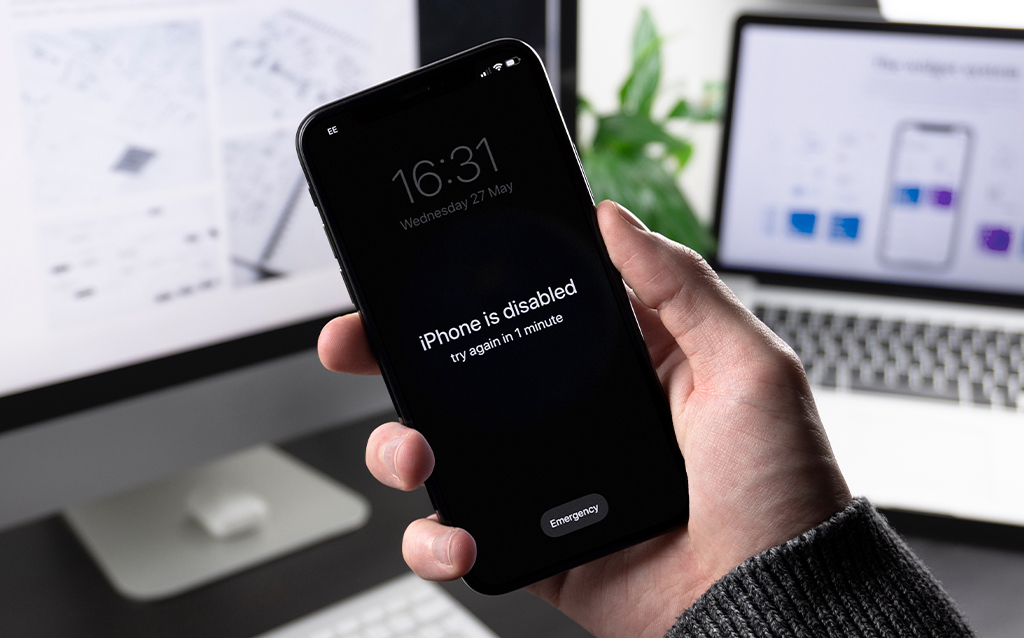
If someone tries to unlock an iPhone or iPad too many times without success, the warning “iPhone is Disabled” will appear. If you forget your iPhone passcode, you can make too many incorrect tries and wind up with an iPhone that is disabled, the notification will indicate how long you must wait before attempting to unlock it again:
If you enter the wrong passcode five times in a row, your iPhone will be deactivated for one minute.
If you enter the wrong passcode seven times in a row, your iPhone will be deactivated for five minutes.
If you enter the wrong passcode eight times in a row, your iPhone will be deactivated for fifteen minutes.
If you enter the wrong passcode nine times in a row, your iPhone will be deactivated for sixty minutes.
If you enter the wrong passcode ten times in a row, your iPhone will be deactivated forever.
Thing you’ll need before restoring your iPhone :
A computer, If you don’t have access to a Mac or PC, you might be able to borrow one from an Apple Retail Store or a Mac reseller.
A lightning to USB cable will be required as well. If your Mac only has USB-C ports and your iPhone cord only has USB-A ports, this might be an issue… You’ll need an adapter or a USB-C to lightning cord in that scenario.
Restoring your iPhone using iTunes – iPhone Disabled
Instead, you’ll need to reinstall your applications and data from a backup after restoring the iPhone to factory settings. It’s worth mentioning that this is one of the reasons why you should always have a current backup.
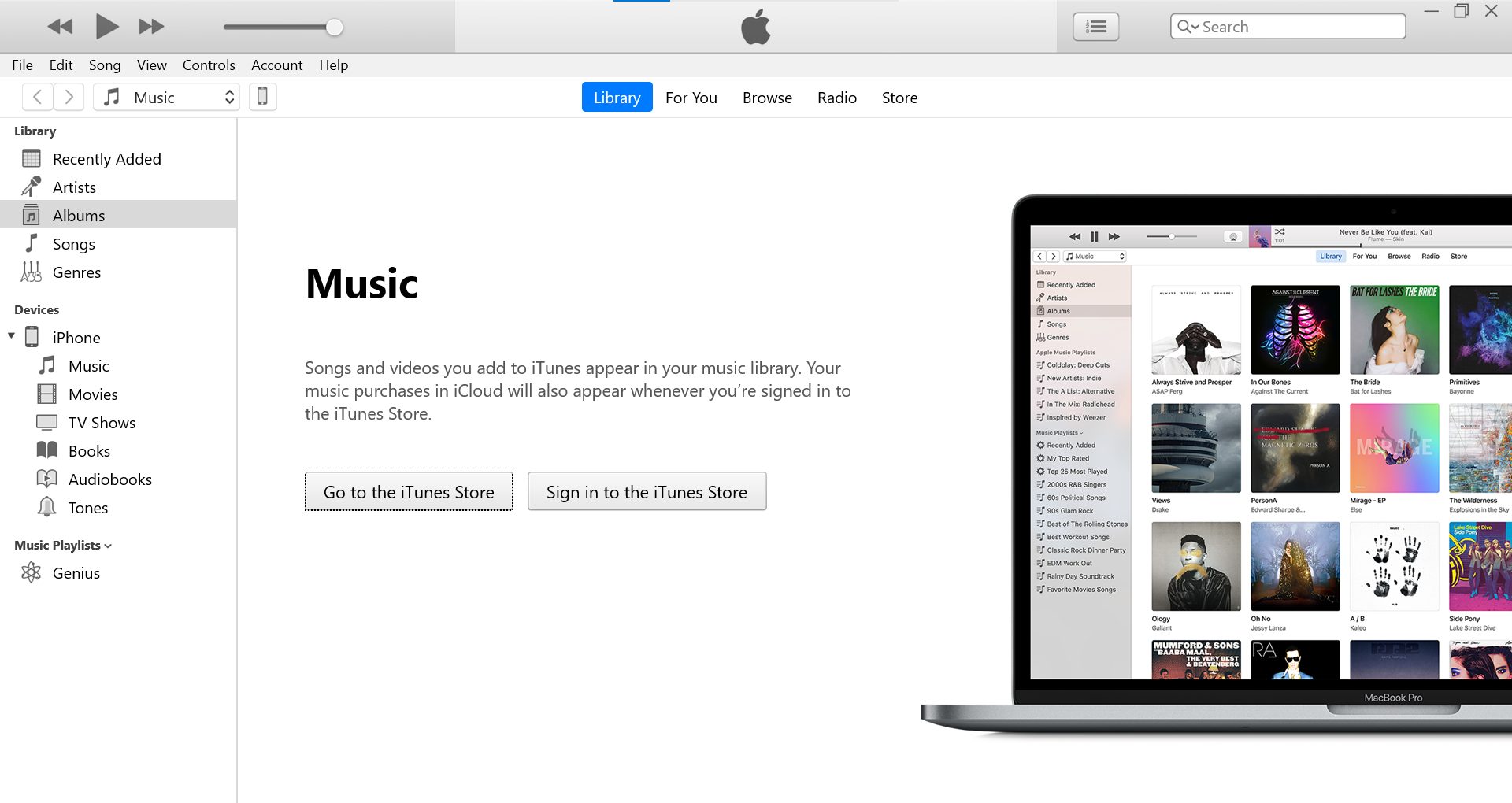
Start iTunes on your computer and connect your iPhone using a USB cord.
Enter Recovery Mode
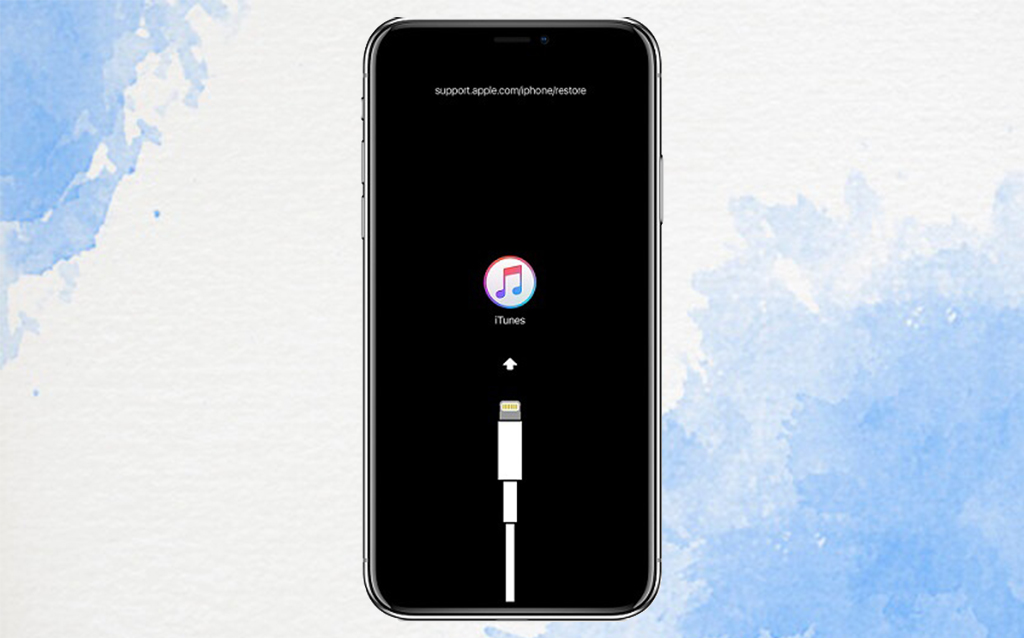
Connect your iPhone to your computer and enter recovery mode as the first step. Whatever method you use will be determined on the iPhone model you have.
If you have an iPhone 8 or later, press and hold the Volume Up and Volume Down buttons until you see the “connect to iTunes” screen, then press and hold the Power button.
Press and hold the Power button for three seconds on an iPhone 7, then swipe the “Power off” slider to the right. Finally, hold down the Volume Down button until the “connect to iTunes” screen appears.
Press and hold the Power button for three seconds on an iPhone 6s or older, then swipe the “Power off” slider to the right. Then hold down the Home button until the “link to iTunes” screen appears.
Once your iPhone or iPad has entered recovery mode, go to iTunes or the Finder and locate your device. You’ll be asked if you wish to Restore or Update your device. Choose Restore.
It may take awhile for your iPhone’s repaired iOS software to download. If your download takes more than 15 minutes and you depart the recovery mode display, let it finish, then force reboot and enter recovery mode again.
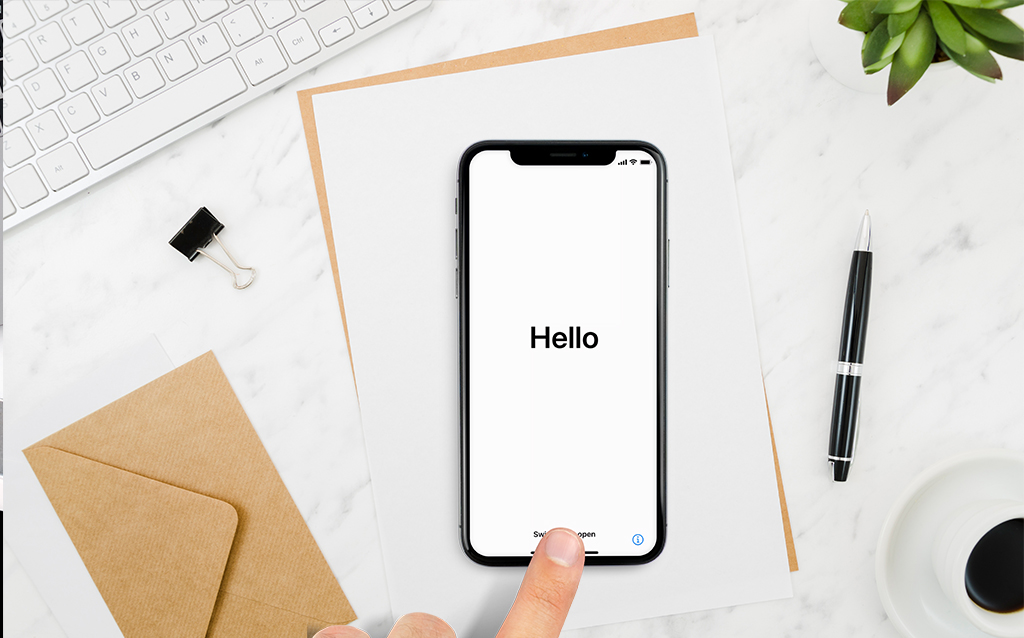
After you’ve restored your device, it’ll boot up like any other new iPhone or iPad. Follow the on-screen instructions to complete the setup. When it’s time to restore a backup, go to the Finder, iTunes, or iCloud and choose the most recent backup you have.
Restoring your iPhone using iCloud -iPhone Disabled
If your iPhone is disabled, it’s likely that it won’t connect to iTunes, making it difficult to restore it using the instructions above. In this instance, you’ll need to use iCloud to restore your iPhone.
This approach will only work if you have already set up Find My iPhone and the disabled iPhone has internet access. Otherwise, we recommend going to an Apple Store or contacting customer service.
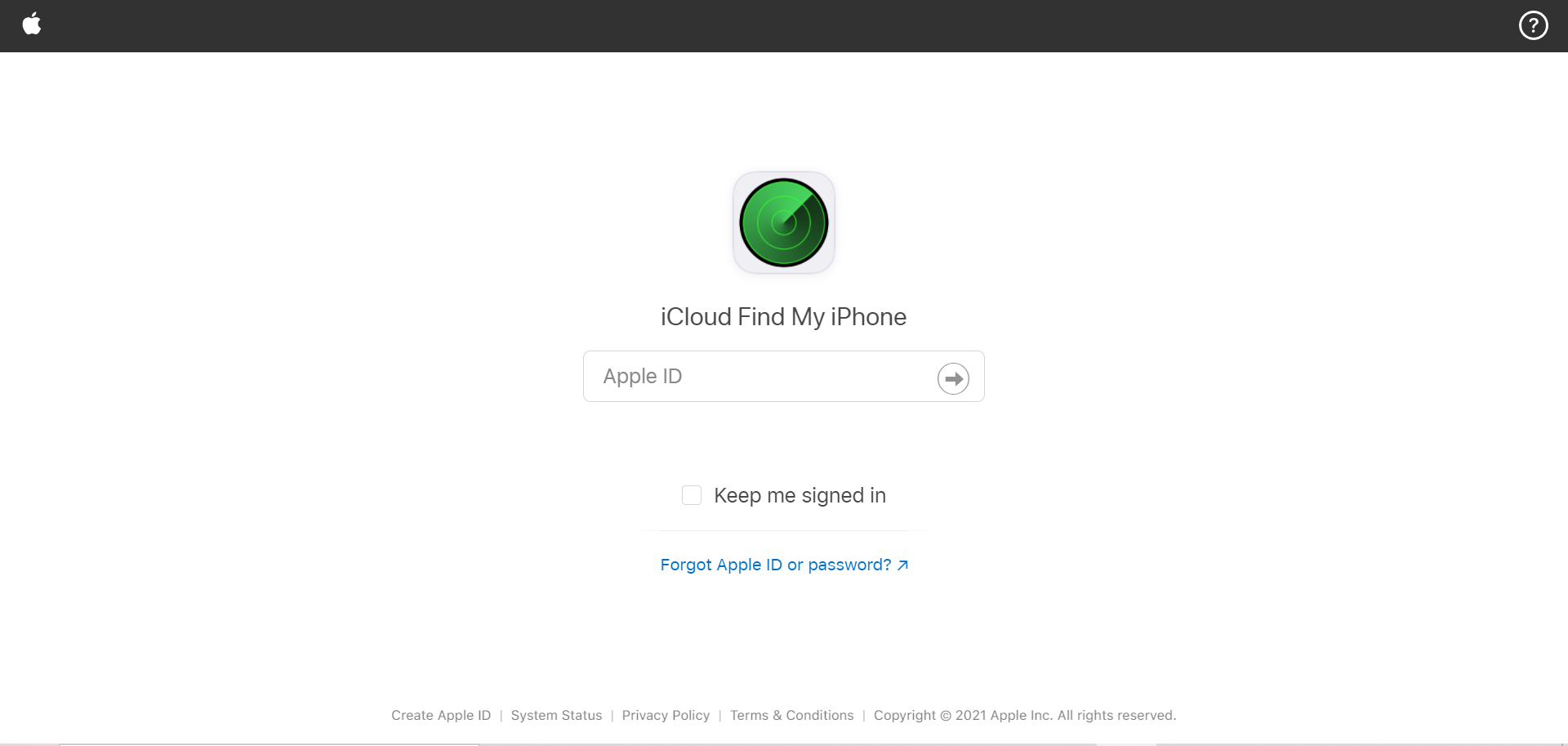
1. In any web browser, go to the Find My iPhone page.
2. Find and choose your iPhone from the list of devices in the drop-down menu at the top of the screen.
3. To confirm, click “Erase iPhone” and then “Erase.” You’ll still need to enter your Apple ID password, but the iPhone’s passcode isn’t required.
After completing these steps, you may restore your data from an iTunes backup or an iCloud backup.
Sim not Supported after Restoring your iPhone? -iPhone Disabled
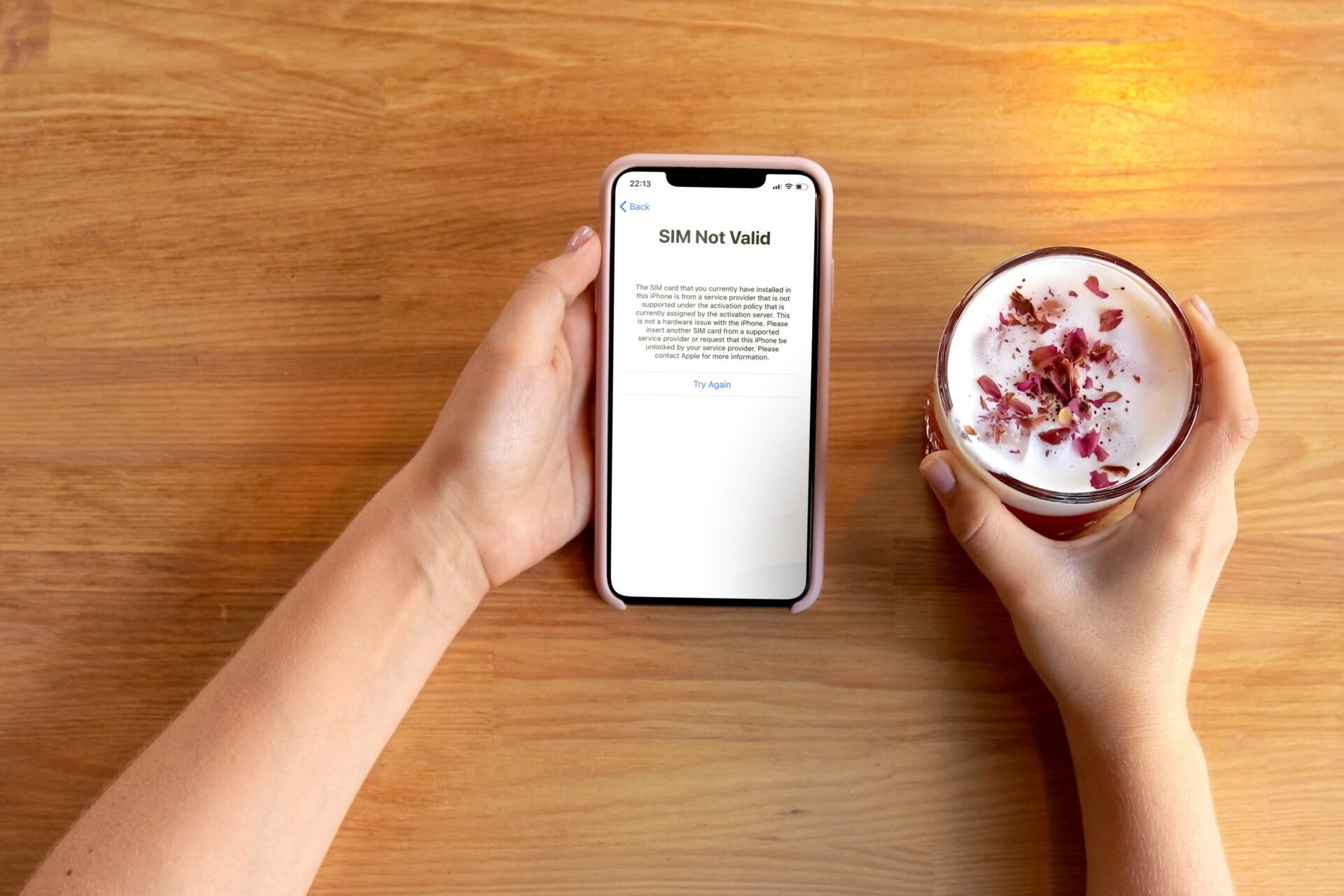
The moment you try to enter a sim card it keeps saying ‘Sim not valid’ or ‘Sim not supported’, and now you’re stuck with a phone that you can’t use at all, at least for voice calling. In this article, we’ll walk you through why you get this error and the possible ways and workarounds on how to fix this kind of error.
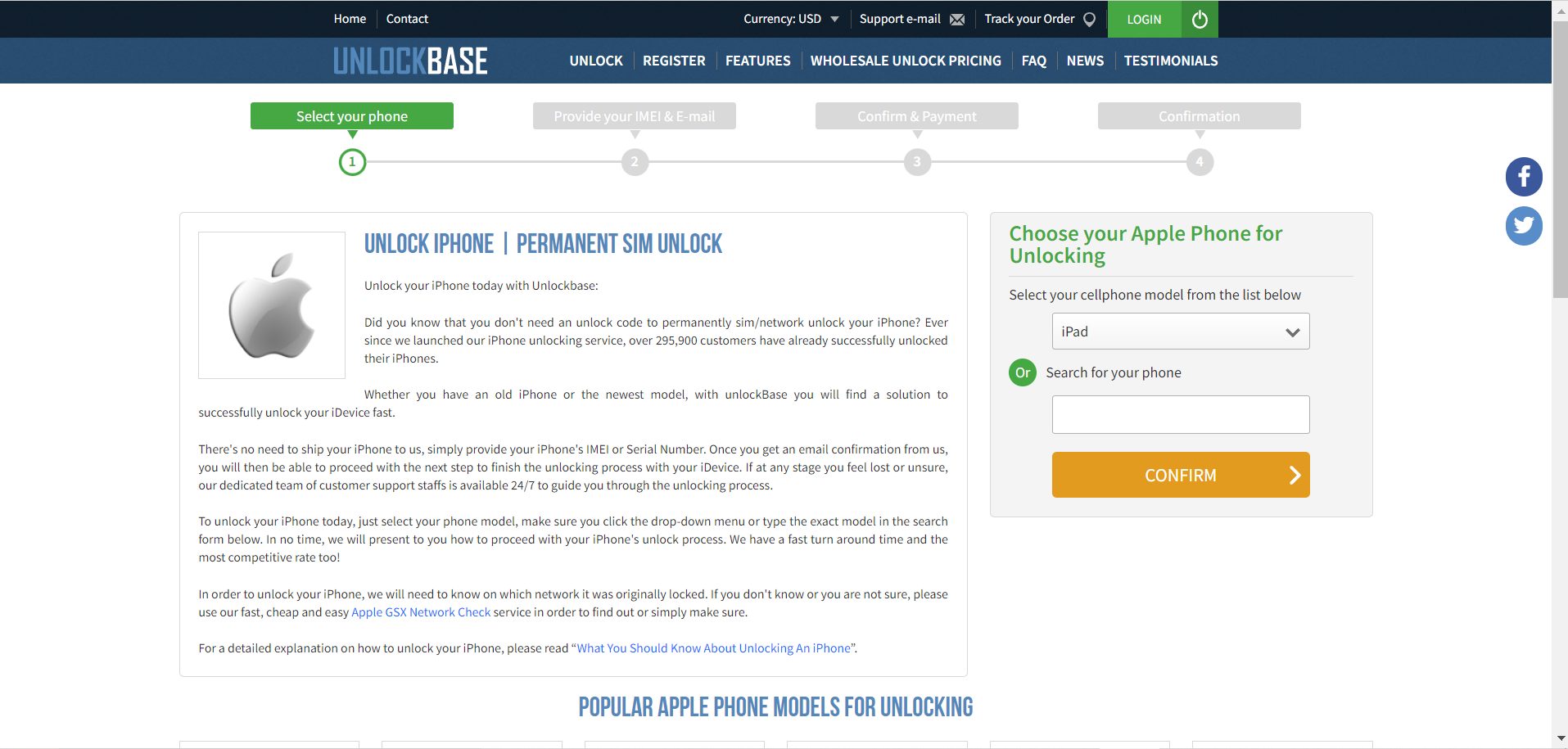
Or you can directly unlock your phone here: https://www.unlockbase.com/unlock-phone/iphone/
Conclusion
We hope this post was able to assist you in unlocking a locked iPhone. Keep a note of your passcode in the future to guarantee that your phone does not become disabled again. Did you encounter this problem in the past? How did you resolve it? If you have any other questions , Let us know in the comments below!
All products, and company names, logos, and service marks (collectively the "Trademarks") displayed are registered® and/or unregistered
trademarks™ of their respective owners.
The authors of this web site are not sponsored by or affiliated with any of the third-party trade mark or third-party registered trade mark owners,
and make no representations about them, their owners, their products or services.
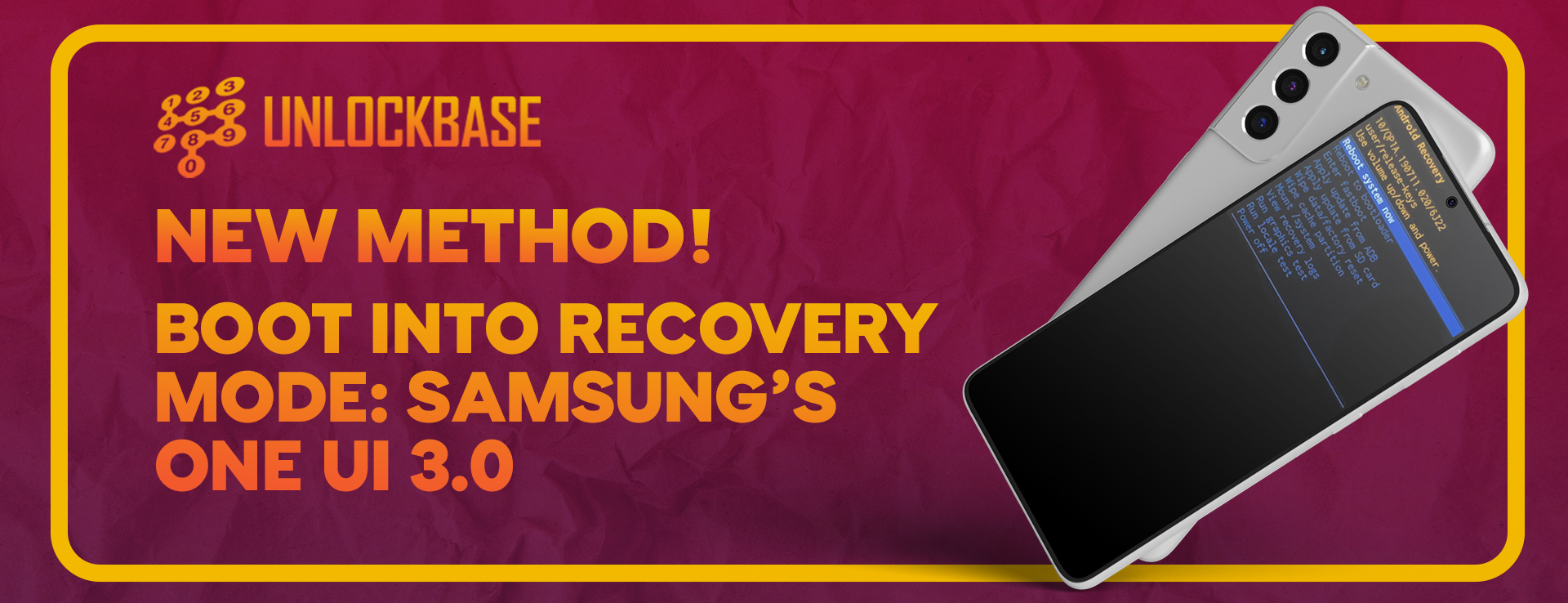
You may use Samsung Recovery Mode to conduct a hard reset on your Samsung Galaxy smartphone to resolve overheating or performance issues. While there is no Samsung Recovery Mode tool available, you may use the hardware key combination and the ADB command to enter Recovery Mode on your Samsung phone or tablet.
On all Android smartphones, including Samsung’s, recovery mode is a highly helpful function. You may conduct a factory reset, wipe data, and clear cache partitions using Recovery Mode. These steps might assist you in resolving various issues with your device. You may also manually upgrade your device’s firmware by installing the OTA update.zip package from Samsung.
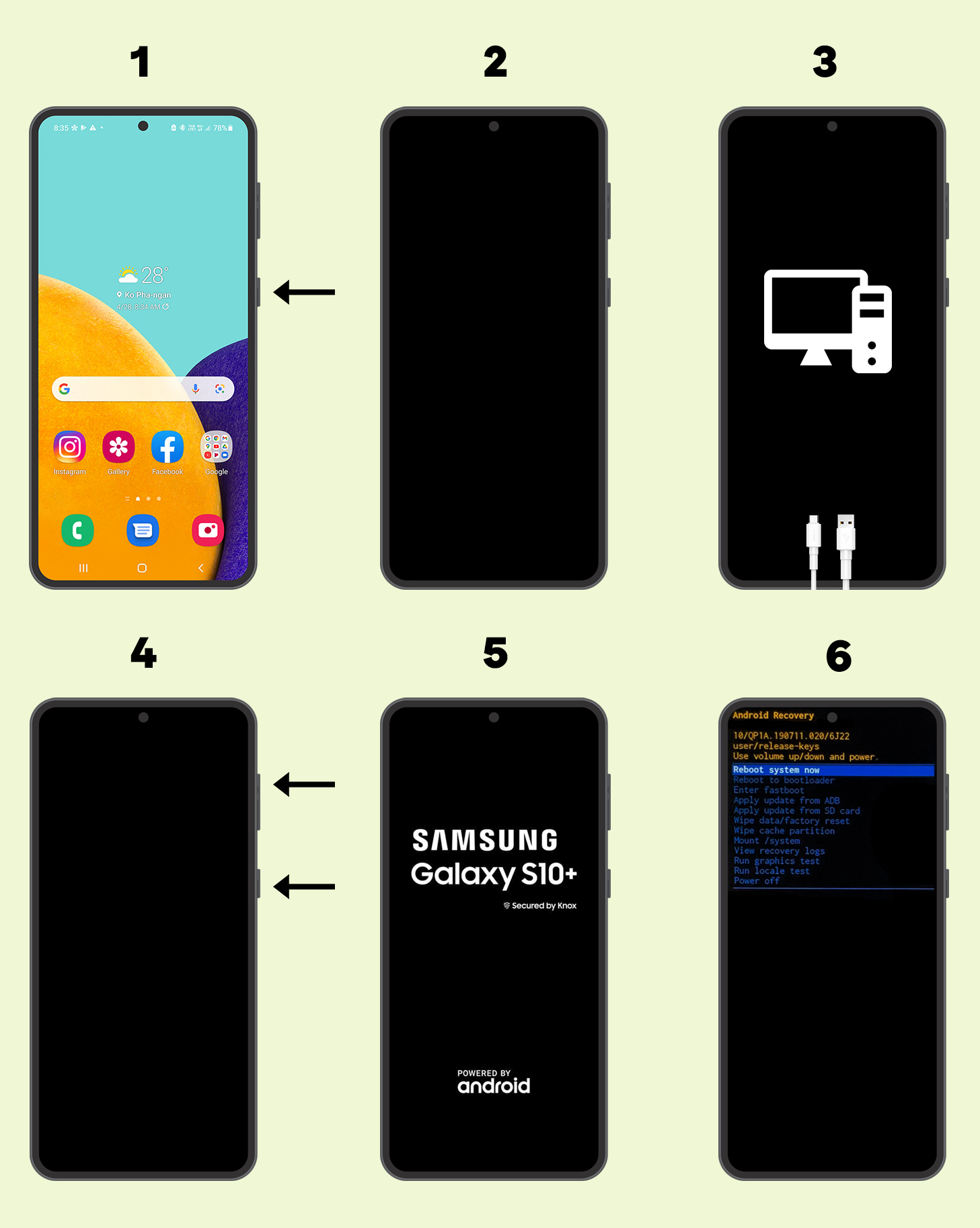
How To Boot Recovery Mode on Samsung One UI 3.0
The new approach is similar to the previous one, with a minor difference. However, without the new update, the old approach will not function at all.
Hold your device’s power button down until the power menu appears, then pick Power Off.
Wait for your gadget to completely shut down.
Connect a USB-C data cable to your computer or USB-C earbuds to your device
At the same moment, press and hold the volume up and power keys. Check to see whether your smartphone (such as the Galaxy S10/Note10) has a Bixby Button: Press Volume Up + Bixby Button + Power Button for a few seconds using the Bixby Button.
Keep the keys pressed and only let go when the Samsung boot animation logo appears.
In a few seconds, the phone will enter recovery mode.
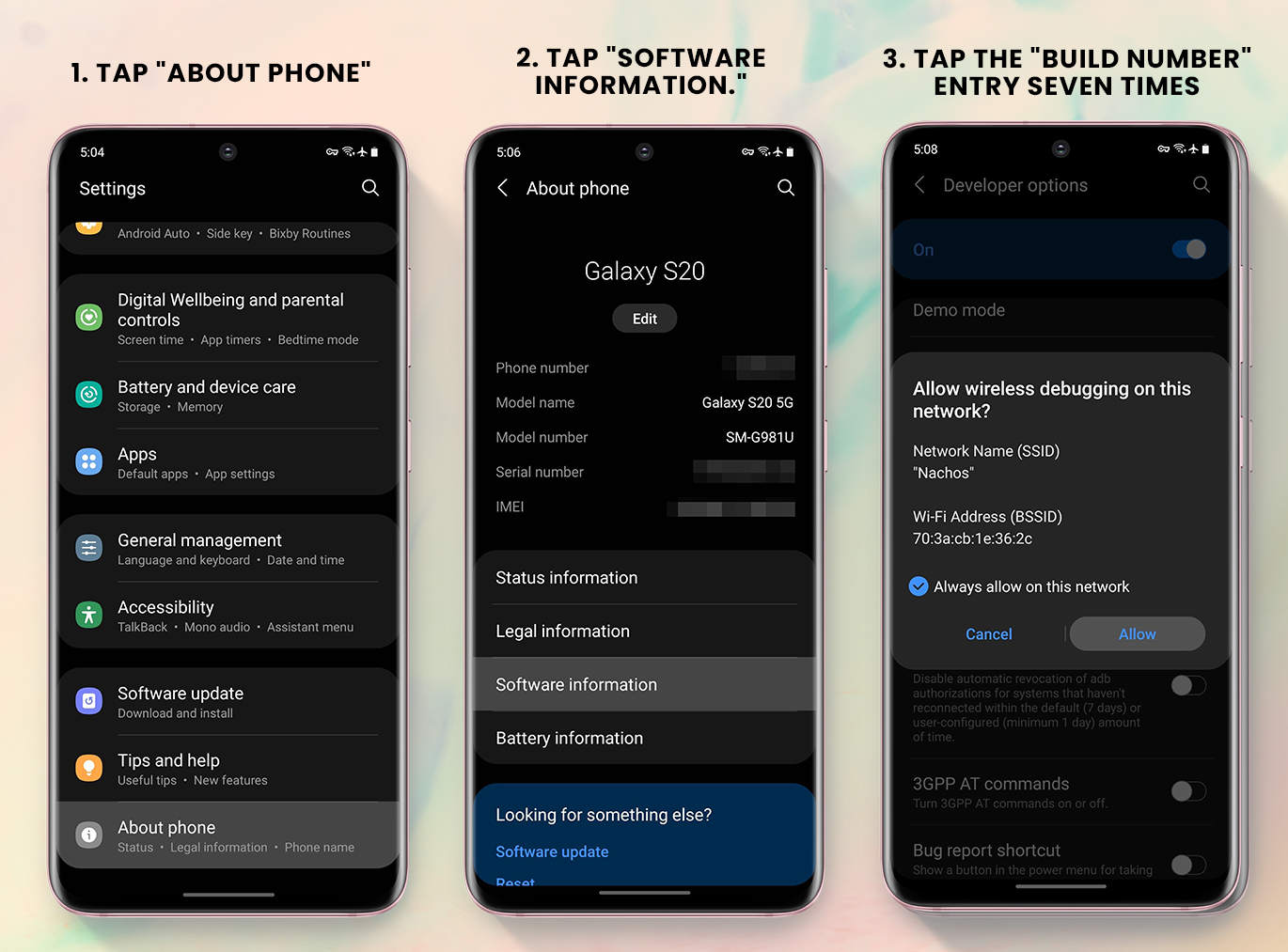
Go to Settings > About Phone > Software Information and touch the Build Number seven times fast. Developer Options will be enabled as a result of this. Enable USB Debugging in Developer Options.
You can proceed with the guide below once you’ve installed the necessary drivers and enabled USB Debugging.
Check to see if your phone is switched on.
Use the included USB cord to connect your phone to your computer.
Open the Command Prompt window. The command will not operate unless the directory is set to the ADB installation location.
Enter the following command and press Enter: adb reboot recovery
The phone will power off and then immediately boot into recovery mode once you perform the mentioned instruction.
The modification is solely for Exynos smartphones, and Samsung does not appear to be planning to make the same change for Snapdragon models.
Recovered your phone but it’s locked by your carrier? Unlock it now using UnlockBase! It doesn’t matter if it’s an old Samsung, or one of the latest releases, with UnlockBase you will find a solution to successfully unlock your Samsung, fast. There’s no need to send us your phone, just provide us the Serial Number (IMEI) of your phone and we will promptly deliver your unlock code.
Conclusion
That’s how you may enter recovery mode on a Samsung cellphone running One UI 3.0 based on Android 11. Because ordinary users can unintentionally boot into recovery mode, Samsung has implemented this adjustment so that only experienced users can boot into recovery mode.
Furthermore, if you have any questions about the above methods or if you know of another way to get your device to recover, please let us know in the comments below!
All products, and company names, logos, and service marks (collectively the "Trademarks") displayed are registered® and/or unregistered
trademarks™ of their respective owners.
The authors of this web site are not sponsored by or affiliated with any of the third-party trade mark or third-party registered trade mark owners,
and make no representations about them, their owners, their products or services.
You think that you’ve misplaced your iPhone or, even worse, believe it’s been stolen? The good news is that Apple offers software that can help you track down a misplaced iPhone and delete and lock it down if it has been stolen, ensuring that your data is safe.
This article will teach you all you need to know how to track your phone.
But first, make sure you’ve set up a passcode. That way, if your phone is stolen, they won’t have access to your personal information. Let’s also take a few minutes to make sure the Find My service is turned on so you can get your device back as quickly as possible.
Here’s how to get started if you’re new to the iPhone or have never used the Find My app
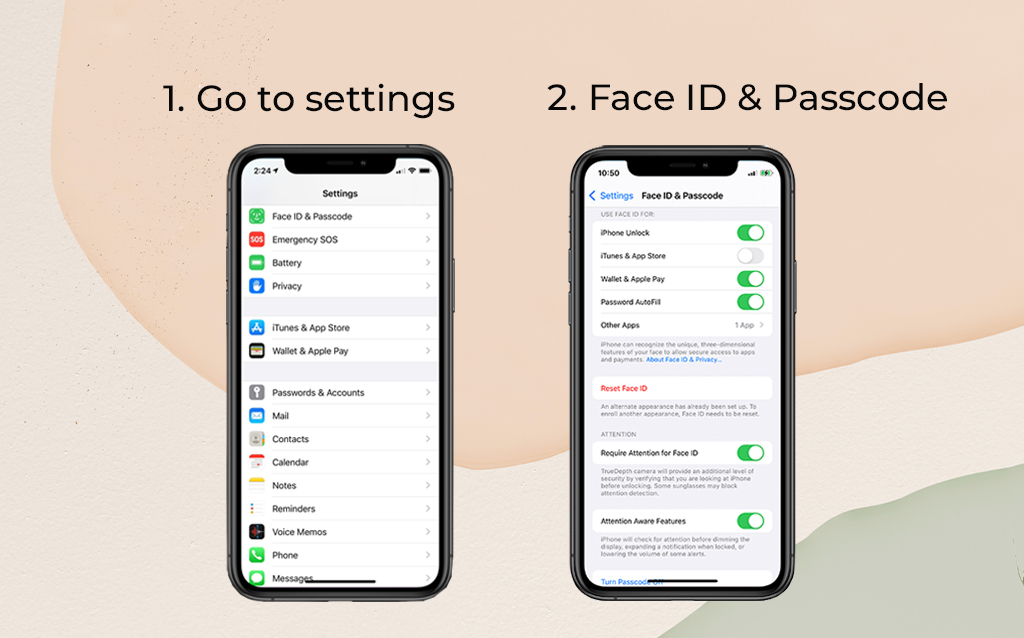
Set a passcode
Open Settings > Face ID (or Touch ID) & Passcode and follow the steps to secure your smartphone. It’s a slight annoyance to scan your finger or let Face ID do its thing. After a few days, the extra step will become second nature to you, and you won’t even realize it.
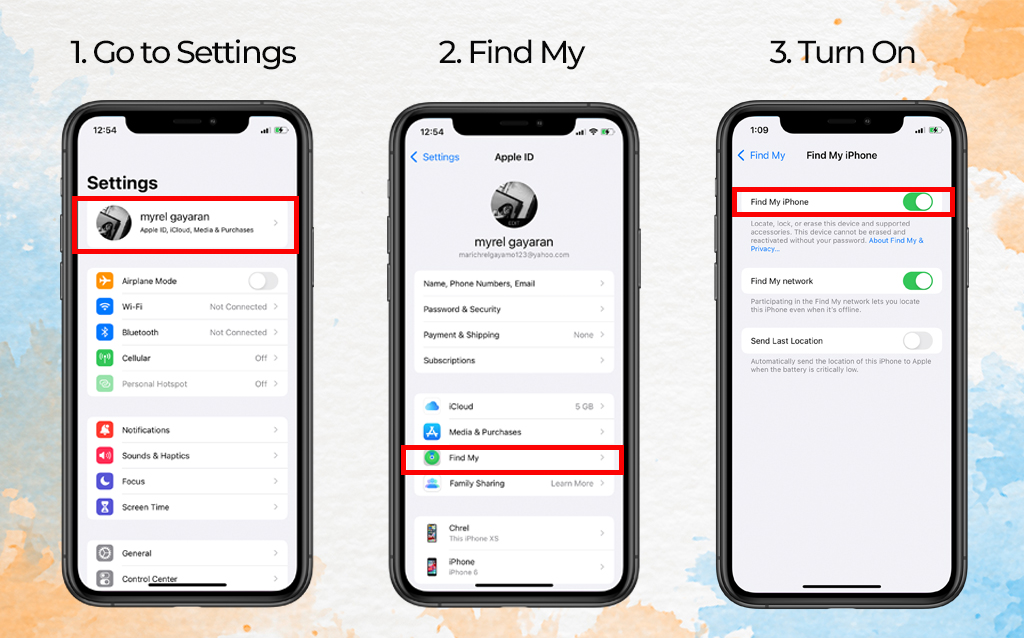
Activate Find My iPhone
To locate yourself, go to your settings, touch on your name, and then “Find My.”
Select “Find My iPhone.”
Turn on “Find My iPhone.” If you’ve upgraded to iOS 15, you can also enable “Find My Network,” which allows you to locate your phone even while it’s turned off. When your iPhone’s battery is close to dying, “Communicate Last Location” will send the location of your iPhone to your Apple account.
Track your lost iPhone
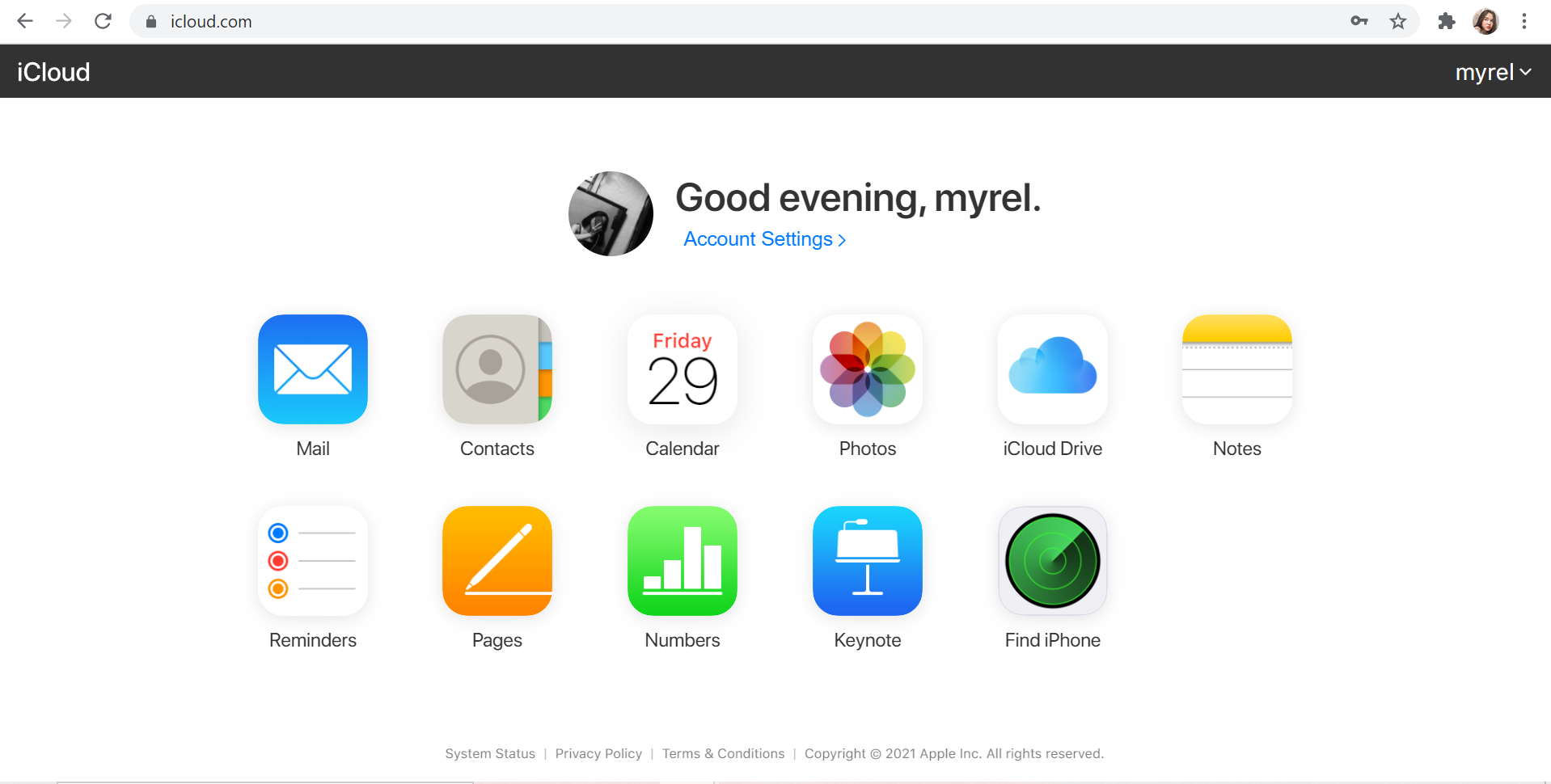
The first thing you should do if you lose your phone is go to icloud.com/find on a computer, open the Find My app on another Apple device, You may also login in with your Apple ID and utilize the Find My app on another Apple device.
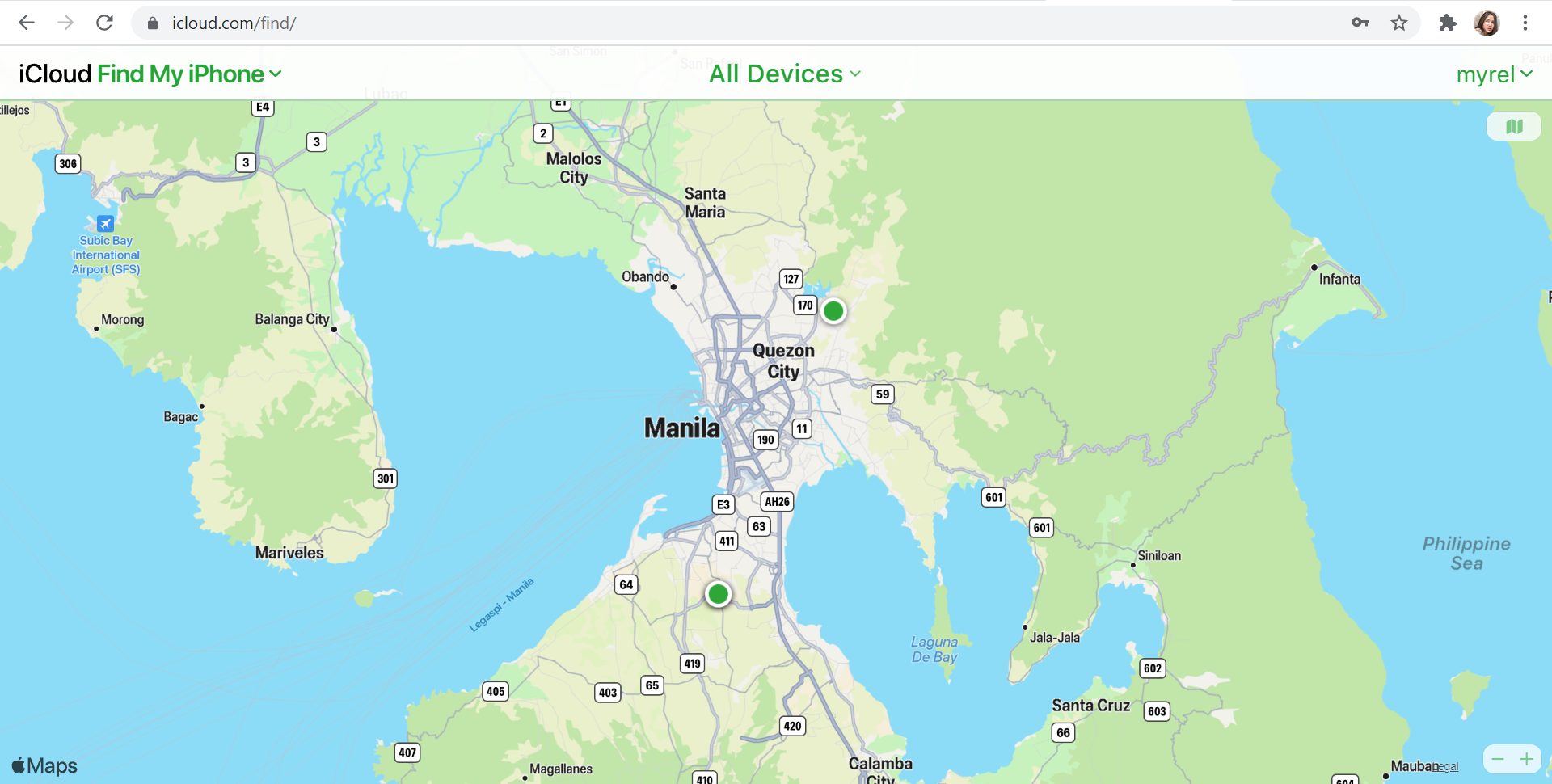
If you’re using the web version, you’ll notice a green dot that indicates where your iPhone is located. You may choose to have your phone make a sound, erase it, or put it on “Lost Mode” by selecting the dot and then the circled I (for details). You may input a phone number where you can be reached as well as a message (“Please return this phone immediately!”) in “Lost Mode.” The phone will then be locked until you input the passcode again. The iOS 15 release provides a significant enhancement to Find My, allowing you to track down your missing iPhone even if it has been switched off or the battery has drained. As long as your iPhone is connected to the Find My network, this feature will operate automatically. That means that whether or not your iPhone is turned on, its location will be accessible in Find My on your other devices
Found your phone but not activated? Unlock you phone here! Unlocked but the Sim is not supported? Read here : https://www.unlockbase.com/blog/how-to-fix-sim-not-supported-iphone-error/
Conclusion
The easiest method to keep your phone safe, especially when traveling or in new places, is to keep a careful check on it and never let it go. Take precautions. Even too cautious. Don’t leave your phone out in the open where it might be grabbed and taken. Don’t get too worked up if you misplace your phone. Remember to take a big breath and utilize Find My iPhone!
All products, and company names, logos, and service marks (collectively the "Trademarks") displayed are registered® and/or unregistered
trademarks™ of their respective owners.
The authors of this web site are not sponsored by or affiliated with any of the third-party trade mark or third-party registered trade mark owners,
and make no representations about them, their owners, their products or services.