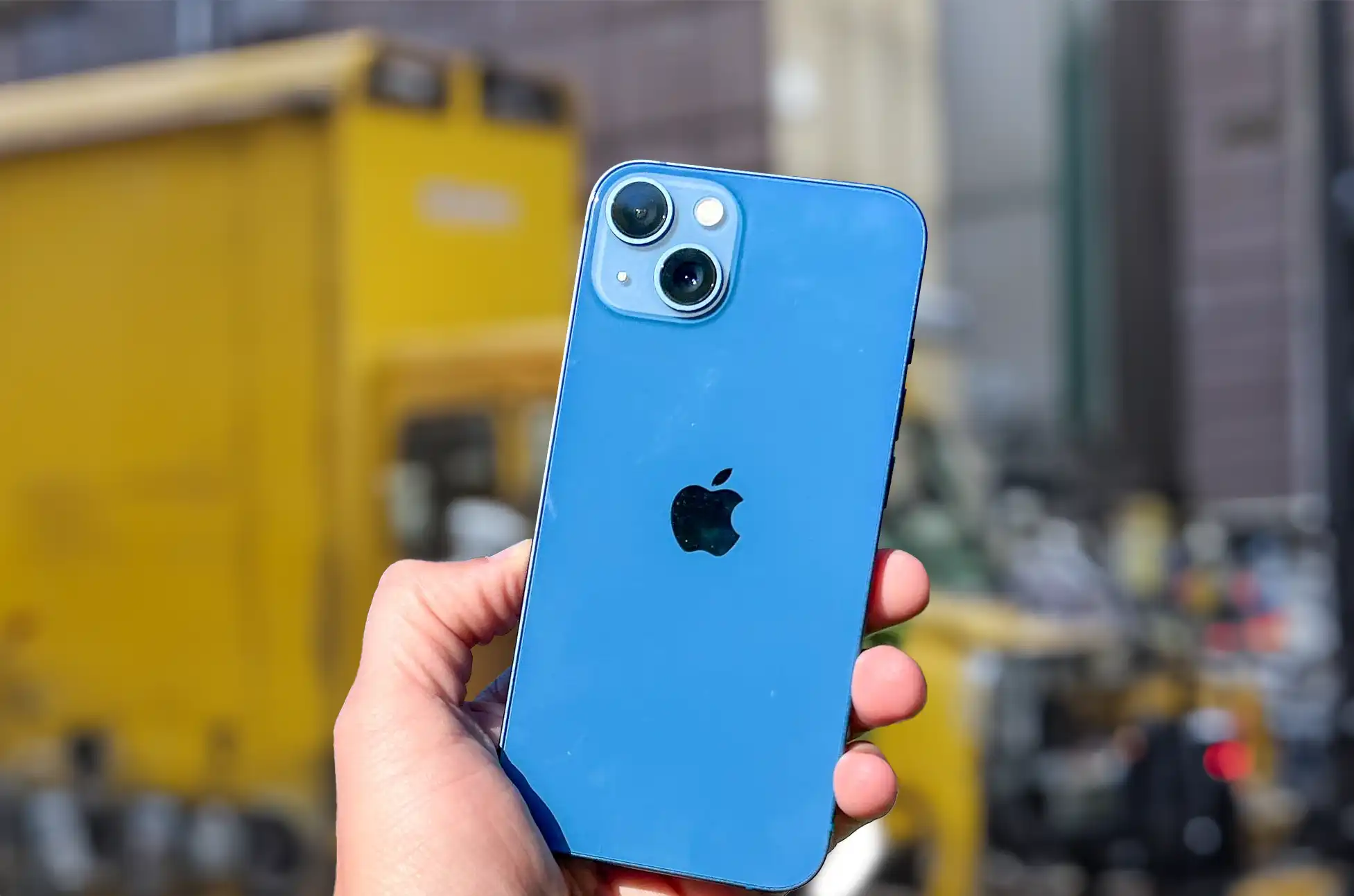
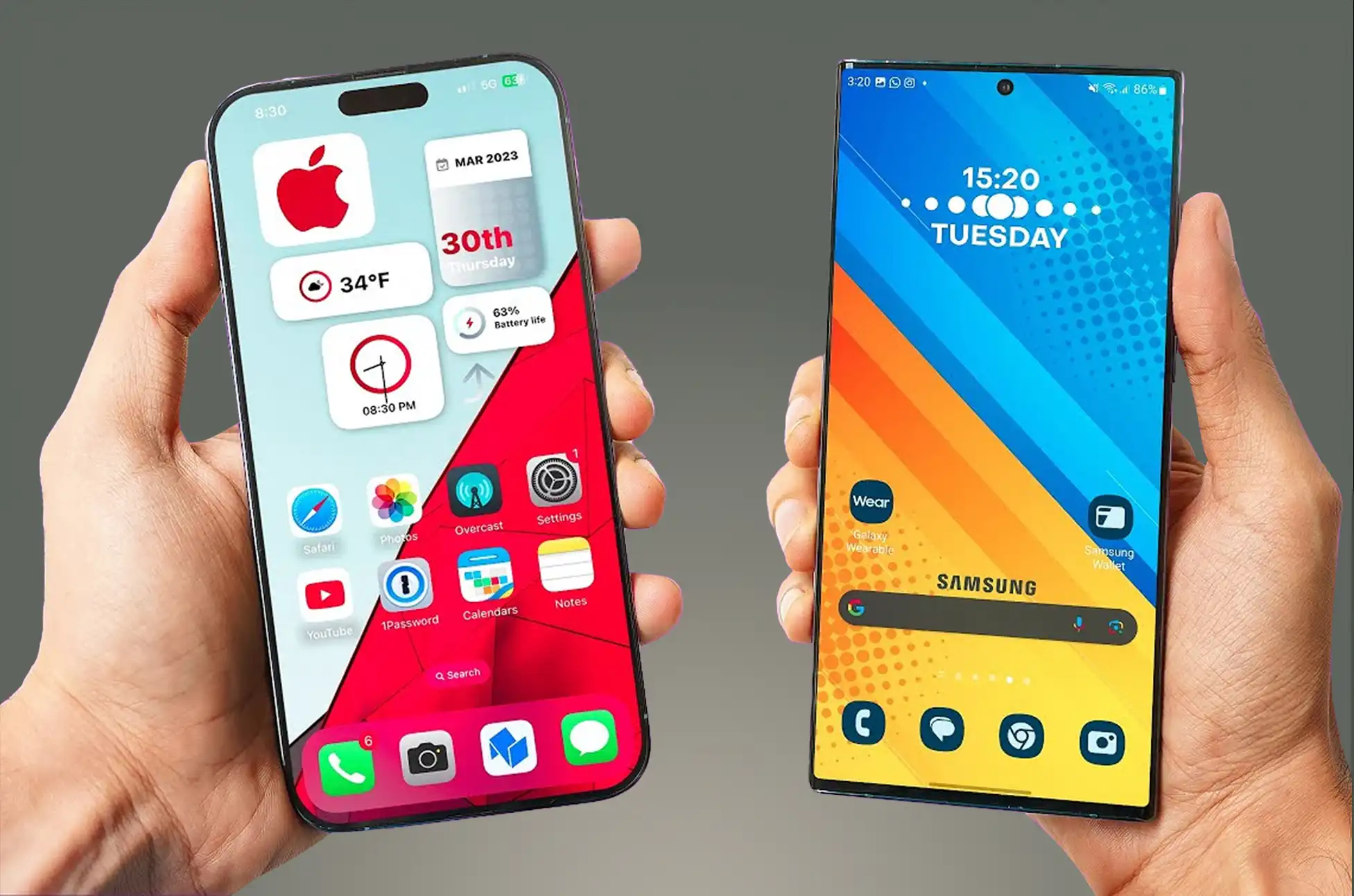
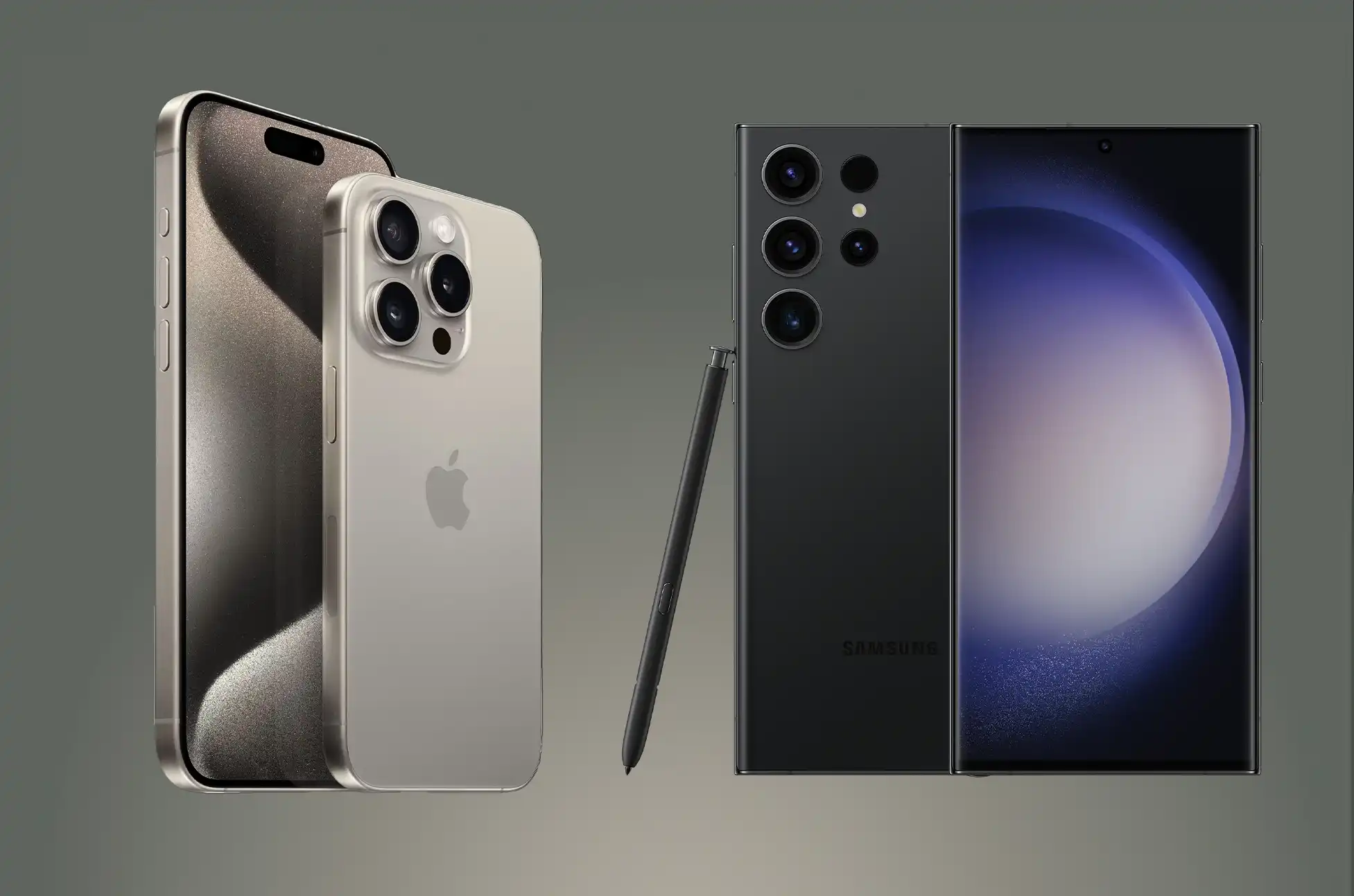
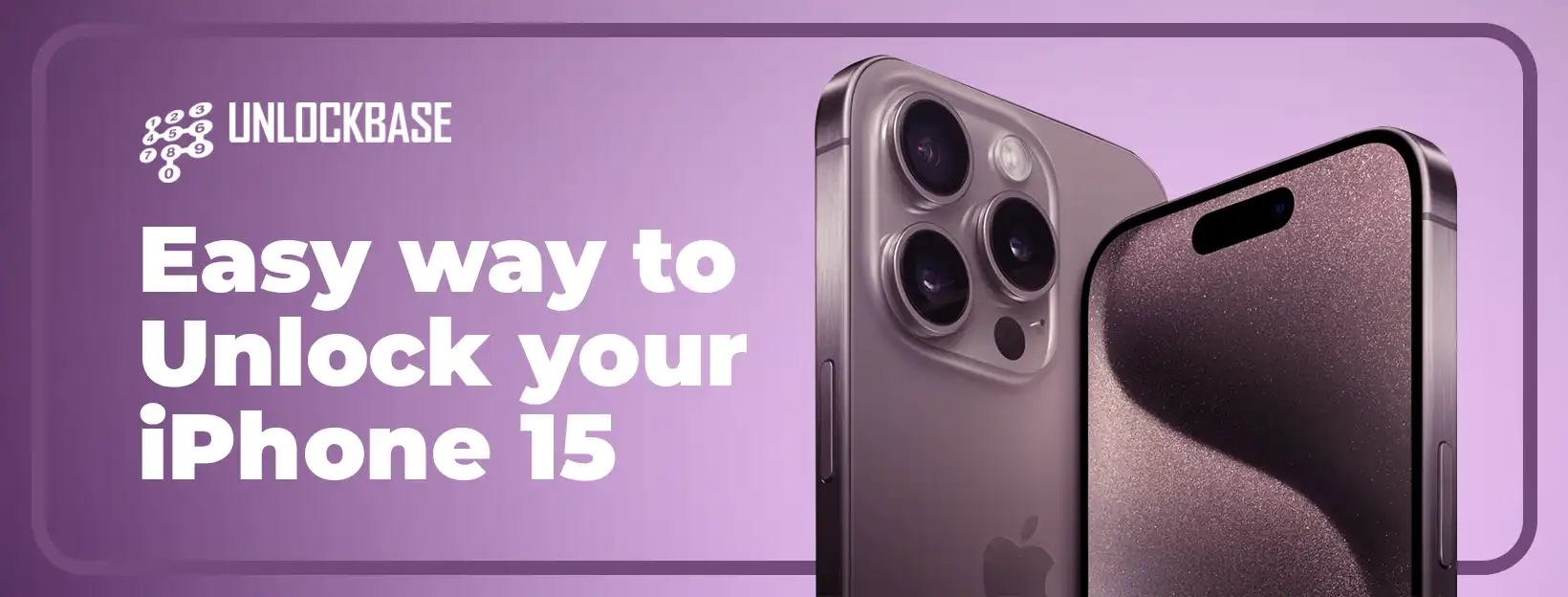
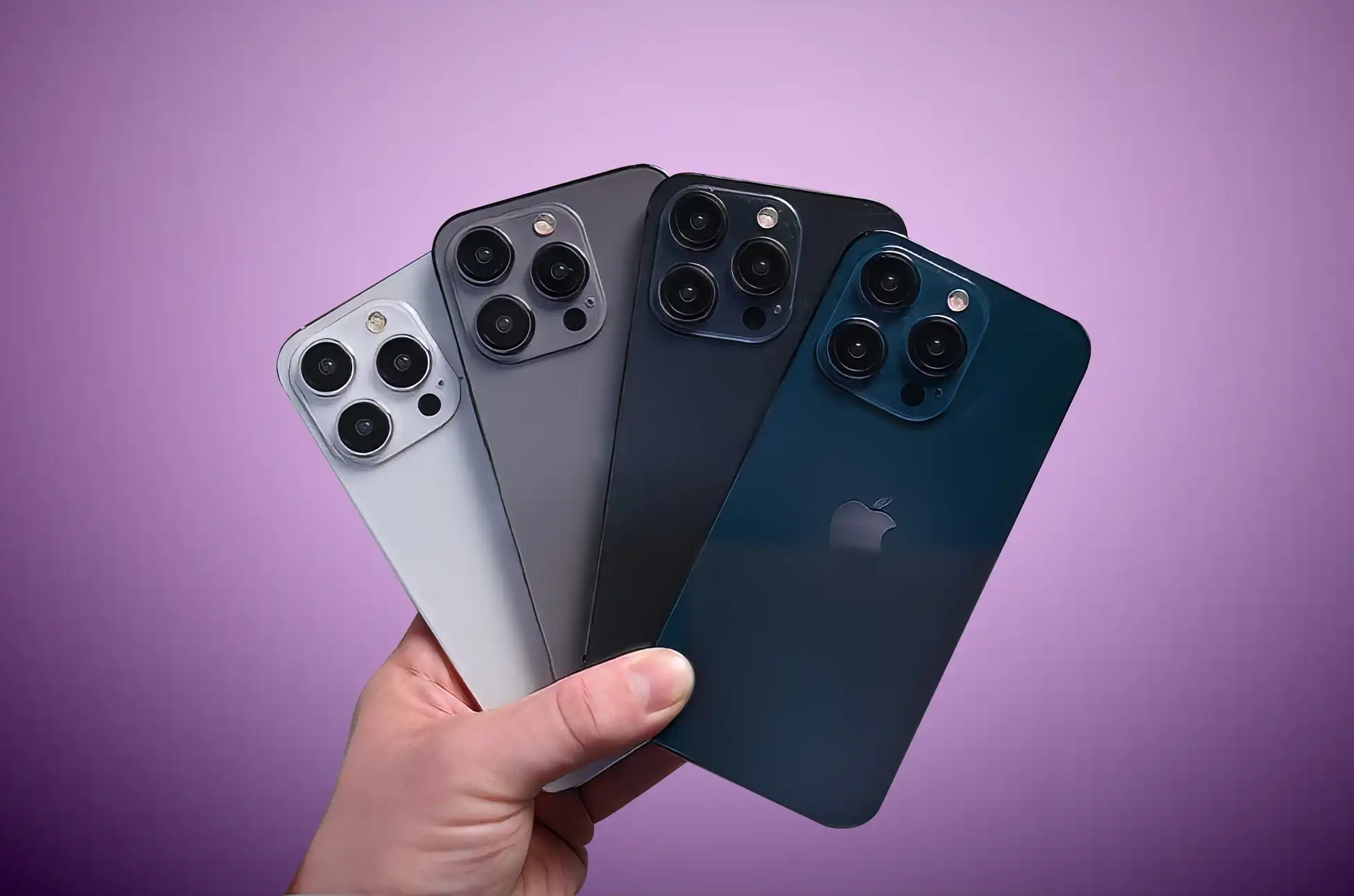
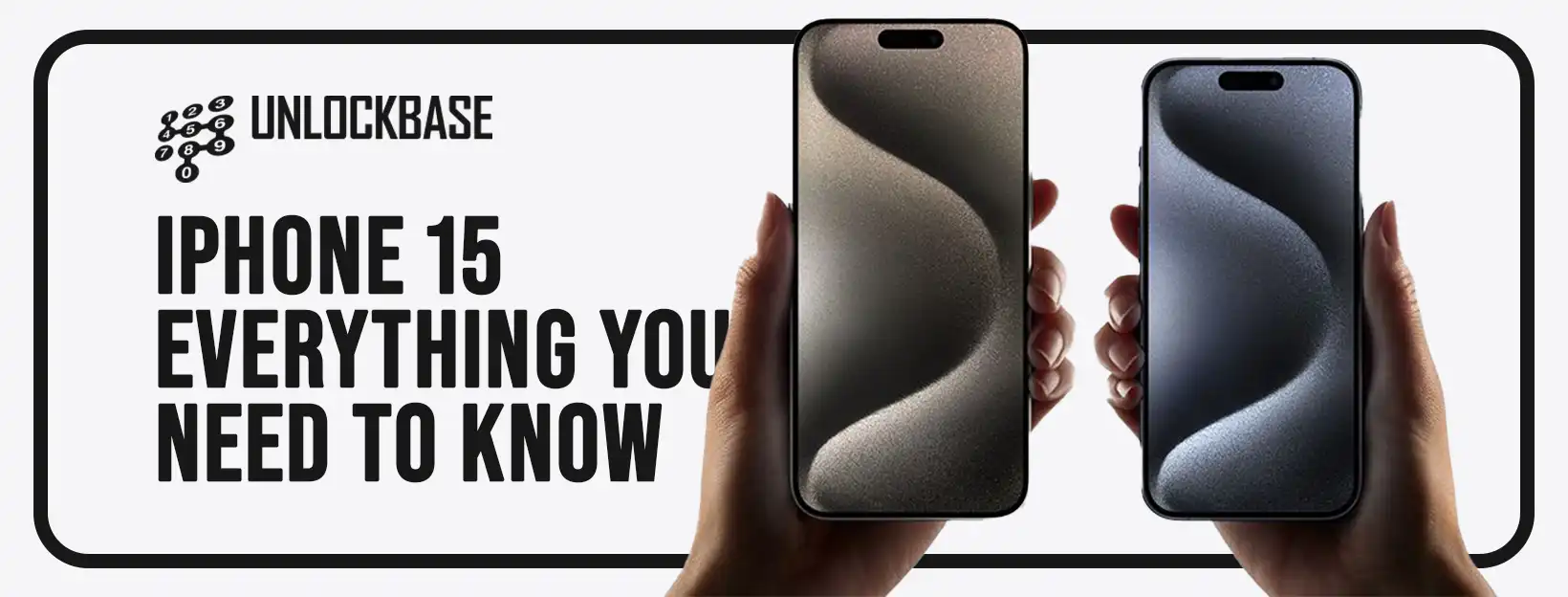
Craving carrier flexibility on your trusty iPhone? Ditch the limitations and say hello to a world of network options with a simple iPhone unlock.
But with various methods and tools swirling around, choosing the right path can be a head-scratcher. Fear not, intrepid explorer! This guide demystifies the iPhone unlocking process and introduces you to UnlockBase, a game-changer in the game of carrier freedom.
Why Unlock Your iPhone?
Imagine the bliss of switching carriers at will, choosing the best deals and coverage without shackles.
Unlocking your iPhone grants you:
Carrier Choice: Swap between providers seamlessly, embracing the best plans and offers.
Travel Freedom: Stay connected abroad without exorbitant roaming charges.
Increased Resale Value: An unlocked iPhone fetches a higher price when it’s time to upgrade.
Unlocking Methods: Decoding the Options
Several paths lead to iPhone unlocking nirvana, each with its own quirks and complexities. Here’s a quick rundown:
Carrier Unlock: The official route, but eligibility criteria and processing times can be restrictive.
Unlocking Services: Platforms like UnlockBase offer a swift and convenient solution, often at competitive prices.
DIY Unlocking Methods: Tech-savvy users can explore software-based solutions, but tread carefully – risks abound!
Why Choose UnlockBase?
Among the unlocking landscape, UnlockBase shines as a beacon of simplicity, reliability, and speed. Here’s why it deserves your trust:
Effortless Process: No tech jargon or complicated steps – just enter your iPhone details and get started.
Fast and Secure: Unlocks are typically completed within 24-48 hours, with robust security measures to protect your data.
Competitive Prices: Enjoy affordable unlocking fees without compromising on quality.
Worry-Free Guarantee: UnlockBase backs its service with a money-back guarantee, ensuring your satisfaction.
How to Unlock iPhone to Any Carrier : A Step-by-Step Guide
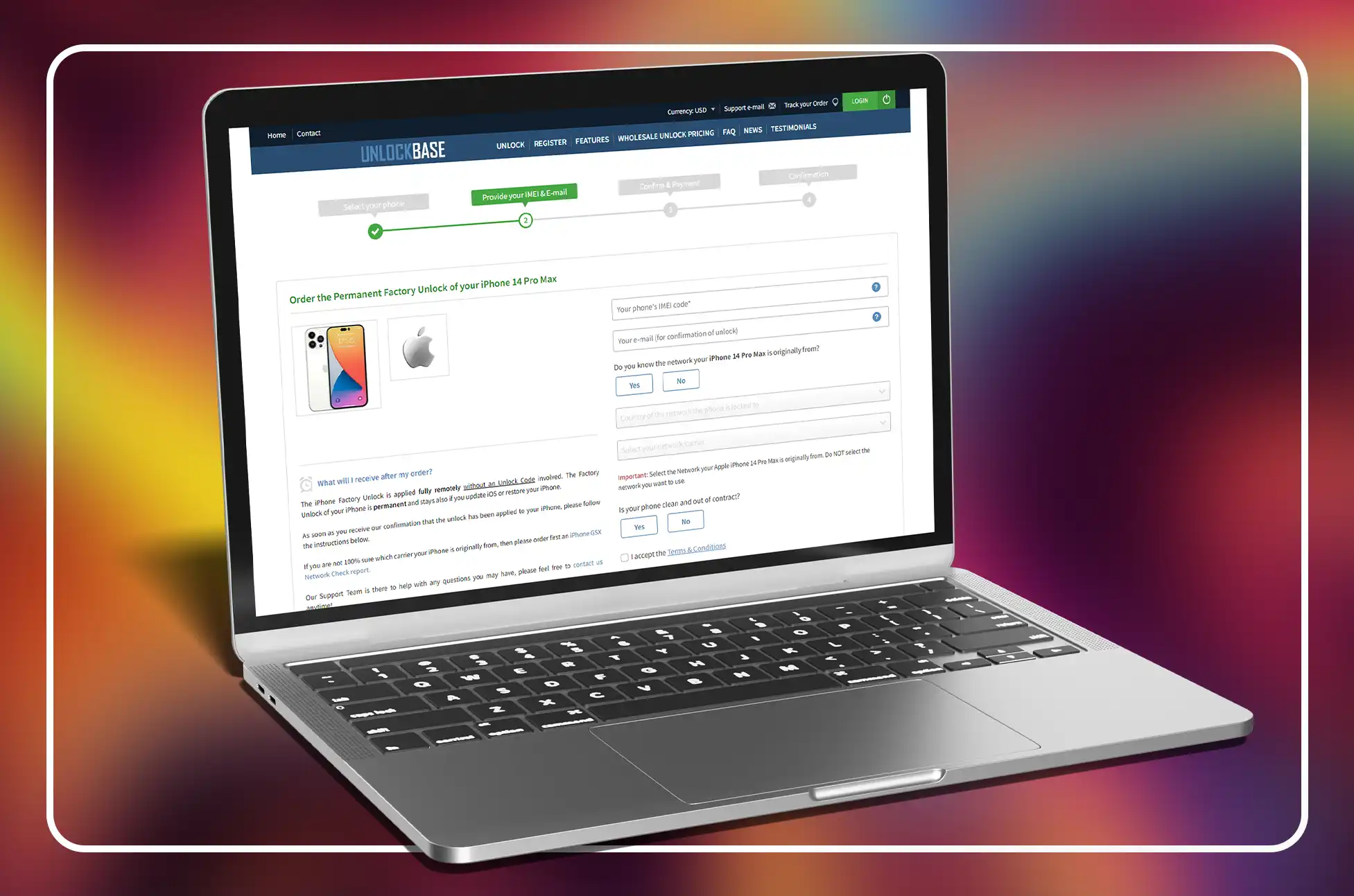
Ready to break the carrier chains? Here’s how to unlock your iPhone with UnlockBase:
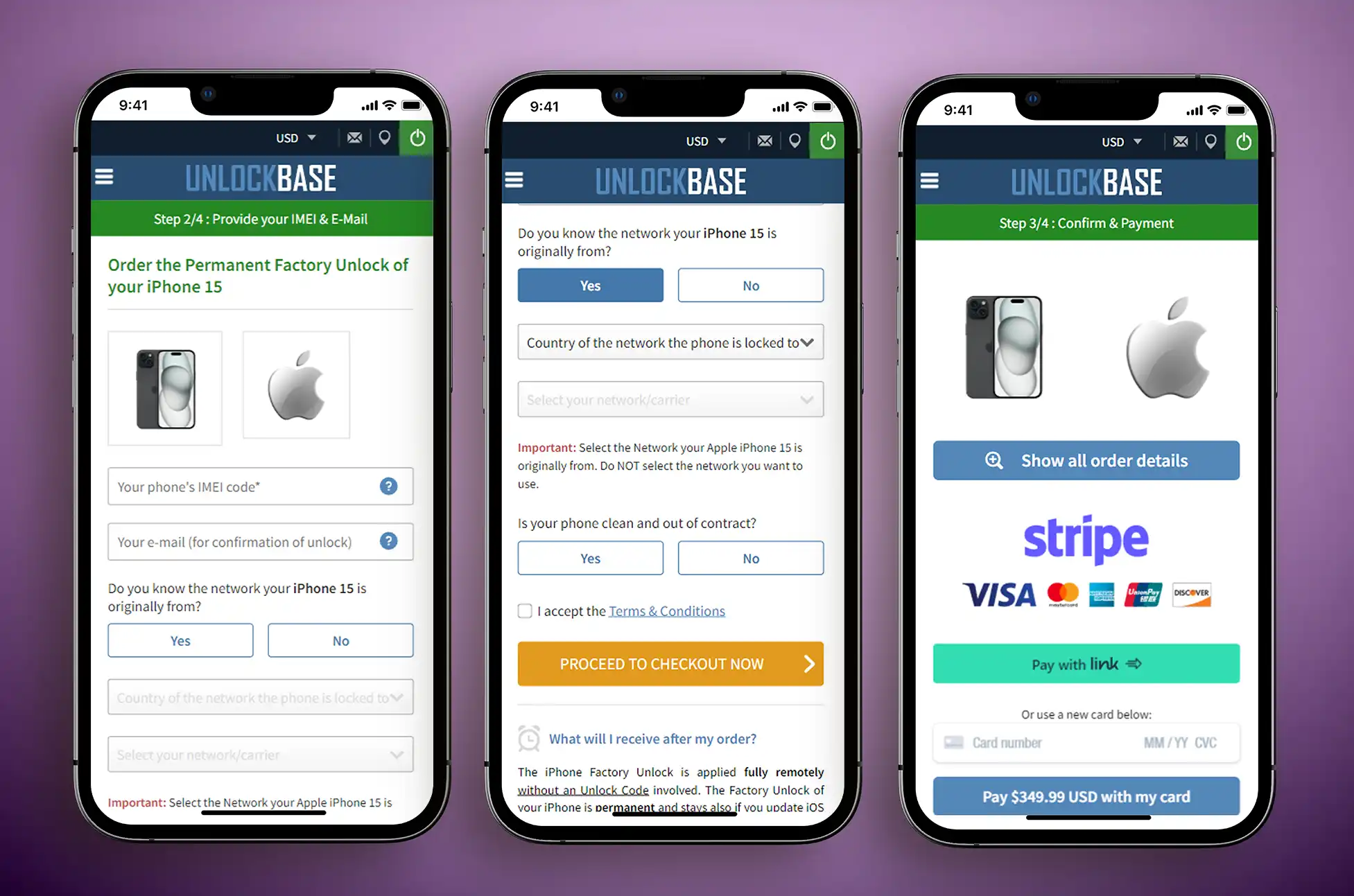
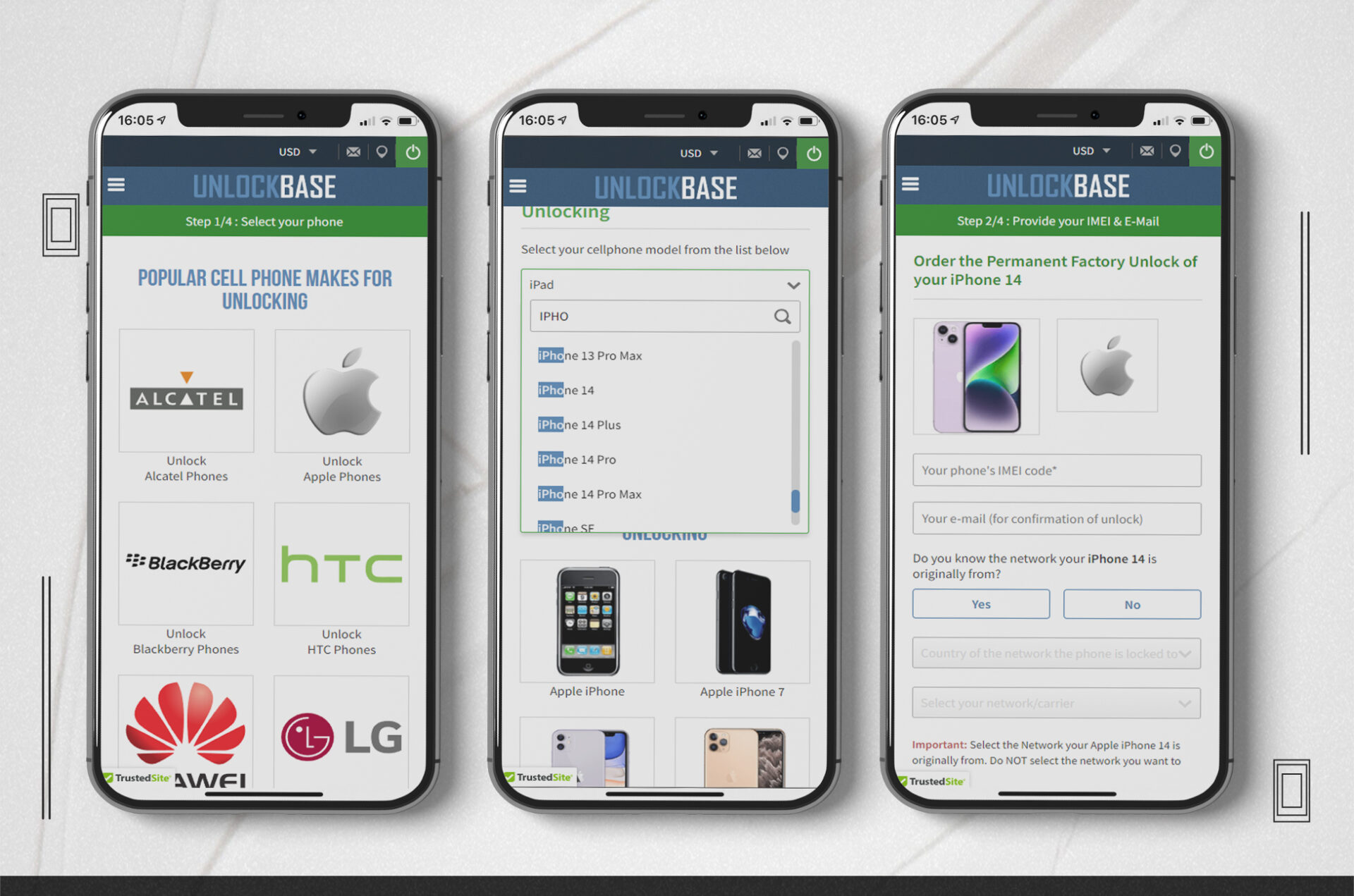
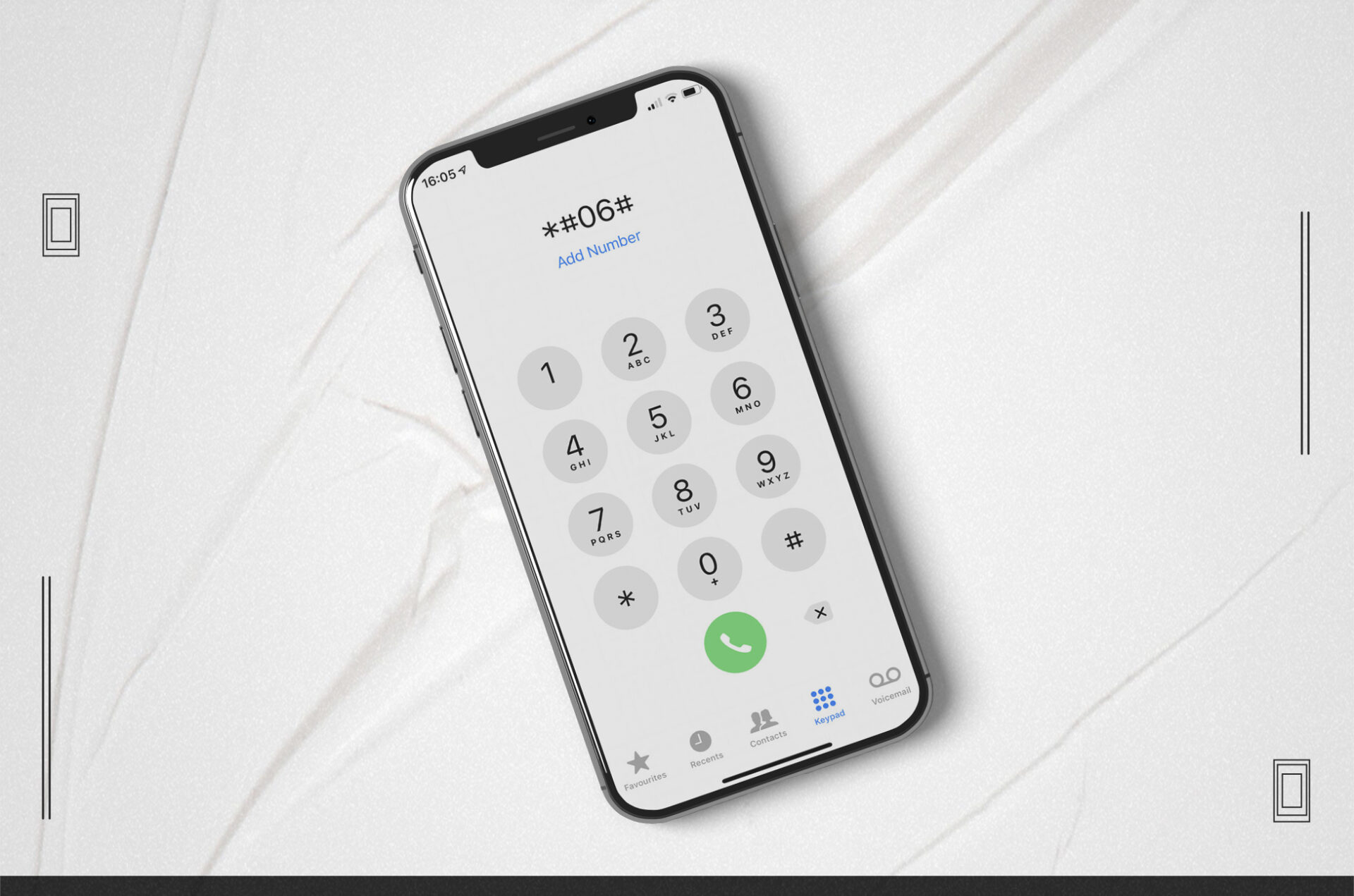
Enter your IMEI: Find your iPhone’s IMEI number (dial *#06# or check Settings > General > About)
Select your current Network: If you are not 100% sure which network your iPhone is originally from, please order an iPhone GSX Network Check report.
Complete the checkout: Enter your payment details and complete the purchase.
Sit back and relax: UnlockBase will handle the unlocking process on your behalf. You’ll receive a notification once your iPhone is ready to roam free!
How to Unlock iPhone to Any Carrier: Explore the Possibilities
With your iPhone unlocked, the world is your oyster! Explore a plethora of exciting options:
Travel the Globe: Stay connected with local SIM cards, ditching exorbitant roaming charges.
Embrace Flexibility: Switch between carriers at will, finding the perfect data plans and coverage.
Boost Resale Value: Attract more buyers with an unlocked iPhone’s wider appeal.
Unlocking your iPhone is a liberating step towards greater connectivity and control. Choose UnlockBase as your trusted guide, and experience the ease and freedom of a truly unlocked device. The world awaits – go explore!
Remember: Always check your carrier’s unlocking policy and ensure your iPhone is eligible before proceeding.
All products, and company names, logos, and service marks (collectively the "Trademarks") displayed are registered® and/or unregistered
trademarks™ of their respective owners.
The authors of this web site are not sponsored by or affiliated with any of the third-party trade mark or third-party registered trade mark owners,
and make no representations about them, their owners, their products or services.
The iPhone 2023 is a technological marvel, brimming with breathtaking features and unparalleled performance. But what if you could unlock its full potential and break free from the shackles of your current carrier? That’s where the magic of unlocking comes in, and today, we’ll dive deep into how to unlock your iPhone 2023 using the trusted and reliable platform: UnlockBase.
Is iPhone unlocking also jailbroken?
Forget the confusion! While unlocking and jailbreaking often get muddled, they’re distinct. Apple prohibits jailbreaking on sold iPhones. So, while unlocked iPhones let you choose any carrier, you still download software through the App Store or other official channels.
How to unlock iPhone 2023: Simple, Secure, and Permanent
UnlockBase, a leader in the unlocking game, offers a simple, secure, and permanent solution to unlock your iPhone 2023:
1. Know Your Lock: Check if your iPhone is locked by inserting a SIM card from a different carrier. An error message indicates a lock.
2. Choose Your Path:
Official Unlock: Contact Apple if eligible (usually iPhones bought directly from them). It’s safe but slower.
UnlockBase Unlock: Enter your IMEI on UnlockBase’s website. Fast, secure, and permanent, it won’t void your warranty.
UnlockBase Advantages
Simple and Secure: User-friendly process with data protection.
Fast and Efficient: Say goodbye to long waiting times.
Permanent Unlocks: Your iPhone stays unlocked forever, regardless of firmware updates.
Reliable and Trusted: Millions of satisfied customers vouch for UnlockBase’s expertise.
Confirm your payment and check your email for confirmation.
Once processed, your IMEI gets whitelisted in Apple’s database, granting a permanent official unlock. Your warranty stays intact, and you can freely update to the latest iOS versions.
How to unlock iPhone 2023
This method happens automatically and doesn’t require an Unlock Code. It’s permanent and won’t disappear with iOS updates or device restorations.
Follow these steps after receiving unlock confirmation::
Turn on your iPhone with a SIM Card that it doesn’t accept. A SIM card is “non-accepted” if it is not from the network your iPhone was originally locked to. The SIM card can be from any network provider in the world, and it doesn’t have to be the same SIM card you want to use in the future.
Your iPhone will instantly activate with the new SIM card, indicating it’s fully unlocked.
You can now use your iPhone on any network carrier in the world!
No computer connection or restarts needed! You receive your unlock “Over-The-Air” via cellular or WiFi, letting you use your iPhone normally without service disruptions. Once we notify you of the unlock, insert any SIM card and enjoy the freedom!
Conclusion
Once unlocked, your iPhone escapes Apple’s carrier lock grip, forever. Your phone stays unlocked even with firmware upgrades. No matter if your carrier claims your phone can’t be unlocked, UnlockBase has your back!
All products, and company names, logos, and service marks (collectively the "Trademarks") displayed are registered® and/or unregistered
trademarks™ of their respective owners.
The authors of this web site are not sponsored by or affiliated with any of the third-party trade mark or third-party registered trade mark owners,
and make no representations about them, their owners, their products or services.
Unlock virgin mobile iPhone? Tired of being locked into a single carrier’s network? Unlocking your Virgin Mobile iPhone is the solution you’ve been looking for. This guide will walk you through the process, ensuring you can make the most of your device by switching to the carrier that best suits your needs.
Recognizing the Value of Unlocking
The Virgin Mobile iPhone unlock has several significant advantages. You can switch to a different carrier that provides superior service, more affordable rates, or special features. You can also utilize local SIM cards when visiting another country to avoid high roaming fees.
Unlock Virgin Mobile iPhone
To initiate the unlocking process, gather essential information, such as your iPhone’s IMEI number and your account details. Next, contact Virgin Mobile’s customer support to request an unlock code. Prepare to explain the reason for needing the phone unlocked. If you are eligible, you can follow their instructions, and you’ll be ready to go! However, if you do not meet their eligibility criteria, don’t worry – UnlockBase has you covered!
Unlock Virgin Mobile iPhone with Unlock Base
If you get confused or uncertain at any point, our devoted team of customer support specialists will help you unlock your phone.
Confirm your payment and wait for an email confirmation.
After you make the payment, we will whitelist your IMEI in Apple’s IMEI database, providing you with a permanent official unlock that won’t void your warranty and allows constant upgrades to the most recent version of iOS.
Your unlock is provided “Over-The-Air” over WiFi or cellular connection, so there’s no need to connect your Virgin Mobile iPhone to a computer or restart it. You may use your Virgin Mobile iPhone usually without any service interruptions. After we notify you that we have unlocked your Virgin Mobile iPhone, you can use any sim card in it.
How to Unlock Virgin Mobile iPhone
We apply the iPhone Factory Unlock entirely remotely, without involving an Unlock Code. The Factory Unlock of your iPhone is permanent and also stays if you update iOS or restore your iPhone. As soon as we confirm that we’ve applied the unlock to your iPhone, please follow the steps below:
Power on your iPhone with a non-accepted SIM Card inserted. A SIM Card is “non-accepted” if the original network that locked your iPhone doesn’t provide it. The SIM Card can be from any other network carrier worldwide and does not need to be the same SIM Card you want to use in the future.
Your iPhone will automatically activate with your new SIM Card. That means your iPhone is fully unlocked now.
You can now use your iPhone with any network carrier worldwide!
Conclusion
Unlocking your Virgin Mobile iPhone isn’t just about technicalities; it’s about seizing control of your mobile experience. By following the steps in this guide, you’ve taken a significant step towards mobile freedom. Remember to stay informed about your rights and carrier policies, and enjoy the newfound versatility that comes with an unlocked iPhone.
All products, and company names, logos, and service marks (collectively the "Trademarks") displayed are registered® and/or unregistered
trademarks™ of their respective owners.
The authors of this web site are not sponsored by or affiliated with any of the third-party trade mark or third-party registered trade mark owners,
and make no representations about them, their owners, their products or services.
The game is on to swiftly update and take use of new features with each iOS release. This time, iOS 17 elevates your iPhone experience with interactive widgets, intelligent text prediction, the Check-In feature in Messages, and other features. However, before you hit the download button, follow our step-by-step instructions to ensure a smooth transition to update to iOS 17.
How to Update to iOS 17: Things to Preparing for the Update
There are a few things to keep in mind before you upgrade to iOS 17. We’ve laid them out for you so you can get started right away when you upgrade.
Check Compatibility
Before beginning the update process, make sure your device is compatible with iOS 17. Not all older devices can run the most recent software. To check compatibility, go to Apple’s official website and make sure your device is on the list.
iPhone 15
iPhone 13
iPhone 11
iPhone 15 Plus
iPhone 13 mini
iPhone 11 Pro
iPhone 15 Pro
iPhone 13 Pro
iPhone 11 Pro Max
iPhone 15 Pro Max
iPhone 13 Pro Max
iPhone XS
iPhone 14
iPhone 12
iPhone XS Max
iPhone 14 Plus
iPhone 12 mini
iPhone XR
iPhone 14 Pro
iPhone 12 Pro
iPhone SE (2nd generation or later)
iPhone 14 Pro Max
iPhone 12 Pro Max
The list of supported devices with iPadOS 17 is likewise amazing, spanning numerous device generations:
iPad Pro 12.9-inch (2nd generation and later)
iPad Air (3rd generation and later)
iPad Pro 10.5-inch
iPad (6th generation and later)
iPad Pro 11-inch (1st generation and later)
iPad mini (5th generation and later)
Clear Out your Storage Space
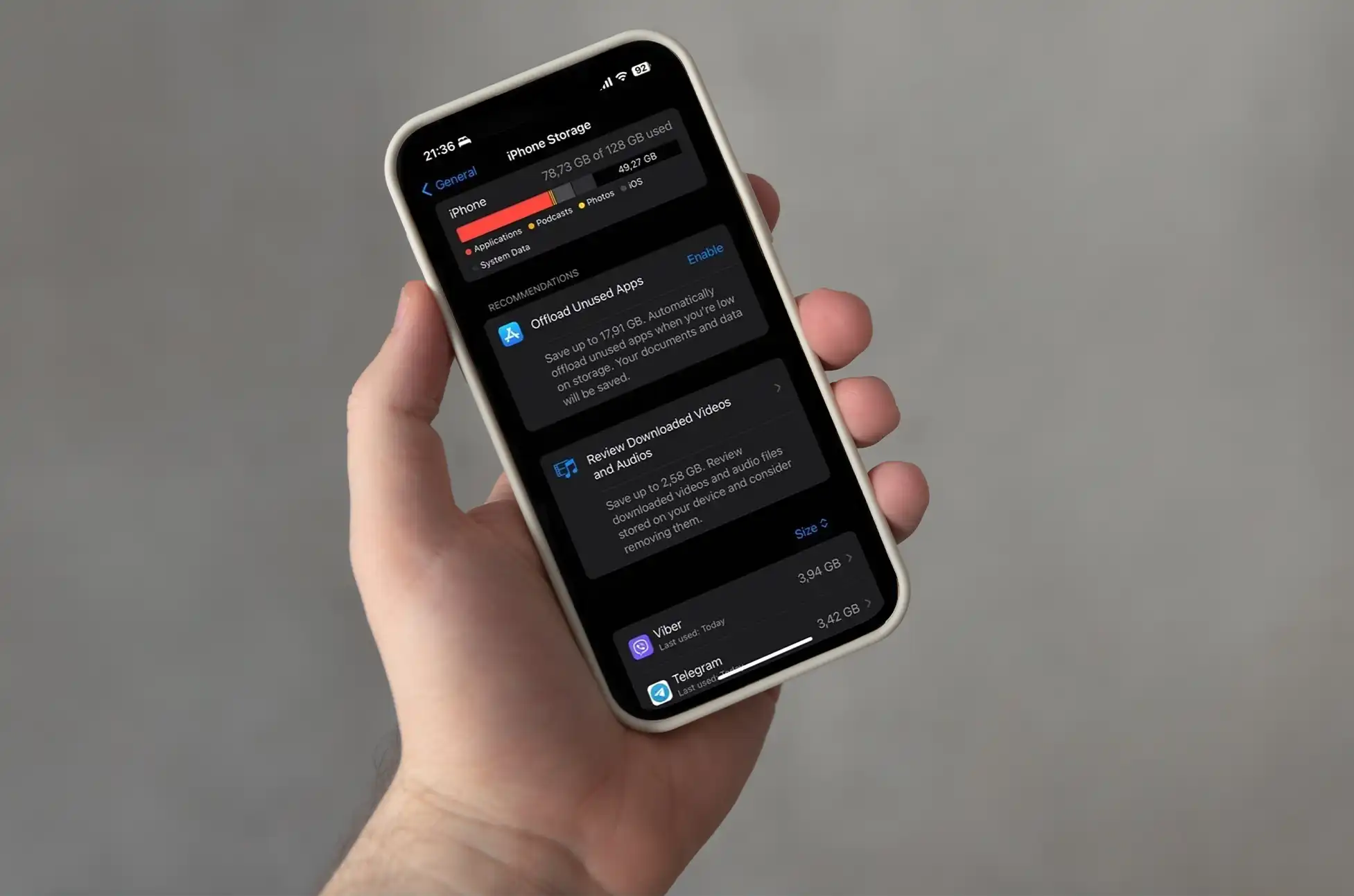
Knowing that you know your device is eligible for the update, it’s time to purge unused apps and free up some space on your device. Open “Settings -> General -> iPhone Storage” to see how much free space you have. Swipe right to delete any app you no longer use.
The iOS/iPadOS 17 update requires approximately 8GB of free space.To free up more storage space, delete outdated mails and clear browser caches. You may also go through the photos and delete old pictures and videos that are taking up space. Backup these to iCloud, Dropbox, or Google Photos before deleting them from your iPhone or iPad.
Backup your Data
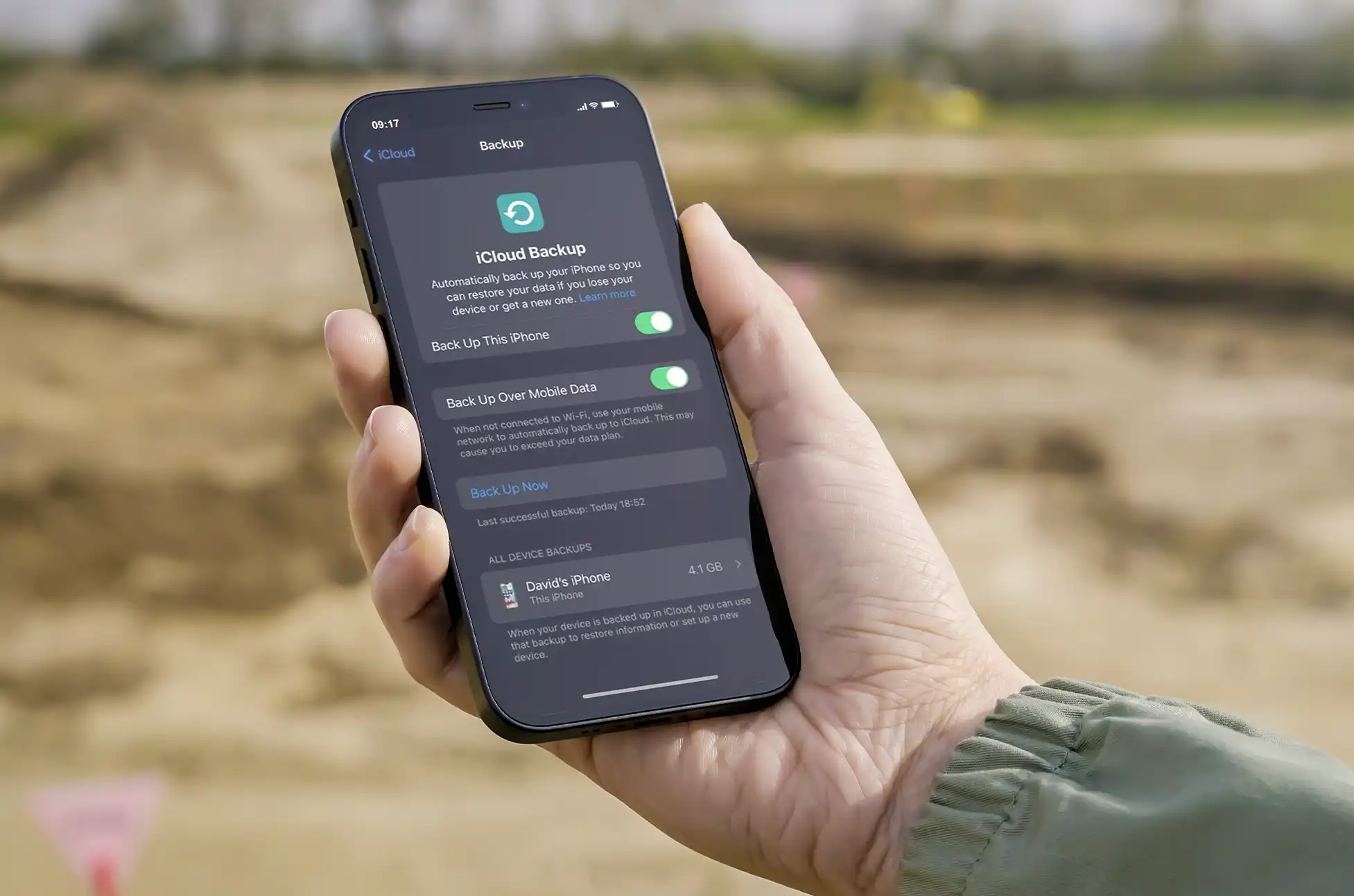
The update procedure can occasionally result in unanticipated data loss. Backing up your device is important for securing your treasured pictures, contacts, and apps. You have a choice between using iCloud or iTunes. Here’s how to go about it:
iCloud Backup
Connect your device to Wi-Fi.
Go to Settings > [Your Name] > iCloud > iCloud Backup.
Tap “Back Up Now.”
iTunes Backup
Connect your device to your computer and open iTunes (or Finder if you’re using macOS Catalina or later).
Select your device.
Click “Back Up Now.”
How to Update to iOS 17: Easy Steps
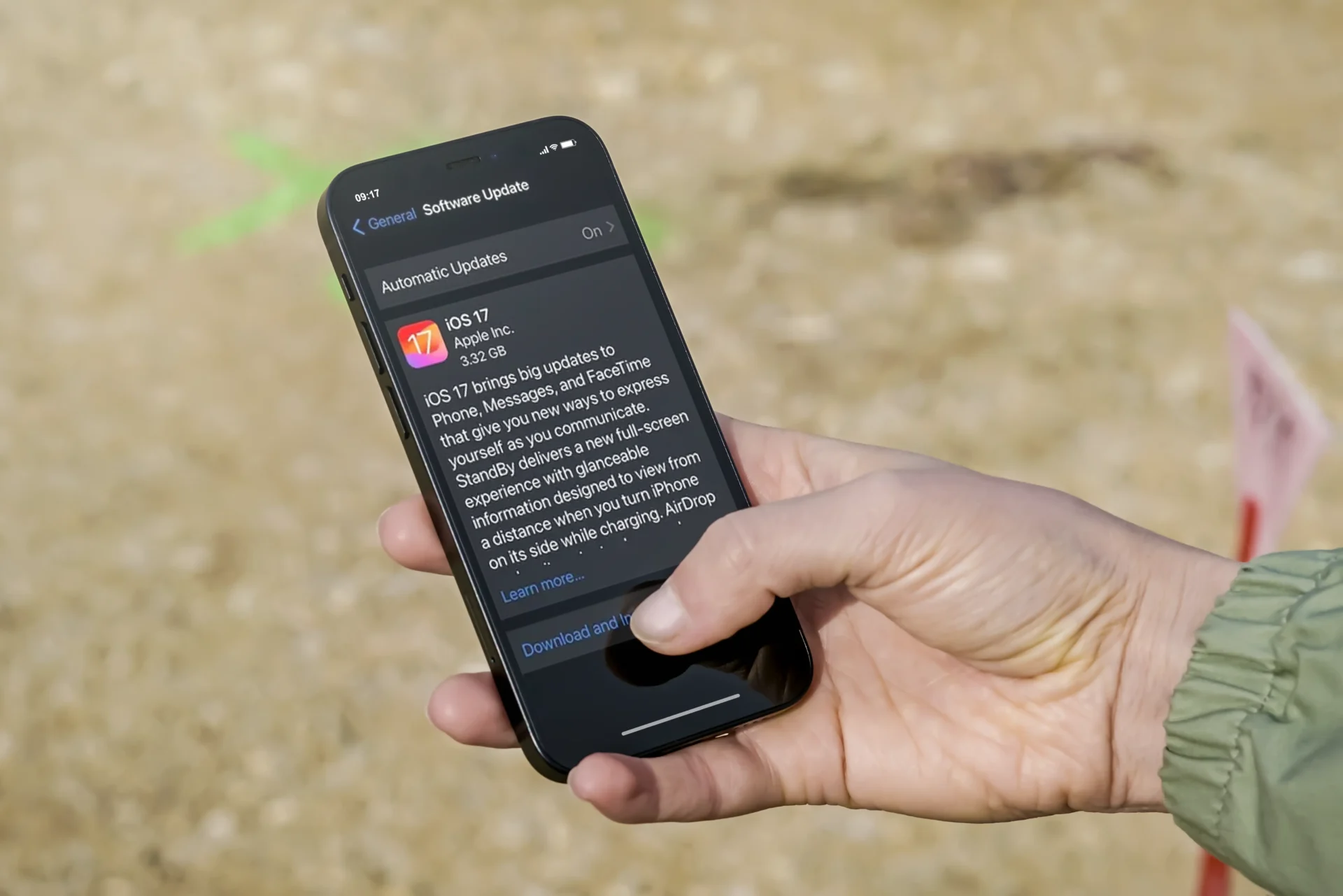
Before getting into how to update to iOS 17, make sure you followed the steps mentioned above to avoid update errors, and that your device is connected to WiFi and has enough battery power during the update.
Update via Settings
The most basic option is to update using the device’s settings:
Go to Settings > General > Software Update.
If iOS 17 is available, tap “Download and Install.”
Follow the on-screen instructions to complete the update.
Update via iTunes/Finder
If you prefer to update your device using a computer, proceed as follows:
Connect your device to your computer.
Open iTunes (or Finder on macOS Catalina or later).
Select your device.
Click “Check for Update.”
If iOS 17 is available, click “Download and Update.”
How to Update to iOS 17: Common Update Problems
Not Enough Storage
While iOS updates are usually smooth, you may encounter common issues, such as insufficient storage. Here’s how to address them:
Delete unnecessary apps or files to free up space.
Consider updating via iTunes/Finder if you don’t have enough space on your device.
Error 14, Error 9, etc.
Don’t be alarmed if you see error messages throughout the upgrade. Common errors frequently have simple solutions:
Restart your device and try the update again.
Update iTunes (or Finder) to the latest version.
If the problem persists, contact Apple Support.
Conclusion
Updating your iOS device to iOS 17 is a simple process that keeps you up to speed on the latest features and improvements. You can confidently manage the upgrade procedure if you follow this step-by-step guide. Remember to back up your data, solve frequent issues, and discover the exciting new features in iOS 17.
Now, enjoy the improved experience that iOS 17 has to offer!
All products, and company names, logos, and service marks (collectively the "Trademarks") displayed are registered® and/or unregistered
trademarks™ of their respective owners.
The authors of this web site are not sponsored by or affiliated with any of the third-party trade mark or third-party registered trade mark owners,
and make no representations about them, their owners, their products or services.
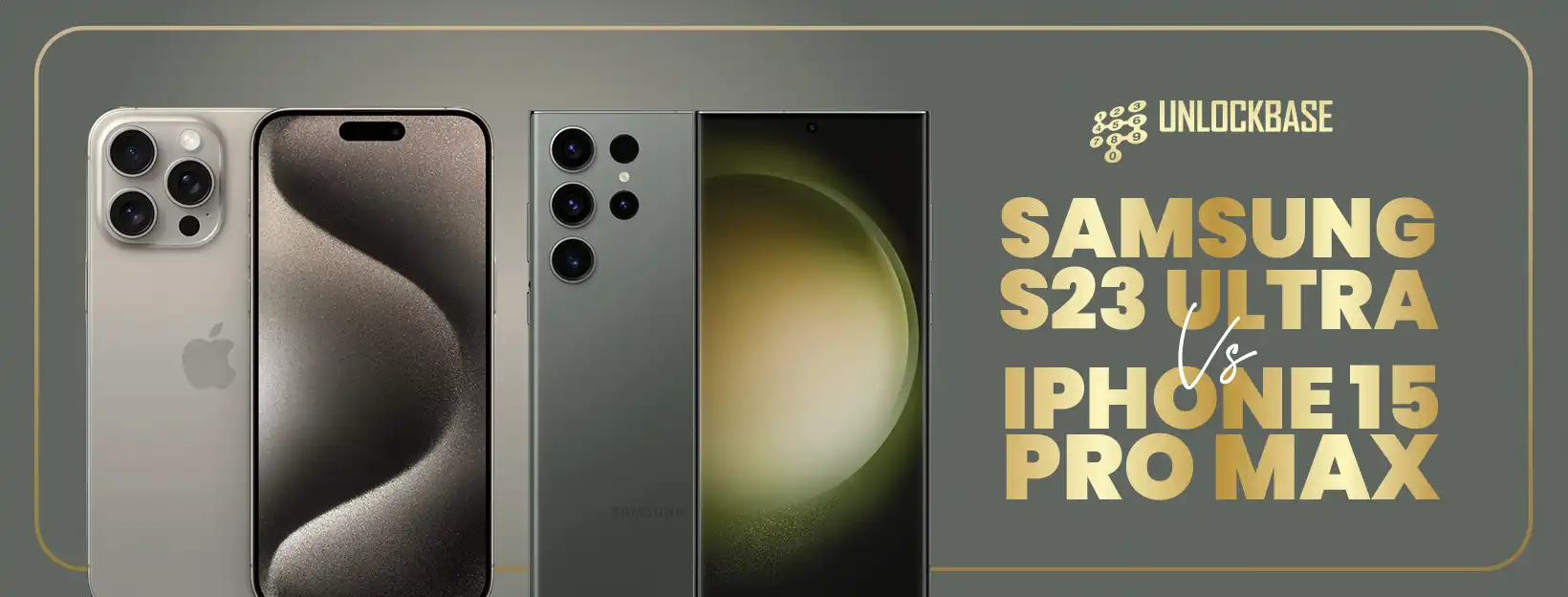
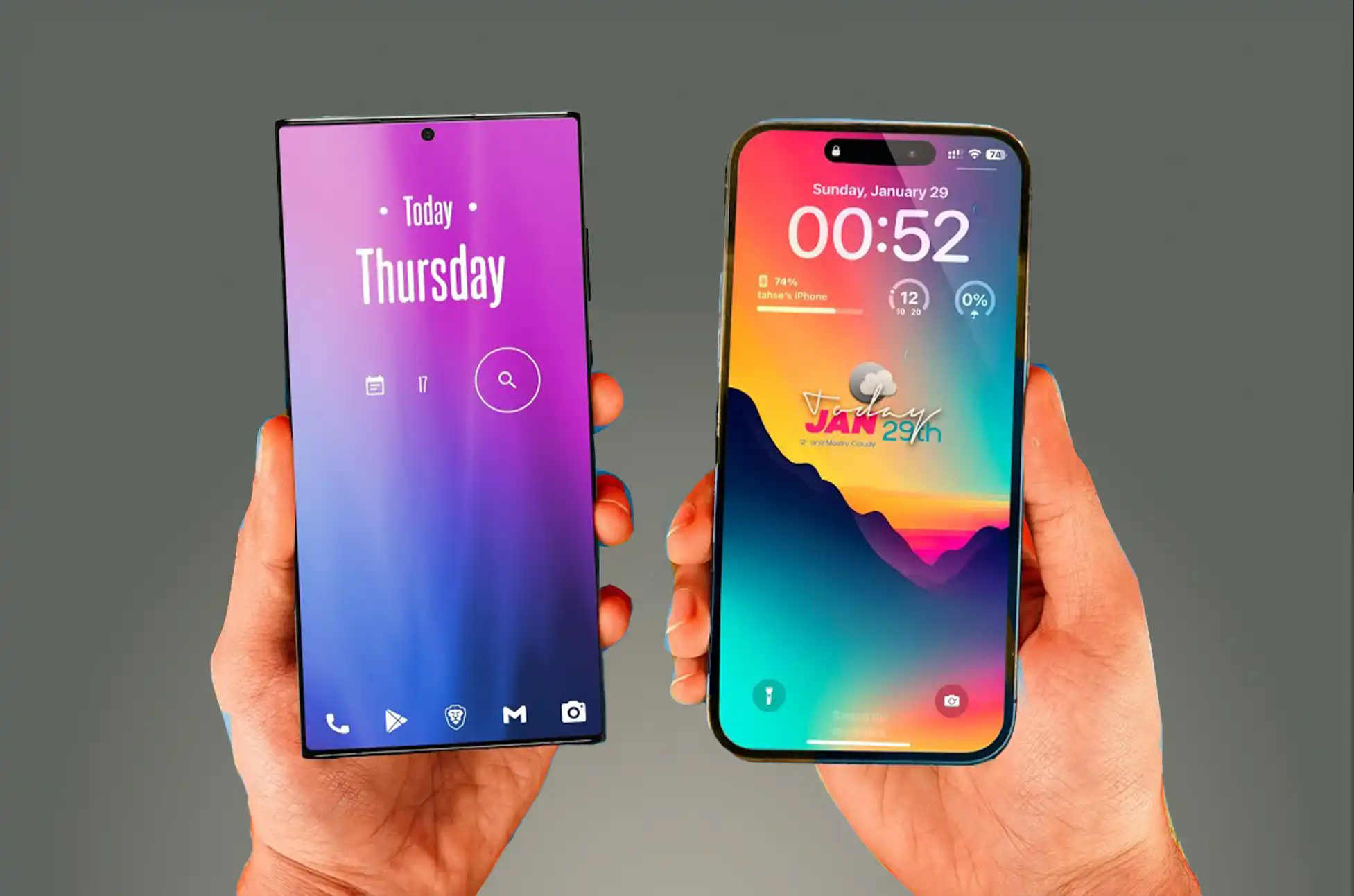
Samsung S23 Ultra vs iPhone 15 Pro Max? Two heavyweight candidates in the world of smartphones have emerged to redefine perfection in mobile technology: the Samsung Galaxy S23 Ultra and the iPhone 15 Pro Max. These flagship products are proof of the pinnacle of innovation, but selecting amongst them can be difficult. In this comparison, we’ll look at both of their strengths and weaknesses to help you determine which one best meets your preferences and needs.
S23 Ultra vs iPhone 15 Pro Max: Display
Samsung Galaxy S23 Ultra:
The S23 Ultra offers an immersive visual experience with a huge 6.8-inch Dynamic AMOLED display and a buttery-smooth 1~120Hz refresh, 240Hz touch sampling, making it a multimedia powerhouse.
iPhone 15 Pro Max:
The 6.7-inch Super Retina XDR display with 120Hz on the iPhone 15 Pro Max provides a breathtaking visual feast with deep blacks and bright colors.
S23 Ultra vs iPhone 15 Pro Max: Performance
Samsung Galaxy S23 Ultra:
The S23 Ultra boasts top-tier performance, effortlessly handling multitasking and demanding programs, thanks to its Snapdragon 8 Gen 2 processor and abundant 8GB or 12GB RAM. It also includes Android 13 and will be updated to Android 17, as well as five years of security patches.
The S23 Ultra benefits from One UI, Samsung’s software package that offers a lot of extra features that other Android devices don’t have. This has its own attractive environment that rivals Apple’s, as well as significant enhancements to multitasking and getting things done. This includes Samsung DeX, which turns your phone into a desktop PC when plugged into a display.
iPhone 15 Pro Max:
The iPhone 15 Pro Max includes the A17 Bionic processor and iOS 17. Apple hasn’t specified a software support period for the new models, but past history with iPhones suggests it’ll be at least five years, if not seven.
The ecosystem is a significant factor in Apple’s advantage. Because all of Apple’s products operate together, if you already have an iPad and a Mac, the iPhone will fit right in. Combine that with the capabilities currently available in iOS, such as Focus modes and the new StandBy mode, which may have rendered the Pixel Tablet obsolete, and you have a solid package.
S23 Ultra vs iPhone 15 Pro Max: Camera
Samsung Galaxy S23 Ultra:
The S23 Ultra’s quad-camera system, which includes a 200MP main sensor, a 12MP ultrawide lens, and a 10MP periscope telephoto lens, ensures excellent photography and video capabilities. Its 100x Space Zoom is an impressive feature.
iPhone 15 Pro Max:
The iPhone 15 Pro Max is a game changer in this department. It has a new and enhanced version of last year’s 48MP camera, the same 12MP ultrawide as previously, and a completely new 12MP, 5X telephoto lens. This is Apple’s first use of a periscope system, and it will be interesting to see how well it works.
S23 Ultra vs iPhone 15 Pro Max: Design and Colors
Design
Samsung Galaxy S23 Ultra:
The Samsung Galaxy S23 Ultra boasts a squared-off design featuring aesthetically pleasing corners, although they can sometimes feel a bit sharp when holding the phone. The display extends beyond the edges, offering minimal bezels, with the only interruption being a small camera cutout. Furthermore, the S23 Ultra is constructed using Armored Aluminum and Gorilla Glass Victus 2, ensuring durability and strength.
iPhone 15 Pro Max:
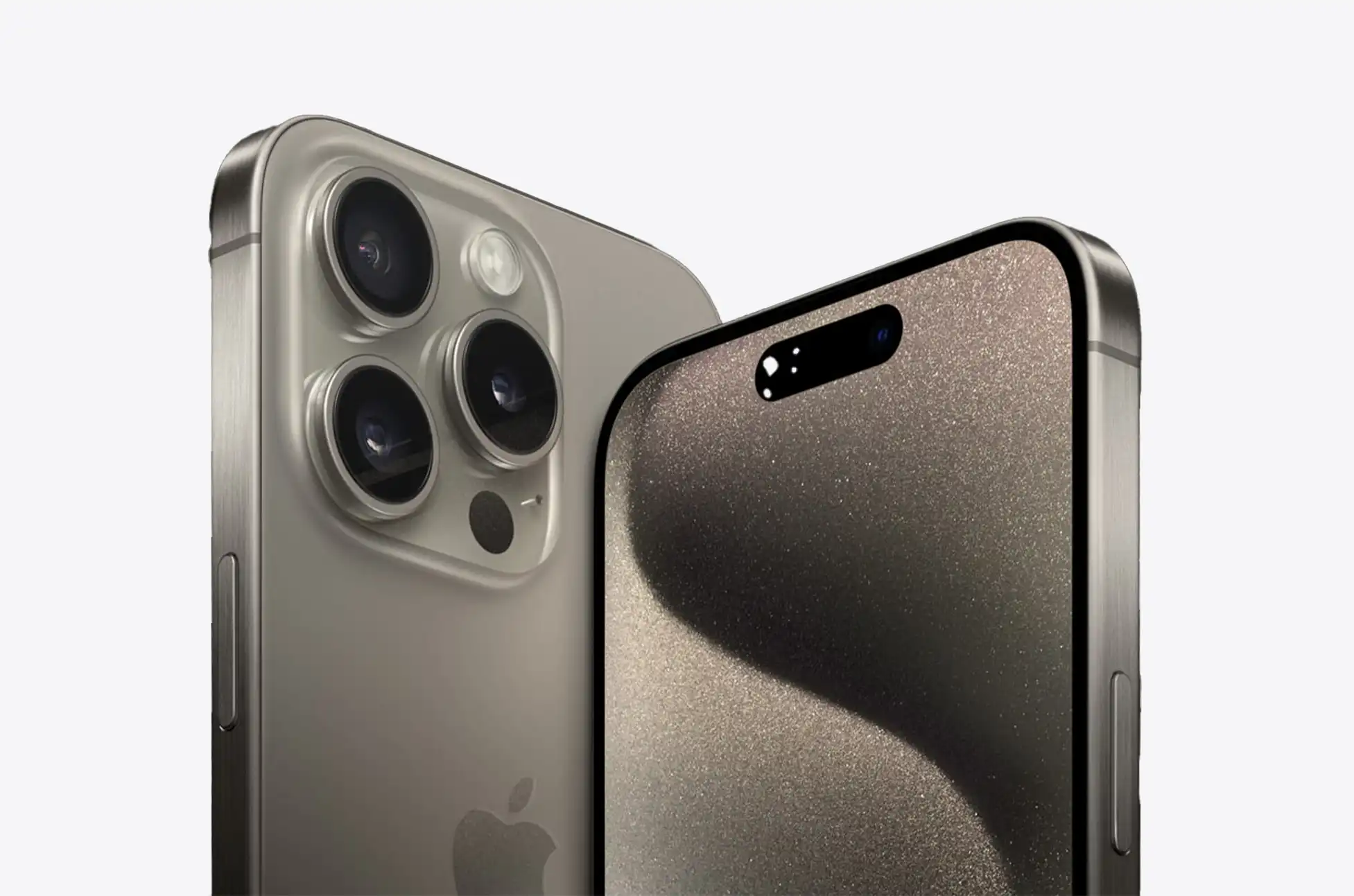
The iPhone 15 Pro Max retains the iconic iPhone design, featuring square edges, a flat display with rounded corners, and the Dynamic Island at the screen’s center. Notably, this year’s model incorporates a titanium metal frame instead of stainless steel. However, the most significant shift is the switch from a Lightning port to a USB-C port. Whether due to external influences or not, this change benefits all users by ensuring that all new non-budget smartphones will utilize the same charging cable, as well as USB-C and PPS chargers.
Color
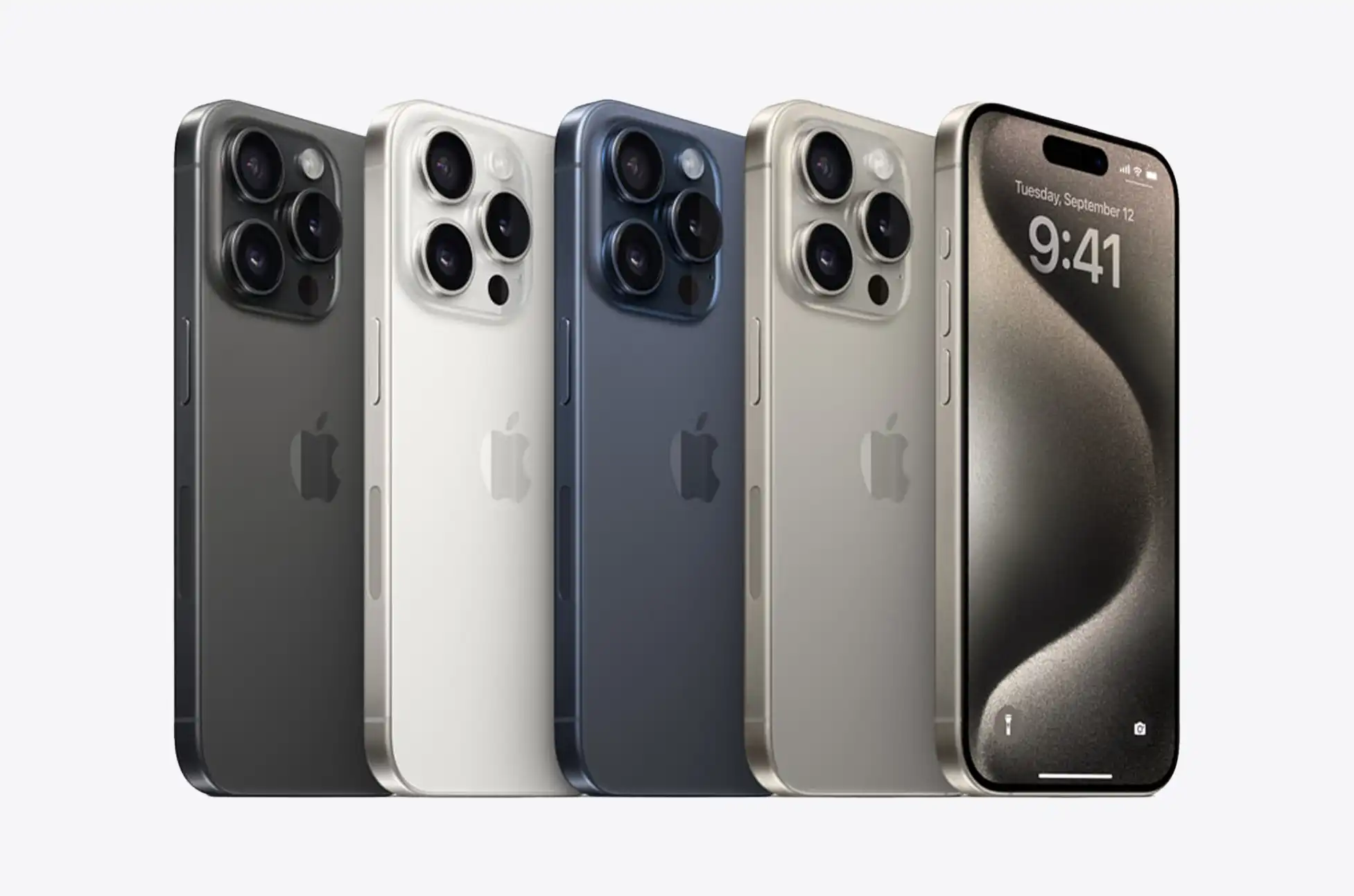
Pro and Ultra phones have been notorious for their somewhat muted color options, and the iPhone 15 Pro Max continues this trend. The standout choice is the Natural Titanium variant, which keeps the titanium frame in its original state, complemented by a glass back in a matching metallic gray shade. The available white, blue, and black models, while not unattractive, don’t quite capture the same attention.
Samsung’s previous Ultra models faced a similar issue, but the S23 Ultra has introduced a breath of fresh air. It offers four standard colors: black, cream, green, and lavender. While the cream and lavender options add some vibrancy, it’s the Samsung-exclusive colors that truly stand out. These colors have been part of Samsung’s lineup for a few generations, but the S23 Ultra elevates them. Our favorite among these exclusives is the striking red variant. Featuring a contrasting black frame that sets it apart from the rest. If red isn’t to your liking, there are also options like gunmetal gray, blue, and lime. While it may seem like a minor detail, lively color choices can significantly enhance the excitement of a phone. It’s commendable to see Samsung putting effort into this aspect.
Conclusion
The decision between the S23 Ultra vs iPhone 15 Pro Max comes down to personal tastes. If you value Android customization and camera versatility, the S23 Ultra could be the perfect fit for you. The iPhone 15 Pro Max is an excellent pick if you enjoy the simplicity of iOS and the seamless Apple ecosystem.
Finally, both of these premium smartphones provide amazing performance, gorgeous screens, and outstanding cameras. Your choice should be influenced by brand loyalty, operating system preference, and feature preferences. Whichever option you choose, you’ll get a cutting-edge device that represents the pinnacle of mobile technology.
All products, and company names, logos, and service marks (collectively the "Trademarks") displayed are registered® and/or unregistered
trademarks™ of their respective owners.
The authors of this web site are not sponsored by or affiliated with any of the third-party trade mark or third-party registered trade mark owners,
and make no representations about them, their owners, their products or services.
Apple’s iPhone 15 lineup has made a huge step by eliminating traditional SIM cards in favor of eSIM technology. This means that these gadgets no longer accept standard SIM cards. While this may appear to be a tiny modification, it has significant ramifications for unlocking your smartphone.
Having your iPhone 15 unlocked allows you to do things like swap providers and use local SIM cards while abroad. We’ll walk you through the steps, giving you the flexibility to select how you use your device.
What is eSim?
eSIMs are all the rage these days because they’re super convenient. You don’t need a physical SIM card anymore to get your phone up and running with a cellular plan. These digital SIMs follow the rules everyone agrees on, and your carrier can help you set them up. Plus, if you have an iPhone that can handle multiple eSIMs, you can use two phone numbers at the same time. Cool, right?
Why unlock your iPhone 15?
There are various reasons why you would want to have your iPhone 15 unlock:
To change carriers
If you’re unhappy with your current carrier’s service or pricing, unlocking your iPhone 15 will allow you to move carriers without purchasing a new phone.
When traveling, you can utilize local SIM cards
When traveling internationally, utilizing a local SIM card can help you save money on roaming charges. However, you must have your iPhone 15 unlock to do so.
To sell your iPhone 15 for a greater price
Unlocked iPhones are more valuable than locked iPhones, thus unlocking your iPhone 15 will boost its worth if you plan to sell it in the future.
How to Unlock your iPhone 15?
Having your iPhone 15 unlock that is tied to a particular carrier involves reaching out to your carrier and making an unlock request. You can kickstart this process by heading over to your carrier’s website. Additionally, it’s a good idea to explore the device unlocking information provided by major carriers like AT&T, T-Mobile, and Verizon for more guidance. Remember, the unlocking procedure may not be immediate, and you must meet specific eligibility requirements set by your carrier. This includes being an active customer, having no unpaid bills or device payments, and not flagging the device as lost or stolen.
How to unlock iPhone 15 using Unlock Base?
UnlockBase is a service that can help you to unlock your iPhone 15 if you are unable to meet your carrier’s unlocking requirements. UnlockBase will whitelist your IMEI in Apple’s database if you follow their instructions, which include entering your device’s IMEI number and completing the payment process. This unlock ensures that your warranty remains valid and allows you to update to the most recent version of iOS indefinitely.
To unlock the iPhone 15 with UnlockBase, simply follow these steps:
Confirm the successful payment processing and wait for a confirmation email.
To complete the unlocking process, follow these steps:
Remove your current cellular plan from the iPhone.
Set up a new cellular plan with your desired carrier.
The iPhone will automatically activate with the new eSIM card.
Once activated, you can use your iPhone with any network carrier worldwide.
Conclusion
Having your iPhone 15 unlock allows you to do everything from swap providers to use local SIM cards when abroad. If you’re thinking about having your iPhone 15 unlock, do your research and select a reliable unlocking provider. By unlocking your iPhone 15, you’re taking the first step toward realizing its full potential, which will allow you to use it in ways that best suit your needs and tastes. Take advantage of your newfound independence!
All products, and company names, logos, and service marks (collectively the "Trademarks") displayed are registered® and/or unregistered
trademarks™ of their respective owners.
The authors of this web site are not sponsored by or affiliated with any of the third-party trade mark or third-party registered trade mark owners,
and make no representations about them, their owners, their products or services.
iPhone 15 release date? The iPhone 15 is on its way. Apple has made it a tradition for years to introduce its latest iPhones in September, shipping immediately after a press event, and we don’t expect anything different this year. Here’s all you need to know about the iPhone 15’s release date, press event, and other goods Apple plans to unveil.
What we currently know about the iPhone 15
Apple iPhone 15? You can count on Apple to release a new version of the iPhone with a spectacular launch event and eye-catching advertising, even if the phones themselves haven’t changed significantly. The leaks and rumors surrounding the iPhone 15 series show that 2023 will be no different. When the iPhone 15 series debuts this 2023, will it provide more than simply cosmetic upgrades to get more people to make the switch?
In keeping with the company’s regular fall schedule, Apple has announced a ‘Wanderlust’ event for September 12 at 10:00 AM PT (1:00 PM ET) at its Apple Park headquarters. Preorders are expected to go live the following Friday (September 15), with general availability a week later (September 22).
The iPhone 15 will be available in four different models: the iPhone 15, iPhone 15 Plus, iPhone 15 Pro, and iPhone 15 Pro Max. It’s likely that the top-tier iPhone 15 Pro Max — which could alternatively be branded the iPhone 15 Ultra — will arrive later. According to 9to5Mac, citing a “major equity analyst note,” Sony may not be able to supply enough image sensors in time, putting the Pro Max/Ultra’s delivery out three to four weeks. This could imply a debut between October 6 and October 13.
Will the iPhone 15 be available during launch?
Probably not, if by “launch” you mean “announcement.” Apple has a habit of delaying availability, establishing preorders for the Friday following its press event, with delivery around a week later (assuming no production hiccups). Shipping on the same day would be chaotic, and it would most likely reduce the chances of average shoppers getting their hands on a smartphone.
Key Features of iPhone 15
The iPhone 15 is said to offer several new features, including:
A new A16 Bionic processor
A new design that features a smaller notch and a larger camera bump.
A rear camera system with three lenses, including a 48-megapixel primary sensor, a periscope zoom lens, and a LiDAR scanner.
A ProMotion display with a refresh rate configurable up to 120Hz.
Increased battery life
iPhone 15 Release date: Pre-Order and Availability
If you want to buy the iPhone 15, you can start pre-ordering it on September 15, 2023. On September 22, 2023, the iPhone 15 will be available for purchase.
Conclusion
Apple projects that the iPhone 15 will offer a significant improvement over the iPhone 14. It will have a fresh look, new features, and a new processor. If you’re in the market for a new iPhone, the iPhone 15 is definitely worth considering. However, you should do your research before purchasing the iPhone 15 so that you can make an informed decision. You may discover more about the phone by reading reviews, comparing costs, and watching videos.
All products, and company names, logos, and service marks (collectively the "Trademarks") displayed are registered® and/or unregistered
trademarks™ of their respective owners.
The authors of this web site are not sponsored by or affiliated with any of the third-party trade mark or third-party registered trade mark owners,
and make no representations about them, their owners, their products or services.
Everyone listen up! What exactly is this Vo5G thing that everyone keeps talking about? Welcoming in the next generation of voice technology is the time to bid farewell to calls that are choppy and interrupted and to say hello to those innovations. The arrival of voice over 5G (Vo5G) technology will usher in a new era of voice communications that is qualitatively and quantitatively superior in terms of speed and dependability. Join me as we venture into the realm of Vo5G!
What is Vo5G? (Voice Over 5G)
The most recent improvement in smartphone voice calling is Voice over 5G (Vo5G), commonly known as Voice over New Radio (VoNR). It’s a communication standard that delivers precisely what it promises, letting you make calls to your loved ones through 5G instead of the more commonplace LTE network. It’s the next phase for voice technology, which even in 2023 when messaging applications are ubiquitous, is still crucial to networks.
Although Voice over NR is still in its early stages, the ability to make phone calls over 5G standalone (5G SA) remains a goal as cell networks prepare for the eventual retirement of 4G LTE networks. This preparation will guarantee that users’ phone calls continue to go through even if LTE suddenly breaks down. Think about how much time passed between the introduction of 4G data networks and the introduction of VoLTE. Nonetheless, once the major U.S. carriers turned off their 3G networks, VoLTE was ready to go. It’s not as simple as asking your carrier to turn it off. You probably haven’t seen VoNR on your smartphone because it requires a great deal of setup.
How is VO5G different from VoLTE?
Voice over LTE and VoNR are equivalent except for their reliance on 5G networks. Vo5G enables smartphones and other supported devices to make phone calls over 5G networks, with the guarantee of superior sound quality compared to older technologies. When paired with a 5G core, thanks to enhancements to the IMS (or IP Multimedia Subsystem), your calls will have better voice quality and lower latency than ever before.
Which carriers offer Vo5G?
The convergence of 5G technology and voice communications has ushered in the VO5G era. As we stand on the precipice of this transformative development, it is crucial to acknowledge the pioneering carriers who are at the forefront. These carriers are heralding in a new communication standard that promises unparalleled clarity and seamless connectivity. Let’s examine the carriers that are proudly delivering the future via VO5G.
T-Mobile
T-Mobile was the first mobile network in the United States to deploy VoNR in the summer of 2022, albeit with strict constraints on their 5G deployment. When the company launched its new voice services in June of last year, it did so in two markets: Salt Lake City and Portland. VoNR all service is available in Cincinnati, Ohio; New Orleans, Louisiana; New York, New York; Portland, Oregon; Salt Lake City, Utah; and Seattle, Washington as of August 2023.
Vo5G has not yet reached the majority of T-Mobile’s coverage areas, but the company is updating its infrastructure to cover more than 100 million people by the end of 2023.
AT&T
AT&T has confirmed that it is currently conducting lab tests of Vo5G and that it plans to commence field validation at some point in the year 2023.
Verizon
Verizon, on the other hand, has not said if or when it will introduce Vo5G service. The carrier has not yet announced when Vo5G service will become available, but it will certainly lag behind T-Mobile and AT&T in the near future. Using the carrier’s new 5G standalone core, tens of thousands of virtual radio access network (vRAN) cell sites, and network software known as Verizon Cloud Platform, Verizon’s VoNR service is able to make real-time, automated changes to network configuration, capacity optimization, and a number of other features to better deliver calls and data.
By 2025, Verizon plans to have installed 20,000 vRAN nodes. The carrier is collaborating with Samsung on the rollout, and as of December 2022, more than 10,000 commercial sites had been set up.
Other carriers
Dish Network, the fourth national carrier formed as a result of T-Mobile’s acquisition of Sprint, has also been implementing Vo5G. As a 5G standalone service, Dish lacks an underlying LTE network for voice conversations, so it (along with its MVNO Boost) relies on T-Mobile and AT&T’s 4G network for phone calls from the majority of its customers. Dish has stated that it is launching 5G standalone in more markets each week via its Boost Infinite network, although it is significantly behind its initial nationwide launch schedule.
Which mobile phones support Voice Over 5G?
The Global Mobile Suppliers Association has announced that dozens of mobile platforms and discrete modems support Vo5G. The United States lacks a wealth of information regarding phones that support Vo5G. We anticipate smartphone manufacturers to release firmware updates to add the feature as carriers expand the feature’s availability. Currently, however, we know that the following devices support Vo5G:
Samsung Galaxy 21 series
Samsung Galaxy S22 series
Samsung Galaxy S23 series
Google Pixel 7 series
Conclusion
Vo5G is more than just an upgrade to voice calls; it is a demonstration of how technology is continually evolving to make our lives better. Accept the era of clear, quick, and dependable voice communication and say goodbye to the annoyances of poor call quality. The future is beckoning, sounding better than ever!
All products, and company names, logos, and service marks (collectively the "Trademarks") displayed are registered® and/or unregistered
trademarks™ of their respective owners.
The authors of this web site are not sponsored by or affiliated with any of the third-party trade mark or third-party registered trade mark owners,
and make no representations about them, their owners, their products or services.
Do you own the powerful iPhone 14 Pro Max, yet your carrier limits your connectivity options? If you’re prepared to break free from carrier restrictions and fully utilize your phone, consider SIM unlocking. We’ll show you how to sim unlock iPhone 14 Pro Max so you can use it with any network you wish and experience truly limitless data transfer speeds.
What is SIM Restriction
SIM restriction, commonly termed as SIM lock, signifies a mobile device’s incapability to detect a SIM card from a different network provider. A locked phone exclusively functions with the SIM card issued by the carrier to which it is tied.
Therefore, if you introduce a SIM card from a different carrier, your phone will not recognize it.
To use a SIM card from a different network provider, you must unlock the device or purchase a brand-new unlocked device.
How to know if my phone is locked?
provider. If your phone doesn’t activate with a SIM card from another provider, it means your phone is locked.
You can also determine if your service provider has locked your phone by contacting them directly.
Benefits of SIM Unlock iPhone 14 Pro Max:
The following advantages are yours to use once you unlock your iPhone:
The Power to Decide A SIM Unlock gives you the freedom to switch between carriers whenever you like, so you can find the service plan that best fits your needs and your budget.
Adventures Abroad A SIM Unlock allows you to use a SIM card from a different network when abroad, avoiding steep roaming fees.
Sale Price Since more people are interested in purchasing a SIM Unlock iPhone 14 Pro Max, its resale value is higher.
Software Updates SIM Unlock iPhone 14 Pro Max get software updates without the usual testing and rollout delays caused by individual carriers.
SIM Unlock iPhone 14 Pro Max with UnlockBase: Step-by-Step Guide
Confirm your payment and check your email for confirmation.
Once we process your purchase, we will whitelist your IMEI in Apple’s IMEI database. This ensures a permanent official unlock, preserving warranty and enabling ongoing iOS updates.
Once confirmed, follow these steps for unlocking your iPhone to work with any network.
Open your iPhone with an unsupported SIM card inserted. The SIM Card can be from any other network provider in the world; it need not be the SIM Card you intend to use in the future.
With your new SIM card, your iPhone will activate automatically
Now, you can use your iPhone with any network carrier in the globe!
Conclusion
Unlocking the SIM of your iPhone 14 Pro Max empowers you to fully utilize its potential, free from the constraints of a single carrier. Unlocking a SIM card improves mobile experience through freedom, global usability, higher resale value, and quicker updates. Contact your carrier immediately, follow our guide, and experience the full capability of yourSIM Unlock iPhone 14 Pro Max!
All products, and company names, logos, and service marks (collectively the "Trademarks") displayed are registered® and/or unregistered
trademarks™ of their respective owners.
The authors of this web site are not sponsored by or affiliated with any of the third-party trade mark or third-party registered trade mark owners,
and make no representations about them, their owners, their products or services.
How to Unlock T-Mobile iPhone? Have you ever been forced to use T-Mobile as your iPhone carrier despite wishing you could use a different one? Leaving T-mobile could be a solution if you’re sick of paying their outrageous prices or if you’re relocating to an area with inconsistent service. Whatever the case may be, you’ll be relieved to know that your T-mobile-locked iPhone may be Unlock T-Mobile iPhone and used with another service provider.
Learn How to Unlock T-Mobile iPhone and remove network restriction from your iPhone and select a new service provider with the help of this blog. If you’re stuck in a contract with a carrier you hate, it’s time to break free and try something new!
Things You Need To Unlock Your iPhone from T-Mobile
How to Unlock T-Mobile iPhone? Leaving T-Mobile and transferring to a new carrier is an exciting prospect, but there are a few things you should need first. Before you can unlock, you’ll need to have these things prepared:
Any browser ( phone, computer )
Your phone’s IMEI
Any Sim Card Aside from T-Mobile
Here’s the ideal, easy-to-understand How to Unlock T-Mobile iPhone technique, which begins with obtaining a 15-digit IMEI NUMBER.
The IMEI NUMBER of T-Mobile iPhone can be obtained in the following manner:
*#06# is the number to dial or Go to phone setting-> About phone-> Status
How to Unlock T-Mobile iPhone?
How to Unlock T-Mobile iPhone? First, see whether you qualify. The first thing you need to do is see if your iPhone can be unlocked. You can do this by accessing your T-Mobile account online or by calling their support staff. iPhones that have been paid in full, have not been reported stolen or lost, and have no history of fraudulent use will be unlocked by T-Mobile
Second, make an unlock request. If your iPhone can be unlocked, the next step is to request the unlock. You can do this by contacting T-Mobile either by filling out a web form or by phone.
If you didn’t meet the prerequisites of T-Mobile, UnlockBase will help you unlock your device with ease. You just need to follow the steps below :
Confirm your payment and wait for an email confirmation.
It’s simpler to on How to Unlock T-Mobile iPhone with an unlock code. It does not need any prior knowledge or equipment. Please take the following steps:
You will be able to insert a new Sim or eSIM card into your iPhone after the unlock has been completed.
Please follow the instructions indicated below:
Remove your current cellular plan/Remove Sim card
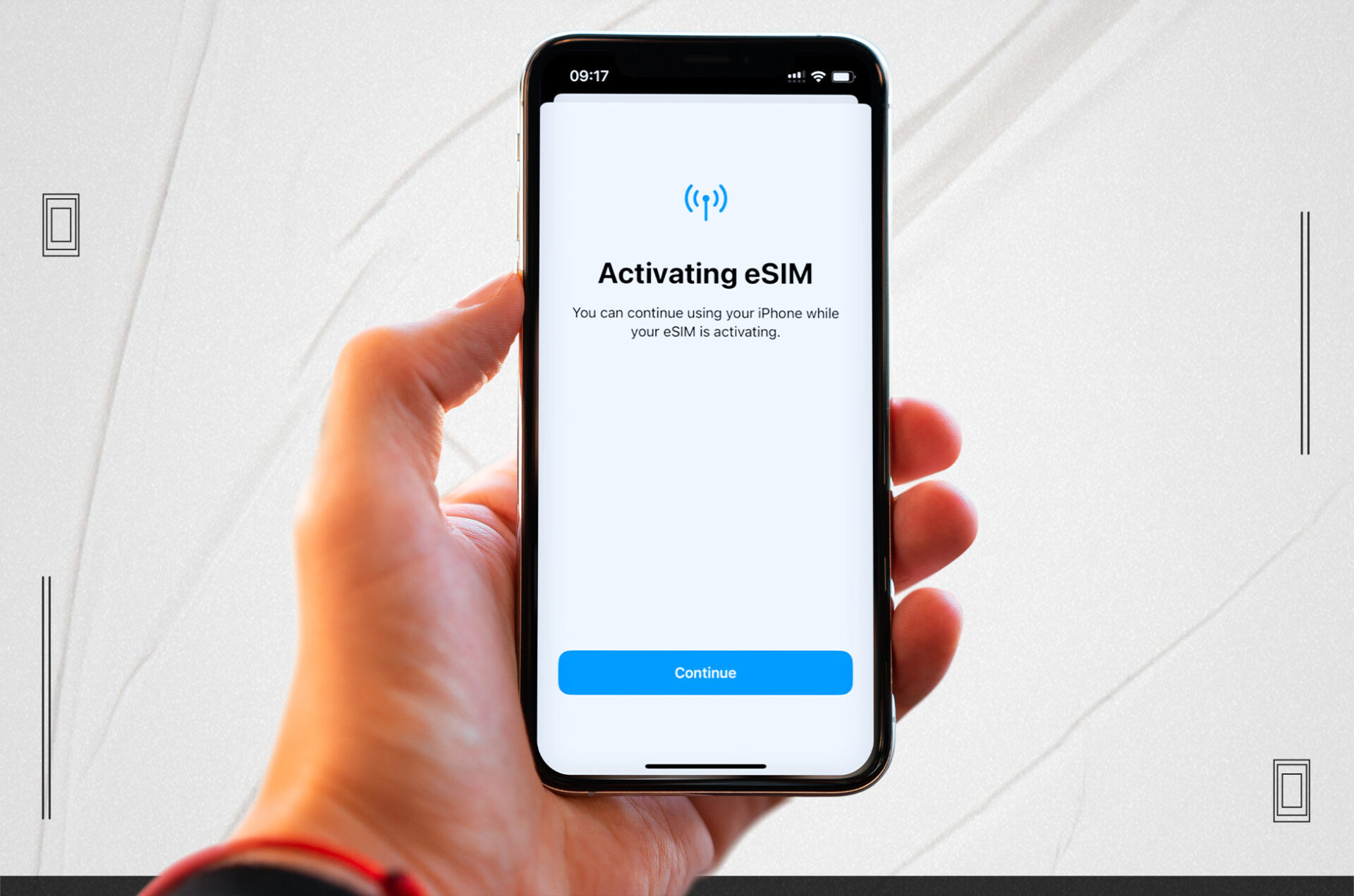
Set up another cellular plan with your new carrier/Insert New Sim Card For eSim: To do so, open the Settings app, pick Cellular, and then “Add Cellular Plan.” Scan the QR code on the new eSIM card using your device’s camera or download the profile from the carrier.
Your iPhone will automatically activate with your new eSIM Card.
You can now use your iPhone with any network carrier worldwide!
That is all there is to it. Enjoy your unlocked T Mobile Unlock iPhone on any network, anywhere in the globe.
Your iPhone is now free to use with whatever service provider you like. If you’re looking to switch carriers, consider these factors:
Explore your options by learning about various carriers and the services they offer. Try to find a provider that has adequate coverage in your location and a plan that works for you financially.
When switching carriers with your unlocked iPhone, be sure that the service they offer is compatible with the one you currently use. To accomplish this, visit the carrier’s website or get in touch with customer support.
Get the best rate by comparing plans from various providers. Search for packages that provide unlimited services, such as data, calls, and international minutes.
Make sure to port your current phone number to your new carrier if you want to keep using it after switching providers. Throughout the sign-up procedure, you should be able to do this.
Conclusion
How to Unlock T-Mobile iPhone? T-Mobile iPhone unlocking is a straightforward procedure that allows you to move to any provider of your choosing. Simply conduct research and select a carrier that suits your needs and budget. Congratulations on your transition! If you have any questions, feel free to share them in the section below.
All products, and company names, logos, and service marks (collectively the "Trademarks") displayed are registered® and/or unregistered
trademarks™ of their respective owners.
The authors of this web site are not sponsored by or affiliated with any of the third-party trade mark or third-party registered trade mark owners,
and make no representations about them, their owners, their products or services.