Not only is the iPhone 14 Pro/ iPhone 14 Pro Max unlocked, the most powerful phone available today. Thanks to the ingenious new Dynamic Island for showing notifications and current activity, it’s a delight to use. Excellent cameras, an always-on display, an engaging Action mode for videos, and long battery life are all features of Apple’s biggest Pro model.
Although expensive, it is the greatest phone money can buy. What happens, however, if your phone is carrier-locked?
It is to your advantage to unlock your iPhone since doing so provides you with more choices. Because the phone does not need a user to sign a contract and does not come with a SIM card, it is referred to as a SIM-free phone or a contract-free phone. There might be a valid argument in favor of unlocking your iPhone
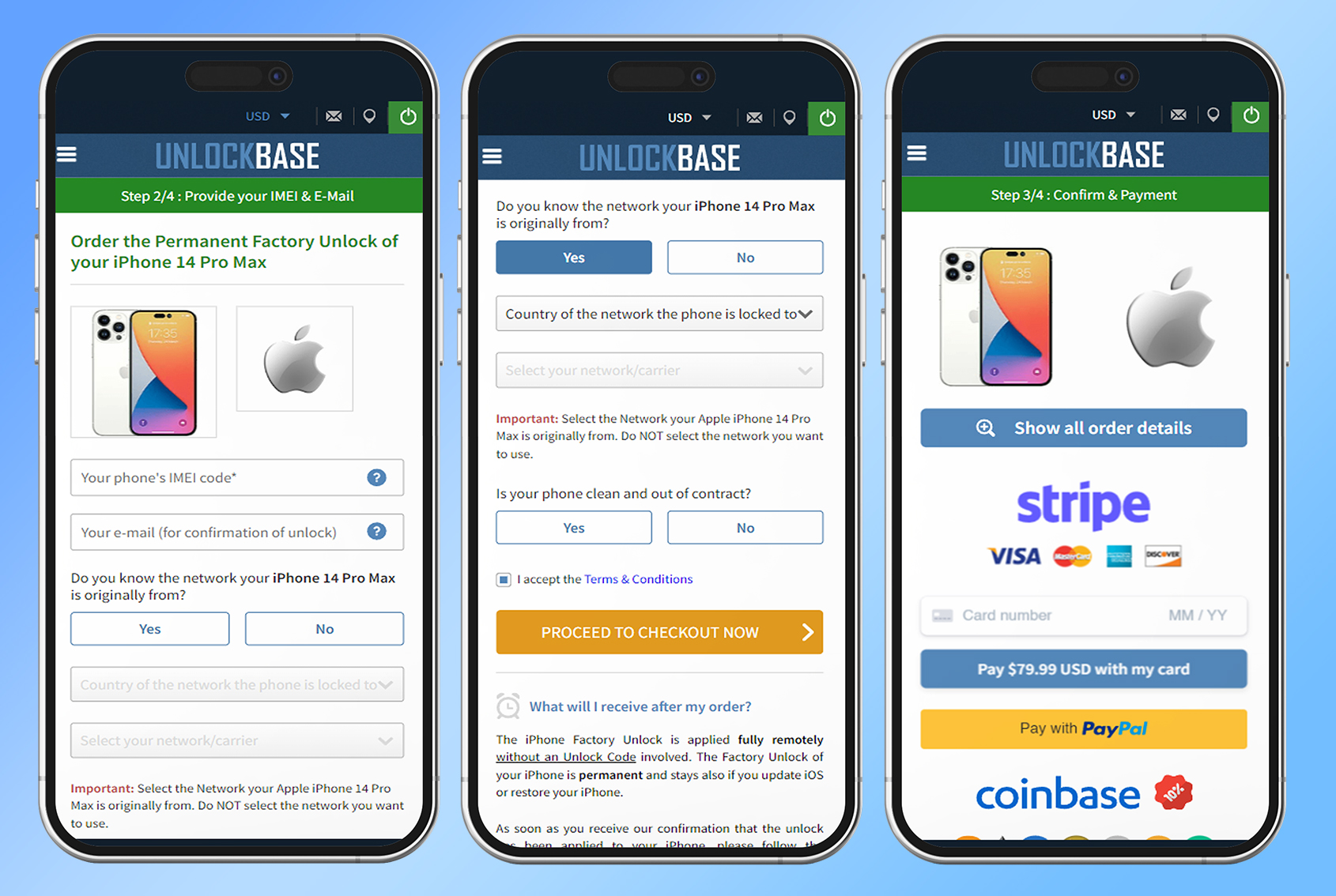
Confirm your payment and check your email for confirmation.
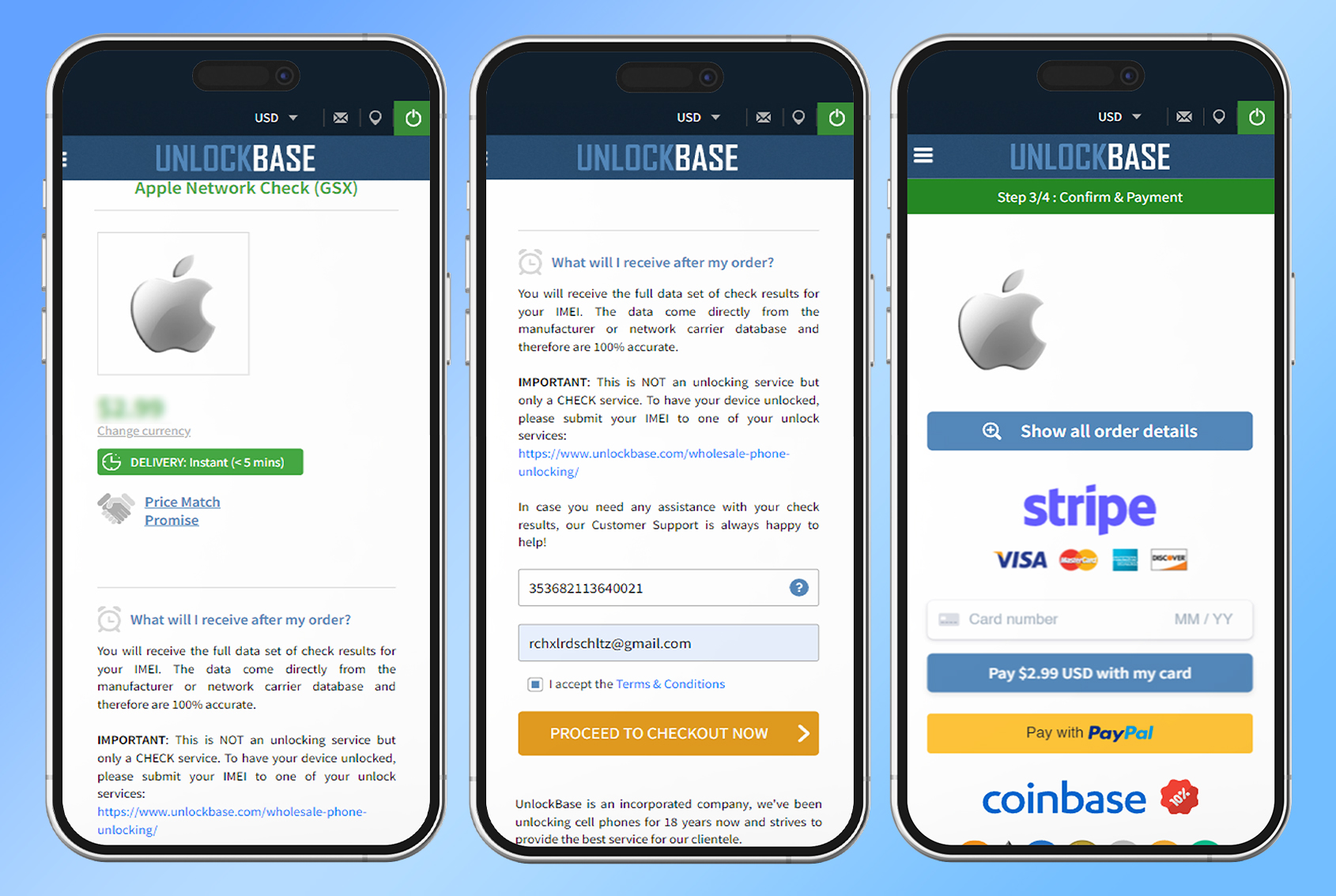
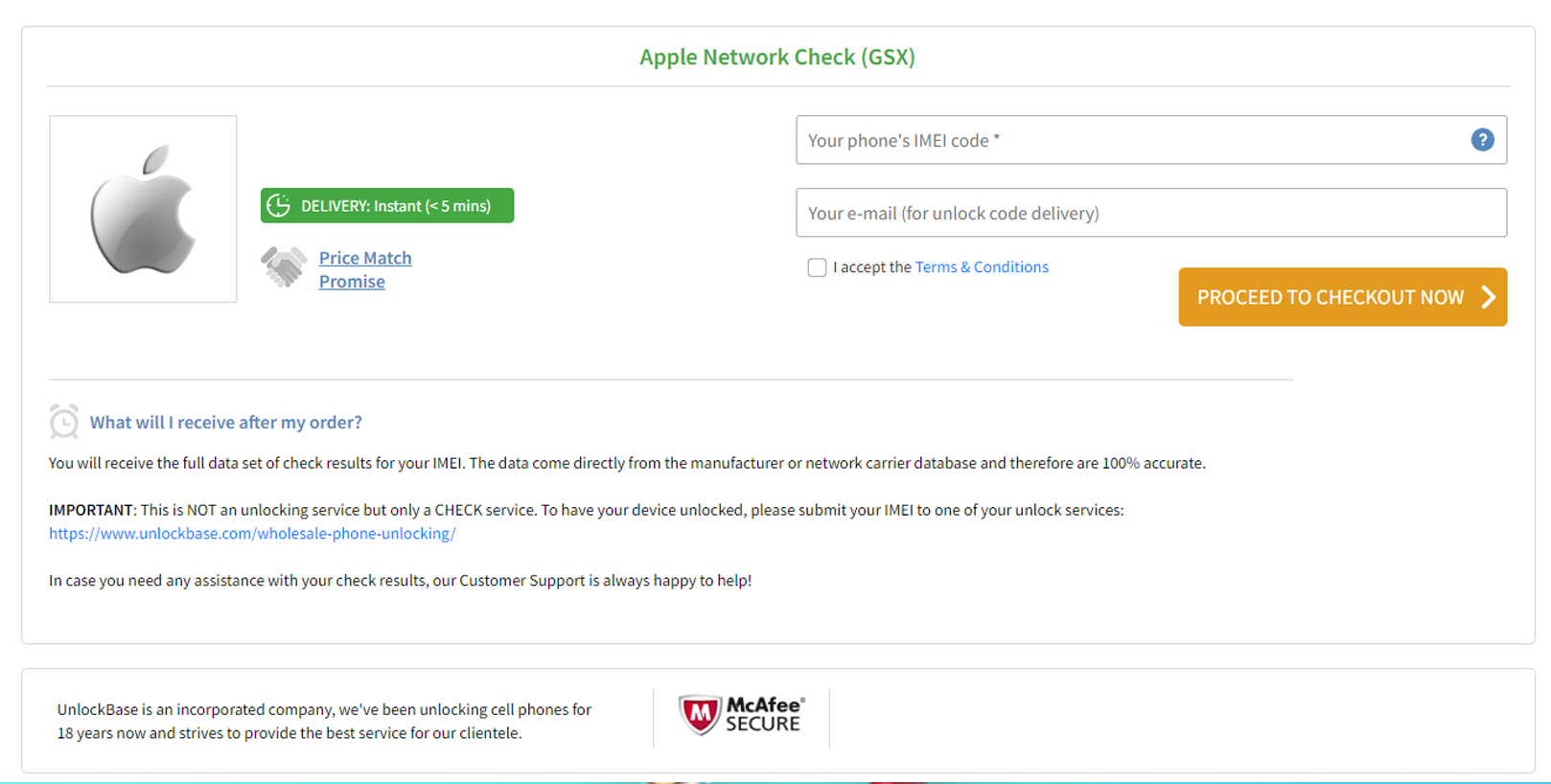
Please submit a request for an iPhone GSX Network Check report if you are unclear about which carrier your iPhone was originally purchased from.
iPhone 14 Pro/ iPhone 14 Pro Max Unlocked
iPhone 14 Pro/ iPhone 14 Pro Max Unlocked may be performed automatically and does not require the use of an Unlock Code at any point. Your iPhone’s Factory Unlock is a permanent feature that will not be removed even if you update iOS or restore the device.
Please make sure to proceed with the steps outlined below as soon as you have received confirmation from us that the unlock has been applied to your iPhone:
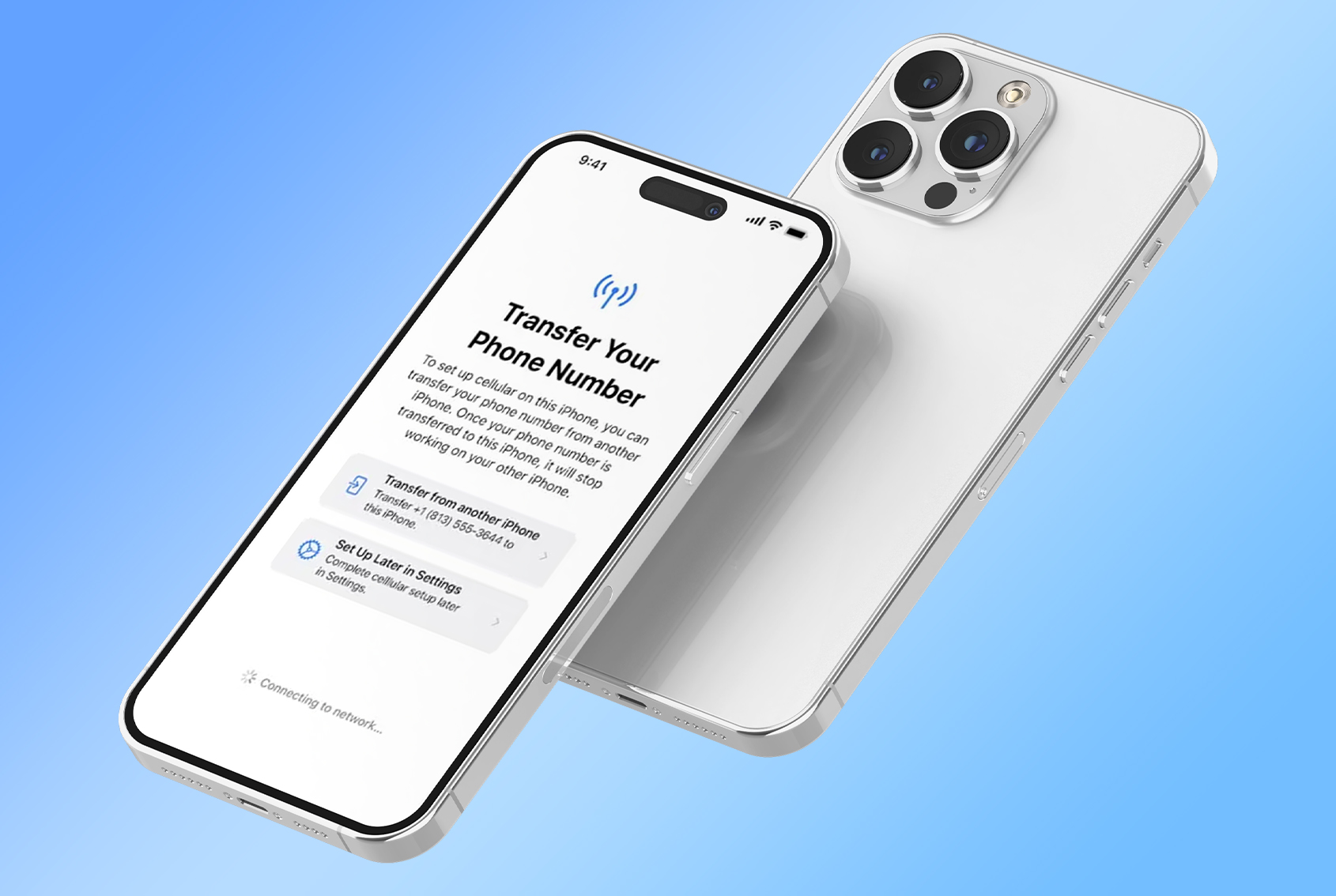
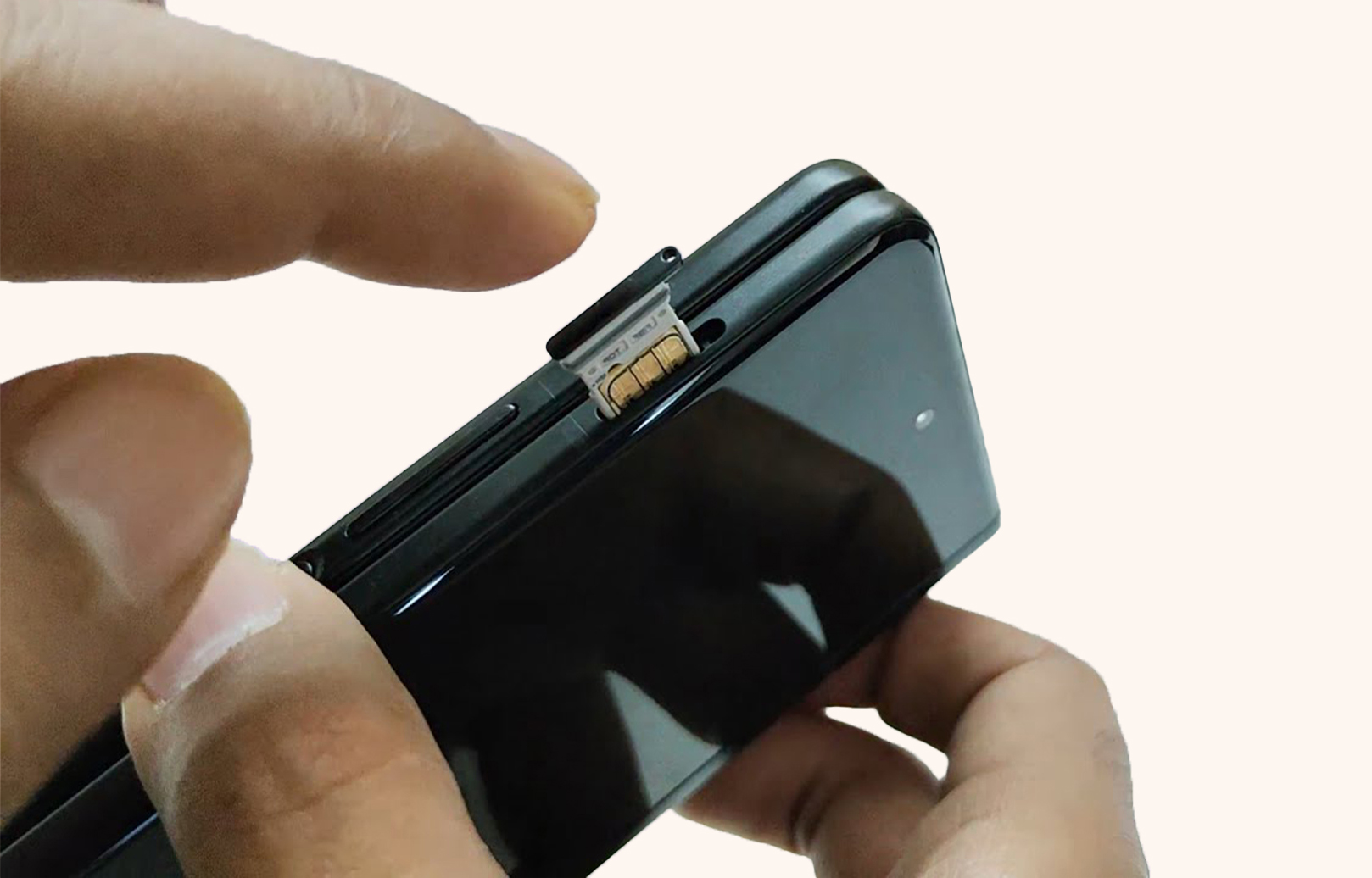
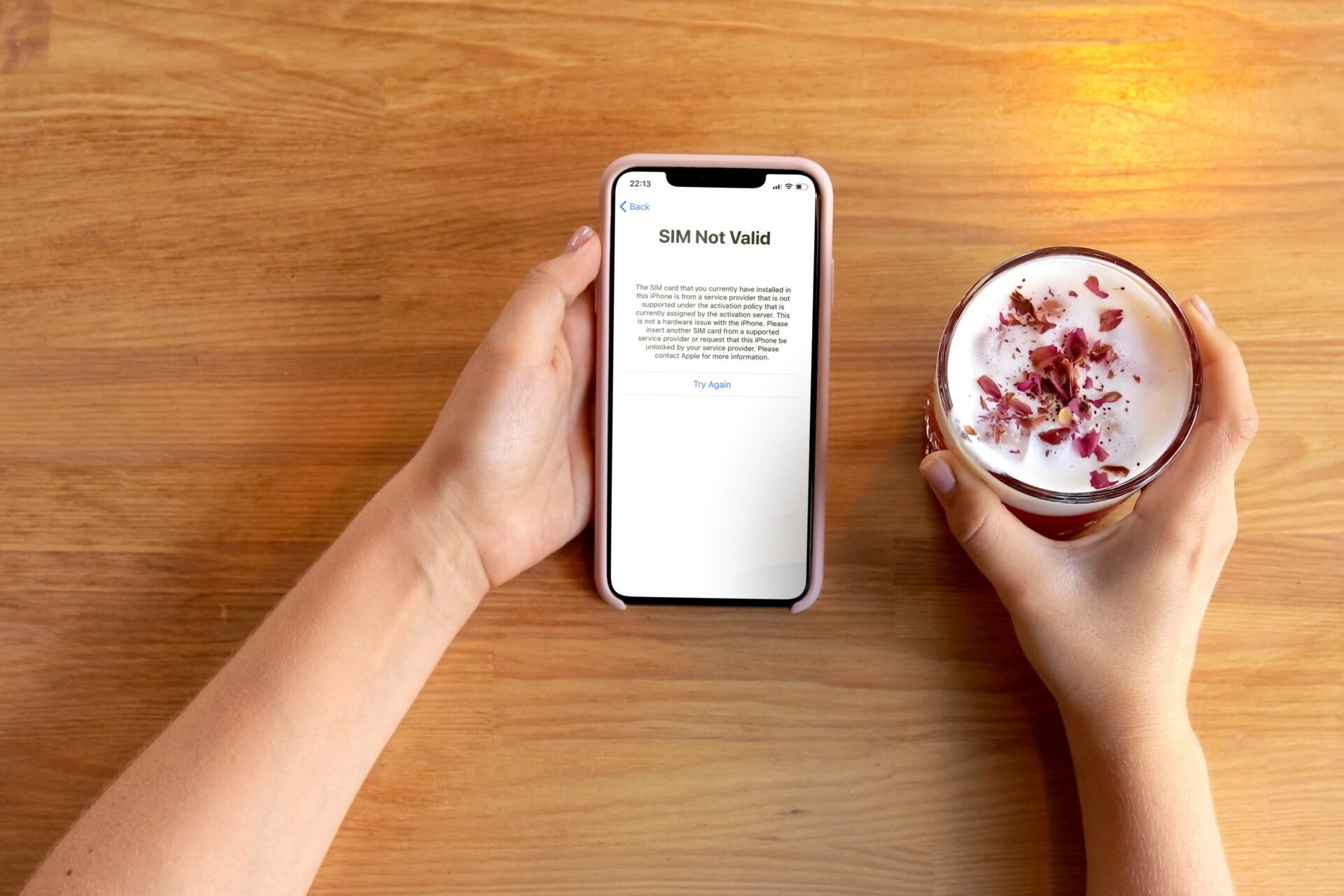
Turn on your iPhone with a SIM Card that it doesn’t accept. A SIM card is “non-accepted” if it is not from the network your iPhone was originally locked to. The SIM card can be from any network provider in the world, and it doesn’t have to be the same SIM card you want to use in the future.
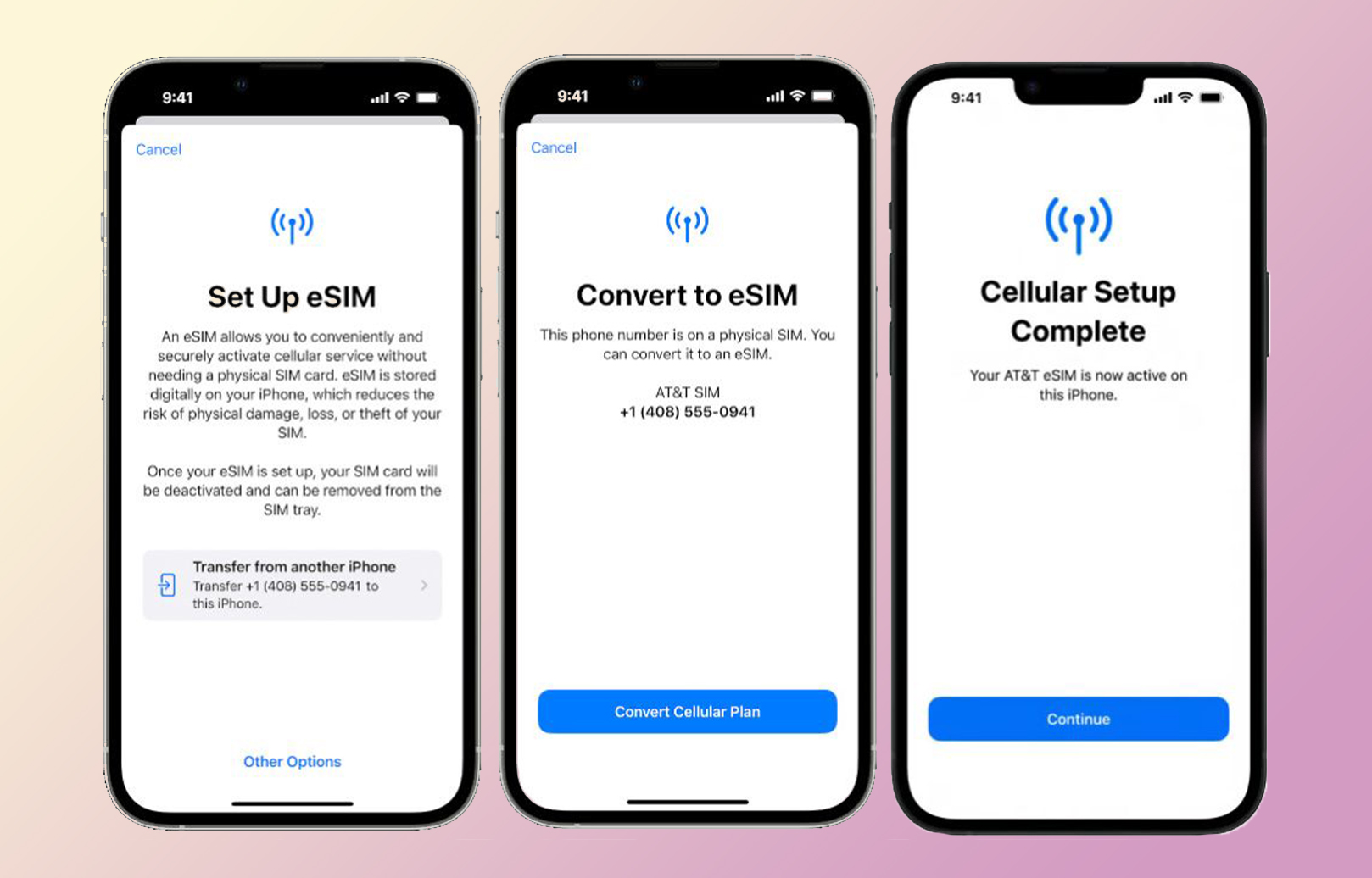
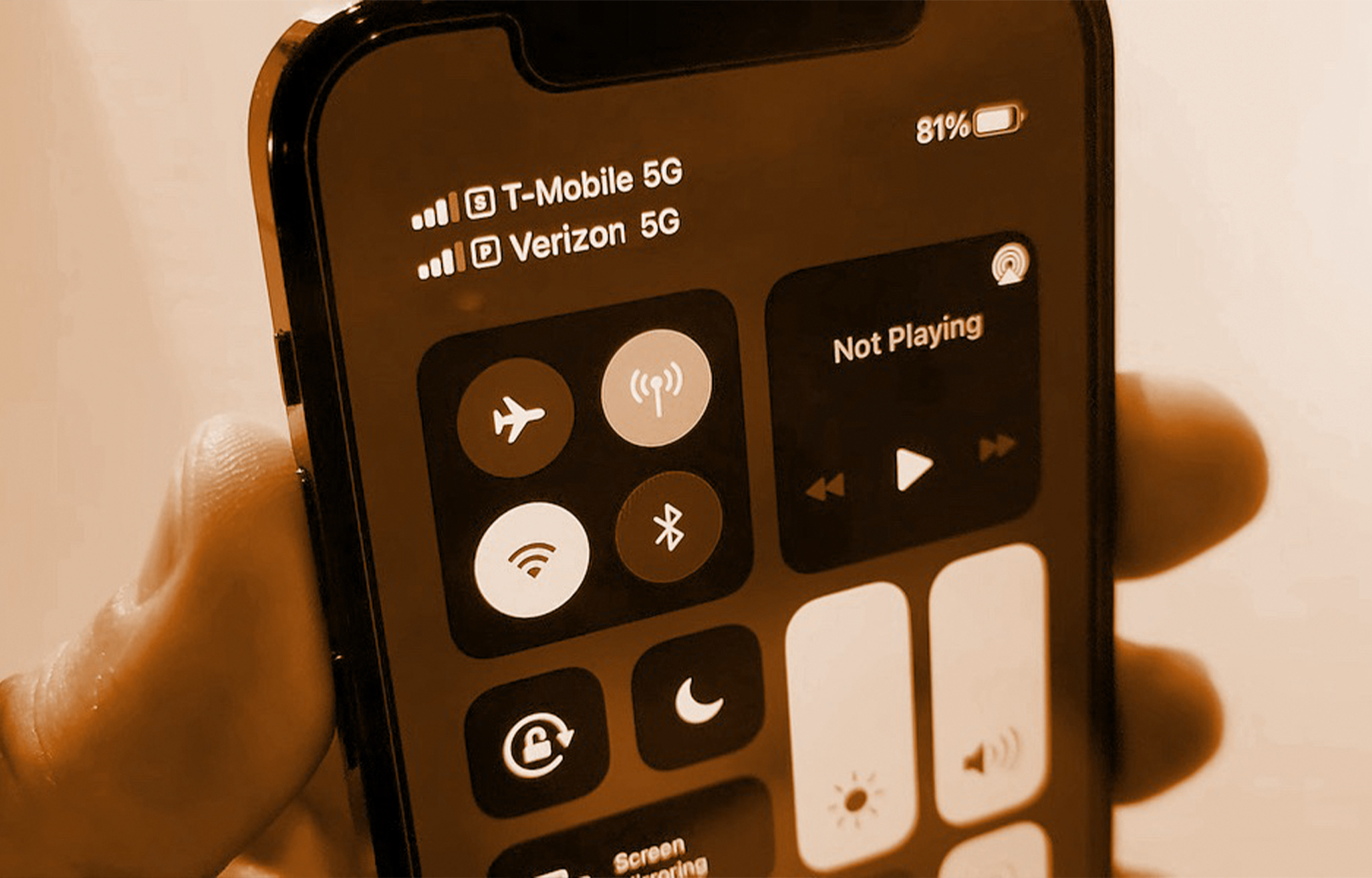
If you have only an eSim, You just need to activate your new network using eSim on your iPhone and it will automatically be activated.
Your iPhone will be activated instantly with your new SIM Card. That indicates your iPhone is now completely unlocked.
You can now use your iPhone 14 Pro/ iPhone 14 Pro Max Unlocked on any network carrier in the world!
After your purchase has been processed, your IMEI will be marked as whitelisted in Apple’s IMEI database. This will grant you a permanent official unlock, ensuring that your warranty will not be voided and granting you the ability to upgrade to the most recent version of iOS on an ongoing basis.
You are now able to use your iPhone 14 Pro/ iPhone 14 Pro Max Unlocked with whatever network provider you want, wherever you may be around the globe.
Because the unlock is sent “Over-The-Air” over a cellular or WiFi connection, it is not essential to connect your iPhone SE Unlock to a computer in order to receive it. You also do not need to restart your iPhone SE Unlock in order to do so.
Conclusion
You are free to continue using your iPhone 14 Pro/ iPhone 14 Pro Max Unlocked as normal without having to worry about the service being interrupted in any way. After you have got a message from us saying that your iPhone 14 Pro/ iPhone 14 Pro Max has been unlocked, you will be able to use it with whatever sim card you want by simply inserting it into your device. If you have any questions, let us know in the comment section below!
All products, and company names, logos, and service marks (collectively the "Trademarks") displayed are registered® and/or unregistered
trademarks™ of their respective owners.
The authors of this web site are not sponsored by or affiliated with any of the third-party trade mark or third-party registered trade mark owners,
and make no representations about them, their owners, their products or services.
iPhone 14 pro max vs iPhone 13 pro max: Apple introduced the iPhone 13 Pro as the successor to the successful iPhone 12 Pro in 2021. It included ProMotion displays, an upgraded back camera system, the A15 Bionic CPU, and longer battery life, among other improvements. Apple has discontinued the iPhone 12 Pro and iPhone 12 Pro Max, and as one-year-old versions, prices from third-party resellers are decreasing. Consequently, some buyers may be considering whether to upgrade to the iPhone 13 Pro or the iPhone 14 Pro.
Given that the iPhone 13 Pro and iPhone 14 Pro share a big number of features and the same essential design, should you consider purchasing the iPhone 14 Pro to save money or stay with the iPhone 13 Pro? iPhone 14 pro max vs iPhone 13 pro max: Our article helps answer the issue of how to choose which of these two iPhone models is ideal for you, as well as highlights the distinctions that the iPhone 14 offers.
iPhone 14 Pro Max vs iPhone 13 Pro max: Price Difference
iPhone 14 pro max vs iPhone 13 pro max: If you’re not particularly interested in the most recent features of the iPhone 14 Pro, you may be better off going for the iPhone 13 Pro and saving money. Although there does not seem to be a significant price difference between the iPhone 14 pro max vs iPhone 13 pro max, it might be reasonable to pay a few dollars more for the iPhone 14 Pro if only for the camera improvements.
At $999/£949 and $1,099/£1,049, respectively, the iPhone 13 Pro and iPhone 13 Pro Max are already rather pricey devices. However, and not unexpectedly, the iPhone 14 Pro versions will not get cheaper.
Indeed, they are becoming more costly for U.K. purchasers. The iPhone 14 Pro will begin at $999/£1,099, which is around £150 more than the previous generation in the U.K. However, in the U.S., it will be priced the same as its predecessor. Similarly, the iPhone 14 Pro Max’s starting price will be $1,099/£1,199, indicating an increase in UK pricing.
iPhone 14 Pro Max vs iPhone 13 Pro max
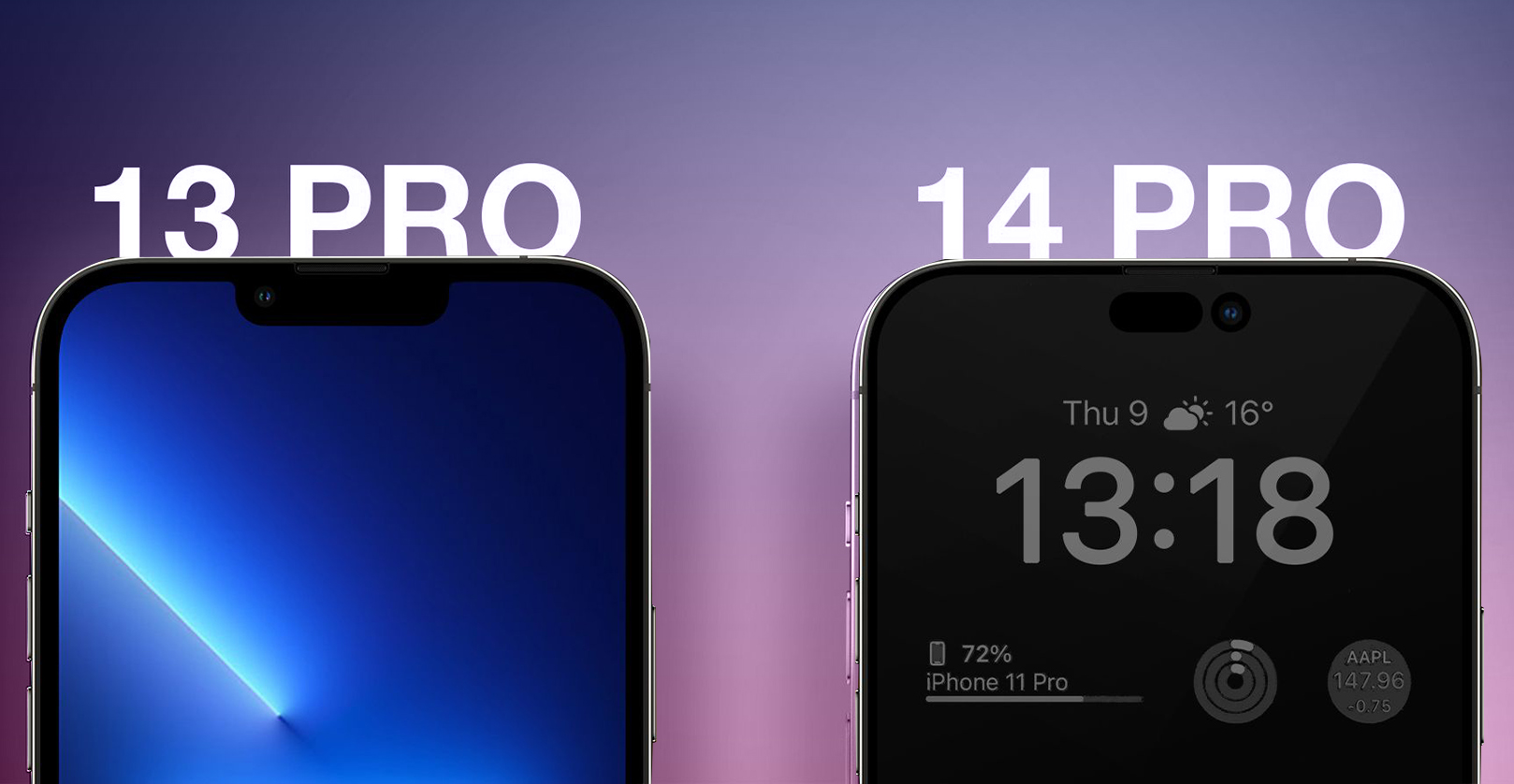
iPhone 14 pro max vs iPhone 13 pro max: Although the iPhone 13 Pro and iPhone 14 Pro share the majority of their core features, the iPhone 14 Pro delivers a number of substantial improvements over its predecessor, including the A16 Bionic processor, a brand-new “Dynamic Island,” an always-on display, and vastly enhanced cameras.
iPhone 13 Pro and iPhone 13 Pro Max
iPhone 14 Pro and iPhone 14 Pro Max
A15 Bionic chip
A16 Bionic chip
Super Retina XDR display with 1,200 nits peak brightness (HDR)
Super Retina XDR display with 1,600 nits peak brightness (HDR) and 2,000 nits peak brightness (outdoor)
“Notch” TrueDepth camera array
Always-On display
12-megapixel main camera with ƒ/1.5 aperture
TrueDepth camera array with Dynamic Island
12-megapixel ultra-wide camera with ƒ/1.8 aperture
48-megapixel main camera with ƒ/1.78 aperture
12-megapixel telephoto camera with ƒ/2.8 aperture
12-megapixel ultra-wide camera with ƒ/2.2 aperture
Cinematic mode for recording videos with shallow depth of field (1080p at 30 fps)
Adaptive True Tone flash
12-megapixel front-facing camera with ƒ/2.2 aperture
Cinematic mode for recording videos with shallow depth of field (4K HDR up to 30 fps)
Up to 22 hours battery life during video playback
Action mode
eSIM optional
12-megapixel front-facing camera with ƒ/1.9 aperture and autofocus
146.7mm height
Photonic Engine
7.65mm thickness
Emergency SOS via satellite
Weight of 204 grams
Up to 23 hours battery life during video playback
eSIM only (in the U.S.)
147.5mm height
7.85mm thickness
Weight of 206 grams
iPhone 14 Pro Max vs iPhone 13 Pro max: Which Should You Buy?
iPhone 14 pro max vs iPhone 13 pro max: Apple’s Pro Max iPhones are meant not just for users who want the greatest iPhone available, but also for artists who need a smartphone with exceptional photographic capabilities. The only thing keeping you from joining the former group is your pocketbook. If this is a concern, the iPhone 13 Pro Max is still an excellent alternative. However, the iPhone 14 Pro Max will be worth the increase if you’re a creative with a large budget who can optimize the capabilities of the more powerful cameras.
Conclusion
The iPhone 14 Pro/Pro Max is an improvement over the iPhone 13 Pro/Pro Max due to its upgraded cameras, significantly quicker performance, significant improvement in picture quality, and fascinating new Dynamic Island function.
However, does this imply that iPhone 13 Pro/Pro Max owners need to upgrade? Not necessarily, since the new iPhone 14 Pro/Pro Max has the same battery life, physical dimensions, and design, and you probably won’t notice the slightly quicker CPU. If you have any suggestions, please share them with us in the area below.
All products, and company names, logos, and service marks (collectively the "Trademarks") displayed are registered® and/or unregistered
trademarks™ of their respective owners.
The authors of this web site are not sponsored by or affiliated with any of the third-party trade mark or third-party registered trade mark owners,
and make no representations about them, their owners, their products or services.
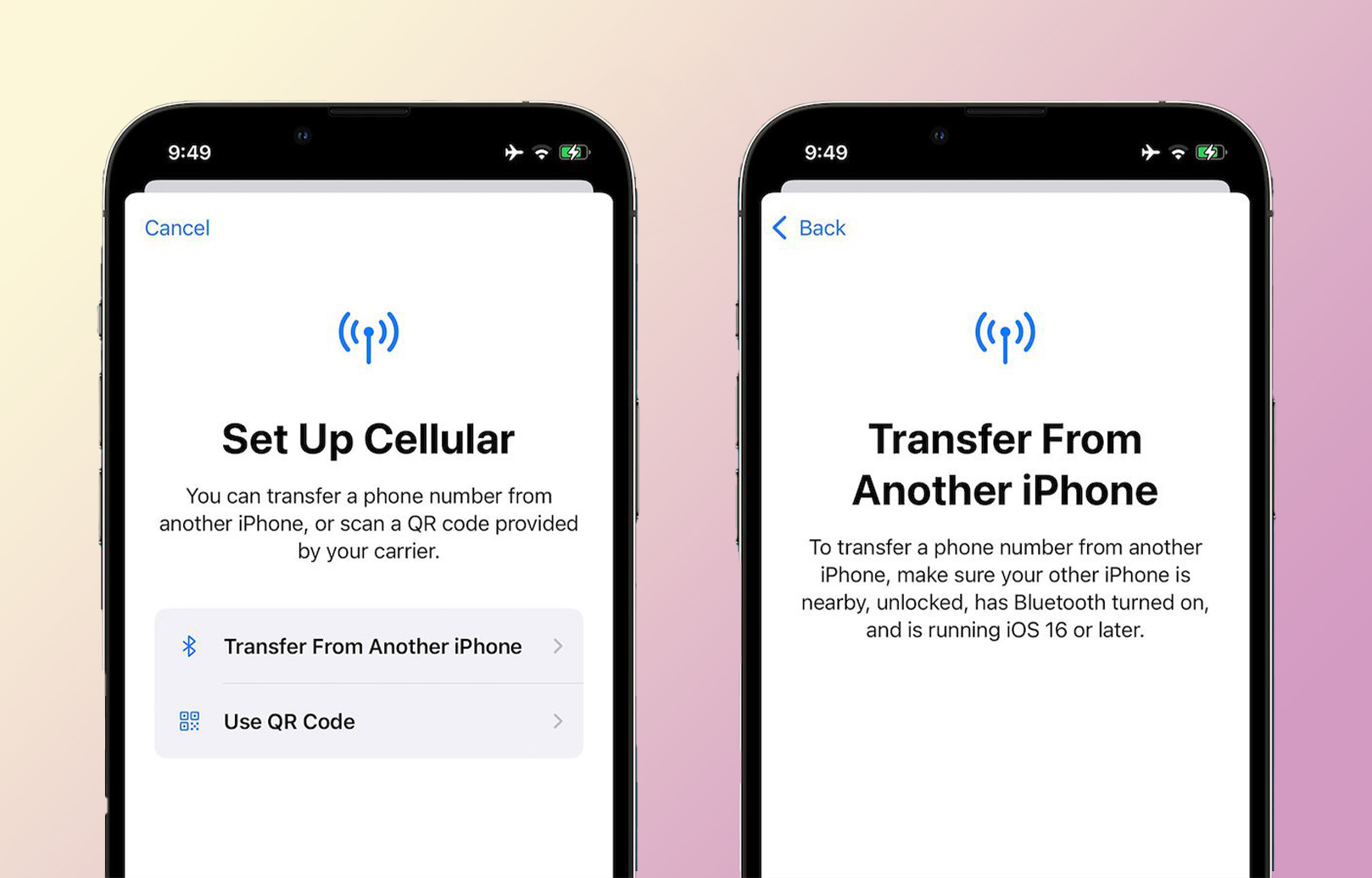
The iPhone 14 Unlocked, iPhone 14 Plus, iPhone 14 Pro, and iPhone 14 Pro Max are not compatible with physical SIM cards, but instead include dual eSIM compatibility, enabling several cellular plans to be activated on a single device, according to the technical specifications on Apple’s website.
What is eSim? What if your phone is locked to a specific carrier? How would you unlock your device? You can read this article to know more about eSim: https://www.unlockbase.com/blog/category/esim/
Apple’s website has a list of global carriers that support eSIM technology. This covers AT&T, T-Mobile, US Cellular, Verizon, Xfinity Mobile, Boost Mobile, H2O Wireless, Straight Talk, and C Spire, among others, in the United States.
Why Did Apple Switch the iPhone 14 to eSIM-Only?
Apple has established a new standard with its iPhone 14 series by becoming the first major manufacturer to totally delete the actual SIM card from its US iPhone models. Apple will continue to include a real SIM card slot on all other overseas models.
If you purchase the iPhone 14 Unlocked from Apple’s website today, the following message will appear with your order: These devices cannot be activated with an actual SIM card.
Apple said that the iPhone 14 standard can accommodate up to six eSIMs. However, only two may be active simultaneously. In contrast, the iPhone 14 Pro has a sim capacity of eight.
How can I tell whether my iPhone 14 Unlocked?
Apple offered a way to verify whether your iPhone 14 Unlocked or locked without contacting your carrier and navigating to a person who could answer this easy query last year.
As long as iOS 14 or iOS 15 is installed, you may access Carrier Lock by navigating to Settings > General > About and scrolling down to Carrier Lock. Good news! If you notice No SIM limitations on this line, your iPhone is unlocked.
What if it’s locked?
If your iPhone has been paid for but is still not unlocked, you will need to contact your carrier to seek an unlock. Prior to calling, though, you may be able to commence the unlocking procedure using your carrier’s website. Check out AT&T, T-Mobile, and Verizon’s device unlocking sites; your request may take up months to be processed and need to submit all the requirements.
But there’s an easy way to unlock your device using UnlockBase.
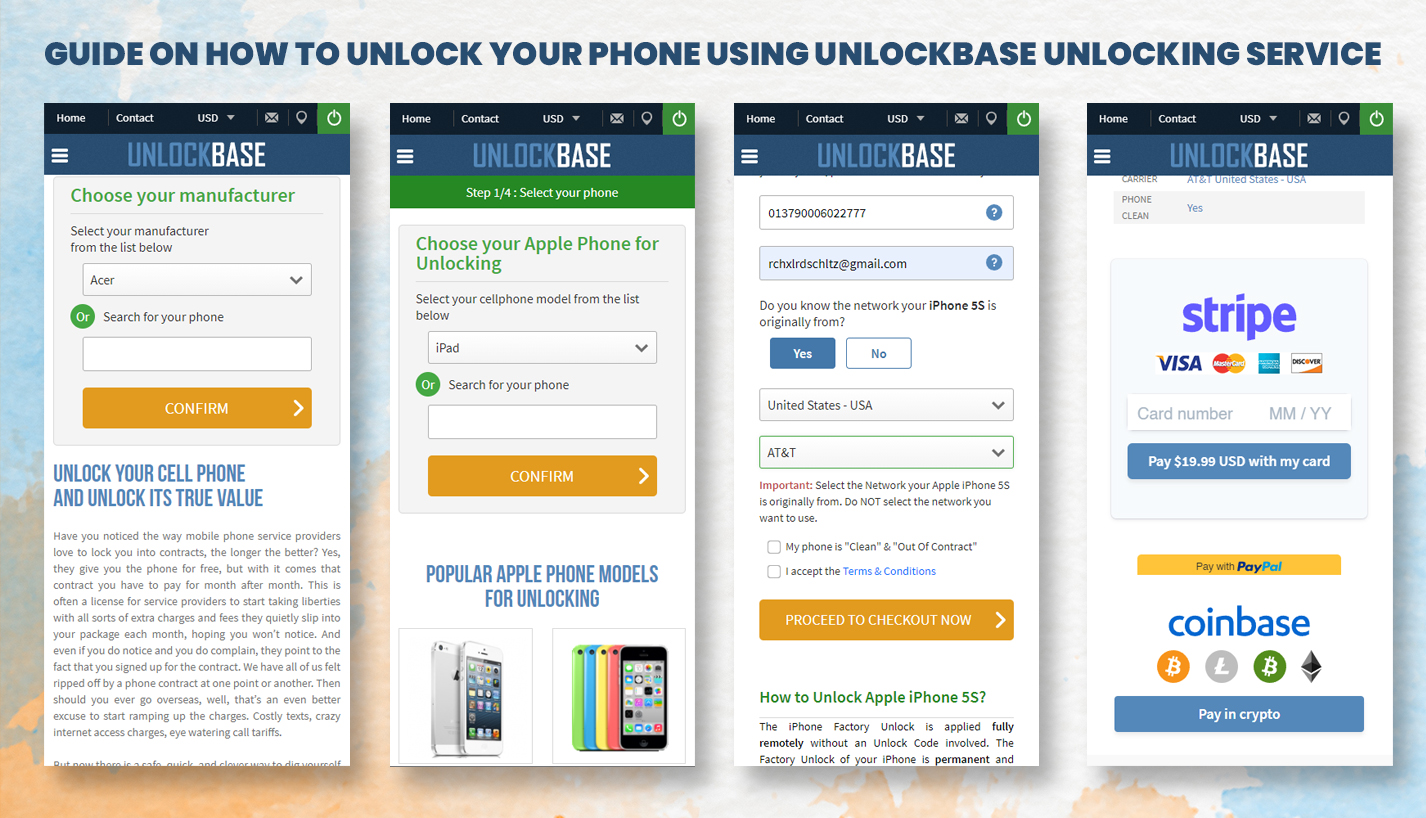
UnlockBase is here to help you in unlocking your mobile phone, even if you were unable to meet the standards established by your carrier. You need just follow the steps below:
After your purchase has been finalized, Apple’s IMEI database will designate your IMEI as whitelisted. This will provide you with a permanent official unlock, guaranteeing that your warranty is not canceled and allowing you to update to the latest version of iOS indefinitely.
Using an unlock code makes the process of unlocking a used iPhone from your carrier considerably simpler. It requires neither prior knowledge nor equipment on your behalf.
Please follow the instructions indicated below:
Remove your current cellular plan
Set up another cellular plan with your new carrier.
Your iPhone will automatically activate with your new eSIM Card.
You can now use your iPhone with any network carrier worldwide!
That concludes all that needs to be stated. You may use your iPhone with any network, regardless of your location.
Conclusion
Once unlocked, the status is permanently unlocked on Apple’s server. Even after upgrading the firmware, the device will never again freeze up. We are able to unlock devices that your carrier claims cannot be unlocked, including iPhone models that your carrier claims cannot be unlocked. If you have any suggestions, please share them with us in the area below.
All products, and company names, logos, and service marks (collectively the "Trademarks") displayed are registered® and/or unregistered
trademarks™ of their respective owners.
The authors of this web site are not sponsored by or affiliated with any of the third-party trade mark or third-party registered trade mark owners,
and make no representations about them, their owners, their products or services.
With prices beginning at $799, Apple’s new “affordable” flagship iPhones, the iPhone 14 and iPhone 14 Plus, are being marketed alongside the more costly iPhone 14 Pro and iPhone 14 Pro Max.
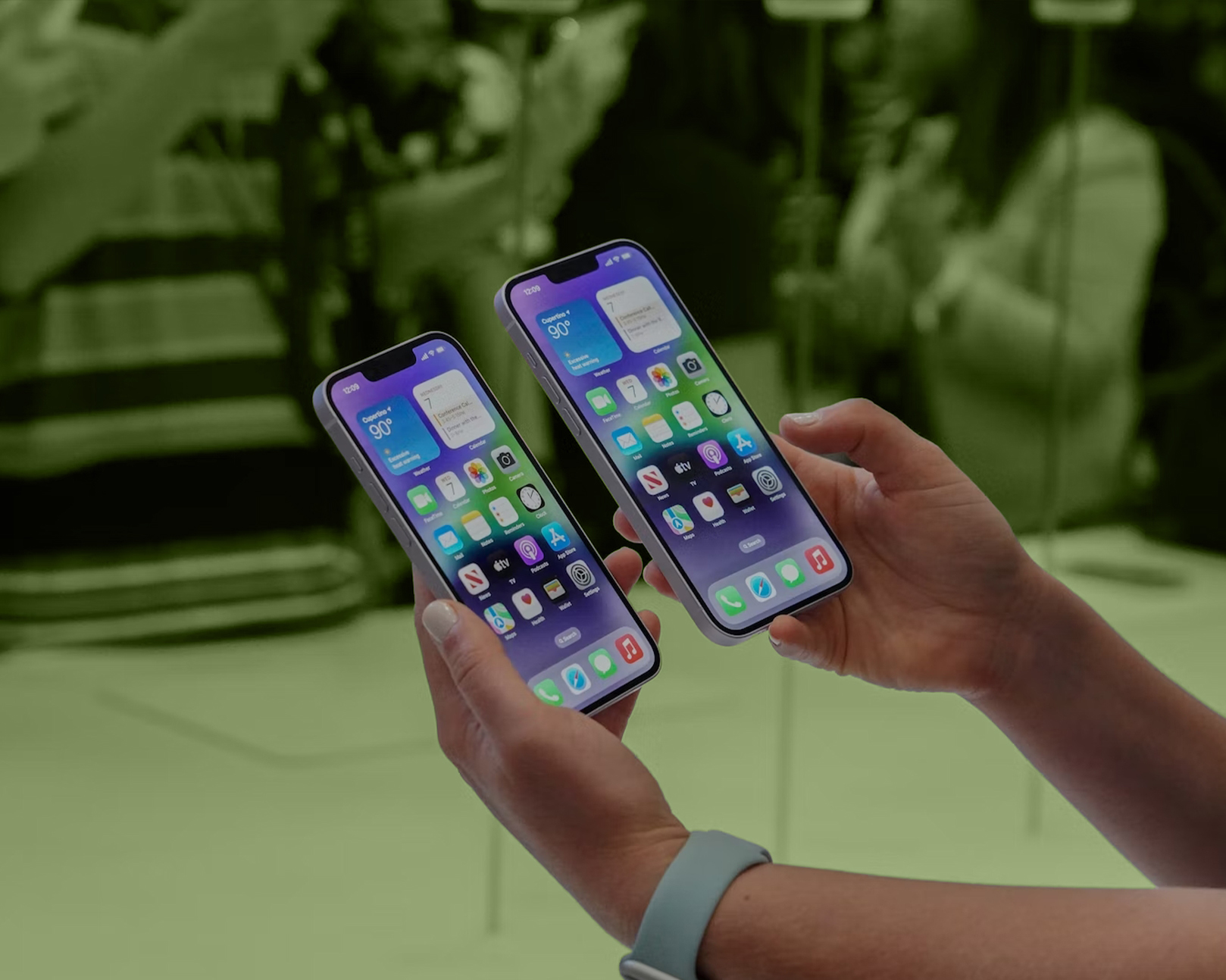
The iPhone 14/iPhone 14 Plus versions are available in 6.1 and 6.7-inch sizes, while Apple discontinued the “small” iPhone in 2022. The 6.7-inch larger iPhone 14 is referred to as the “iPhone 14 Plus,” evoking the iPhone 8 and 8 Plus. The flat edges, aerospace-grade aluminum body, and wireless charging-capable glass back of Apple’s iPhone 14 variants make them similar to the iPhone 13 models in terms of appearance.
iPhone 14 and iPhone 14 Plus Pros And Cons
The Apple iPhone 14 and iPhone 14 Plus is a top-of-the-line phone that keeps an old, well-used design and adds some new tech features, like a better TrueDepth camera array, crash detection, satellite communications, and more, to bridge the gap between cheap and the next big thing.
Pros:
Familiar design
Improve the TrueDepth camera
Satellite connectivity
Crash detection
Bigger Size, Bigger battery
Cons:
Still has a notch
Sticks with A15 Bionic
No Always-on display.
No USB-C.
No 48MP resolution and 8K video recording
iPhone 14 and iPhone 14 Plus Design, Materials, and Display
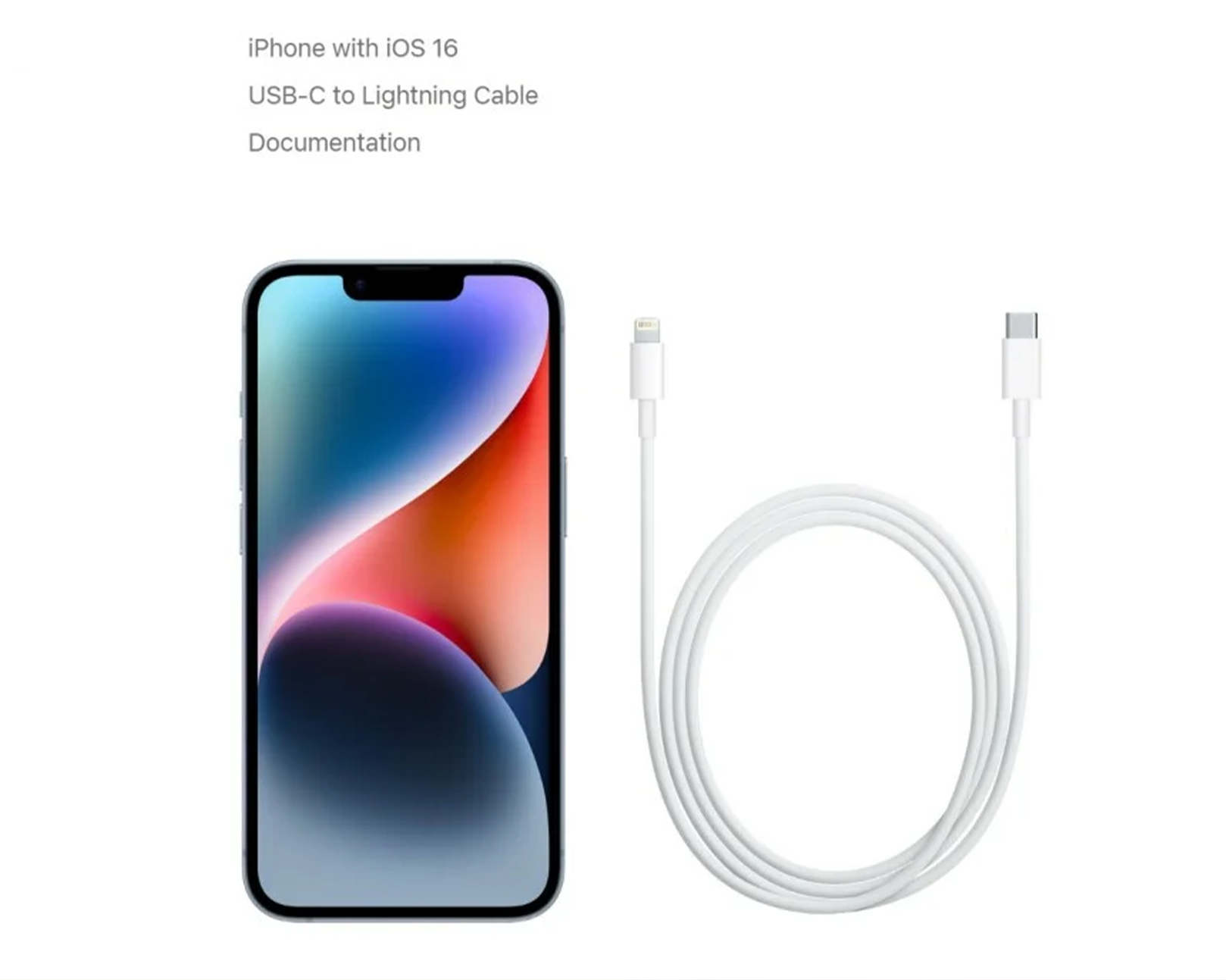
Inside the box of iPhone 14 and iPhone 14 Plus
The aluminum band that holds the 173g, 75.1mm x 146.7mm x 7.65mm (0.30 inch) body together is smooth. The iPhone 14 has the same button placement, microphone placement, and speaker grill placement as the iPhone 13. On the right is the bigger button for power, sleep, and Siri. On the left is the slider for silence and the volume buttons below it.
On the bottom, between the speaker grill and the mic holes, is what might be the last lightning port. Even though the European Union wants Apple to switch all of its devices’ ports to USB-C by 2024, this model will only have lighting. Your old wires and cables will be happy.
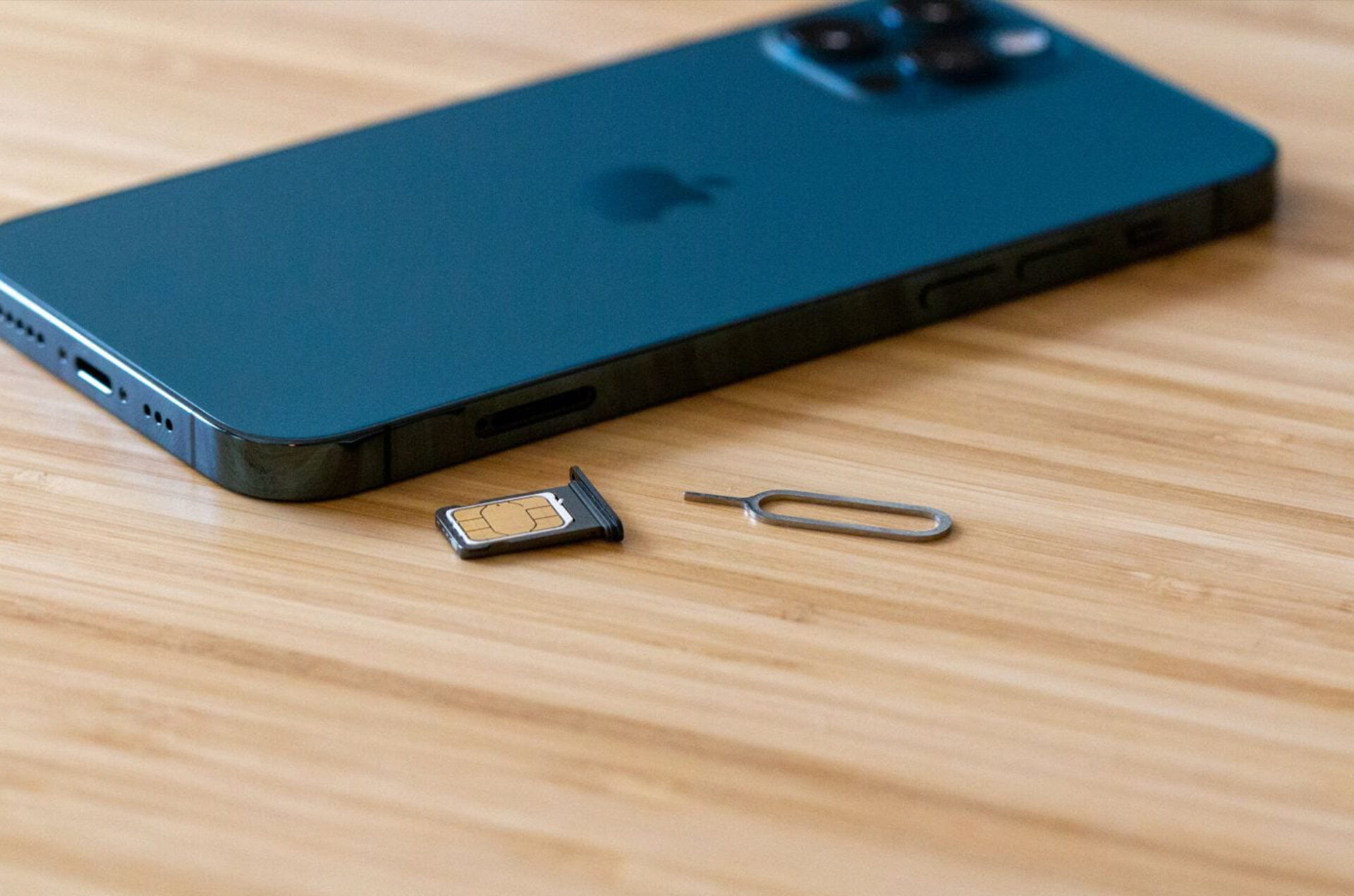
This is the first iPhone to have an all-eSIM system instead of a physical SIM slot. It’s strange to see a smartphone without that instantly recognizable panel and the small hole for the special tool to pop out of the SIM tray. You can visit the official link of iPhone 14 Here.
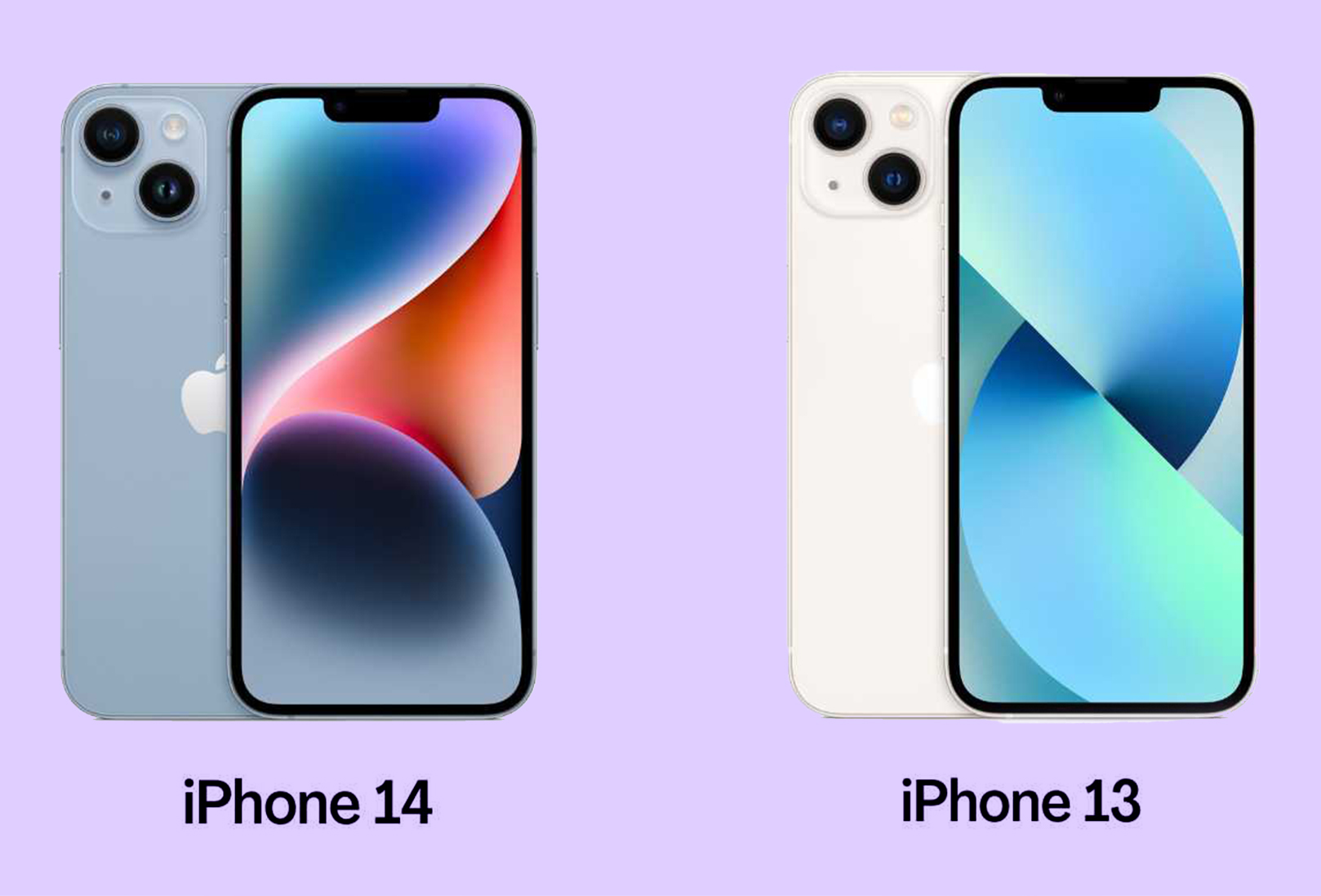
iPhone 13 vs iPhone 14 and iPhone 14 Plus: Is it worth the upgrade?
Both the iPhone 13 and the iPhone 14 have the same size screen, 5G connection, A15 Bionic chip, and design. Still, the iPhone 14 has some improvements, like an extra GPU core, Emergency SOS through satellite, the Photonic Engine, and Action Mode.
iPhone 13
iPhone 14
4-core GPU (A15 Bionic)
5-core GPU (A15 Bionic)
4GB of memory
6GB of memory
Dual-camera system
12-megapixel the Main camera with ƒ/1.5 aperture and larger sensor
12-megapixel Main camera with ƒ/1.6 aperture
12-megapixel front-facing camera with ƒ/1.9 aperture and autofocus
12-megapixel front-facing camera with ƒ/2.2 aperture
Photonic Engine
Cinematic mode for recording videos with shallow depth of field (1080p at 30 fps)
Cinematic mode for recording videos with shallow depth of field (4K HDR up to 30 fps)
Thickness of 7.65mm
Action mode
Weighs 174 grams
Thickness of 7.80mm
eSIM optional
Weighs 172 grams
Emergency SOS
eSIM only (in the U.S.)
Emergency SOS via satellite
Crash Detection
Most of the changes between the iPhone 14/iPhone 14 Plus and the iPhone 13 are small tweaks to the camera, video camera, battery life, and graphics processing unit (GPU) performance.
For safety-minded people, the 6GB of memory, Crash Detection, and Emergency SOS via satellite are more important upgrades than the better camera hardware. . So, the iPhone 14 is probably best for people who are switching from an older phone or tablet.
Conclusion
At least in some ways, the iPhone 14 and iPhone 14 Plus is slightly more powerful than the last generation, and it may still be faster than some new Android phones. But it will be hard to look at the iPhone 14 without glancing sideways at the new iPhone 14 Pro and Pro Max, which have displays without notches and 48MP cameras. If you have any questions let us know in the comment section below!
All products, and company names, logos, and service marks (collectively the "Trademarks") displayed are registered® and/or unregistered
trademarks™ of their respective owners.
The authors of this web site are not sponsored by or affiliated with any of the third-party trade mark or third-party registered trade mark owners,
and make no representations about them, their owners, their products or services.
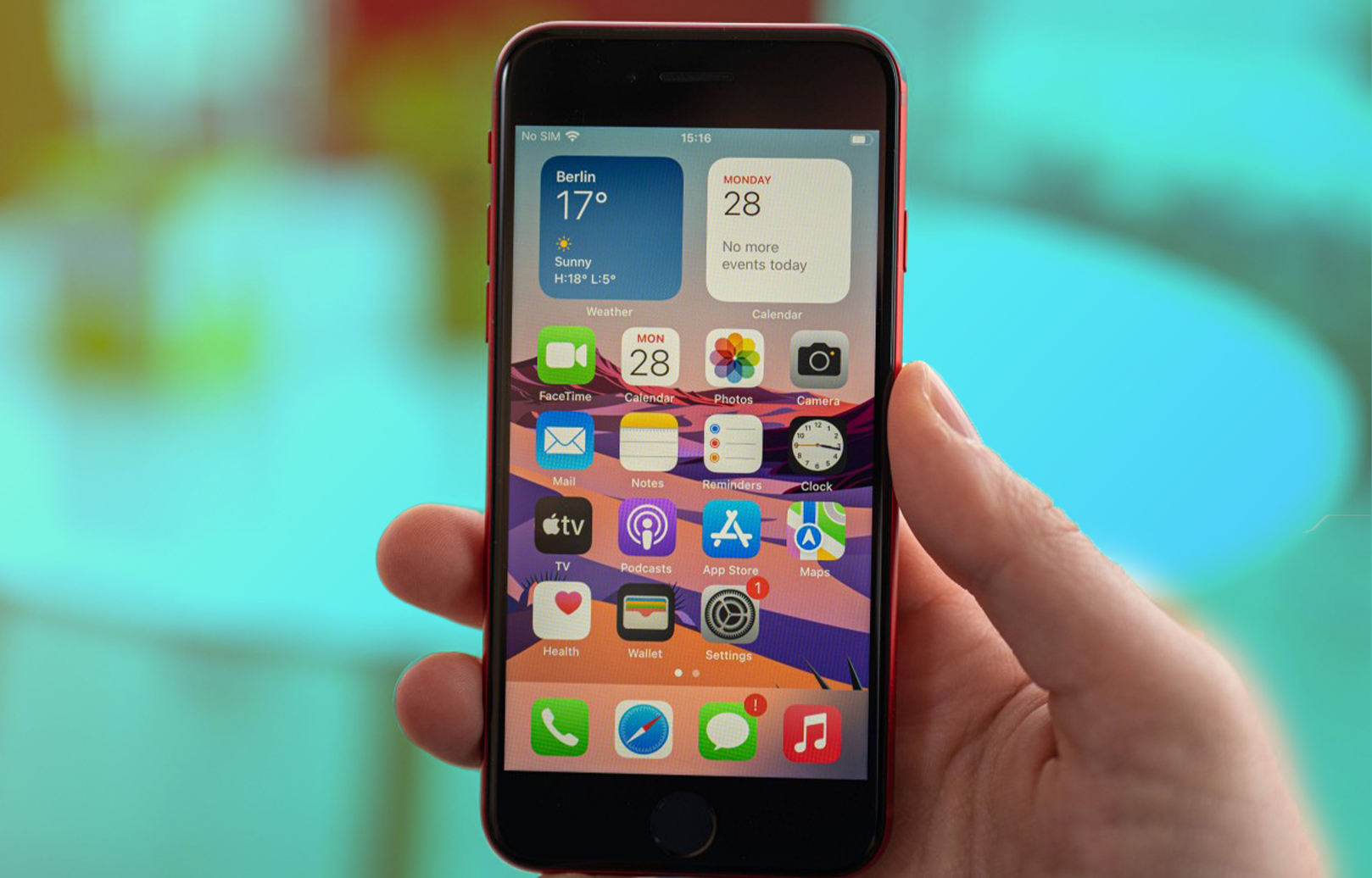
It is the sort of product that looks distinctive, is based on fundamentally revolutionary technology, and will eventually form the backbone of future iPhones for years to come. This kind of product is the iPhone SE Unlock, and it is the kind of thing that Apple only infrequently delivers. Apple doesn’t put out many products like this on a regular basis.
iPhone SE Unlock Advantages
Unlocking your iPhone SE Unlock is one of the finest decisions you can make since it enables you to have a great deal of flexibility. If you have an iPhone that is unlocked, you are free to change your mobile phone service provider anytime you find a better plan or pricing elsewhere.
When going overseas, having a phone that is unlocked is handy since it allows you to purchase a short-term plan from a local phone carrier rather than having to utilize the more costly international plans offered by your main phone carrier.
UnlockBase iPhone SE Unlock 3 Easy Steps
There is no need to enter an Unlock Code at any time in order to complete the iPhone Factory Unlock since this process may be done automatically. Even if you upgrade iOS or restore your device, the Factory Unlock function on your iPhone will not be disabled since it is a permanent setting on the device.
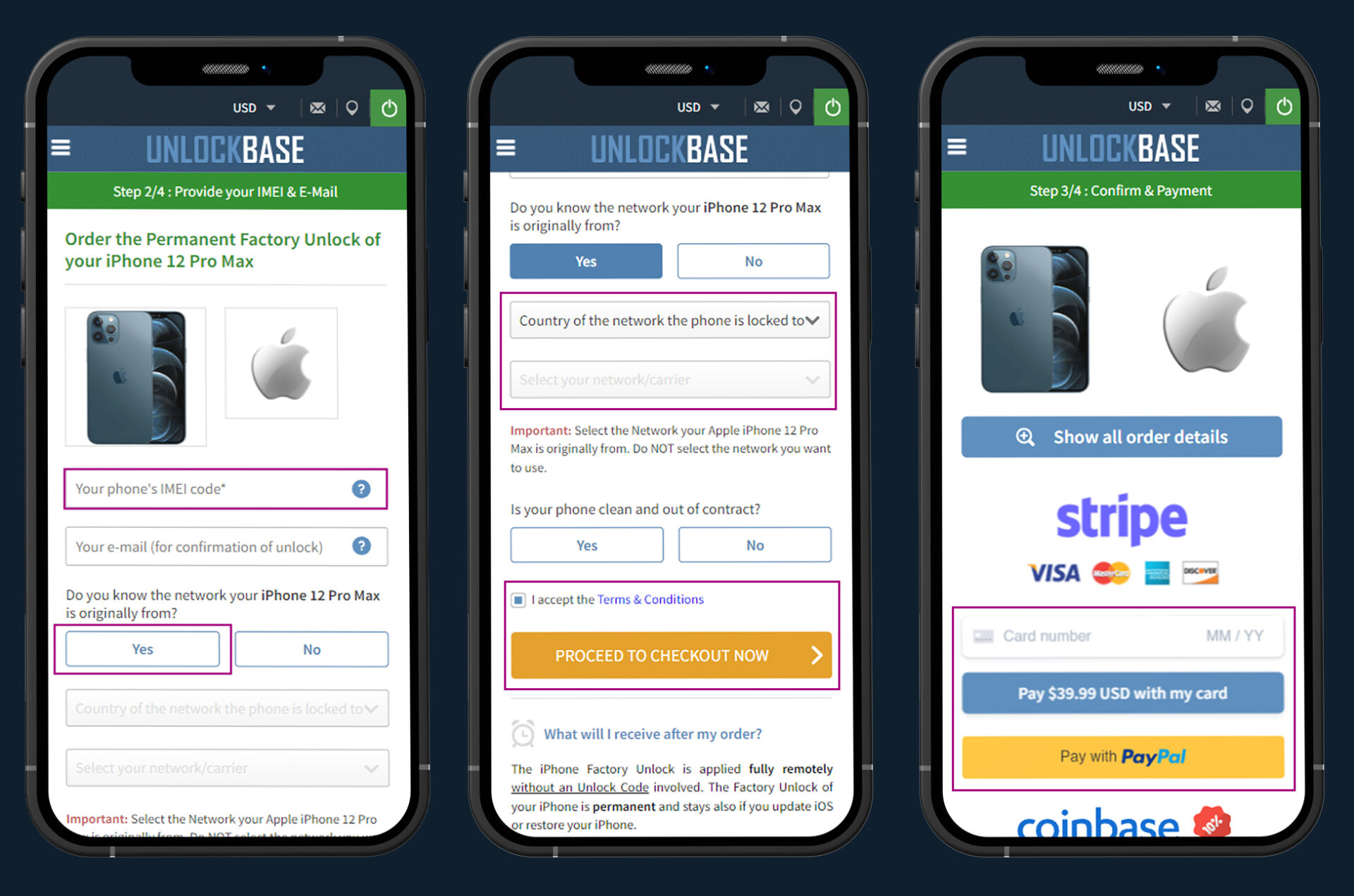
Making a Purchase from Unlock Base in Order to Acquire an Unlock Code
Enter the IMEI number for your phone.
Please provide your email address so that we can confirm your submission.
Select the country to which the phone is locked.
Choose your preferred network and provider.
Verify that the payment was successful, then check your email for further instructions.
After your purchase has been processed, your IMEI will be marked as whitelisted in Apple’s IMEI database. This will provide you with a permanent official unlock, guaranteeing that your warranty will not be invalidated and allowing you the opportunity to update to the most current version of iOS on an ongoing basis. If you do this, your warranty will not be voided.
As soon as you have gotten confirmation from us that the unlock has been applied to your iPhone, please make sure you comply with the procedures that are indicated below:
Start up your iPhone while using a SIM card that won’t allow you to use it. If the network that the SIM card comes from is different from the one that your iPhone was initially locked to, then the SIM card will not be “recognized.” It is not necessary for the SIM card to come from the same network operator as the one you want to use in the future, nor can it be from any network provider around the globe.
Once your new SIM Card is inserted into your iPhone, the activation process will begin immediately. This means that your iPhone is now totally free of any restrictions.
You are now able to use your iPhone with whatever network provider you want, wherever you may be around the globe.
Please submit a request for an iPhone GSX Network Check report if you are unclear about which carrier your iPhone was originally purchased from.
Because the unlock is sent “Over-The-Air” over a cellular or WiFi connection, it is not essential to connect your iPhone SE Unlock to a computer in order to receive it. You also do not need to restart your iPhone SE Unlock in order to do so.
You are free to continue using your iPhone as normal without having to worry about the service being interrupted in any way. After you have got a message from us saying that your iPhone SE Unlock has been unlocked, you will be able to use it with whatever sim card you want by simply inserting it into your device.
Conclusion
When it has been unlocked, it is no longer safeguarded by the safety procedures that Apple employs. It does not matter whether you update the firmware or not; it will never freeze up again. We are able to unlock your phone for you, regardless of whether or not your carrier claims it is unable to be unlocked. Share your thoughts with us in the section provided below for comments.
All products, and company names, logos, and service marks (collectively the "Trademarks") displayed are registered® and/or unregistered
trademarks™ of their respective owners.
The authors of this web site are not sponsored by or affiliated with any of the third-party trade mark or third-party registered trade mark owners,
and make no representations about them, their owners, their products or services.
Switching gadgets is a costly habit, particularly when the top iPhones can cost upwards of $1,000. Mid-range alternatives have become much more affordable in recent years, but purchasing a secondhand phone is another excellent method to save money.
Used. It’s a term with negative connotations: “we’ve used it up, it’s no longer good.” That’s presumably why so many businesses that sell old goods use the term “pre-owned.” Aside from the scary phrase, purchasing a secondhand phone does not have to be an unpleasant experience.
What You’ll Need Before Unlocking a Used T Mobile iPhone
Most mobile phones allow you to accomplish this by inserting a SIM card from a network other than your current carrier. If the only option offered when the “Network Locked” screen appears is to dismiss, you may be unable to unlock your phone. Calling your network may provide limited possibilities provided you can prove ownership of the phone and that the last account to which it was linked is in good standing.
Is your IMEI/MEID on a blacklist? Most of the time, this will only be a problem if you bought the phone from a third party or have account troubles with your network.
Before attempting to unlock an iPhone, ensure that you have all of the necessary Apple credentials. If you unlock an iPhone without knowing the password for the iCloud account associated with the device, you run the risk of being unable to use the iPhone again in the future.
Unlocking Used T Mobile iPhone
Since you bought your device used, you will typically be required to obtain the necessary password from the previous owner or have the previous owner sign out of iCloud, erase the device, and remove it from their device list before you can use it.
Alternatively, you could ask the previous owner to provide you with the password. In the event that you do not succeed, or in the very unlikely event that your iPhone arrived with an activation lock from an authorized Apple vendor.
UnlockBase is here to assist you in unlocking your cellphone even if you were unable to fulfill the requirements set out by T-Mobile. You only have to proceed in the following manner:
3. Please validate your email address by entering it here.
4. You will be prompted to select the nation that the phone is locked to.
5. Make your network or carrier selection.
6. Verify that your payment was successful, then watch for a confirmation email.
The use of an unlock code makes the process of unlocking the Used T Mobile iPhone much more straightforward. It does not require any previous knowledge or any equipment on your part.
Please proceed with the actions listed below:
Take remove the original SIM card that came with your phone.
Insert any SIM card aside from T-Mobile
You should see a box appear on the screen where you may enter the unlock code immediately.
Input the unlock code that was given to you by UnlockBase.
That sums up all that needs to be said. You are free to use your Used T Mobile iPhone with any network, wherever you are in the world.
Conclusion
If the seller can demonstrate that the used iPhone came from a reputable retailer, then the purchase of a used iPhone is generally regarded to be risk-free. This is done to avoid any problems that may arise from acquiring a stolen phone.
Be very careful about the documentation required to prove ownership or legal possession if you want to buy from private persons. Take note that before making any purchases, you need to examine the functionality of the equipment in question thoroughly under any and all conditions.
Please let us know in the comments area below if there is anything we can help you with.
All products, and company names, logos, and service marks (collectively the "Trademarks") displayed are registered® and/or unregistered
trademarks™ of their respective owners.
The authors of this web site are not sponsored by or affiliated with any of the third-party trade mark or third-party registered trade mark owners,
and make no representations about them, their owners, their products or services.
iPhone e SIM: Physical SIM cards are now available in a variety of shapes and sizes to accommodate a wide range of devices. If your phone is unlocked, switching networks is as simple as removing the old SIM card and inserting the new one. However, eSIMs are gaining acceptance, making it easier for users to switch networks. The answer to your question, “What is an eSIM?” is right here. There are many questions about eSIMs that we want to answer here.
What is an iPhone e SIM?
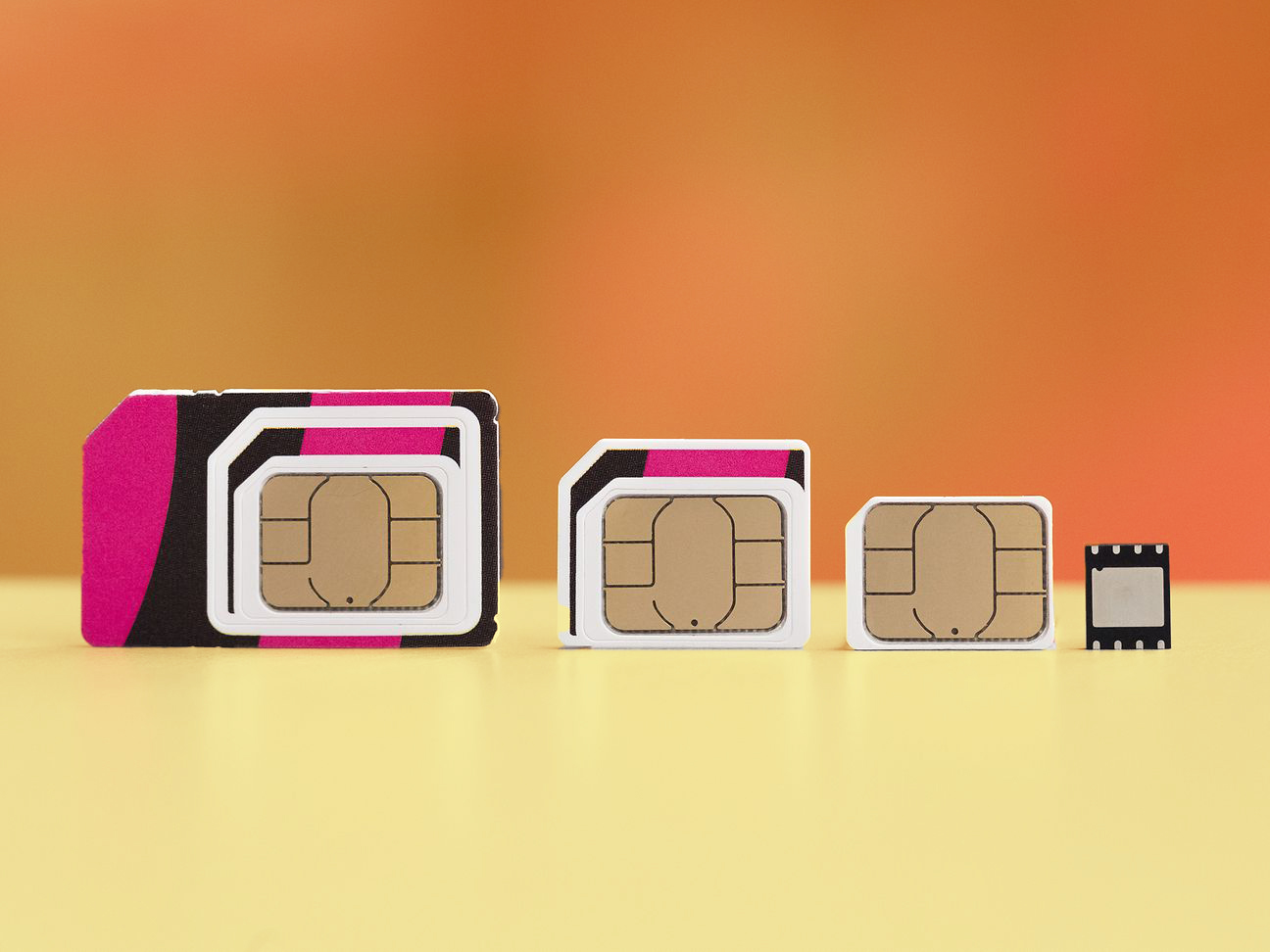
As its name suggests, an eSIM or embedded SIM is a SIM card that is included into the device itself. You must acquire a SIM profile from your carrier to use an eSIM, which is simply an electronic and programmable version of a standard SIM card. Because you can access your carrier’s network without a physical SIM card, it’s also known as a virtual SIM.
In addition, there is no physical way to remove the eSIM card from the phone, as there is no port for it. It’s not removable because it’s built into the phone’s processor. The eSIM can, however, be swapped out for a different network (provided it isn’t locked). eSIMs can be reprogrammed. That means you don’t have to remove your SIM card to switch networks. To use the new eSIM profile, you must first delete the old one.
There are now eSIMs available for phones that don’t have the capability to accept a second SIM card. eSIMs have been adopted in some form or another by the majority of major tech companies, including Apple, Google, Samsung, and so on.
What’s the difference between an iPhone e SIM and a physical SIM?
An eSIM is a SIM card that is built into a device. As an alternative to the present physical SIM card, which links phones to a mobile network, the electronic SIM is a lot more compact.
When you compare an eSIM to a real SIM card, the most significant difference is that the eSIM is permanently attached to the phone’s motherboard. No need to put it in and no way to take it out. That doesn’t imply you can’t move phone numbers or carriers, though, because the information on the eSIM may be rewritten.
Changing or setting it up may be be easier than you think. There is no need to wait for the delivery of a new SIM card; all that is required is a simple phone call. The technology and GSM networks used by standard SIM cards are the same for eSIM cards.
Who can make use of eSIM?
eSIM isn’t available to everyone at this point in time. A specific phone model and a specific network are required in order to test it out. The iPhone 12 and iPhone 13 series, the Pixel 5, Pixel 5, Samsung Galaxy S21 Ultra, Samsung Galaxy S21+ 5G, and smaller devices like the Apple Watch utilise eSIM cards to support dual-SIM capabilities.
eSIM is expected to be the standard for all phones and tablets in the near future. Even while iSIM, a newer and even smaller technology, is only around the corner, its lower size means it could become a frequent component in Internet-of-Things devices. eSIM can be applied for by both new and existing customers of a carrier. After activating eSIM, existing subscribers will no longer be able to utilize their physical SIM card.
On the other side, dual-SIM phones are becoming more common, with one of the SIMs being an eSIM. This allows you to utilize two separate phone numbers on the same device by using a real SIM card and an eSIM.
How to set up an eSIM Card?
You don’t have to go to a store or place an order for a new SIM card with an eSIM, unlike with a physical SIM. With “remote SIM provisioning,” networks can send your eSIM with information about their network, so you can use it.
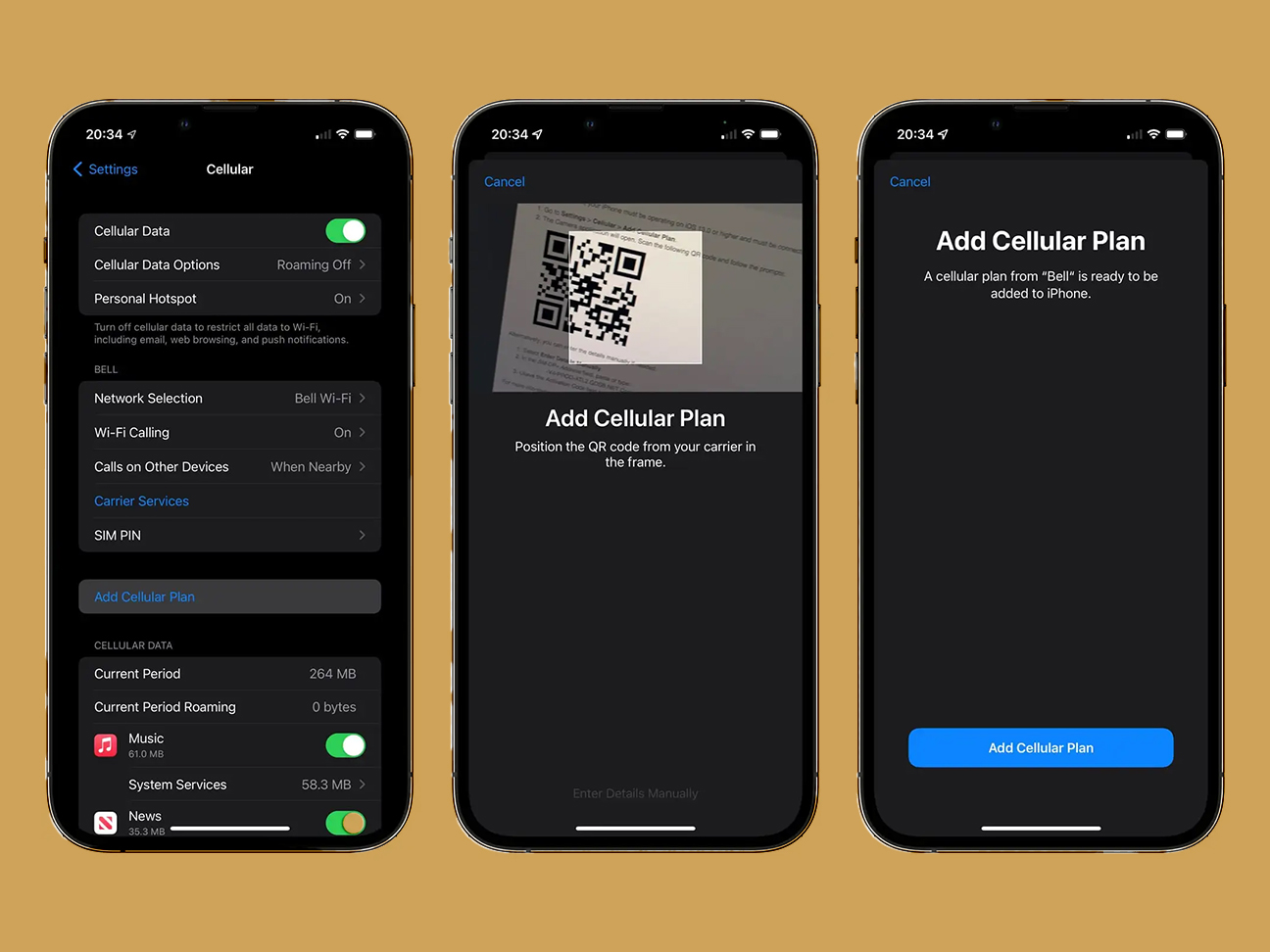
Each mobile provider and device has slightly different activation procedures for eSIM. As a result, in most situations, the cell operator will send you a QR code that contains the eSIM profile.
For iOS users:
Go to Settings > Mobile Data
Select Add Cellular Plan
Use your camera to scan QR code
Your eSIM will be downloaded and activated
For Android users:
Go to Settings > Network & Internet
Choose Add Operator
Use your camera to scan QR code
Your eSIM will be downloaded and activated
In the event you purchase a Pixel on Google Fi, your eSIM information will be linked to your account automatically.
If you purchase your Apple Watch with a plan, it will come preconfigured with an eSIM; otherwise, you can enter the information in the Apple Watch app. Setting up a Samsung Galaxy Watch necessitates using a smartphone app.
For full operation, dual-SIM smartphones must support DSDS (Dual SIM, Dual Standby). As with iOS 13 and Android 10, this feature is available. DSDS allows both SIMs to connect to a network simultaneously. You’ll have to select a line as your default when you first put it up.
What are the benefits of eSIM?
The main benefit of the eSIM is that it eliminates the need for separate SIM cards. You can shift and switch between different phone plans as needed if you want to do that. Those who don’t want to deal with physical SIM cards every time they want to switch networks may like this feature.
To top it all off, unlike a traditional SIM card, an eSIM can’t be destroyed or misplaced unless you misplace your phone altogether. If you don’t reveal the QR code or any other sensitive information, such your IMSI or virtual SIM number, eSIM is safe.
Manufacturers can also make their phones slimmer by doing away with the SIM card tray. There is no need to stress about the SIM swap; simply enjoy your new, slimmer phone!
What are the downsides of an eSIM?
Switching between phones is more difficult with an eSIM because it requires more time and effort. You can’t simply swap out one phone’s SIM card for another’s.
Also, it makes it more difficult to find and fix problems with your device. A simple test to see if you have an issue with your phone’s network or with your device is to insert your SIM card into a different phone and see if it works. An eSIM wouldn’t allow you to accomplish that.
New technologies take time to become mainstream, which is another factor that should be taken into consideration. It’s going to get a lot better now that companies such as Apple, Samsung, and Google are getting behind eSIM adoption.
What if the eSIM doesn’t work?
If you are unable to use your eSIM after activation, one possible solution is to determine whether or not your phone is still locked to its original carrier. One of the reasons why eSIM is not functioning properly is because the device is still locked to the carrier that it was originally purchased from.
Unlocking your iPhone
To make use of your iphone eSIM you must unlock your device first.
There is no need to enter an Unlock Code at any time in order to complete the iPhone Factory Unlock because this process may be done automatically. Even if you upgrade iOS or restore your device, the Factory Unlock feature on your iPhone will not be disabled because it is a permanent setting on the device.
As soon as you have gotten confirmation from us that the unlock has been applied to your iPhone, please make sure you comply with the steps that are indicated below:
Turn on your iPhone with a SIM Card that it doesn’t accept. A SIM card is “non-accepted” if it is not from the network your iPhone was originally locked to. The SIM card can be from any network provider in the world, and it doesn’t have to be the same SIM card you want to use in the future.
Your iPhone will be activated instantly with your new SIM Card. That indicates your iPhone is now completely unlocked.
You can now use your iPhone on any network carrier in the world!
Confirm your payment and check your email for confirmation.
After your purchase has been processed, your IMEI will be marked as whitelisted in Apple’s IMEI database. This will grant you a permanent official unlock, ensuring that your warranty will not be voided and granting you the ability to upgrade to the most recent version of iOS on an ongoing basis.
Conclusion
SIM cards have become increasingly smaller over time, making it more difficult to swap them out easily. With an eSIM, you won’t have to worry about misplacing or losing your SIM card. Unfortunately, SIM extractor tools, which might be difficult to locate, are now required by the majority of phones. Activating your eSIM is as simple as dialing a number, scanning a QR code, or downloading a carrier app. With eSIMs, physical SIM cards and trays will be rendered obsolete. Removing a real SIM card has numerous advantages, including making more area for manufacturers, improving water resistance, and reducing waste. Would you use an eSIM instead? Your thoughts on eSIM technology are appreciated!
All products, and company names, logos, and service marks (collectively the "Trademarks") displayed are registered® and/or unregistered
trademarks™ of their respective owners.
The authors of this web site are not sponsored by or affiliated with any of the third-party trade mark or third-party registered trade mark owners,
and make no representations about them, their owners, their products or services.
The iPhone 13 Pro Max is the kind of product that Apple only releases occasionally; it is the kind of product that looks different, is built on fundamentally innovative technology, and will ultimately form the backbone of future iPhones for years to come. Apple only releases this kind of product occasionally.
What is an unlocked iPhone?
An iPhone that is not locked to any one phone company is called “unlocked.” This means you can use it on any compatible cellphone network as long as you have a service plan with that phone company. It also means you don’t have to sign a contract with the phone company for more than a year and can switch to another company whenever you want.
How to know if my iPhone 13 Pro Max unlocked?
Inserting a sim card from a different network is the quickest and easiest way to determine if your iPhone 13 Pro Max is fully unlocked.
If your AT&T iPhone 13 Pro Max displays a message such as “iPhone has a Simcard from a different network” or “incorrect Simcard inserted” on the LCD screen when you insert a different carrier’s sim card, the phone is likely network-blocked.
However, if it has a signal and you are able to make or receive calls or texts, your iPhone 13 Pro Max Unlocked.
Advantages of having iPhone 13 Pro Max unlocked
The best thing about having an iPhone 13 Pro Max Unlocked is that it gives you a lot of freedom. If your iPhone 13 Pro Max Unlocked, you can switch to a different phone carrier whenever the rates or deals are better. Unlocked phones are also helpful when traveling abroad because you can get a short-term plan from a local phone carrier instead of using the expensive international plans from your primary phone carrier.
Is iPhone 13 Pro Max Unlocked also jailbroken?
No. Although jailbreaking and unlocking are frequently brought up in the same context, there is a significant difference between the two. Apple does not allow customers to jailbreak iPhones that they sell. Therefore, although unlocked iPhones enable you to make use of any mobile phone carrier of your choosing, you are still required to download the software through the App Store or another official Apple system.
Unlocking your iPhone 13 Pro Max
The iPhone Factory Unlock may be performed automatically and does not require the use of an Unlock Code at any point. Your iPhone’s Factory Unlock is a permanent feature that will not be removed even if you update iOS or restore the device.
Please make sure to proceed with the steps outlined below as soon as you have received confirmation from us that the unlock has been applied to your iPhone:
Turn on your iPhone with a SIM Card that it doesn’t accept. A SIM card is “non-accepted” if it is not from the network your iPhone was originally locked to. The SIM card can be from any network provider in the world, and it doesn’t have to be the same SIM card you want to use in the future.
Your iPhone will be activated instantly with your new SIM Card. That indicates your iPhone is now completely unlocked.
You can now use your iPhone on any network carrier in the world!
Confirm your payment and check your email for confirmation.
After your purchase has been processed, your IMEI will be marked as whitelisted in Apple’s IMEI database. This will grant you a permanent official unlock, ensuring that your warranty will not be voided and granting you the ability to upgrade to the most recent version of iOS on an ongoing basis.
It is not necessary to connect your iPhone 13 Pro Max Unlocked to a computer or restart it in order to receive your unlock because it is delivered “Over-The-Air” over a cellular or WiFi connection. You are free to use your iPhone 13 Pro Max Unlocked as usual without worrying about any disruptions to the service. You will be able to insert any sim card into your iPhone 13 Pro Max Unlocked once you have received a notification from us stating that it has been unlocked.
Conclusion
Once you’ve unlocked it, it’s no longer protected by Apple’s security measures. It will never lock up again, even if you upgrade your firmware. It doesn’t matter if your carrier says your phone can’t be unlocked; we can unlock it for you. Let us know what you think in the comments area below!
All products, and company names, logos, and service marks (collectively the "Trademarks") displayed are registered® and/or unregistered
trademarks™ of their respective owners.
The authors of this web site are not sponsored by or affiliated with any of the third-party trade mark or third-party registered trade mark owners,
and make no representations about them, their owners, their products or services.
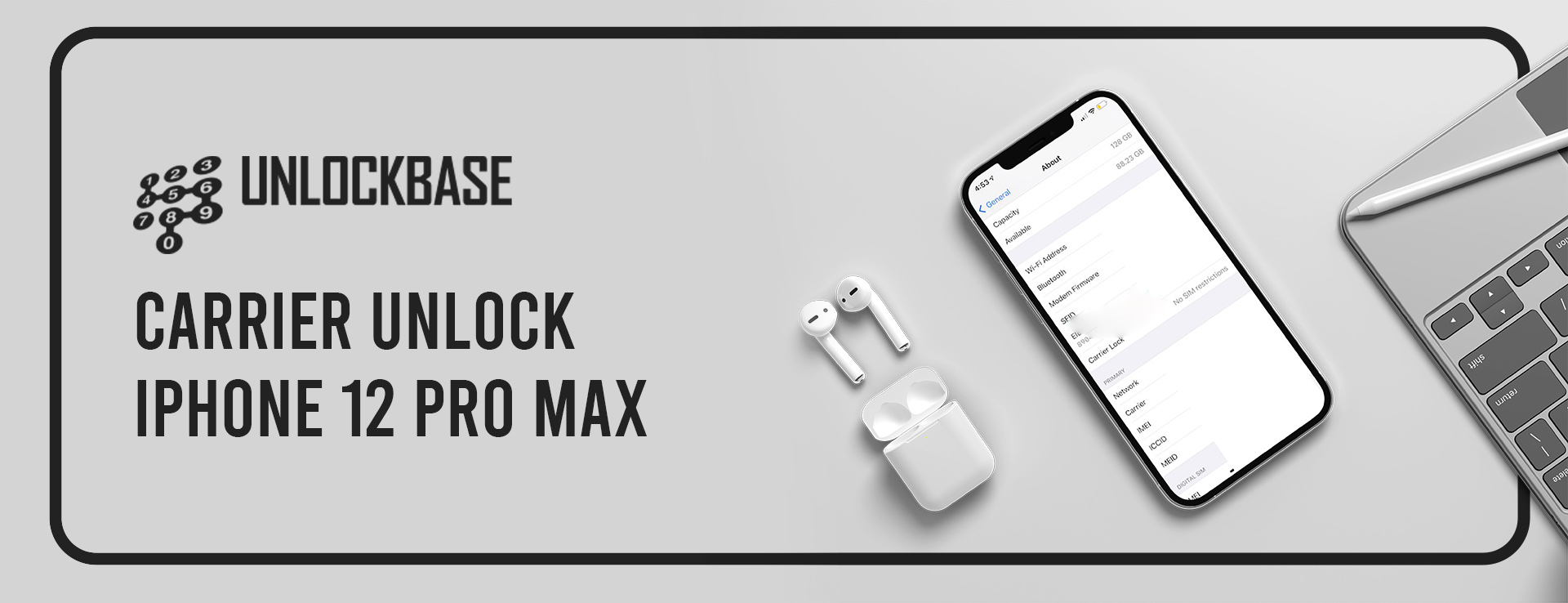
Carrier Unlock iPhone 12 Pro Max: The iPhone 12 Pro Max is the kind of device Apple only releases now and again – one that stands out is based on cutting-edge technology and will serve as the foundation for future iPhones for years to come. In today’s world of ever-growing phablets, the iPhone 12 Pro Max is a real throwback with its comparatively large 6.7-inch screen.
However, most service providers will have this outstanding phone carrier-locked. This implies that using the same iPhone 12 Pro Max handset with a different sim card will not work since it is still carrier-locked. Your iPhone 12 Pro Max is still locked if you attempt to insert a sim card from another operator and get the warning “Sim Not Supported.”
Unlocking iPhone 12 Pro Max
Carrier Unlock iPhone 12 Pro Max is applied entirely remotely without an Unlock Code involved. The Factory Unlock of your iPhone is permanent and also stays if you update iOS or restore your iPhone.
As soon as you receive our confirmation that the unlock has been applied to your iPhone, please follow the steps below:
1. Power on your iPhone with a non-accepted SIM Card inserted. A SIM Card is “non-accepted” if it is not from the original network your iPhone was locked on. The SIM Card can be from any other network carrier worldwide and does not need to be the same SIM Card you want to use in the future.
2. Your iPhone will automatically activate with your new SIM Card. That means your iPhone is fully unlocked now.
3. You can now use your iPhone with any network carrier worldwide!
Ordering Carrier Unlock iPhone 12 Pro Max Code From UnlockBase
Our devoted team of customer support specialists is ready to assist you with your phone unlocking requirements if you get confused or uncertain at any point.
Confirm your payment and wait for an email confirmation.
Following payment, your IMEI will be designated as whitelisted in Apple’s IMEI database, providing you with a permanent official unlock with no chance of voiding your warranty and the ability to upgrade to the most recent version of iOS constantly.
Your unlock is provided “Over-The-Air” over WiFi or cellular connection, so there’s no need to connect your iPhone 12 to a computer or restart it. You may use your iPhone 12 usually without any service interruptions. After you get a notification from us that your iPhone 12 has been unlocked, you may use any sim card in it.
Conclusion
The status is permanently unlocked at the Apple back end once it is unlocked. Even after changing your firmware, it will never lock up again. We can unlock devices that your carrier says can’t be unlocked, as well as iPhone models that your carrier says can’t be unlocked. If you have any suggestions, let us know in the comment section below!
All products, and company names, logos, and service marks (collectively the "Trademarks") displayed are registered® and/or unregistered
trademarks™ of their respective owners.
The authors of this web site are not sponsored by or affiliated with any of the third-party trade mark or third-party registered trade mark owners,
and make no representations about them, their owners, their products or services.
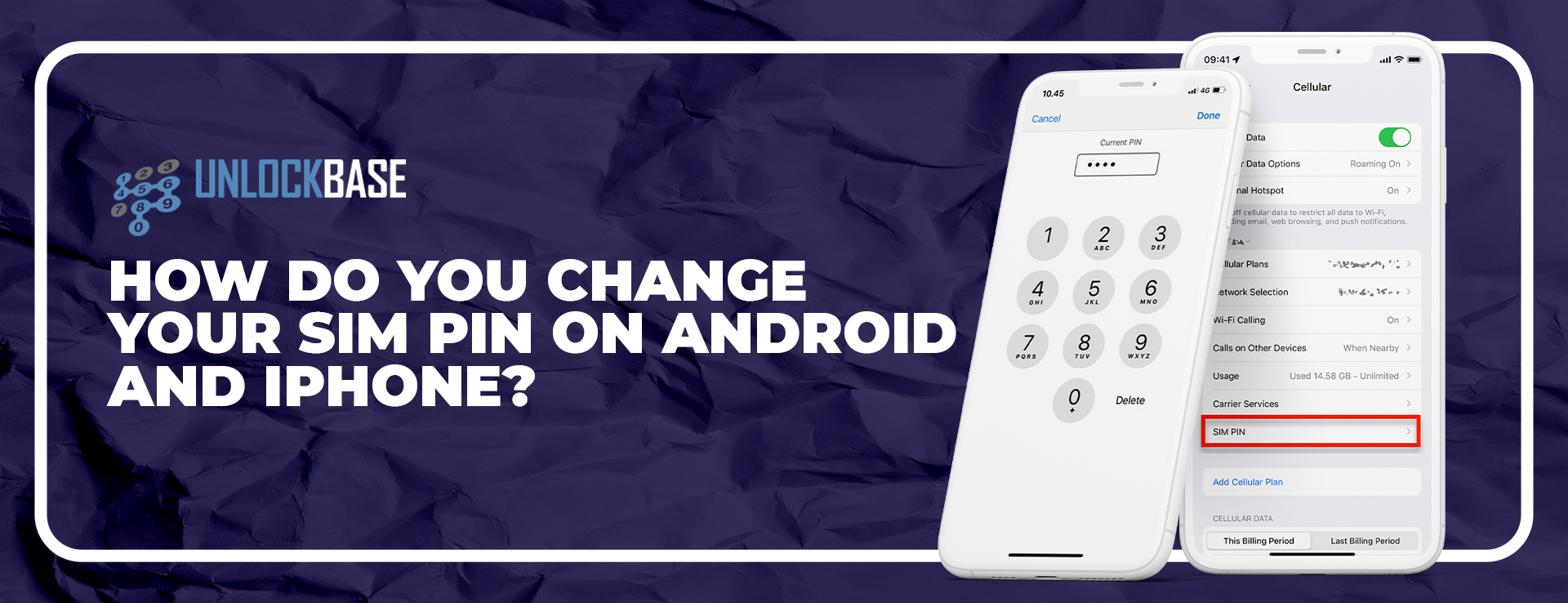
iPhone and Android Change Sim Pin: The SIM PIN code protects against unwanted access to your SIM card data. Some smartphones have this capability activated by default, while others require it to be enabled. PIN stands for Personal Identification Number and is a four-digit access code. When you buy a SIM card, you get a PIN. This four-digit number is required to enable the SIM card in your phone so it can access your operator’s mobile network.
Is it important to have SIM Pin?
We suggest you need to have a SIM PIN. If your smartphone is stolen, the thief likely wants it for its black market value, not to make calls or use your voice and data plans. But sometimes, the thief wants it too. Without an active SIM PIN, a thief may also be able to listen to your voicemail or read your new messages if they are close to you. You don’t want that, so creating a PIN for your SIM card is always a good idea.
Android Change Sim Pin Guide
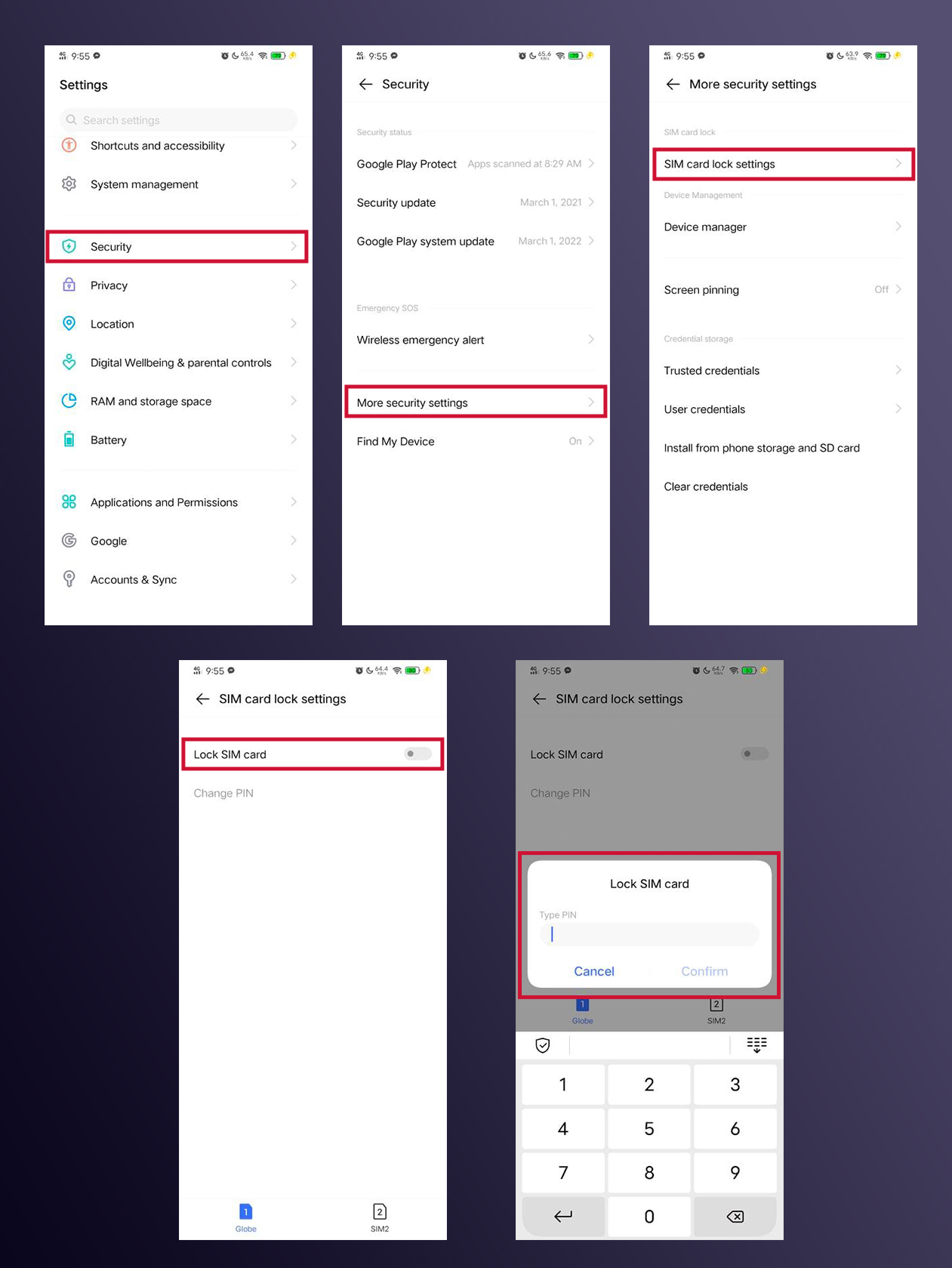
android change sim pin: In only a minute, you can change the PIN-code on your SIM card. To access the PIN change menu on Android phones, the addresses are usually identical. Here are the steps to take:
Enable SIM PIN
Go to Settings
Click Security
Click More Security Settings
Click SIM Card Lock Settings
Enable Lock Sim Card
Enter the current PIN of the card.
Change SIM Pin
Go to Settings
Click Security
Click More Security Settings
Click SIM Card Lock Settings
Enter the current PIN of the card.
Enter the new PIN code.
Re-enter the PIN code.
Confirm the operation so that your SIM card has a new PIN code.
Change SIM Pin on iPhone
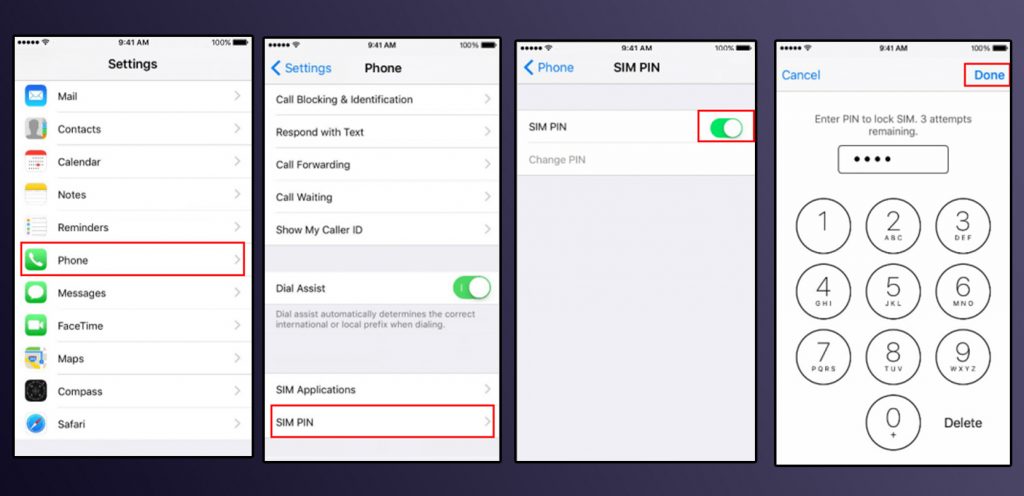
Changing your iPhone SIM PIN? Maybe you used your carrier’s code and want a more secure SIM PIN, or you created one yourself and want to change it now. Either way, it’s quick. Here’s how to change your iPhone’s SIM PIN.
Enable SIM Pin
Go to Settings
Click Phone
Choose SIM Pin
Enable SIM Pin
Enter your current PIN, then tap Done
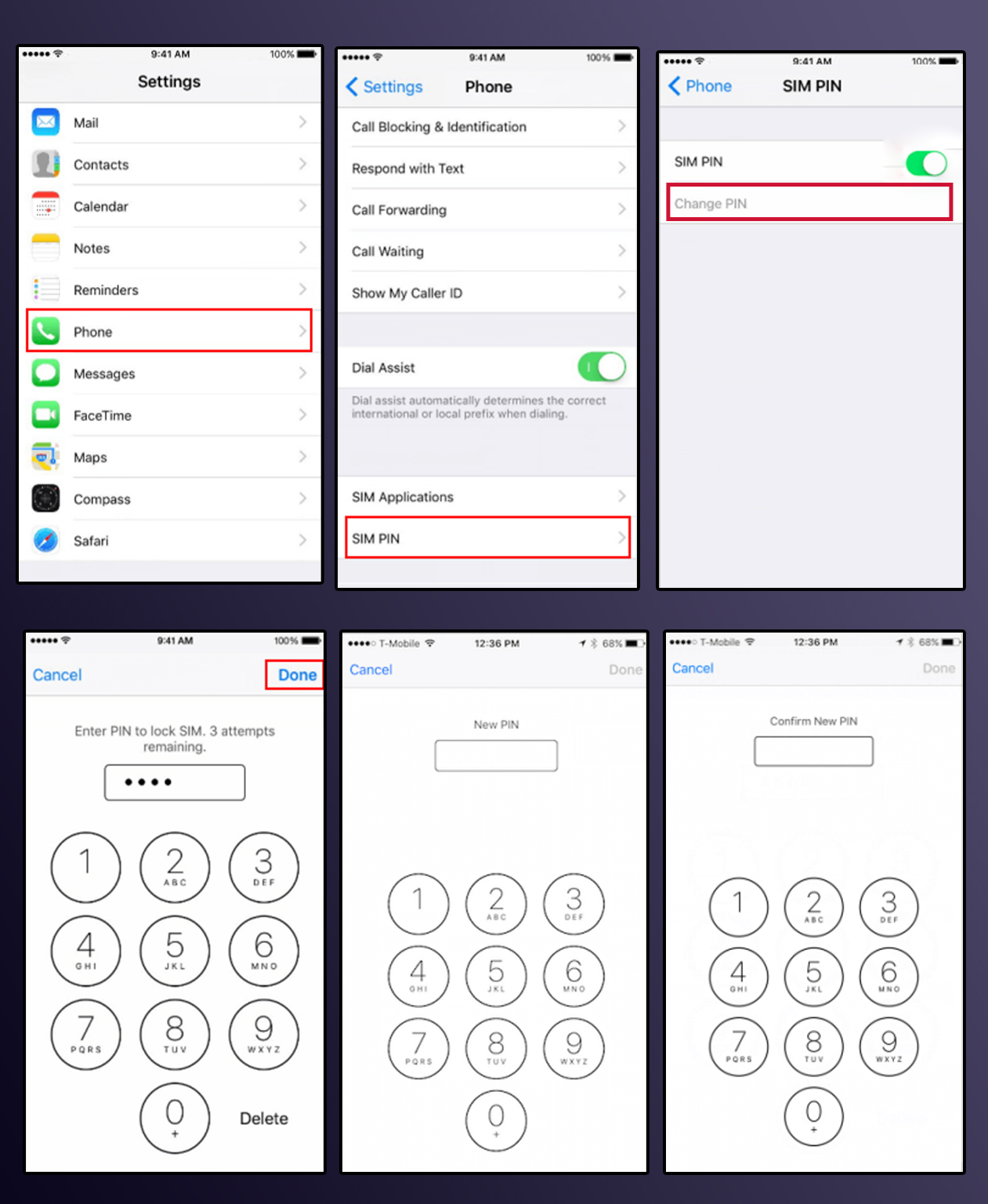
Change SIM Pin
Go to Settings
Click Phone
Choose SIM Pin
Click Change PIN
Enter current PIN
Enter your new PIN.
Re-enter your new PIN again to confirm.
Tap Save.
Conclusion
As you’ve seen, the procedures are fairly similar for different phone brands. In most cases, the SIM card lock option is found in the Security and/or Privacy area. Input the new SIM card PIN code to secure your phone. Finally, using a unique SIM PIN helps protect your data if your phone is stolen. Leaving the default SIM PIN on makes it easy for the thief to guess. If the thief has access to your phone, they can make calls or send texts in your name and access sensitive data like bank account numbers. You should try your best to avoid it. Adding a second authentication mechanism like a fingerprint or lock pin to your phone also helps protect your data.
All products, and company names, logos, and service marks (collectively the "Trademarks") displayed are registered® and/or unregistered
trademarks™ of their respective owners.
The authors of this web site are not sponsored by or affiliated with any of the third-party trade mark or third-party registered trade mark owners,
and make no representations about them, their owners, their products or services.