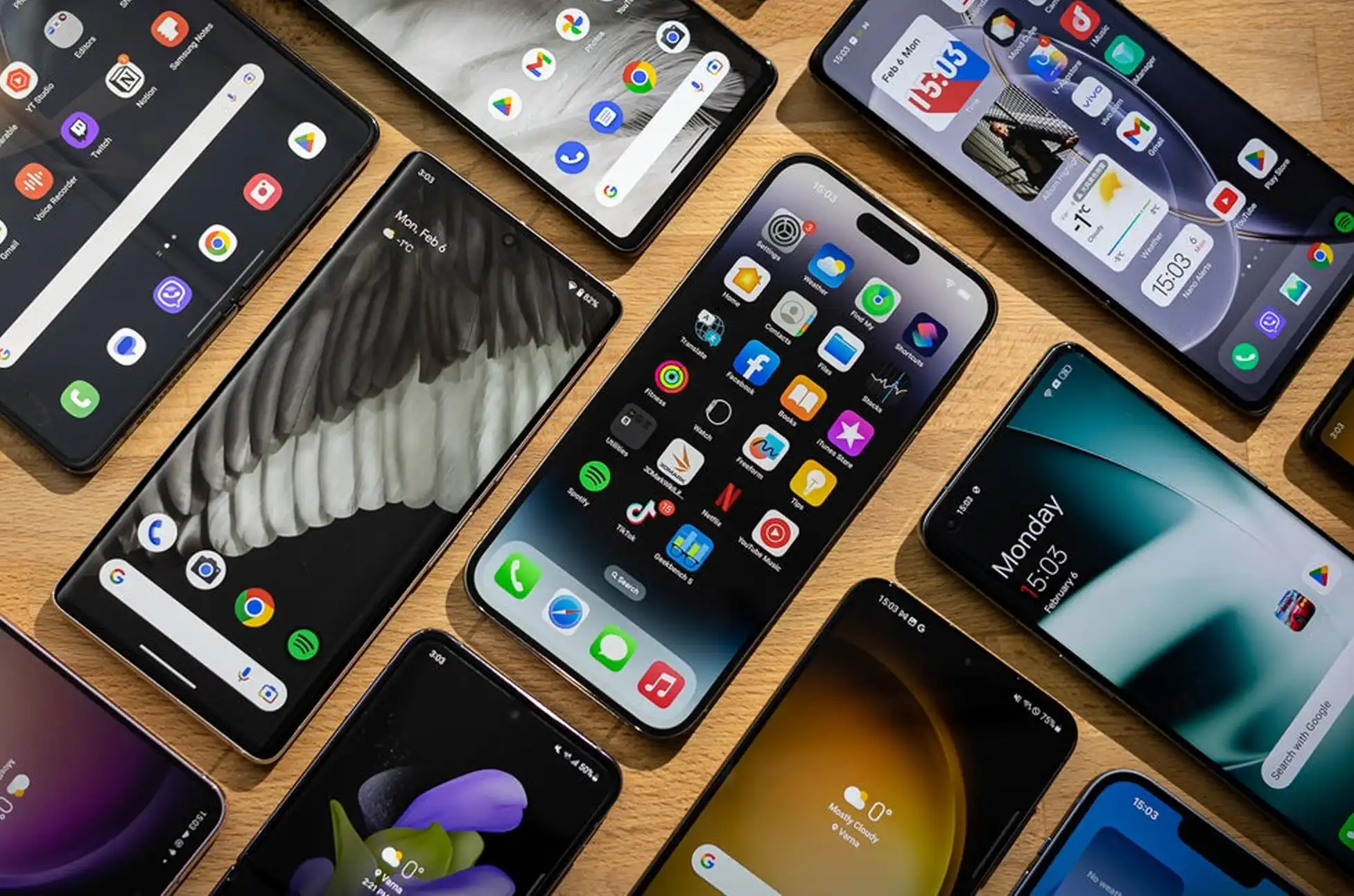
Planning to upgrade your phone next year? You might want to reconsider your timing. Smartphone prices 2026 are set to jump significantly, and industry insiders are sounding the alarm about unprecedented increases driven by an unexpected culprit.
Smartphone Prices 2026 : Xiaomi Sounds the Alarm
Lu Weibing, President of Xiaomi, recently confirmed what many in the tech industry feared while discussing the company’s latest earnings report. Memory chip costs are skyrocketing, and consumers will feel the impact across every price bracket.
According to Lu, shoppers should brace for “substantial jumps in retail pricing” throughout 2026. Understanding what’s driving smartphone prices 2026 higher is crucial for anyone planning a device upgrade—this isn’t speculation, it’s a direct warning from one of the world’s largest smartphone manufacturers about an unavoidable market shift.
Why the AI Boom is Breaking Your Budget
The root cause? Memory chips are in crazy high demand thanks to explosive growth in artificial intelligence systems. Chip manufacturers are pivoting toward producing advanced memory for AI data centers—a move that makes business sense since those chips deliver far better profit margins than smartphone components.
The AI industry’s appetite for high-performance memory is practically insatiable. As companies race to build more powerful language models and machine learning applications, they’re paying premium prices. For chip makers, it’s simple math: why produce smartphone components when AI infrastructure offers better returns?
This production shift is squeezing supply and driving up costs for phone manufacturers. The same memory that powers your device now competes with AI projects backed by tech giants with deep pockets.
What to Expect Across All Price Points
The price surge won’t discriminate. Budget phones ($200-$400) could see increases of $30-$60, mid-range devices ($400-$700) might jump $50-$100, and flagship models could rise by $100-$150 or more.
Lu admits that while manufacturers will pass costs to consumers, price hikes alone won’t solve the problem. This suggests we might see other changes—fewer promotions, reduced bundled accessories, or longer gaps between releases.
Smartphone Prices 2026 : Should You Buy Now?
If your current phone works fine, waiting might be wise. But if you’re already planning an upgrade, snagging a deal before 2026 could save you serious money. Black Friday and holiday sales may be your last chance at current pricing.
The smartphone market has weathered challenges before, but the AI revolution isn’t slowing down anytime soon. When it comes to smartphone prices 2026, budget accordingly—your wallet will thank you.
All products, and company names, logos, and service marks (collectively the "Trademarks") displayed are registered® and/or unregistered
trademarks™ of their respective owners.
The authors of this web site are not sponsored by or affiliated with any of the third-party trade mark or third-party registered trade mark owners,
and make no representations about them, their owners, their products or services.
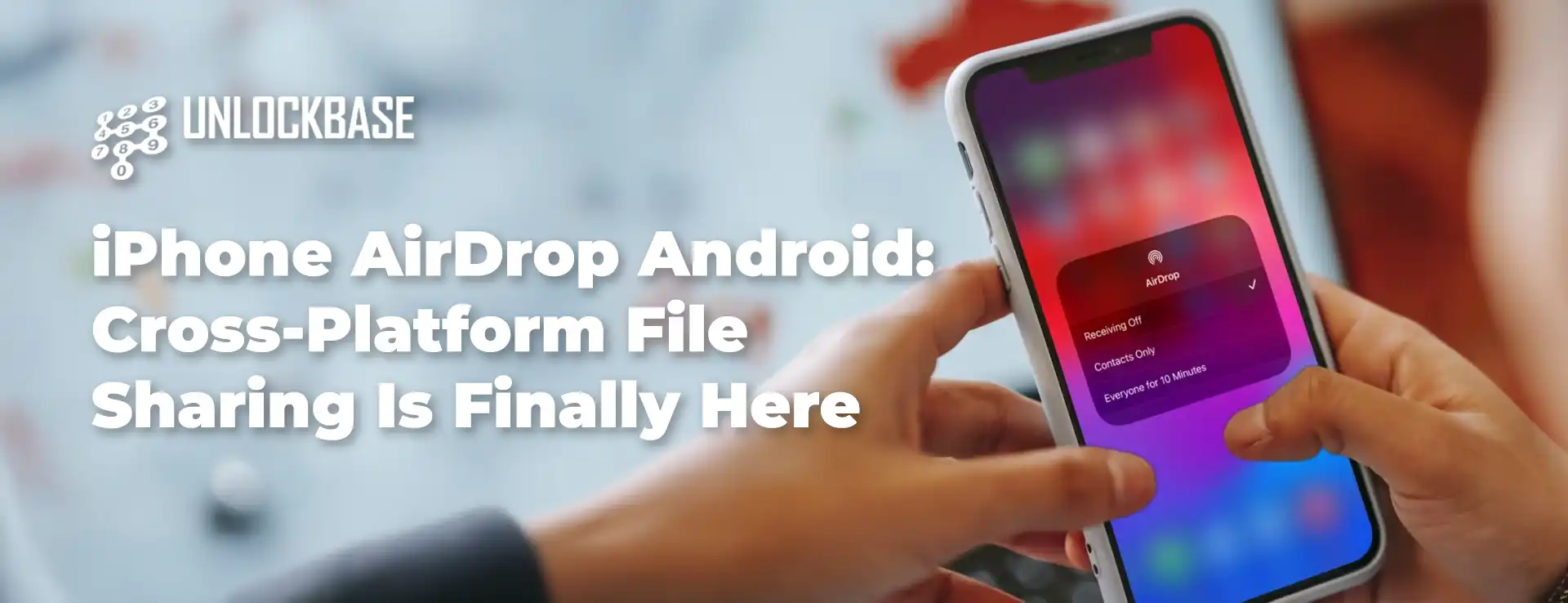
iPhone AirDrop Android? Cross-platform file sharing just got a whole lot simpler. The long-standing barrier between Android and iOS is finally breaking down in a way that actually matters.
Google just announced something that would’ve seemed impossible a few years ago: iPhone AirDrop Android compatibility is now real. Android’s Quick Share connects directly with iPhone’s AirDrop, making file transfers between the two ecosystems seamless. No third-party apps, no email attachments, no awkward workarounds—just straightforward sharing between devices.
The feature launched first on Google’s newest Pixel lineup—the Pixel 10, 10 Pro, 10 Pro XL, and 10 Fold. But this is just the starting point. Google plans to expand compatibility to more Android devices down the line.
How iPhone AirDrop Android Compatibility Works
The setup is surprisingly straightforward, though there’s a small catch on both sides.
Sending from Android to iPhone: iPhone users need to temporarily adjust their AirDrop settings to “Everyone for 10 Minutes.” Once that’s done, they’ll see a familiar pop-up notification when a Pixel 10 sends them a file—it looks just like a standard AirDrop request. One tap on “Accept” and the transfer begins.
Sending from iPhone to Android: The process mirrors the other direction. Pixel 10 owners need to set Quick Share to “Everyone for 10 minutes” to receive files from an iPhone via AirDrop.
Security Remains a Priority
Google didn’t cut corners on safety to make this happen. The company built the feature with multiple security layers working together: encrypted sharing channels, native platform security measures, and peer-to-peer technology that keeps your files traveling directly between devices.
There’s also good news for privacy-conscious users: Google confirmed that “Contacts Only” mode is coming in a future update, which will tighten control over who can send you files.
Why iPhone AirDrop Android Integration Matters
For years, sharing files between Android and iPhone meant resorting to clunky solutions—cloud uploads, messaging apps with file size limits, or asking someone to email it instead. This iPhone AirDrop Android integration removes that friction entirely, making cross-platform collaboration feel as natural as it should’ve been all along.
Whether you’re in a mixed-device household, working on a team with different phone preferences, or just trying
All products, and company names, logos, and service marks (collectively the "Trademarks") displayed are registered® and/or unregistered
trademarks™ of their respective owners.
The authors of this web site are not sponsored by or affiliated with any of the third-party trade mark or third-party registered trade mark owners,
and make no representations about them, their owners, their products or services.
US Mobile markets itself as a “super carrier” with access to Verizon, AT&T, and T-Mobile’s networks. Sounds incredible, right? But before you get excited about seamless connectivity everywhere, let’s break down how US Mobile network switching actually works for your daily use.
Understanding US Mobile’s Network Switching Options
Here’s the good news: US Mobile has evolved its network switching capabilities significantly. You’re no longer locked into a single network forever like you might have been in the past. They now offer two distinct ways to work with multiple carriers.
Option 1: The Multi-Network Plan
Think of this as the premium experience for US Mobile network switching. You get automatic access to two of the three major networks simultaneously—similar to how Google Fi operated when it first launched. Your phone intelligently switches between, say, AT&T and Verizon based on which signal is stronger at your location.
Option 2: Manual Network Transfers
Every US Mobile plan includes the ability to manually switch networks through their app. But here’s where reality diverges from the marketing. US Mobile network switching isn’t just flipping a switch—it’s essentially migrating your service to a different carrier entirely.
The process works best with an eSIM (physical SIM swaps are possible but add unnecessary hassle). US Mobile claims the transfer takes about 15 minutes while connected to Wi-Fi. The truth? Many users report waits stretching into hours or even days. Failed transfers happen occasionally, forcing you to restart the whole process.
Unlike Google Fi’s unlimited automatic switching, US Mobile network switching comes with strict guardrails:
Minimum wait time: 3 hours between network changes
Transfer limit: 8 switches per billing cycle
Cost: Only your first two transfers are free—after that, you’ll pay $2 per switch
That $2 fee isn’t monthly, either. It’s permanent. Once you’ve burned through your two freebies, every subsequent change costs money (unless you’re on certain premium plans that include unlimited transfers).
Is Network Switching Worth It?
The honest answer? It’s somewhere in the middle.
The “super carrier” label makes US Mobile’s network switching sound like it offers effortless, automatic coverage across all three networks whenever you need it. For most users on standard plans, that’s not quite accurate. Manual switching with fees, time delays, and occasional technical hiccups doesn’t exactly deliver the frictionless experience you might imagine.
Who benefits most from US Mobile network switching?
This feature shines for specific situations:
You travel regionally 1-2 times monthly and consistently hit dead zones with your current network
You’ve experienced repeated congestion issues in your area
You want backup options during network outages
You’re willing to plan ahead rather than expecting instant switches
Who should temper their expectations?
If you’re hoping for automatic, instantaneous network switching as you drive around town, you’ll be disappointed. The manual process with cooldown periods and potential technical issues makes this more of a “break glass in case of emergency” feature than an everyday convenience.
US Mobile’s multi-carrier access is genuinely useful for the right person. Just make sure you understand what you’re actually getting before making the switch.
All products, and company names, logos, and service marks (collectively the "Trademarks") displayed are registered® and/or unregistered
trademarks™ of their respective owners.
The authors of this web site are not sponsored by or affiliated with any of the third-party trade mark or third-party registered trade mark owners,
and make no representations about them, their owners, their products or services.
Got an old Samsung sitting in your drawer, still locked to your previous carrier? Maybe you’re ready to switch networks, or you want to sell that phone but the carrier lock is holding you back. Good news – learning how to sim unlock old Samsung devices is easier than you think.
This guide breaks down everything you need to know about freeing your old Samsung from carrier restrictions, so you can use it however you want.
What Does SIM Unlocking Actually Mean?
When your old Samsung is “locked,” it’s programmed to work only with one specific carrier. When you sim unlock old Samsung phones, you’re removing that restriction completely. Once unlocked, your phone becomes carrier-agnostic – meaning you can pop in any compatible SIM card and get connected.
Think of it like removing training wheels. Your phone was limited before, but now it’s ready to work with any network you choose.
Why Bother to Sim Unlock Old Samsung Devices?
There are some solid reasons to unlock that old device:
Switch Carriers Without Buying New Hardware Found a better deal with another carrier? Use your existing Samsung instead of shelling out for a new phone.
Cut Travel Costs Dramatically International roaming fees are brutal. When you sim unlock old Samsung phones, you can grab a local SIM card abroad and pay local rates instead of tourist prices.
Get More Money When You Sell Unlocked phones sell for significantly more than locked ones. Buyers want flexibility, and they’ll pay extra for it.
Keep Using Your Favorite Device If your old Samsung still works great, why replace it? Unlocking lets you keep using a phone you’re comfortable with, even if you change carriers.
Step-by-Step: How to Sim Unlock Old Samsung Phones
Ready to free your device? Here’s the process to sim unlock old Samsung phones using UnlockBase:
Enter your Samsung’s IMEI number (dial *#06# to find it)
Provide your email address for delivery confirmation
Select the country where your phone is currently locked
Choose your specific carrier/network provider
Complete the payment process and watch your inbox
Applying the Unlock Code:
Once you receive the email with your unlock code:
Power off your Samsung and remove your current SIM card
Insert a SIM card from a different carrier
Turn your phone back on – you’ll see a prompt asking for an unlock code
Type in the code that UnlockBase sent you
Hit confirm and you’re done
Your old Samsung is now free to work with any compatible carrier.
Common Questions About How to Sim Unlock Old Samsung Phones
Will this damage my phone in any way? Not at all. The process to sim unlock old Samsung devices is a software change that doesn’t affect your phone’s hardware or performance. Your Samsung will work exactly as it did before – just with more carrier options.
Does unlocking cancel my warranty? No, the unlock process itself won’t void your warranty. That said, if your Samsung is several years old, the original manufacturer warranty has probably expired anyway. Always double-check your specific warranty terms if you’re concerned.
Can I lock it again if I need to? Once you sim unlock old Samsung phones, they stay unlocked. There’s no need to reverse the process – the whole point is giving you permanent flexibility.
What if my Samsung is really old? As long as your device has a SIM card slot and can still power on, it can be unlocked. The age doesn’t matter when you sim unlock old Samsung devices.
Which old Samsung models can be unlocked? Pretty much any old Samsung with a SIM card slot can be unlocked – from Galaxy S series to Galaxy Note, Galaxy A series, and even older models like the Galaxy J series or Galaxy Core. If it has an IMEI number, you can sim unlock old Samsung phones regardless of the model.
Make Your Old Samsung Work for You
Learning how to sim unlock old Samsung devices gives you control. Whether you’re planning to use it as a backup device, hand it down to family, sell it for extra cash, or take it traveling, removing carrier restrictions makes your phone significantly more useful.
The process takes just a few minutes, and the benefits last for the lifetime of your device. No more being stuck with one carrier, no more expensive roaming charges, and no more wondering if your old phone could serve a purpose.
Your old Samsung has plenty of life left in it. When you sim unlock old Samsung phones, you give them the freedom to prove that. Take control of your device today and enjoy the flexibility you’ve been missing.
All products, and company names, logos, and service marks (collectively the "Trademarks") displayed are registered® and/or unregistered
trademarks™ of their respective owners.
The authors of this web site are not sponsored by or affiliated with any of the third-party trade mark or third-party registered trade mark owners,
and make no representations about them, their owners, their products or services.
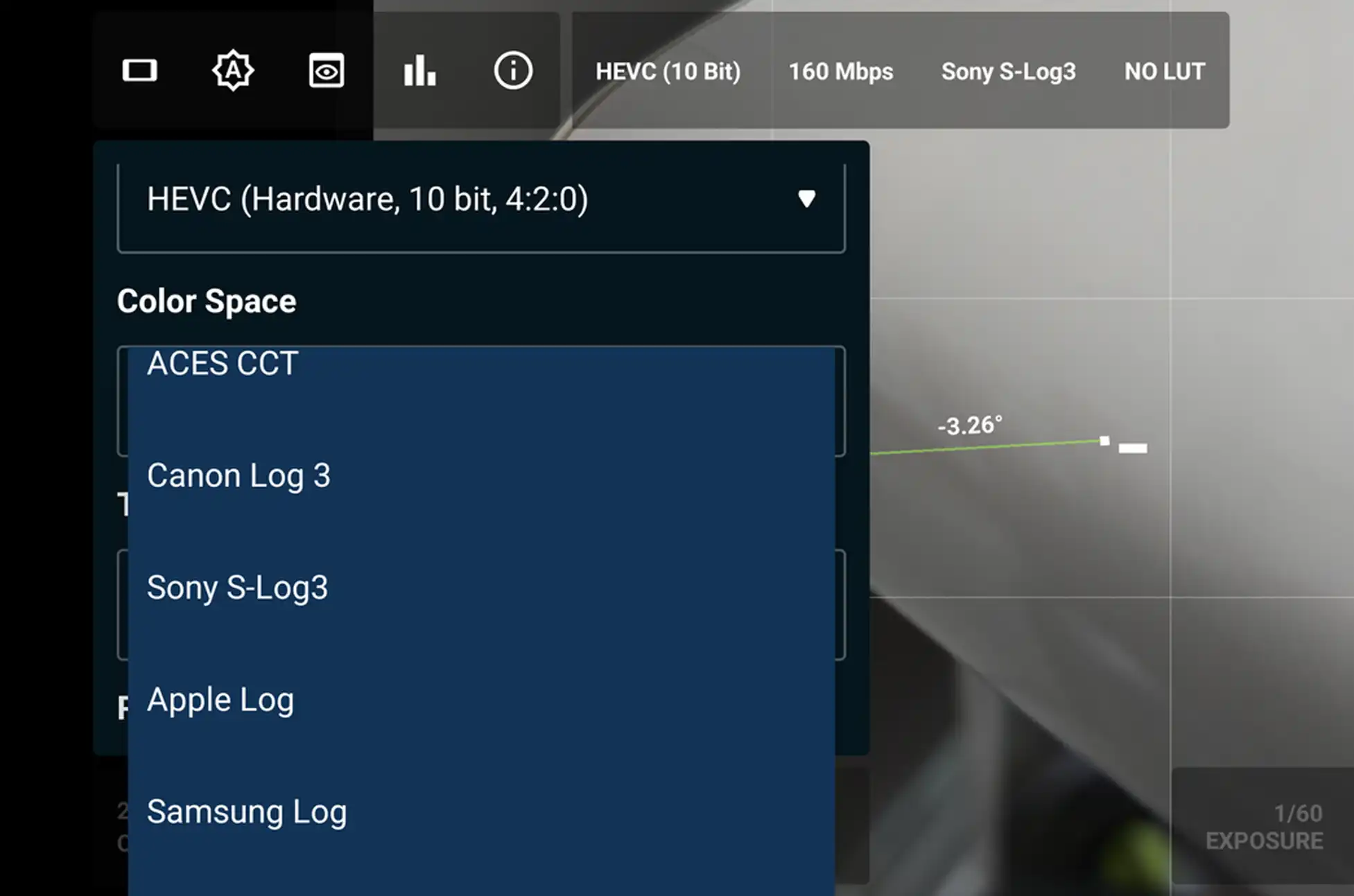
Pixel 10 Pro hidden features? Among the Pixel 10 Pro hidden features that Google quietly included, one stands out for content creators: the ability to shoot 12-bit 4K RAW video. A Reddit user named RagSaucy discovered this capability that’s never been available on any previous Pixel phone, and it’s exclusive to the Pro models.
Pixel 10 Pro hidden features : Why This Hidden Feature Matters
Higher bit-depth means more information captured in each frame. Think of it as having more room to work with when editing—you get richer shadow details and brighter highlights without blown-out whites or crushed blacks. Earlier Pixel flagships topped out at 10-bit video, and that’s still what you’ll get using the standard Pixel Camera app on the new models.
How to Access This Pixel 10 Pro Hidden Feature
You’ll need to download a third-party camera app with advanced video controls, like MotionCamPro. The native Google camera app won’t give you access to this feature, which makes the whole thing feel a bit like finding a bonus level in a video game.
The Technology Behind the Magic
This capability exists thanks to the Samsung ISOCELL GNV sensor inside the Pixel 10 Pro. It uses something called Smart-ISO Pro—Samsung’s version of Dual Conversion Gain (DCG) technology.
Here’s what makes DCG different: instead of taking multiple photos at different times and stitching them together (the typical HDR approach), DCG captures two images with different ISO settings at the exact same moment. The sensor hardware combines data from two separate ISO circuits simultaneously, eliminating motion blur while pulling in vibrant colors from the low-ISO shot and shadow detail from the high-ISO shot. The final output? A 12-bit RAW file packed with data for post-production work.
This Tech Isn’t Exactly New
Samsung isn’t alone in this approach. Omnivision uses straightforward DCG, while Sony’s LYTIA sensors employ Hybrid Frame-HDR technology—all aiming to expand dynamic range. The concept has been around for years; it appeared in the Xiaomi Mi 10 Ultra back in 2020, and dedicated cameras have used similar techniques even longer. Many current flagship phones probably already use these methods behind the scenes to boost image quality, even if they don’t expose the raw data to users.
What About the Regular Pixel 10?
Only the Pixel 10 Pro and Pro XL support this feature. Both phones use the 50MP Samsung ISOCELL GNV sensor with 12-bit Smart-ISO Pro. The standard Pixel 10 has a Samsung GN8 sensor that technically supports DCG and 12-bit output, but apparently lacks the bandwidth needed for 4K video capture. The smaller sensor might also face quality or power consumption issues that make it impractical to enable.
Pixel 10 Pro hidden features : Why Google Kept This Quiet
The strangest part about these Pixel 10 Pro hidden features? Google never mentioned them during the launch event. For content creators who want maximum flexibility in post-production, the Pixel 10 Pro and Pro XL just became significantly more attractive. It’s worth hoping that phone manufacturers will start building these high bit-rate options directly into their default camera apps rather than making users hunt for third-party solutions.
All products, and company names, logos, and service marks (collectively the "Trademarks") displayed are registered® and/or unregistered
trademarks™ of their respective owners.
The authors of this web site are not sponsored by or affiliated with any of the third-party trade mark or third-party registered trade mark owners,
and make no representations about them, their owners, their products or services.
After some anticipation, realme has officially rolled out realme UI 7.0, built on the Android 16 foundation. While the launch comes later than some competitors, this latest interface iteration brings substantial upgrades that blend cutting-edge AI capabilities with a design philosophy that feels refreshingly familiar.
A Fresh Visual Identity: Light Glass Design
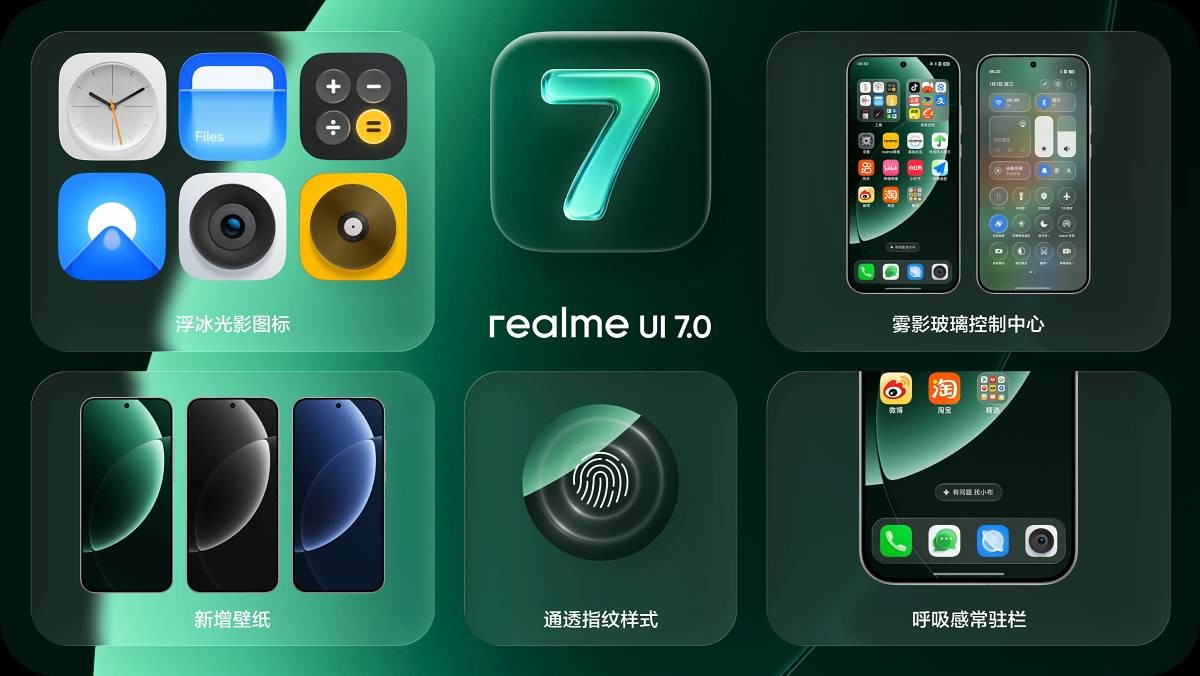
realme UI 7.0 introduces a striking new Light Glass Design language that transforms the user experience with translucent, fluid aesthetics. The interface now features depth and dimension that mimics actual glass surfaces, creating a premium feel throughout the system.
Key visual elements include:
Misty Glass Control Center – A translucent control hub with frosted glass effects
Breathing Dock – A dynamic app dock that subtly animates
Ice Cube Icons – Crystalline icon designs that complement the glass theme
These design choices draw clear inspiration from iOS aesthetics, particularly the transparency and layering that Apple users have grown accustomed to.
Breaking Boundaries: Cross-Ecosystem Integration
In a surprising move that breaks traditional Android-iOS barriers, realme UI 7.0 introduces iPhone and Apple Watch Connect. This feature allows seamless health data synchronization between Apple Watch and realme devices. The integration works both ways – realme smartwatches can now display notifications from iPhones, creating a more flexible ecosystem for users who don’t want to be locked into a single brand.
The updated Flux Theme 2.0 takes lockscreen customization to new heights with iOS-inspired features:
Large, bold typography for time and date displays
Live Photo and video wallpaper support
AI-powered depth effects that intelligently layer subjects
Dynamic visual elements that respond to your usage patterns
Performance That Matters: Flux Engine
Under the hood, the Flux Engine delivers tangible improvements:
15% boost in system responsiveness for snappier interactions
22% improvement in daily performance through intelligent optimization
Adaptive resource management that learns from your habits
Realme UI 7.0 : AI Takes Center Stage
realme UI 7.0 heavily emphasizes artificial intelligence across multiple functions:
AI Notify Brief intelligently sorts and summarizes notifications, helping you focus on what matters most without notification overload.
AI Framing Master serves as your personal photography coach, offering real-time composition guidance to help you capture better shots. Whether you’re a beginner or enthusiast, this feature analyzes your scene and suggests optimal framing.
AI Gaming Coach provides strategic insights and performance tips during gameplay, potentially giving you the competitive edge you need to secure victories.
Availability and Rollout Schedule
realme UI 7.0 debuts pre-installed on the new realme GT 8 Pro, with an extensive beta program planned for existing devices.
Q4 2025 Beta Release
The open beta will include a comprehensive list of devices spanning the GT series, P series, NARZO lineup, and budget-friendly C series – from flagship models like the GT7 Pro to affordable options like the C63 5G.
Q1 2026 Beta Release
A second wave includes additional devices from the 13 series, NARZO 70 lineup, and P1 series.
Note: The official stable release timeline hasn’t been announced yet. realme will likely share finalized rollout dates as the beta program progresses.
Realme UI 7.0 : The Bottom Line
realme UI 7.0 represents a significant evolution in the brand’s software approach. By combining transparent design aesthetics, cross-platform connectivity, meaningful AI integration, and measurable performance improvements, realme is positioning itself as a compelling option for users who value both style and substance. The extensive device support also demonstrates realme’s commitment to bringing premium features to a wide range of price points.
All products, and company names, logos, and service marks (collectively the "Trademarks") displayed are registered® and/or unregistered
trademarks™ of their respective owners.
The authors of this web site are not sponsored by or affiliated with any of the third-party trade mark or third-party registered trade mark owners,
and make no representations about them, their owners, their products or services.
T-Mobile Postpaid? The wireless industry is struggling. Verizon is losing subscribers, AT&T has become nearly forgettable, and T-Mobile faces criticism for abandoning its customer-first values. Despite this, T-Mobile still edges ahead — but only because rivals have weakened.
Let’s explore why that’s both good news and bad news for consumers.
T-Mobile Remains the Best Postpaid Option
Despite security breaches, policy changes, and questionable decisions, T-Mobile remains the leader in the postpaid market. Nevertheless, the bar is remarkably low. The competition has worsened, not improved.
This article examines how T-Mobile maintains its advantage. Additionally, we’ll cover where it now mirrors its competitors. Most importantly, we’ll help you decide if postpaid is worth it anymore.
How T-Mobile Still Stands Out from Competitors
T-Mobile might not have the reputation it once did. Even so, it offers several advantages over AT&T and Verizon. Here are the key differentiators:
Pricing Advantages – T-Mobile generally costs less, though the savings gap has narrowed. Legacy plans remain the best value.
Streaming Perks Included – Unlike rivals, T-Mobile includes Netflix, Apple TV, and Hulu in select plans.
Free Line Promotions – T-Mobile frequently offers free line deals, though taxes and fees still apply
Shorter Payment Plan Cycles – T-Mobile uses 24‑month device cycles, compared to Verizon and AT&T’s 36‑month terms.
T-Force Support Quality – Customer service has declined industry‑wide, but T-Mobile’s T-Force team remains more effective
T-Mobile Tuesdays Rewards – Although weekly perks have declined in quality, T-Mobile Tuesdays continues delivering stronger rewards. These include NFL access and other major promotions. While Verizon’s Access program offers similar benefits in 2025, T-Mobile’s rewards remain more valuable overall.
T-Mobile Postpaid : What T-Mobile No Longer Offers
These advantages are real and notable. However, it’s crucial to examine what has changed for T-Mobile recently. Several major shifts have diminished the carrier’s value proposition.
Consolidated App Experience – The new T-Life app has confused many customers.
Weakened Price Lock Guarantees – The Lifetime Guarantee has been watered down; current promises carry minimal consequences.
Taxes and Fees – Previously included in advertised prices, taxes and fees are now extra.
International Roaming – Canada and Mexico roaming is capped at 5–15GB, no longer unlimited.
Netflix with Ads – Streaming perks now include ad‑supported Netflix, reducing value.
JUMP Program Retirement – The end of JUMP eliminates frequent device swaps for tech enthusiasts.
The Bigger Problem: Attitude Shift
It’s not just about removed features. The real issue is T-Mobile’s shift in attitude. They no longer feel like the scrappy underdog fighting for consumers.
T-Mobile may still edge out AT&T and Verizon by a small margin. However, that doesn’t mean it offers genuinely good value anymore. If value matters most to you, prepaid options deserve your attention instead.
Postpaid vs Prepaid: Making the Switch in 2025
Unless you have multiple lines with device payment plans, there’s little reason to open a new postpaid account. Prepaid alternatives offer better value for most users. For more details on this comparison, check our prepaid vs postpaid guide.
T-Mobile remains the best postpaid carrier among the big three, but that’s not saying much. Prepaid options are smarter for new customers, while legacy postpaid users should hold tight to
All products, and company names, logos, and service marks (collectively the "Trademarks") displayed are registered® and/or unregistered
trademarks™ of their respective owners.
The authors of this web site are not sponsored by or affiliated with any of the third-party trade mark or third-party registered trade mark owners,
and make no representations about them, their owners, their products or services.
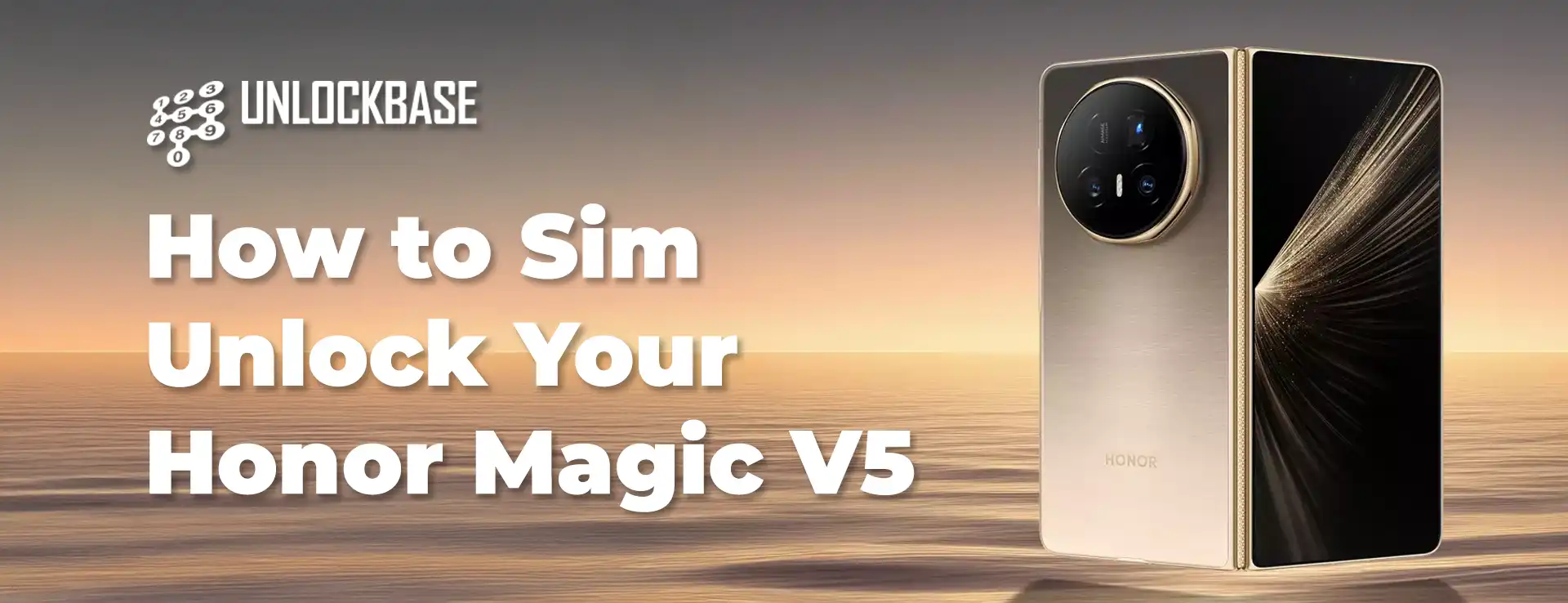
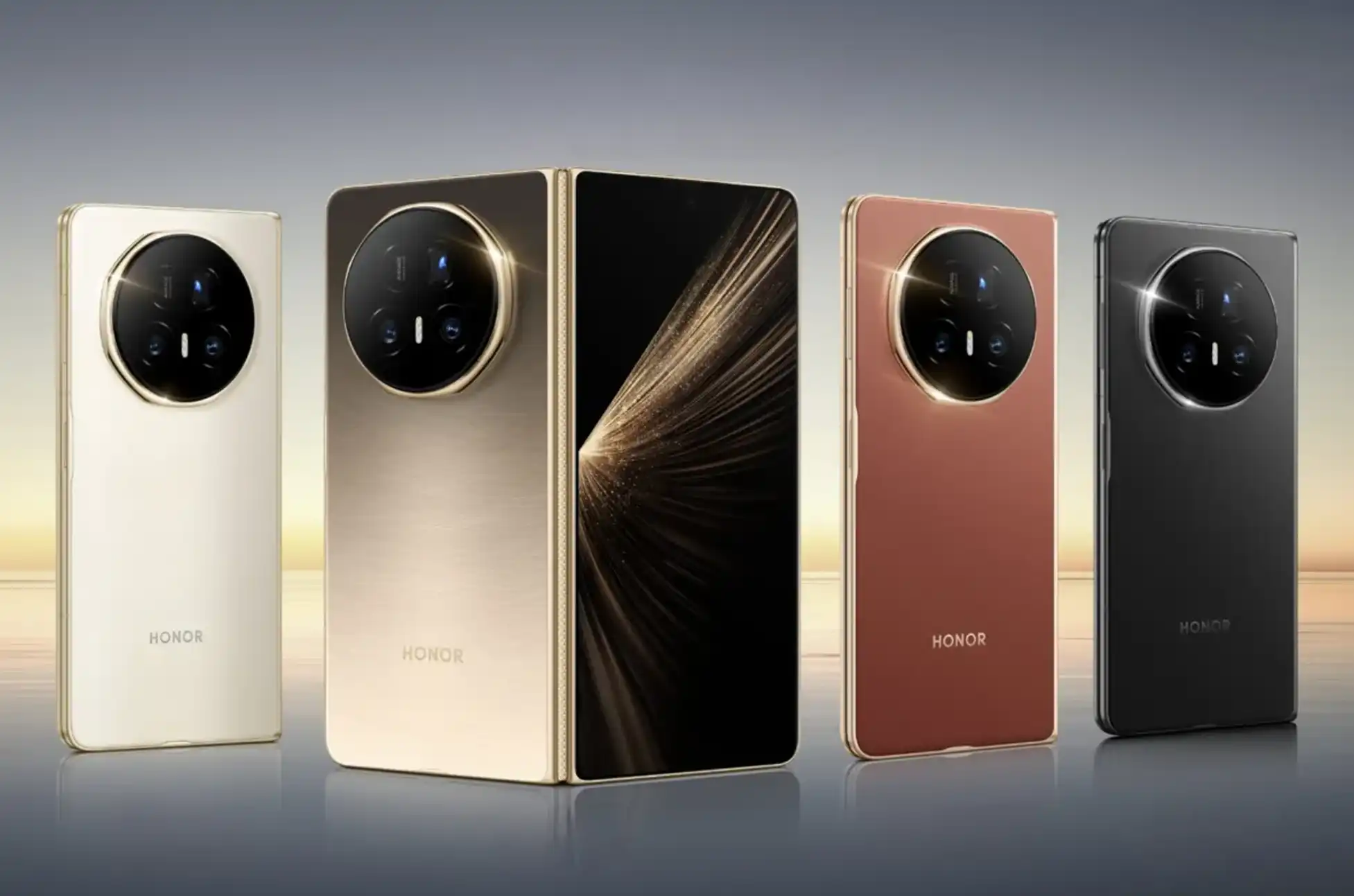
Honor Magic V5 Unlock? The Honor Magic V5 represents cutting-edge foldable technology, combining premium design with powerful performance. But if your device is carrier-locked, you’re missing out on one of its biggest advantages: true global connectivity.
Network locks can feel like digital handcuffs. Whether you’re planning international travel, hunting for better data plans, or simply want the freedom to switch carriers without switching phones, an unlocked Honor Magic V5 puts you back in control.
Honor Magic V5 Unlock : Why Your Honor Magic V5 Might Be Locked
When you purchase a flagship device like the Honor Magic V5 through a carrier, it often comes with network restrictions. These locks tie your expensive foldable to a single provider, limiting your options and potentially costing you more in the long run.
The good news? Getting your Honor Magic V5 unlocked is simpler than you might think.
Your Options for Unlocking the Honor Magic V5
Going Through Your Carrier
Your current network provider might unlock your device, but expect to jump through hoops. Many carriers charge fees, require you to complete your contract, or make you wait months before they’ll even consider your request. For a premium device like the Honor Magic V5, this route often means unnecessary delays.
DIY Unlocking Methods
YouTube tutorials and forum guides promise free unlocking solutions, but here’s the reality: these methods are risky. One wrong step could brick your expensive foldable or void your warranty. When you’re dealing with a sophisticated device like the Honor Magic V5, DIY approaches just aren’t worth the gamble.
Professional Unlocking with UnlockBase
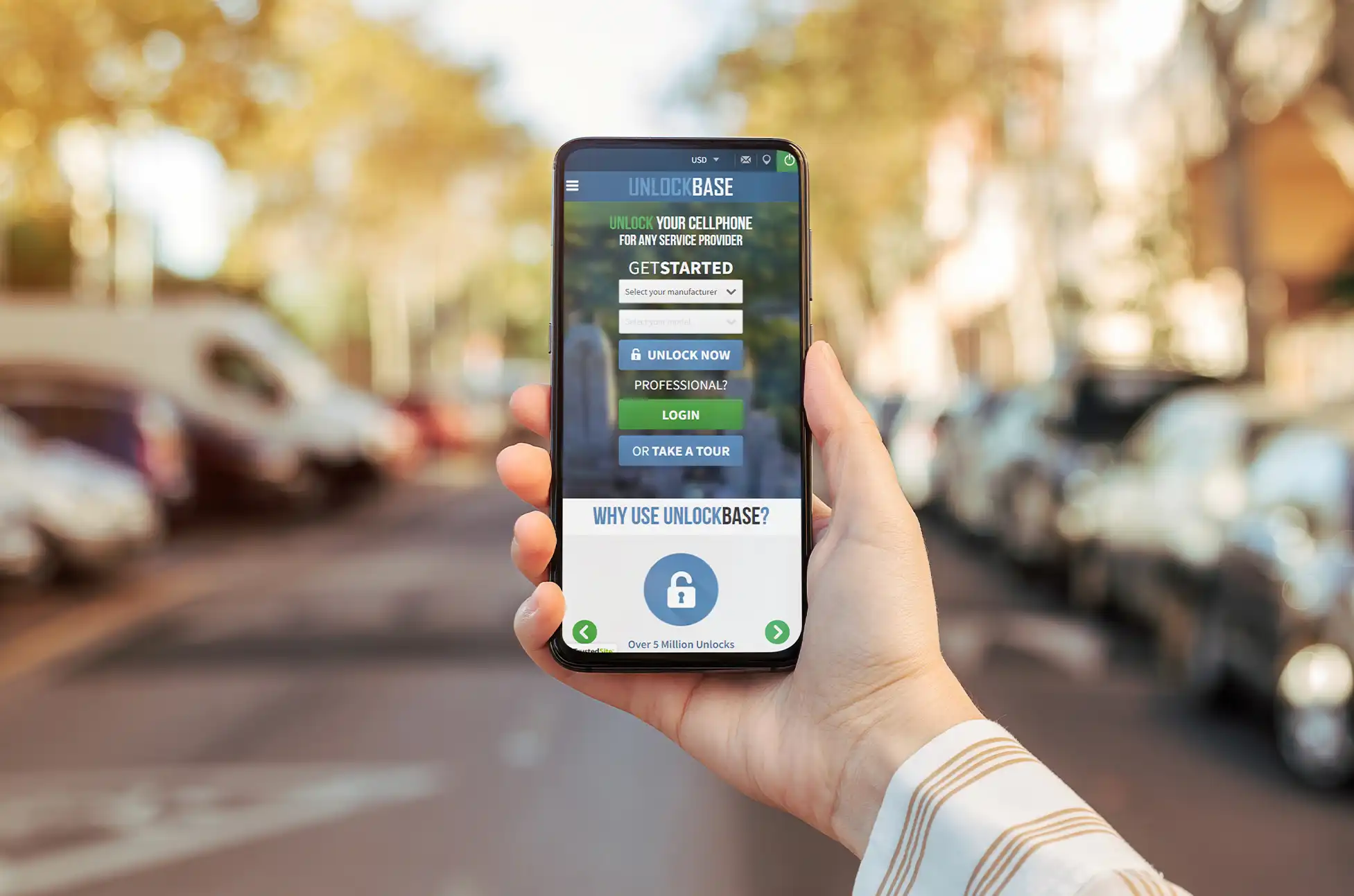
UnlockBase offers what the other methods can’t: speed, security, and guaranteed results. With over ten years in the unlocking business, they’ve built their reputation on actually delivering what they promise.
Unlocking Your Honor Magic V5: The Process
Getting your foldable unlocked takes just a few minutes of your time:
Step 1: Navigate to UnlockBase Visit the UnlockBase website and find the Honor Magic V5 in their device selector.
Step 2: Find Your IMEI Number Your IMEI is your phone’s unique identifier. Find it by opening Settings, tapping “About Phone,” then looking for the IMEI field. You can also dial *#06# to display it instantly.
Step 3: Identify Your Current Network You’ll need to know which carrier your Honor Magic V5 is currently locked to. Check your original purchase receipt or packaging if you’re not sure.
Step 4: Submit Your Information Enter your IMEI number and current carrier information on the UnlockBase website.
Step 5: Complete Your Order Choose your preferred payment method and finalize the purchase. The checkout process is secure and takes just moments.
Step 6: Check Your Email Once processed, your unique unlock code arrives directly in your inbox. Keep an eye out for it within 24 hours.
Step 7: Apply the Unlock Code Power off your Honor Magic V5, swap in a SIM card from a different carrier, then turn it back on. When prompted, enter the unlock code you received. That’s it—your device is now free to use with any compatible network worldwide.
Honor Magic V5 Unlock : What You Gain with an Unlocked Honor Magic V5
Freedom to switch carriers whenever better deals appear. No more expensive roaming fees when traveling abroad. The ability to use local SIM cards in any country you visit. Better resale value when you’re ready to upgrade. Complete control over your connectivity choices.
Your Honor Magic V5 was built to go anywhere and do anything. Don’t let a network lock hold it back.
Honor Magic V5 Unlock : Making the Smart Choice
Sure, you could wait weeks for your carrier to maybe unlock your device. You could risk your expensive foldable with untested DIY methods. Or you could choose the proven solution that thousands of Honor users trust.
UnlockBase removes the complexity and risk from unlocking your Honor Magic V5, giving you the freedom to use your device exactly how you want. Fast turnaround, guaranteed results, and complete peace of mind—that’s the UnlockBase difference.
Ready to experience your Honor Magic V5 without limits? Your unlock code is just one click away.
All products, and company names, logos, and service marks (collectively the "Trademarks") displayed are registered® and/or unregistered
trademarks™ of their respective owners.
The authors of this web site are not sponsored by or affiliated with any of the third-party trade mark or third-party registered trade mark owners,
and make no representations about them, their owners, their products or services.
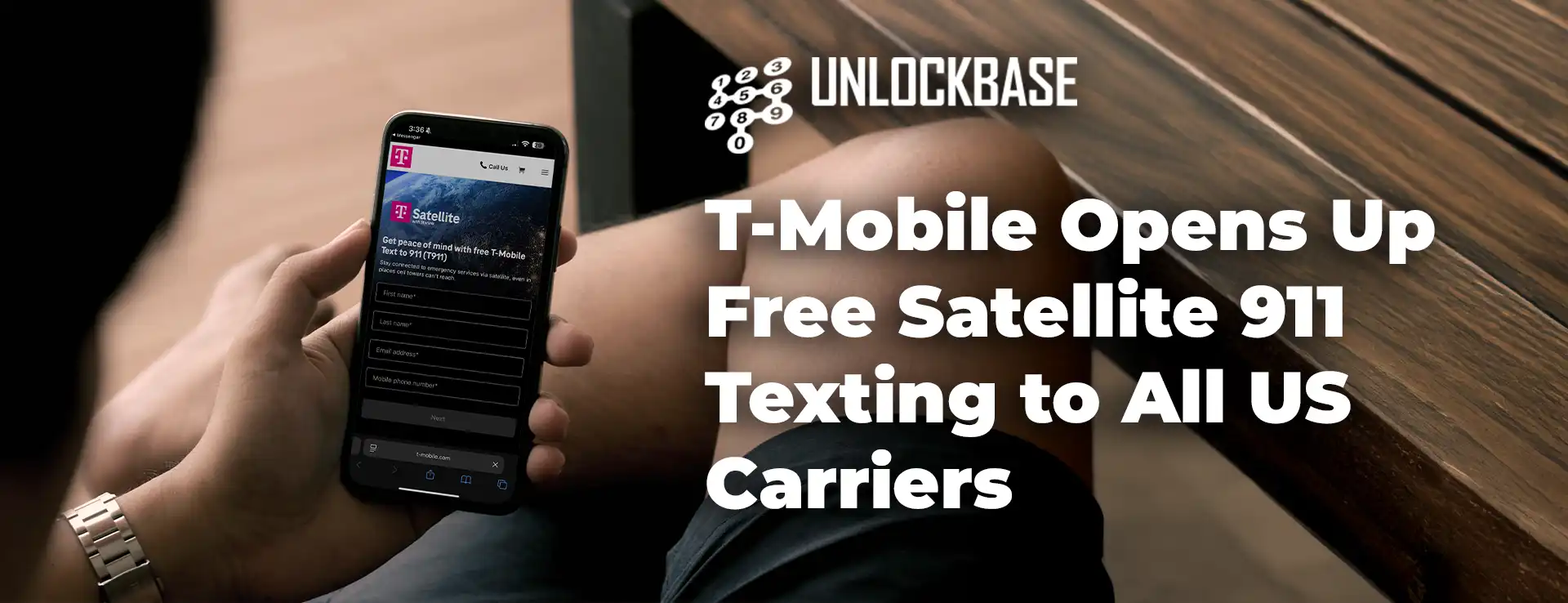
Free satellite 911 texting! Getting stranded without cell service just got a little less scary and you don’t need to be a T-Mobile customer.
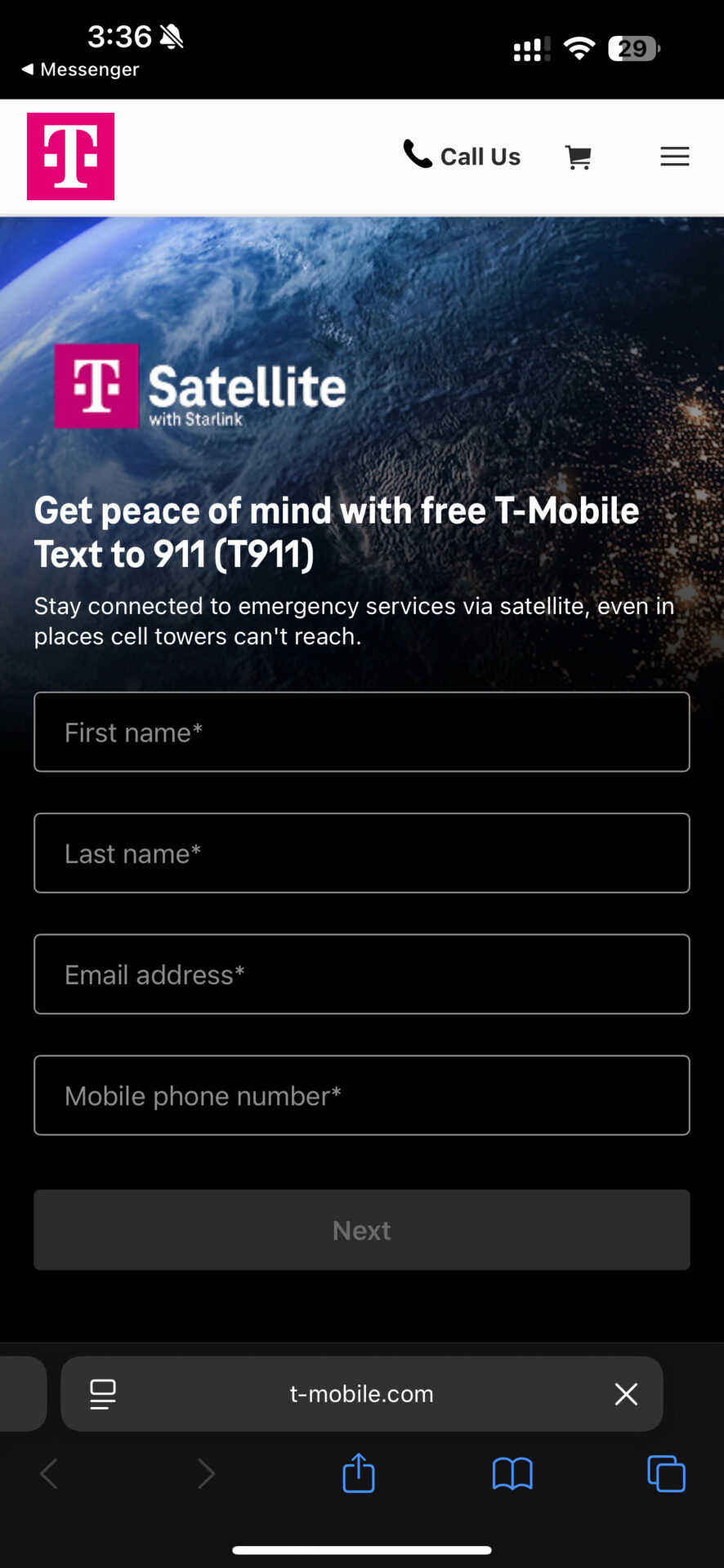
T-Mobile just rolled out something that could genuinely save lives: free satellite 911 texting for anyone in the US, regardless of which carrier you use. Yes, that includes Verizon and AT&T subscribers. But here’s the catch — it won’t work unless you register beforehand.
How Free Satellite 911 Texting Actually Works
Here’s the link : https://www.t-mobile.com/coverage/satellite-phone-service/911-texting-signup The service taps into T-Mobile’s satellite network (called T-Satellite), which links your phone directly to Starlink’s 650+ satellites orbiting Earth. This network blankets around half a million square miles across the US where traditional cell towers can’t reach think remote hiking trails, long stretches of highway, or that cabin deep in the woods.
Once you’re enrolled in the free satellite texting service, your phone automatically latches onto “T-Mobile TXT911” when you step outside normal coverage. Android users will see a satellite icon pop up, while iPhone 13 owners will notice “LTE” displayed on their screen.
What You’ll Need for Free Satellite 911 Texting
Not every phone can do this. You’ll need relatively recent hardware with built-in satellite capabilities — most newer Android flagships and iPhones qualify. The exceptions? iPhone 14 and later models, plus the Pixel 9 and 10 series already have their own emergency satellite features baked in.
If you’re not on T-Mobile, there are two more requirements: your phone needs to be unlocked, and you’ll need an available eSIM slot. Registration happens through T-Mobile’s website. Current T-Mobile customers who don’t already have T-Satellite included in their plan can also sign up separately.
What You Can Actually Do With It
When your phone connects to the satellite network, you can send texts to:
911 for emergencies
988 or 838255 for mental health crisis support
611 for T-Mobile customer service issues
Is Free Satellite 911 Texting Worth Signing Up For?
T-Satellite launched nationwide back in July. T-Mobile charges its own customers $10 monthly for the full service (unless it’s bundled in their plan), but this emergency texting feature costs nothing — zero, free, nada — for everyone with compatible hardware.
If you regularly venture into areas where cell service gets sketchy. Registering for free satellite 911 texting now takes just a few minutes and could make a real difference when things go wrong. Even if you own one of those newer Phones with built-in satellite SOS, having another backup option doesn’t hurt.
The bottom line: this isn’t some gimmick. It’s a practical safety net that works across carrier lines, and being free makes it a no-brainer for anyone who spends time off the beaten path.
All products, and company names, logos, and service marks (collectively the "Trademarks") displayed are registered® and/or unregistered
trademarks™ of their respective owners.
The authors of this web site are not sponsored by or affiliated with any of the third-party trade mark or third-party registered trade mark owners,
and make no representations about them, their owners, their products or services.
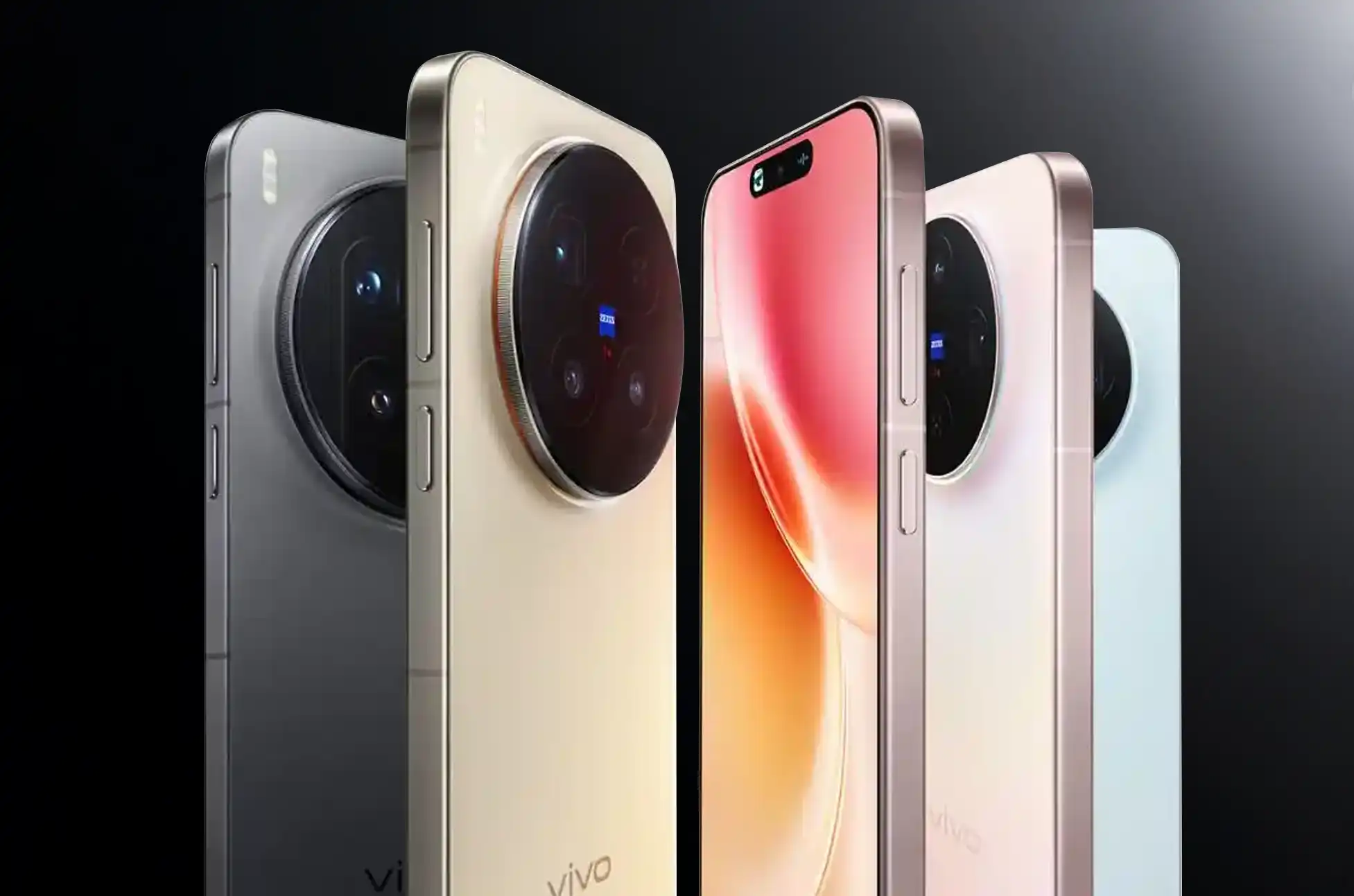
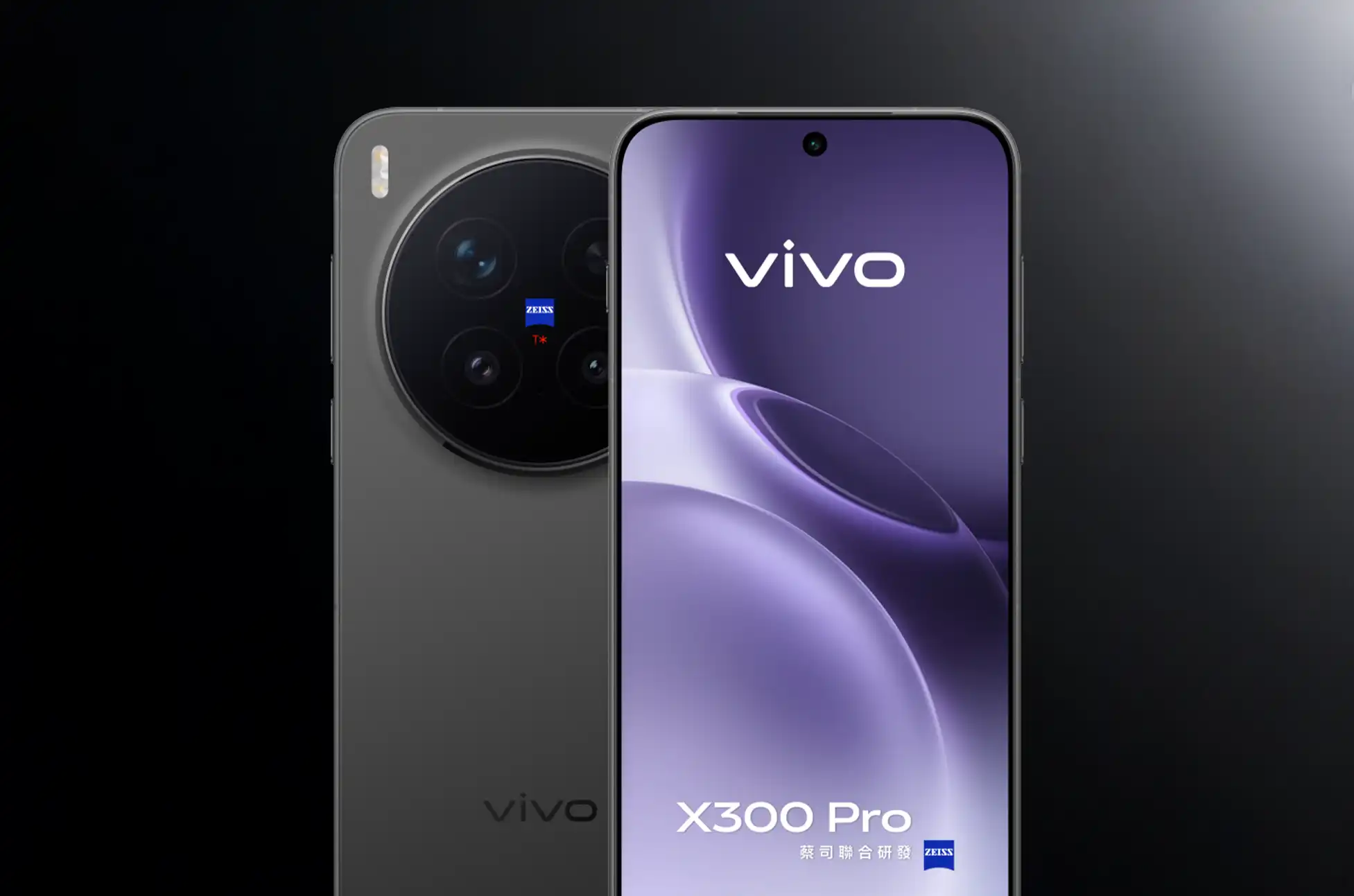
vivo has officially expanded the reach of its X300 series, launching the X300 and X300 Pro worldwide following an event in Vienna, Austria. The vivo X300 global launch comes just weeks after these flagship devices debuted in China, marking a significant milestone for the brand’s international expansion.
What’s Inside the vivo X300 Global Launch Models
The international versions stay largely true to their Chinese counterparts. Both phones run on MediaTek’s newest Dimensity 9500 chip, paired with configurations offering up to 16GB of RAM and 512GB of internal storage. This makes the vivo X300 global launch particularly exciting for tech enthusiasts waiting for these powerful specs.
X300 Pro Features: The Premium Pick
The Pro variant features a spacious 6.82-inch 8T LTPO display that refreshes at 120Hz, delivering smooth visuals for everything from scrolling to gaming. Photography enthusiasts will appreciate the impressive camera setup: a 200-megapixel telephoto lens, a 50-megapixel LYT-828 primary sensor, and a 50-megapixel front-facing camera for selfies.
For those interested in other vivo flagship models, the X300 Pro represents the pinnacle of mobile photography technology.
X300 Standard Model: Compact Yet Capable
The standard X300 mirrors much of the Pro’s camera hardware but swaps in a 50-megapixel LYT-602 main sensor instead. It’s also built around a more compact 6.31-inch LTPO screen, making it easier to handle with one hand. The vivo X300 global launch brings this compact powerhouse to users who prefer smaller devices.
Battery and Charging Specifications
One notable change from the Chinese release: both global models have smaller batteries. The X300 Pro now packs a 5,440mAh cell (down from 6,510mAh), while the standard X300 houses 5,360mAh (reduced from 6,040mAh). Despite the capacity reduction, both devices support fast 90W wired charging and 30W wireless charging to keep you powered up quickly.
Learn more about fast charging technology and how it compares across different brands.
vivo X300 Global Launch: Pricing and Availability
European buyers can grab the vivo X300 Pro in a single 16GB/512GB variant priced at EUR1,399. The X300 comes in two options: 12GB/256GB for EUR1,049 or 16GB/512GB for EUR1,099.
vivo is also offering a photography kit with a teleconverter lens for EUR599, perfect for those wanting to push their mobile photography further. Check out professional mobile photography tips to make the most of these cameras.
As for the Philippines, vivo hasn’t announced local availability or pricing yet following this vivo X300 global launch—but enthusiasts should stay tuned for updates on our latest smartphone news.
All products, and company names, logos, and service marks (collectively the "Trademarks") displayed are registered® and/or unregistered
trademarks™ of their respective owners.
The authors of this web site are not sponsored by or affiliated with any of the third-party trade mark or third-party registered trade mark owners,
and make no representations about them, their owners, their products or services.