Stop carrier from collecting data? Signed up with Verizon, AT&T, or T-Mobile recently? You handed over way more than you bargained for. Sure, the basics make sense—Social Security numbers, addresses, billing information. But here’s the kicker: your carrier is also tracking your web browsing habits, pinpointing your location, and mining details about how you use your phone. They claim they don’t peek at this data directly, but it’s being packaged into advertising profiles that follow you around the internet.
And it doesn’t stay in-house. All three major carriers pass your personal information to third parties—sometimes for a profit—feeding the targeted advertising machine and credit reporting agencies. Given the parade of data breaches these companies have suffered lately, you’d be justified in feeling squeamish about giving them more ammunition.
Here’s the silver lining: you can stop carrier from collecting data beyond what’s necessary. Federal regulations force carriers to offer opt-out options for specific data practices, and each major carrier provides privacy controls, though they’re far from uniform.
The problem? Carriers aren’t obligated to advertise these settings. Worse yet, many come switched on right out of the gate. If privacy matters to you, make it a habit to dig through your provider’s security settings periodically. Let’s break down what each carrier offers and how to stop carrier from collecting data you don’t want them to have.
How to Stop T-Mobile from Collecting Data
Log into your account through their website or the T Life app. Click My Account in the top right, then navigate to Profile. Here are the key toggles worth knowing about:
Analytics and reporting: T-Mobile tracks which apps you use, where you go, your age bracket, and gender to build marketing reports shared with external companies.
Sharing certain financial information: This green-lights T-Mobile to pass your data to financial institutions for co-marketing opportunities and assessing your credit profile.
Advertising options: Your app downloads and usage get collected for personalized advertising, mixed with location and demographic details. Flipping this off won’t eliminate ads—just the personalization.
Profiling and automated decisions: This one’s troubling. T-Mobile collects personal data to “evaluate, analyze, or predict certain personal aspects about your performance at work, economic situation, health, personal preferences, interests, reliability, behavior, location, or movements.” At minimum, shut this down—it’s disturbingly vague and sweeping.
Do not sell or share my personal information: Determines whether T-Mobile can distribute or monetize your data with outside companies.
My recommendation? Disable everything except Fraud and Identity Theft Protection to effectively stop carrier from collecting data you’re uncomfortable sharing.
How to Stop Verizon from Collecting Data
Go to Account, then Account Overview on the website or app. Select profile and settings, followed by manage privacy settings:
Customer Proprietary Network Information: Controls whether Verizon can leverage what it knows about you to push additional services beyond your current plan.
Business and Marketing Insights: Verizon collects aggregated data about your browsing, app usage, location, and demographics, then combines it with information from external sources to develop “insights” about consumer patterns.
Custom Experience: When enabled, Verizon monitors websites you visit and apps you use to build a profile of your interests.
Custom Experience Plus: This merges all the data above, giving Verizon complete freedom to personalize marketing messages and product suggestions.
Watch out: changing one setting might automatically affect others. Double-check your selections after making adjustments to properly stop carrier from collecting data across all categories.
How to Stop AT&T from Collecting Data
Log into your AT&T account online or through the app, then head to Profile > Privacy Choices:
Personalized: This allows the use of your data for automated decision making, including AI-generated marketing and customized advertisements.
Personalized Plus: AT&T uses data like web browsing and precise location for customization in offers and ads. They clarify this doesn’t give them access to your texts, emails, or call content.
Identity Verification: AT&T collaborates with third parties for identity verification and fraud prevention. This one’s reasonably innocuous and potentially useful to keep active.
Share or sell my personal information: This permits AT&T to distribute or sell limited personal information used to deliver, measure, and create targeted advertising.
What About Prepaid Carriers?
Using a prepaid carrier instead of the big three? They share limited information too. You can stop carrier from collecting data on prepaid services as well. The exact process varies by provider, but you’ll typically find privacy controls in your account settings. Can’t locate the specifics? Call customer service—they’ll point you where you need to go.
Taking these steps to stop carrier from collecting data puts you back in the driver’s seat. Check your settings regularly, as carriers often introduce new da
All products, and company names, logos, and service marks (collectively the "Trademarks") displayed are registered® and/or unregistered
trademarks™ of their respective owners.
The authors of this web site are not sponsored by or affiliated with any of the third-party trade mark or third-party registered trade mark owners,
and make no representations about them, their owners, their products or services.
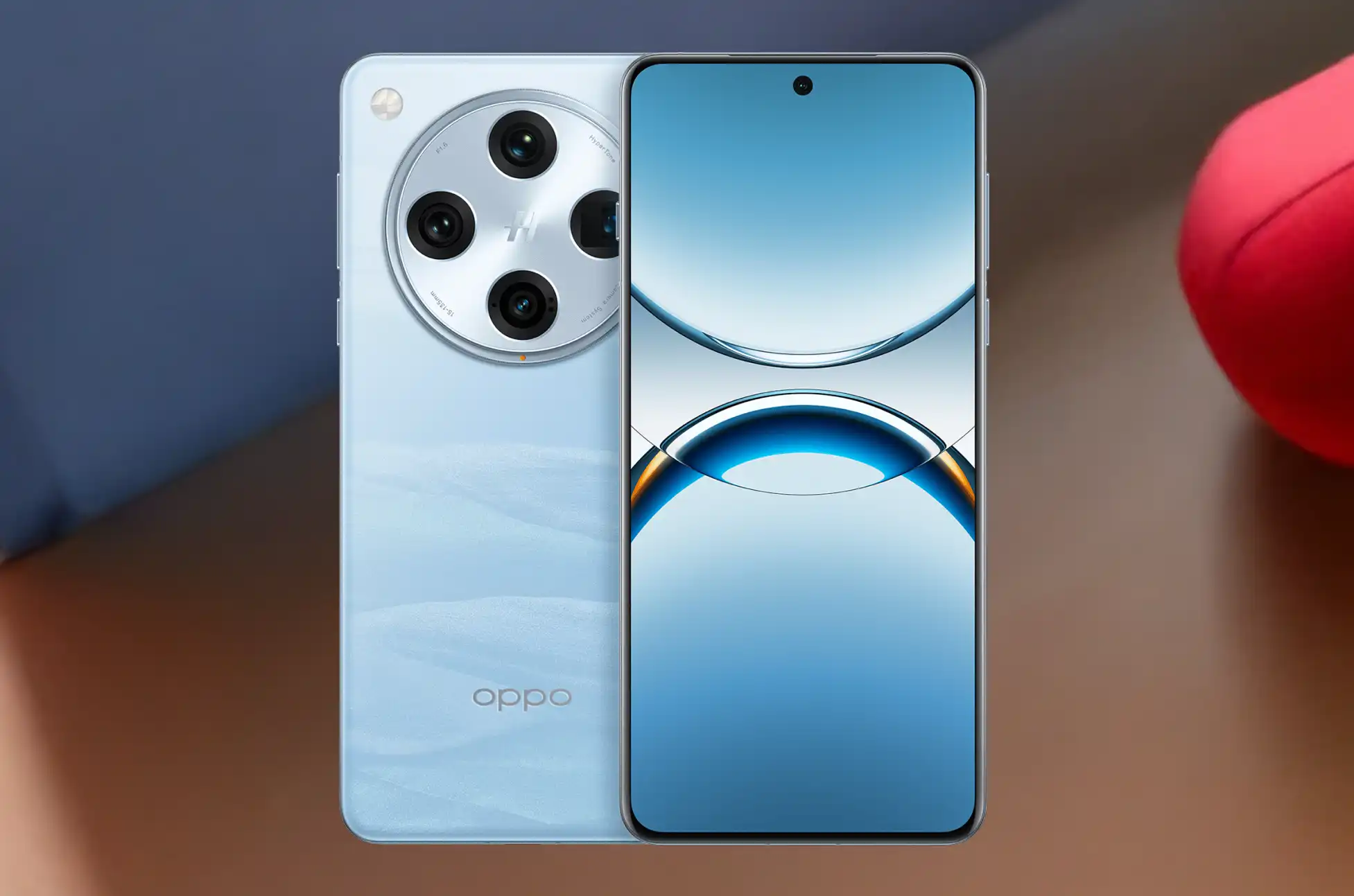
Oppo Find X SIM Unlock? Stuck with a carrier-locked Oppo Find X? Whether you’re looking to switch networks, avoid expensive roaming charges on your next trip, or just want the freedom to use any SIM card, unlocking your phone is more straightforward than you’d expect.
Why Your Find X Is Locked in the First Place
When carriers sell phones, they often lock them to their network. It’s a way to keep you on their service plan. You own the device, but try using a different carrier’s SIM card? The phone refuses to cooperate.
The fix? SIM unlocking. Once your Oppo Find X is unlocked, it becomes network-independent. Use any compatible carrier, jump to better plans when they appear, buy local SIM cards overseas, and increase what you’ll get when selling it later. Simple as that.
Check If Your Oppo Find X Is Actually Locked
Before going further, confirm your phone’s lock status. Insert a SIM card from a different carrier into your Find X. If it prompts you for an unlock code or shows a network restriction message, it’s locked. If it connects normally, you’re already set.
Want certainty? Dial *#06# to display your IMEI number, then use an online checker to verify the lock status. It takes less than a minute.
Oppo Find X SIM Unlock : The Reliable Approach
UnlockBase simplifies the entire unlocking process. No technical expertise needed, no sketchy software downloads—just a clean unlock code that works for your specific device.
Choose the country and network your Find X is locked to
Complete the payment and wait for your email
Your code usually arrives within a few hours, though timing varies based on your carrier and specific Find X model.
Applying Your Unlock Code
Once UnlockBase sends you the code:
Insert a SIM card from a different carrier into your Find X
Your phone will prompt you for a SIM unlock PIN
Enter the unlock code you received
Hit confirm
Done. Your Oppo Find X should now work with any compatible SIM card. Restart the phone to make sure everything connects properly.
Fixing Common Problems
“Incorrect code” message: Verify you typed it exactly as provided. Characters like 0 and O are easy to mix up. You usually get around 10 attempts, so be careful with each entry.
No prompt appears: Make sure the SIM is properly inserted and comes from a different carrier. Try restarting your Find X with the new SIM already in place.
SIM not detected: Test the SIM in another phone to confirm it works. Clean both the card and tray gently. Check that the SIM matches the network frequencies your Find X supports.
What You Gain from an Unlocked Find X
Network freedom: Stop being held hostage by one carrier’s pricing. Compare plans across all providers and switch whenever a better deal shows up. No need to buy another phone just to change networks.
Travel smart: Local SIM cards during trips cost a fraction of roaming fees. Spending $10 on a local SIM beats paying $10 daily to your home carrier. On a week-long trip, that’s $70 in your pocket instead of theirs.
Higher resale value: Locked phones only attract buyers on that specific network. Unlocked phones appeal to everyone. You’ll get more offers and better prices when it’s time to upgrade.
Dual SIM flexibility: Run two different carriers simultaneously—one for work, one for personal use. Or keep your home number active while using local networks abroad.
Oppo Find X SIM Unlock Now
Unlocking your Oppo Find X takes minutes and costs less than what you’d pay for a few days of international roaming. The process is legal, safe, and won’t affect your warranty. You get complete freedom to choose any carrier that works with your phone.
Visit UnlockBase, request your unlock code, and cut the strings tying your device to one network. Your Oppo Find X was designed to work globally—let it.
All products, and company names, logos, and service marks (collectively the "Trademarks") displayed are registered® and/or unregistered
trademarks™ of their respective owners.
The authors of this web site are not sponsored by or affiliated with any of the third-party trade mark or third-party registered trade mark owners,
and make no representations about them, their owners, their products or services.
Samsung has paused the One UI 8 update for multiple Galaxy devices, leaving users waiting.
Samsung’s One UI 8 update paused rollout is causing frustration among Galaxy phone owners. The company stopped distributing the Android 16-based update to Galaxy S23 users just two weeks after launch. This Samsung One UI 8 update paused situation now affects multiple device generations.
Galaxy S23 owners can’t download the One UI 8 update right now, according to SammyGuru. The S23 isn’t facing this problem alone. Samsung paused the One UI 8 update for both S24 and S22 series as well. The S22 appears to be catching a break, though.
Why Did Samsung Pause the One UI 8 Update?
Samsung hasn’t explained why the One UI update paused for these devices. The company also hasn’t addressed why the rollout has been so inconsistent. Users eager to experience the latest Android 16 features find this frustrating. However, this cautious approach isn’t new for Samsung.
Earlier this year, Samsung took similar action with One UI 7. The company completely halted its distribution just seven days after launch. The temporary pause eventually led to a full rollout. This suggests Samsung prefers to stop updates rather than risk widespread issues affecting millions of users.
Samsung One UI 8 Update Issues Beyond the S-Series
The Samsung One UI 8 update paused problems don’t only affect the flagship Galaxy S lineup. SammyGuru reports that the Galaxy M55 faces a temporary hold on its update. Meanwhile, the Galaxy Z Fold SE experienced a brief suspension before updates resumed. Neither of these models are sold in the United States.
What Should Galaxy Users Do Now?
If you’re waiting for the Samsung One UI 8 update, here’s what you need to know:
Check your device’s software update section regularly
Don’t attempt to sideload the update from unofficial sources
Consider joining Samsung Members community for the latest news
Galaxy users waiting for the One UI 8 update will need patience. Samsung is working through whatever issues prompted these rollout pauses. Based on previous patterns with One UI 7, the company typically resumes updates within a few weeks after addressing critical bugs.
All products, and company names, logos, and service marks (collectively the "Trademarks") displayed are registered® and/or unregistered
trademarks™ of their respective owners.
The authors of this web site are not sponsored by or affiliated with any of the third-party trade mark or third-party registered trade mark owners,
and make no representations about them, their owners, their products or services.
Recover Data from Android? That sinking feeling when your phone slips from your hands and hits the pavement? We’ve all been there. Whether it’s a shattered display, water damage, or a screen that simply refuses to light up, the real anxiety isn’t about the phone hardware itself. It’s about everything stored inside: your photos, messages, contacts, and years of digital memories.
The good news? If your phone’s internal components are still functioning, there’s a solid chance you can rescue your data even with a completely unresponsive screen.
Recover Data from Android : The SD Card Solution (If You Have One)
Got an SD card in your device? You’re in luck. Pop it out and plug it into your computer using a card reader. Done.
The catch? Modern flagship phones have largely abandoned expandable storage. Plus, Android keeps most critical information on internal storage anyway—things like contacts, text messages, call history, app data, and media files all live on the device itself. That means you’ll need a different approach to access your phone’s interface when the screen goes dark.
Recover Data from Android : Using an External Display to Bypass a Broken Screen
Here’s the workaround that works for many Android users: connect your phone to an external monitor or TV. This lets you completely sidestep the broken display and interact with your device as if nothing happened.
Before you get too excited, there’s a compatibility caveat. Budget smartphones often use USB 2.1, which lacks the bandwidth needed for video transmission. But if you’re using a mid-range or flagship device from recent years, chances are good that it supports USB-C video output.
Samsung, Google, and Motorola devices even offer desktop modes that transform your phone into a full computer experience when connected to a larger screen. Other manufacturers might simply mirror your phone’s display to the external monitor—which is all you need for data recovery anyway.
What You’ll Need
To pull this off, gather these items:
A USB-C to HDMI adapter or dongle
An HDMI cable
If your touchscreen is also broken: a USB keyboard and mouse
For the latter scenario, grab a multi-port USB-C hub with both HDMI and USB-A ports
Step-by-Step Process
Plug the USB-C adapter into your damaged phone
Connect your HDMI cable between the adapter and your external display (monitor or TV). Your phone’s interface should appear on screen immediately.
Attach peripherals like a keyboard, mouse, or USB flash drive to the adapter’s USB ports if needed.
Unlock your device and start transferring files to external storage or uploading them to Google Drive or another cloud service.
Samsung-Specific Quirk
Samsung users might encounter a gray padlock icon when connecting to an external display. This security feature blocks pattern input on the external screen. Here’s how to work around it:
For PIN users: Connect a keyboard, hit the spacebar, type your PIN, and press Enter.
For pattern users: Double-press the power button to launch the camera app. Swipe down the notification panel and tap the Settings icon. This should trigger a pattern prompt on the external display that you can complete using your connected mouse.
When External Display Won’t Work
If your device doesn’t support USB-C video output, your options narrow considerably. You’ll likely need to have the screen professionally repaired before you can access your data. Yes, it’s an expense, but it’s typically cheaper than specialized data recovery services—assuming the phone still powers on and functions normally aside from the display.
Recover Data from Android : Prevention Is Better Than Recovery
To avoid this headache in the future, set up automatic backups on your Android device. Google’s built-in backup covers most essentials, but consider using additional cloud services for photos and important documents. That way, if disaster strikes, your data is already safe in the cloud before you need to scramble for recovery solutions.
The key takeaway? A broken screen doesn’t mean your data is gone forever. With the right adapter and a bit of patience, you can often rescue everything that matters without spending hundreds on professional recovery services.
All products, and company names, logos, and service marks (collectively the "Trademarks") displayed are registered® and/or unregistered
trademarks™ of their respective owners.
The authors of this web site are not sponsored by or affiliated with any of the third-party trade mark or third-party registered trade mark owners,
and make no representations about them, their owners, their products or services.
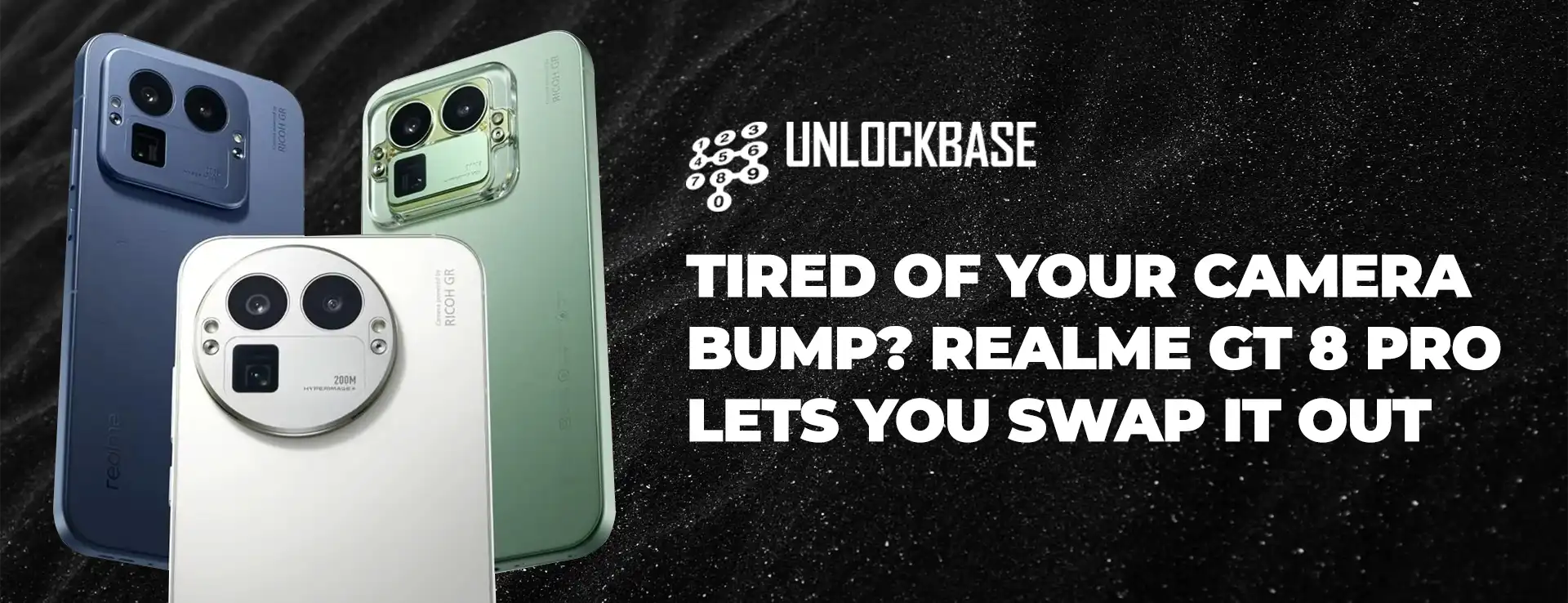
realme GT 8 Pro Launching in China next week, with worldwide availability coming shortly after.
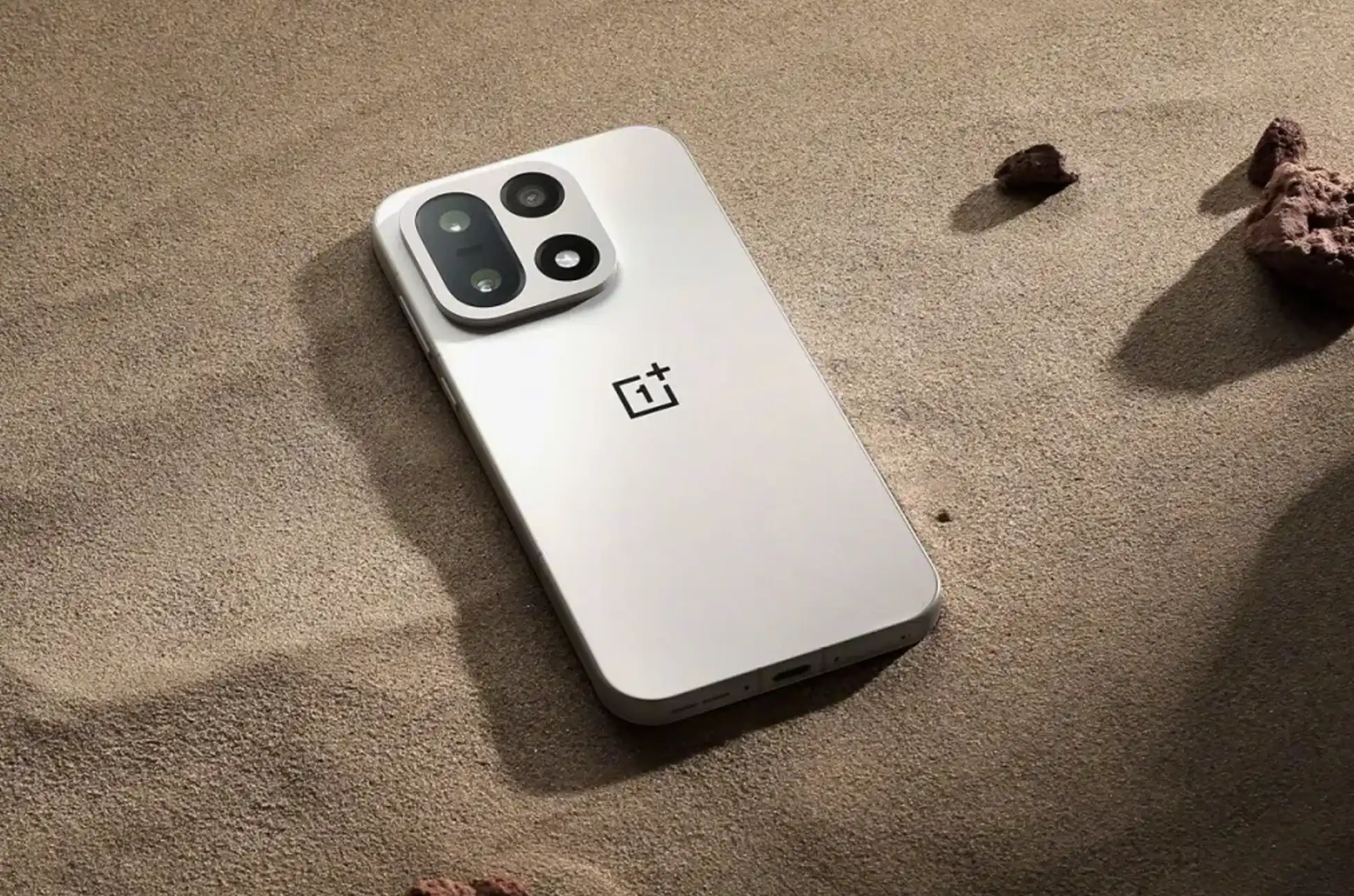
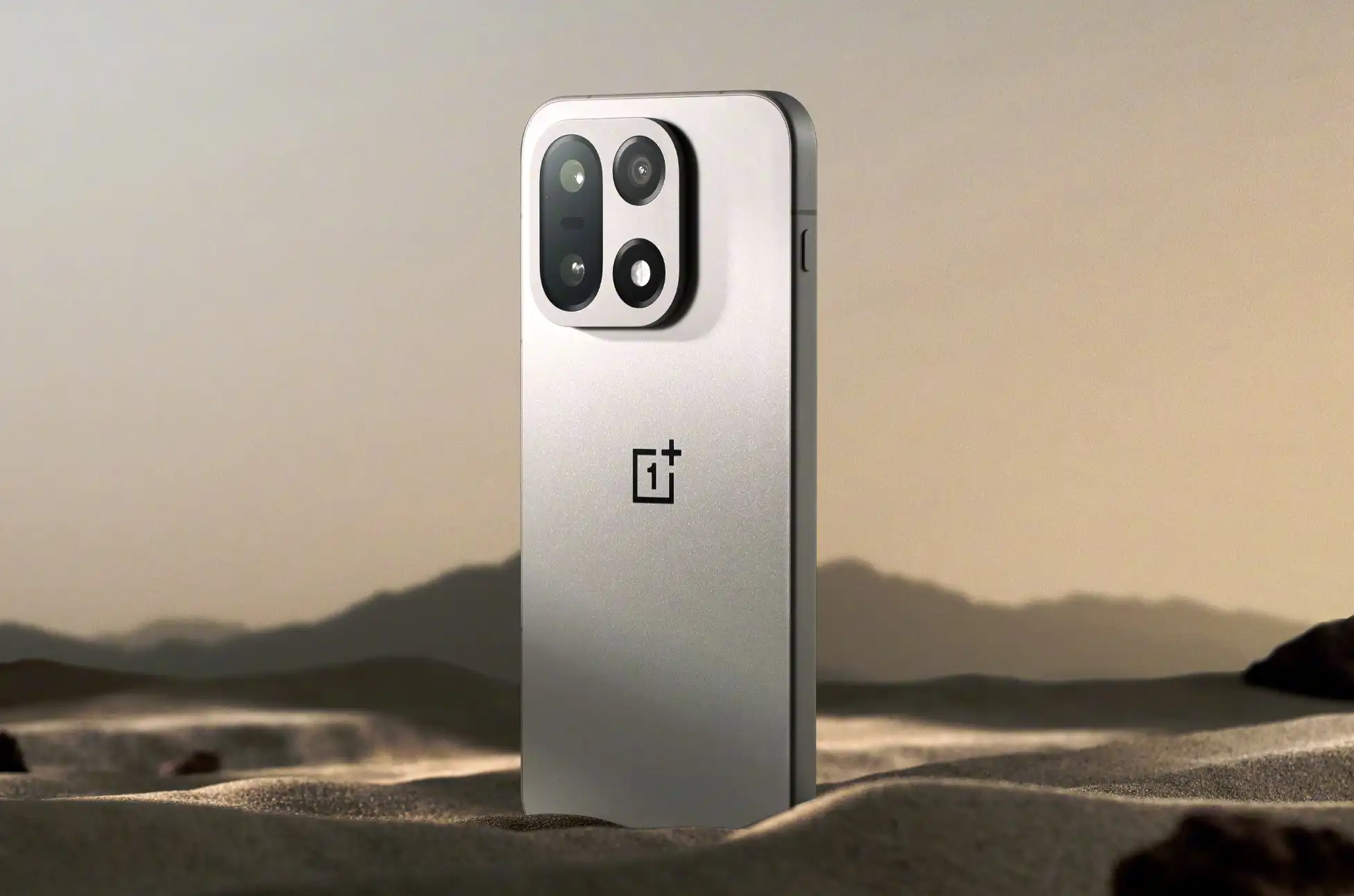
Let’s be honest—phone design has gotten boring. The “glass rectangle” has become the default template for most smartphones, and with manufacturers racing to outpace each other on specs and launch cycles, design innovation has taken a backseat. Sure, brands like Nothing are shaking things up with quirky LED patterns and unconventional displays, but those are the exceptions. Now, another major Android player is trying something different with a simple yet surprisingly cool twist on camera design.
realme, the sister brand of OnePlus, just started teasing its next flagship powered by the Snapdragon 8 Elite. But the chip isn’t the most interesting part. The realme GT 8 Pro marks the brand’s first collaboration with a proper camera company, and while the phone looks pretty standard at first glance, there’s a hidden feature that sets it apart.
The Camera Island You Can Actually Change
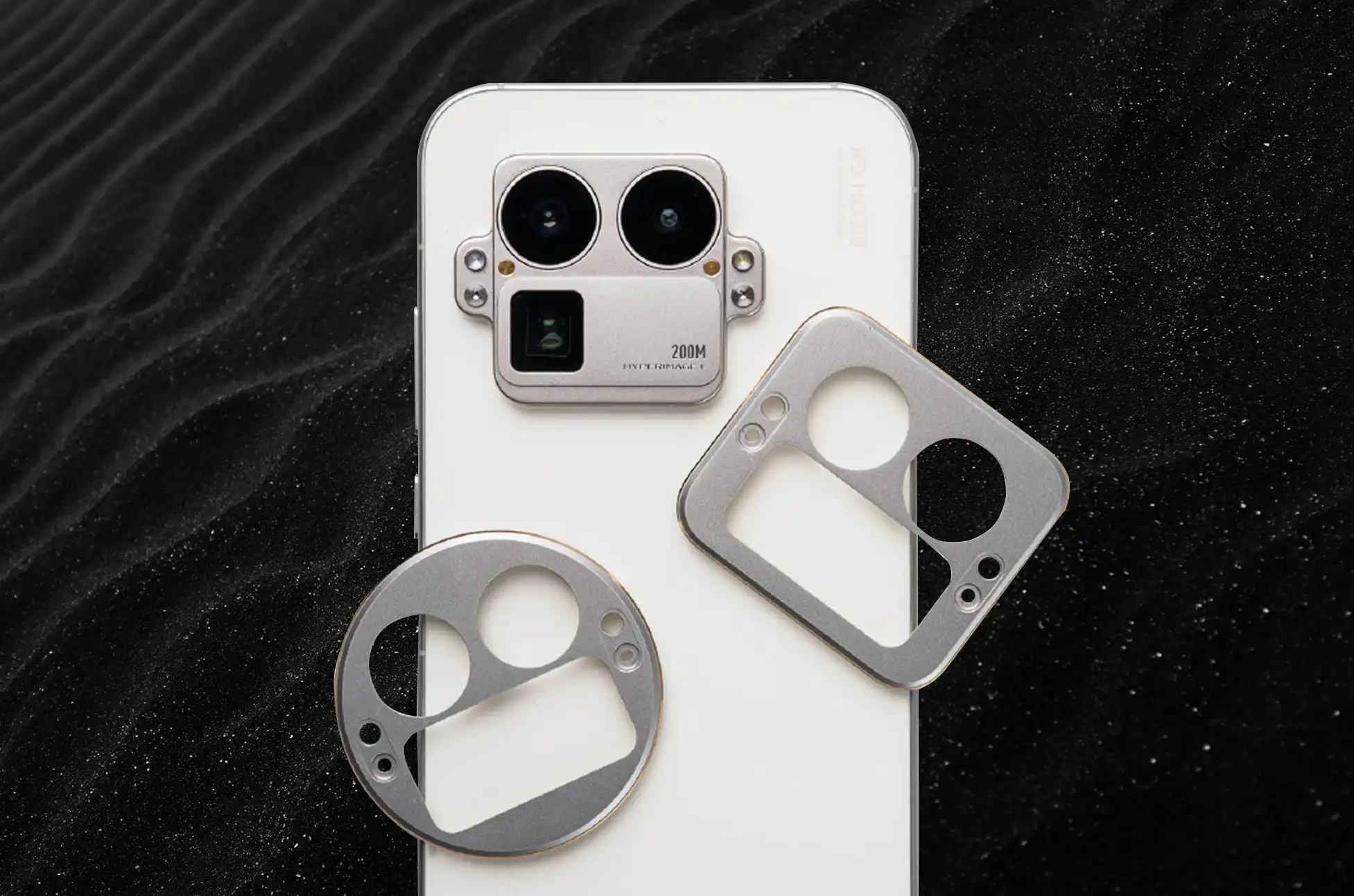
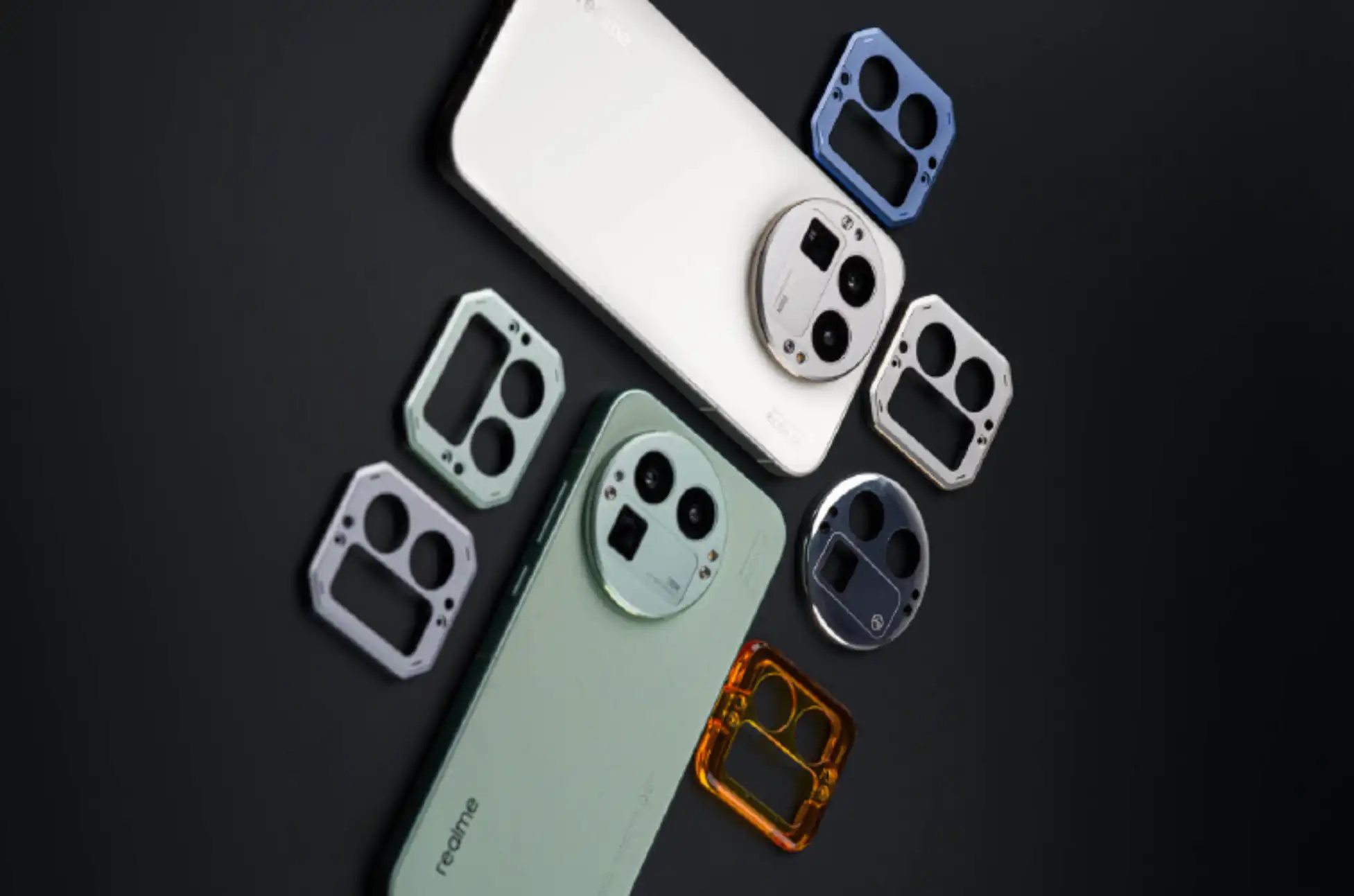
Here’s where it gets interesting: the GT 8 Pro’s rear camera module comes with swappable enclosures. The metal frame around the camera lenses is secured with just two screws, meaning you can remove it and replace it with a completely different design. While the phone ships with a square camera housing, you’re not stuck with it.
realme has shown off several alternative designs—think transparent covers, circular shapes, hexagonal patterns, and even a flower-shaped option. It’s a small change that can dramatically alter how your phone looks without needing a case or skin.
Most of these accessories appear to be metal, though realme hasn’t clarified exactly how many options will be available or how they’ll be distributed. There’s also the question of regional availability. The company might restrict these accessories to China, even though the phone itself is expected to launch globally.
Given that realme has previously released limited “Master Edition” versions of its flagships with unique designs, we could see something similar here. The standard GT 8, however, likely won’t get this feature.
What Else We Know About the GT 8 Pro
We’ll get full details when realme officially unveils the GT 8 series in China next week. Beyond the flagship processor, here’s what’s confirmed or expected:
Camera system tuned by Ricoh GH, marking realme’s first partnership with an established camera brand
Same primary sensor as the OnePlus 15, suggesting solid photo quality
200MP telephoto camera, matching what flagship Vivo phones are using
Battery and charging specs likely similar to the OnePlus 15
Android 16-based Realme UI (which is basically ColorOS with a different name)
realme GT 8 Pro : Actually Happening, Not Just a Concept
This isn’t realme’s first rodeo with experimental designs. The company previously showcased a concept phone that worked with actual DSLR lenses and another prototype packing a massive 15,000mAh battery. But those never made it to market. The GT 8 Pro’s customizable camera island, however, is real and will actually be available for purchase—making it one of the more creative design approaches we’ve seen in a while.
Whether this becomes a trend or just a fun novelty remains to be seen, but it’s refreshing to see a brand willing to try something different in an era where most phones look nearly identical.
All products, and company names, logos, and service marks (collectively the "Trademarks") displayed are registered® and/or unregistered
trademarks™ of their respective owners.
The authors of this web site are not sponsored by or affiliated with any of the third-party trade mark or third-party registered trade mark owners,
and make no representations about them, their owners, their products or services.
Unlocking Huawei Pura 80? Stuck with a carrier-locked Huawei Pura 80? Whether you want to switch networks, travel without outrageous roaming fees, or simply use any SIM card you choose, unlocking your device is easier than you think.
Why Your Huawei Pura 80 Needs Unlocking
Carriers lock phones to keep you tied to their network. It’s frustrating—you paid for the device, but you can’t use it with another carrier’s SIM card. The good news? You can break free without voiding your warranty or dealing with shady software.
A SIM-unlocked Huawei Pura 80 works with any compatible carrier worldwide. Switch providers whenever you want, grab local SIM cards when traveling, and boost your phone’s resale value instantly.
Is Your Pura 80 Actually Locked?
Before anything else, check if your phone is locked. Pop in a SIM card from a different carrier. If your Pura 80 asks for an unlock code or shows a network restriction message, it’s locked. If it connects normally, you’re already good to go.
Want to be sure? Dial *#06# to get your IMEI number, then use an online checker to verify your lock status.
Unlocking Huawei Pura 80: Unlock With UnlockBase
UnlockBase makes the process straightforward. No technical skills required, no software downloads, just a simple code that frees your device.
Enter your phone’s IMEI number (dial *#06# to find it)
Provide your email for confirmation
Choose the country and network your phone is locked to
Confirm your payment and wait for an email with the unlock code
You’ll typically receive your code within a few hours, though timing varies by carrier and model.
Using Your Unlock Code
Once you get the email from UnlockBase:
Insert a SIM card from a different carrier into your Pura 80
Your phone will prompt you to enter the SIM unlock PIN
Enter the unlock code provided by UnlockBase
Hit confirm and you’re done
Your Huawei Pura 80 should now accept any compatible SIM card. Restart your phone to make sure everything’s working properly.
Unlocking Huawei Pura 80 : What If Something Goes Wrong?
Phone says “incorrect code”: Double-check you entered it exactly as provided. Watch out for similar characters like 0 and O. You have limited attempts (usually 10), so be careful.
No prompt appears: Make sure the SIM card is properly inserted and from a different carrier than your lock. Try restarting your phone with the new SIM inside.
SIM not detected: Verify the SIM card works in another device. Clean both the card and the SIM tray. Check that the SIM is compatible with your phone’s network bands.
Works Across All Pura 80 Models
Whether you have the standard Pura 80, Pro, Pro+, or Ultra, the unlocking process is identical. All models in the series use the same IMEI-based unlock method, making UnlockBase compatible with every variant.
The Benefits of an Unlocked Pura 80
Freedom to switch carriers: Compare plans and move to better deals without buying a new phone. No more hostage situations with overpriced contracts.
Travel-friendly: Buy cheap local SIM cards instead of paying daily roaming fees. A $10 SIM beats $10-per-day charges every time.
Higher resale value: Unlocked phones attract more buyers and sell for more money. You’re not limiting your market to one carrier’s customers.
Dual SIM flexibility: Mix carriers for work and personal use, or keep one slot for international travel.
Skip the Free “Solutions”
You’ll find videos and forums promising free unlock codes or software. Most are scams, malware, or outdated methods that don’t work on the Pura 80 series.
Huawei stopped providing direct unlock codes years ago. Those “calculator codes” and emergency dialer tricks? They don’t work on modern devices. Save your time and frustration—stick with a proven service like UnlockBase.
Unlocking Huawei Pura 80 : Get Unlocked Today
SIM unlocking your Huawei Pura 80 series phone takes minutes and costs less than a month of roaming fees. The process is safe, legal, and gives you complete control over which carrier you use.
Visit UnlockBase, grab your unlock code, and free your device from carrier restrictions. Your Pura 80 deserves to work with any network you choose.
All products, and company names, logos, and service marks (collectively the "Trademarks") displayed are registered® and/or unregistered
trademarks™ of their respective owners.
The authors of this web site are not sponsored by or affiliated with any of the third-party trade mark or third-party registered trade mark owners,
and make no representations about them, their owners, their products or services.
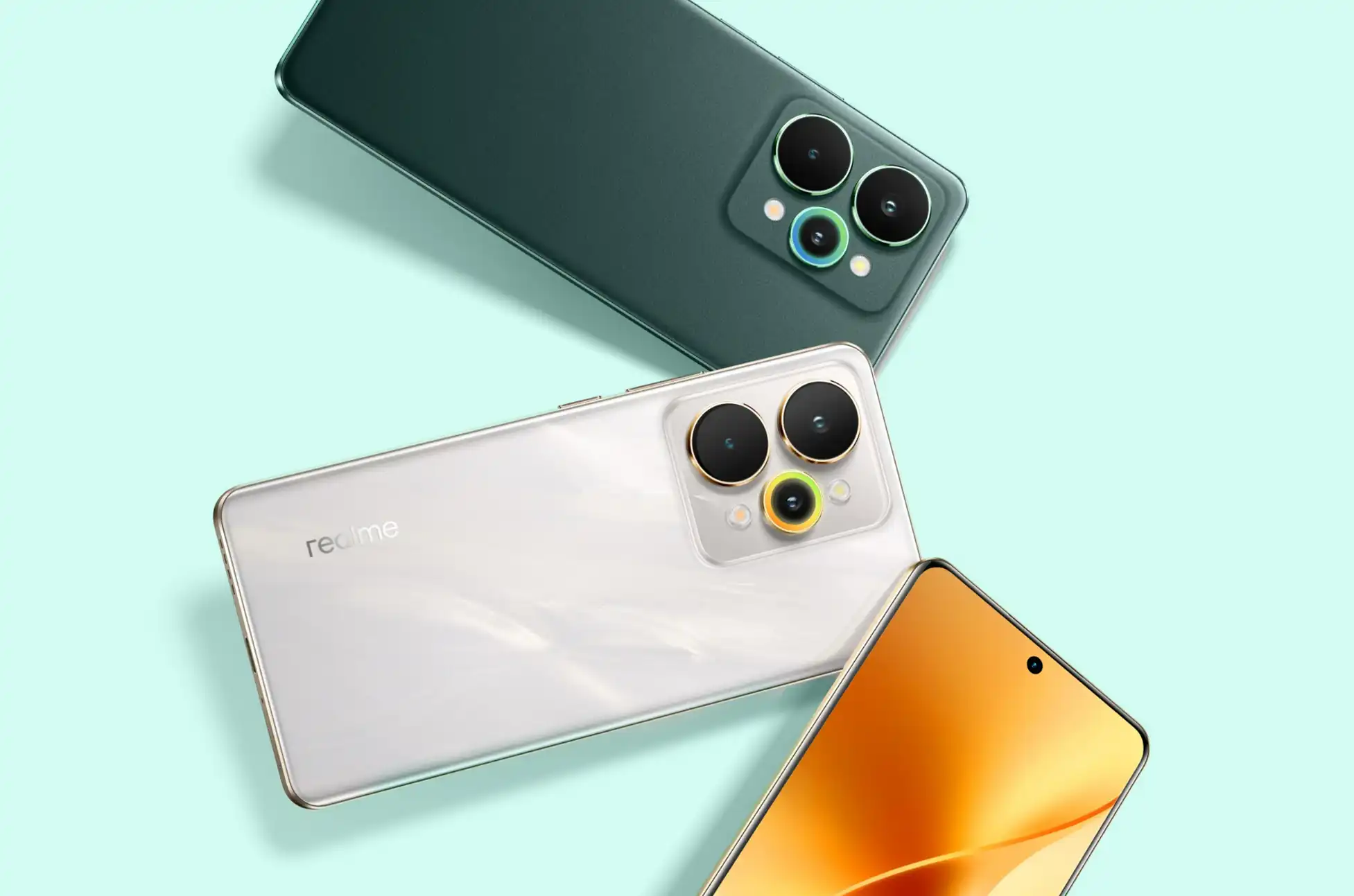
Realme 15 Pro 5G? Shopping for a new smartphone shouldn’t feel like making compromises. You want great battery life AND a stellar camera. Blazing performance AND a gorgeous screen. All without breaking the bank or carrying around a brick in your pocket.
The realme 15 Pro 5G aims to check every box on that list. Let’s break down what makes this device stand out and whether it lives up to the hype as your next daily driver.
Realme 15 Pro 5G : Two-Day Battery Life? Yes, Really
Here’s the headline feature: a massive 7,000mAh battery that can actually last through two full days of heavy usage. No more anxiously watching your battery percentage drop by afternoon or hunting for outlets at coffee shops.
But raw capacity is only half the story. The phone ships with an 80W SUPERVOOC charger that fills the tank completely in about an hour. Running late in the morning? A 15-minute plug-in gets you from empty to 30% — enough juice to get through most of your day.
Surprisingly Thin for Such a Powerhouse
You’d expect a phone with this much battery to feel like a paperweight. The realme 15 Pro 5G proves that assumption wrong.
At just 7.69mm thick and weighing 187g, it’s actually one of the thinner phones you’ll find today. The curved front and back panels sit comfortably in your hand, making extended use feel natural rather than fatiguing.
Durability hasn’t been sacrificed either. The device carries IP66, IP68, and IP69 ratings — meaning it can handle dust, splashes, and even full submersion. Corning Gorilla Glass protects the screen while an ArmorShell frame with reinforced metal structure guards the body.
Oh, and there’s an RGB ring light on the back that pulses with notifications and charging status. A nice touch that adds personality without feeling gimmicky.
Performance That Keeps Up With You
Under the hood sits a Qualcomm Snapdragon 7 Gen 4 processor paired with 12GB of RAM and your choice of 256GB or 512GB storage. That’s flagship-tier memory in a midrange device.
During testing, everything felt responsive. Apps launched instantly, photos captured without lag, and games ran smoothly without frame drops or stuttering. Connectivity options include 5G, WiFi 6, and Bluetooth 5.4 — all the modern standards you need.
Realme 15 Pro 5G : A Display That Competes Above Its Weight Class
The 6.8-inch OLED screen is genuinely impressive for this price bracket. You’re getting 1.5K resolution, a buttery-smooth 144Hz refresh rate, and peak brightness hitting 6500 nits.
Translation? Movies look vibrant, scrolling feels fluid, and you can actually see your screen outdoors in direct sunlight. Gaming and video streaming become noticeably more immersive on this panel.
Stereo speakers round out the multimedia experience, enhanced by a 300% volume booster that actually gets loud without distortion.
Three 50MP Cameras That Actually Deliver
The realme number series has always focused on photography, and this iteration doubles down on that commitment with three separate 50-megapixel sensors.
The main camera uses a Sony IMX896 sensor with optical image stabilization. Low-light shots come out clear and detailed rather than blurry or grainy. Colors look natural instead of oversaturated. The sensor is sharp enough to capture quality 2x zoom photos without digital artifacts — perfect for portraits and close-ups.
Backing it up are a 50-megapixel ultrawide lens for landscape and group shots, plus a 50-megapixel front camera that handles selfies and video calls with ease. Each sensor holds its own in real-world use.
Realme 15 Pro 5G : The Complete Package
The realme 15 Pro 5G manages something tricky: delivering premium features across battery, display, camera, and performance categories while maintaining a slim profile and reasonable price point.
It’s available now at realme stores both online and offline, with pricing starting at $499.99. For anyone hunting for a capable all-around midrange phone that doesn’t make you choose between features, this deserves serious consideration.
All products, and company names, logos, and service marks (collectively the "Trademarks") displayed are registered® and/or unregistered
trademarks™ of their respective owners.
The authors of this web site are not sponsored by or affiliated with any of the third-party trade mark or third-party registered trade mark owners,
and make no representations about them, their owners, their products or services.
The U.S. carrier’s next-generation AT&T 5G standalone network is live nationwide, but there’s a catch for customers
Here’s something most people don’t realize: the 5G on your phone right now probably isn’t true 5G. For years, what we’ve been calling “5G” is actually a hybrid setup — think of it as 4G infrastructure wearing a 5G costume. The industry calls it “5G non-standalone,” and while it delivers faster speeds than pure 4G, it’s still relying on older technology under the hood.
That’s changing now. AT&T, one of the largest wireless carriers in the United States, just announced it’s finished rolling out its genuine AT&T 5G standalone network across the entire country. But before you get too excited, not everyone can access it yet.
Understanding the AT&T 5G Standalone Network Upgrade
The difference comes down to infrastructure. With traditional 5G service, carriers slapped a 5G radio layer on top of existing 4G networks — a quick way to expand coverage without rebuilding everything from scratch. It worked, but it was a compromise.
The AT&T 5G standalone network is the real deal. AT&T has upgraded both the physical transmission equipment (like cell towers) and the behind-the-scenes network core that manages all your data. Everything’s been rebuilt to fully leverage modern wireless technology, not just patched onto old systems. According to the GSMA’s explanation of 5G standalone architecture, this represents a fundamental shift in how mobile networks operate.
What the 5G Standalone Network Means for AT&T Customers
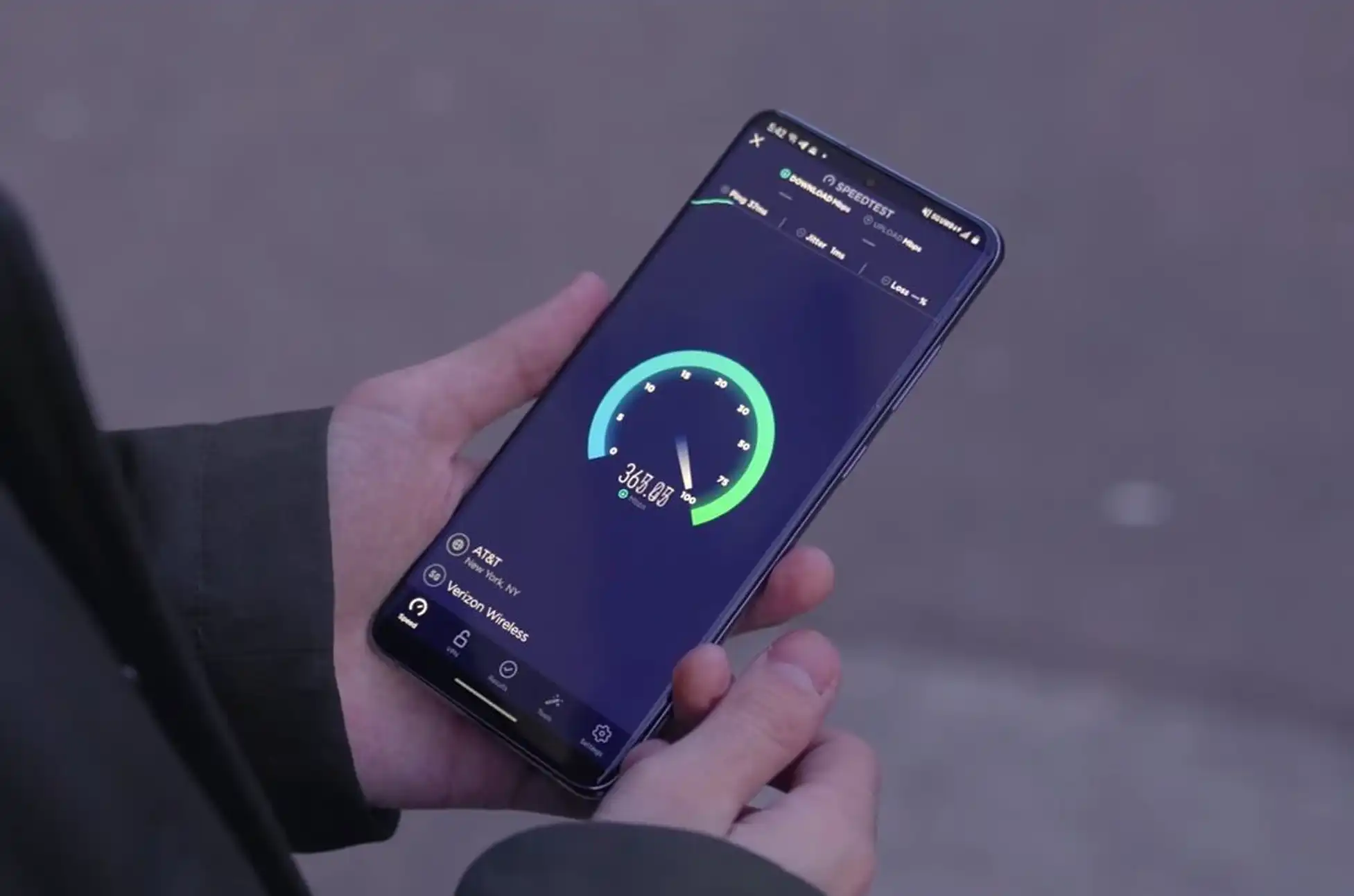
According to AT&T, subscribers will see two main improvements: reduced latency and better upload speeds. If you’re video calling, gaming online, or uploading content to social media, these upgrades should make a noticeable difference compared to the older network setup.
The company also points out that certain services are already running on the standalone network nationwide. For instance, newer Apple Watch models can now connect using 5G RedCap (reduced capacity) technology instead of the standard LTE connection most smartwatches use. This advancement aligns with broader industry trends in wearable connectivity.
AT&T’s 5G Standalone Rollout Timeline
Here’s the catch: just because the AT&T 5G standalone network is live everywhere doesn’t mean you can use it today. Even if you’re an AT&T customer with a 5G-capable phone, access depends on two factors — whether your specific device supports the technology and whether AT&T has provisioned your account for it.
The carrier says it’s gradually expanding access as more devices become compatible and as it completes the backend work needed to activate customers. In other words, the network is ready, but the company is still flipping switches customer by customer.
For now, AT&T subscribers will need to wait their turn as the company works through its rollout process. The infrastructure is there — it’s just a matter of time before everyone gets the keys. If you’re curious about your eligibility, check your AT&T account settings or contact customer support for more information.
All products, and company names, logos, and service marks (collectively the "Trademarks") displayed are registered® and/or unregistered
trademarks™ of their respective owners.
The authors of this web site are not sponsored by or affiliated with any of the third-party trade mark or third-party registered trade mark owners,
and make no representations about them, their owners, their products or services.
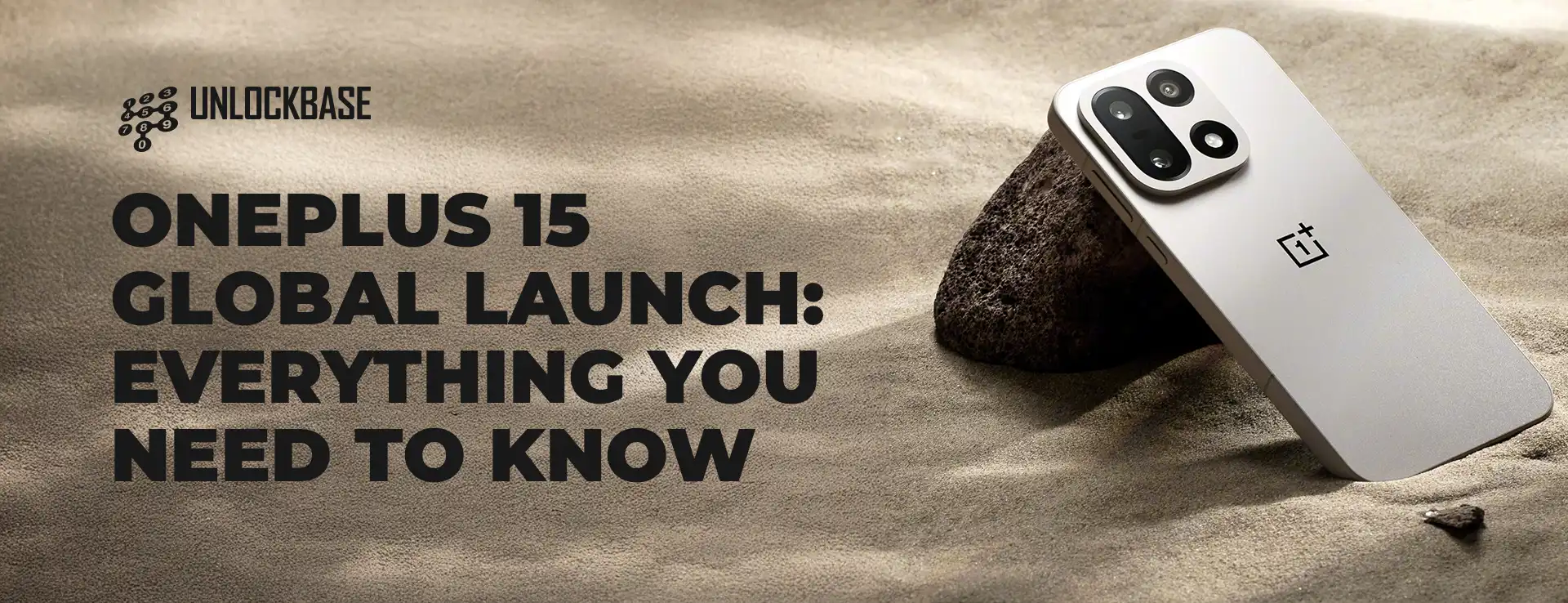
OnePlus 15 Global Launch? OnePlus is gearing up for a big launch. The OnePlus 15 will debut in China later this month. Furthermore, signs point to an October 27 event. However, the exciting news is the global launch date. Many fans have been waiting for this phone. Moreover, OnePlus is speeding up its global release. Let’s dive into what we know about the OnePlus 15 launch.
OnePlus 15 Global Launch Date Revealed
According to 91mobiles, the OnePlus 15 will launch globally on November 13. Additionally, this information comes from industry sources. If confirmed, the global launch happens just weeks after China.
This is a big change from last year. The OnePlus 13 launched in China on October 31, 2024. However, global markets had to wait until January 7, 2025. Therefore, the gap was over two months. Now, OnePlus is closing that gap. Furthermore, this means faster access for global customers. Moreover, it shows OnePlus is listening to fan feedback.
OnePlus 15 Global Launch : OnePlus 15 vs Galaxy S26: Racing to Market
This narrow launch gap has another benefit. The OnePlus 15 will likely beat the Galaxy S26 series to market. Samsung hasn’t announced a Galaxy S26 launch window yet. Nevertheless, we expect a January unveiling based on past patterns.
The Galaxy S24 launched in January. Similarly, the Galaxy S25 followed the same timeline. Therefore, Samsung will probably stick to this schedule.
This gives OnePlus a head start. Additionally, early buyers can get the OnePlus 15 months before Samsung’s flagship. Furthermore, this timing advantage could boost OnePlus sales.
Confirmed OnePlus 15 Specifications
OnePlus has already confirmed several key specs. Let’s look at what we know for sure.
Snapdragon 8 Elite Gen 5 Processor
The OnePlus 15 will run on Qualcomm’s latest chip. Specifically, it uses the Snapdragon 8 Elite Gen 5 processor. This is the newest flagship chip available. Therefore, performance will be excellent.
This chip handles heavy tasks easily. Gaming works smoothly. Multitasking feels instant. Moreover, power efficiency is improved.
165Hz Display
The screen will have a 165Hz refresh rate. This is higher than most flagship phones. Additionally, scrolling will feel incredibly smooth. Furthermore, gaming will benefit from the high refresh rate.
However, leaked specs suggest a 1.5K resolution display. This is lower than some competitors. Nevertheless, the high refresh rate should compensate.
New Camera System
OnePlus is making big camera changes. Teaser images hint at a 3.7x telephoto camera. This offers good zoom capabilities. Additionally, it’s a practical zoom range for most users.
More importantly, OnePlus has ended its Hasselblad partnership. Instead, the company is using an in-house image processing engine. Therefore, photos will have a different look and feel. Moreover, OnePlus has full control over camera tuning.
Massive Battery
Leaked specs point to a huge 7,800mAh battery. However, this might only be available in some markets. Nevertheless, even a smaller battery should last all day.
A 7,800mAh battery would be class-leading. Furthermore, it would easily handle heavy use. Additionally, you might go two days without charging.
OnePlus 15 Global Launch Specifications Summary
Feature
OnePlus 15
Processor
Snapdragon 8 Elite Gen 5
Display
165Hz, 1.5K resolution
Refresh Rate
165Hz
Main Camera
Details TBA
Telephoto Camera
3.7x optical zoom
Camera Processing
In-house engine (no Hasselblad)
Battery
Up to 7,800mAh (market dependent)
China Launch
October 27 (expected)
Global Launch
November 13 (reported)
Launch Timeline Comparison
Phone
China Launch
Global Launch
Gap
OnePlus 13
October 31, 2024
January 7, 2025
68 days
OnePlus 15
October 27, 2025
November 13, 2025
17 days
OnePlus 15 Global Launch : Should You Wait for OnePlus 15?
If you’re planning to buy a flagship phone, consider waiting. The OnePlus 15 brings several improvements. Moreover, the launch is just weeks away.
The Snapdragon 8 Elite Gen 5 offers top performance. Additionally, the 165Hz display provides smooth visuals. Furthermore, the huge battery solves charging anxiety.
However, some compromises exist. The display resolution is 1.5K, not 2K. Additionally, the Hasselblad partnership is over. Nevertheless, OnePlus’s in-house processing might surprise us.
Ready for the OnePlus 15? The global launch happens November 13 with Snapdragon 8 Elite Gen 5, 165Hz display, and massive battery. Mark your calendar for this flagship release.
All products, and company names, logos, and service marks (collectively the "Trademarks") displayed are registered® and/or unregistered
trademarks™ of their respective owners.
The authors of this web site are not sponsored by or affiliated with any of the third-party trade mark or third-party registered trade mark owners,
and make no representations about them, their owners, their products or services.
One UI 8.5! Samsung is about to make your phone smarter. The new One UI 8.5 update brings AI network switching. Furthermore, your phone will know when to switch between Wi-Fi and mobile data.
Many Android phones already do this. However, Samsung is taking it further. Moreover, the new features learn from your habits. Let’s explore what makes One UI 8.5 different.
One UI 8.5 : Two New AI-Powered Switching Options
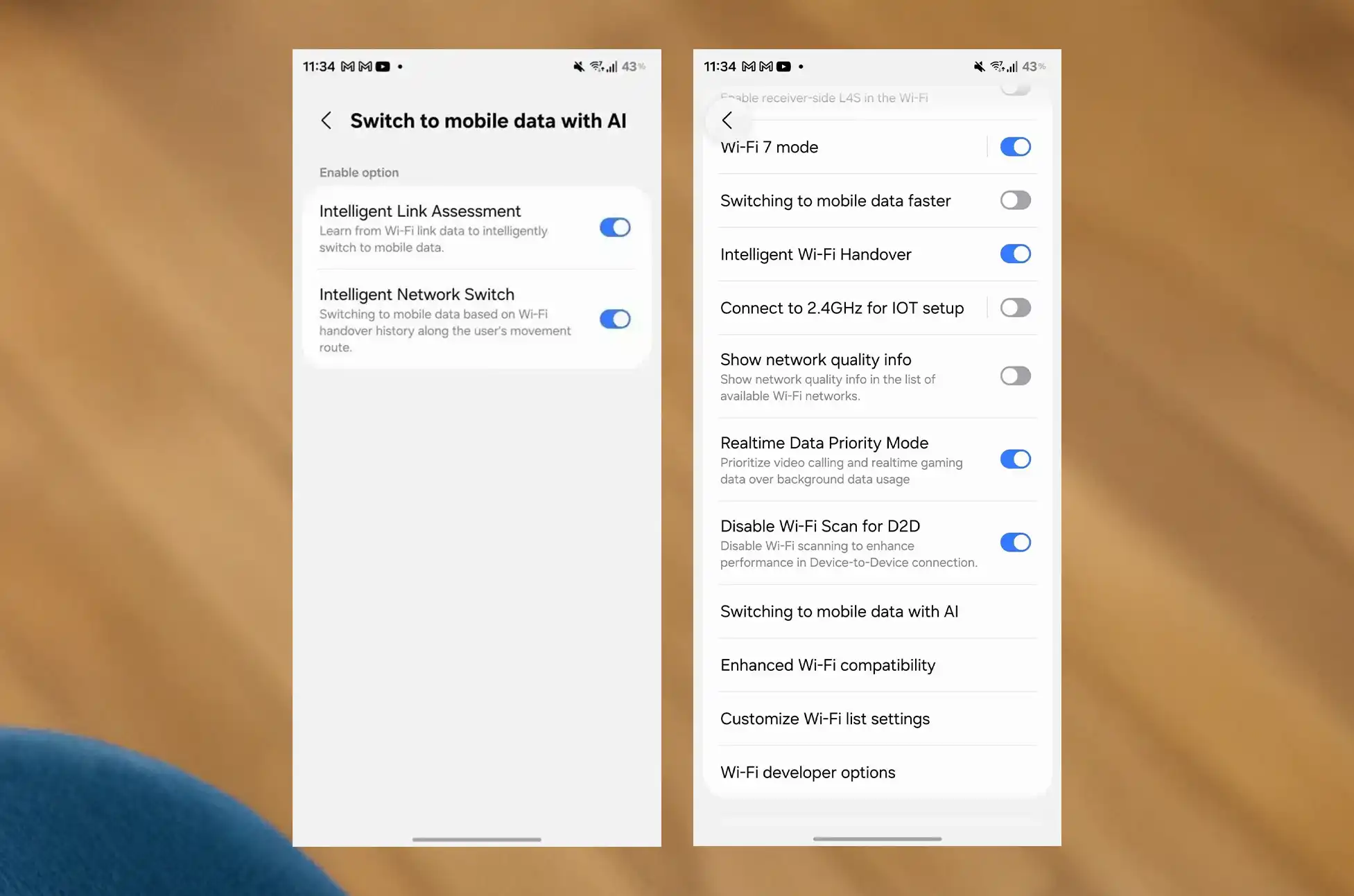
Reports from SammyGuru say One UI 8.5 has two AI toggles. Additionally, these features change how your Galaxy phone handles networks. Meanwhile, both work differently.
Intelligent Link Assessment: Speed-Based Switching
The first toggle is called Intelligent Link Assessment. It switches your phone from Wi-Fi to mobile data. Specifically, your phone checks speed. It also checks delay and signal strength. Then it decides whether to switch.
This is similar to other Android phones. Nevertheless, Samsung’s AI makes it more accurate. Therefore, you get fewer bad switches.
The second toggle is more interesting. It’s called Intelligent Network Switch. Additionally, this feature learns from your behavior.
How does it work? The phone tracks your switch history. Basically, it remembers where you usually switch networks. Then it does it by itself next time.
Here’s an example. You leave home every morning. Your phone switches from home Wi-Fi to mobile data. It happens at the same spot. After a few days, the phone learns this. Consequently, it switches by itself at that spot.
Realtime Data Priority Mode: Better Calls and Gaming
One UI 8.5 also brings Realtime Data Priority Mode. Furthermore, this toggle is in the Wi-Fi settings menu.
What does it do? It gives priority to video calls and gaming. First, your video calls get top priority. Next, gaming traffic comes second. Meanwhile, background downloads wait. Therefore, you get less lag and clearer calls.
This is similar to One UI 8’s Prioritize real-time data toggle. However, more Samsung phones will get this feature. Plus, it helps during important calls and games.
Additional One UI 8.5 Features
Network switching isn’t the only new thing. Additionally, here’s what else to expect:
Double-Tap Back Gesture: Go back with a double-tap
Privacy Display Feature: Better screen privacy
Photosensitive Epilepsy Protection: Reduces triggers for users
Furthermore, these features show Samsung cares about users. Moreover, they make Samsung phones easier to use.
Feature Comparison Table
Feature
How It Works
Best For
Intelligent Link Assessment
Checks Wi-Fi speed and signal
Users with weak Wi-Fi
Intelligent Network Switch
Learns your movement patterns
Daily commuters
Realtime Data Priority Mode
Gives priority to calls and gaming
Remote workers and gamers
Conclusion:
One UI 8.5 shows Samsung’s commitment to smart software. The new network switching features use AI in helpful ways. Moreover, they solve real problems that users face daily.
Intelligent Link Assessment gives you speed-based switching. Meanwhile, Intelligent Network Switch learns your patterns. Additionally, Realtime Data Priority Mode makes sure important tasks get priority.
Do you own a Samsung Galaxy phone? Then One UI 8.5 looks like a good update. Furthermore, the AI learning and smart switching will improve your daily use. Therefore, this update is worth getting when it arrives.
All products, and company names, logos, and service marks (collectively the "Trademarks") displayed are registered® and/or unregistered
trademarks™ of their respective owners.
The authors of this web site are not sponsored by or affiliated with any of the third-party trade mark or third-party registered trade mark owners,
and make no representations about them, their owners, their products or services.