The Verizon unlock policy just cost the carrier a court battle they probably wish they’d avoided. A Kansas customer successfully sued Verizon after the company retroactively changed its device unlocking rules, proving that standing up to corporate giants can actually work.
When Patrick Roach bought an iPhone 16e from Verizon’s Straight Talk brand in February 2025, he had a straightforward plan. Pay for the phone upfront, keep service active for a month, then wait out the standard 60-day period before switching to US Mobile. Nothing fancy, nothing unusual—just a common strategy many consumers use to save money on devices.
Here’s where things went sideways.
How the Unlock Policy Changed Mid-Transaction
Verizon operates under a unique restriction that none of its competitors face. Thanks to an earlier FCC agreement, the carrier must automatically unlock any fully paid device within 60 days of purchase. The Verizon unlock policy has been that way for years, and it’s still technically the rule today, even as Verizon pushes the FCC to drop the requirement.
But in April 2025, Verizon quietly shifted the goalposts. The company updated its unlock policy to require continuous service throughout the entire 60-day period. Miss a payment? Your unlock gets delayed. Cancel service early? Same problem.
The catch? Roach bought his phone before this policy change happened. Verizon decided to apply the new rules backward anyway, telling him his device didn’t qualify for the unlock he’d been promised at purchase.
The Verizon Lawsuit That Changed Everything
Roach filed a complaint with the FCC first. When that went nowhere, he did what most people don’t have the time or energy to do—he sued.
Verizon tried to settle quietly, likely hoping to make the whole thing disappear behind a non-disclosure agreement. Roach refused. He wanted this on the record, out in the open where other customers could see what happened.
The judge sided with Roach. The ruling was clear: Verizon violated Kansas consumer protection laws by changing the terms of sale after the transaction was complete. The carrier was ordered to refund both the phone’s cost and the service fees.
What the Verizon Unlock Policy Ruling Means for Customers
This case matters for reasons beyond one person getting their money back.
First, it suggests Verizon might be acting as if it’s already won its appeal against the FCC’s 60-day unlock requirement—or at least testing how much it can bend the rules before someone notices.
Second, it exposes a calculated business decision that many large carriers seem to make: break the rules when it’s profitable, pay the occasional penalty when caught, and come out ahead overall. The math works in their favor when most customers don’t have the resources or determination to fight back in court.
Verizon isn’t alone in this approach. T-Mobile faced lawsuits in 2024 over misleading customer practices. AT&T has its own history of similar issues. The pattern is clear across the industry.
Understanding Your Rights Under the Current Verizon
If you’re dealing with a Verizon unlock policy dispute, this case sets an important precedent. The ruling makes it clear that carriers can’t retroactively change the terms of your purchase agreement, even if they update their official policies later.
Here’s what you should know about the Verizon unlock policy:
The current Verizon unlock policy still requires automatic unlocking after 60 days for fully paid devices, per the FCC agreement. If you purchased your phone before any policy changes, the original terms at the time of purchase should apply to your device. Document everything—save emails, receipts, and policy screenshots from when you made your purchase.
You can also check Verizon’s official device unlock page for current requirements, though be aware these terms may not match what you agreed to at purchase.
The Takeaway on Verizon Unlock Policy Changes
This story is a reminder that customer rights exist on paper, but enforcing them often requires more effort than it should. Read the fine print. Save your receipts. Document what you’re promised. And if something doesn’t add up, don’t assume you’re powerless.
Most people won’t take a carrier to court over a phone unlock. But Patrick Roach did, and he won. That victory might be small in the grand scheme of Verizon’s business operations, but it sends a signal: sometimes, holding the big players accountable is actually possible.
The Verizon unlock policy may continue to evolve, but this lawsuit proves that retroactive changes won’t hold up in court when they violate consumer protection laws.
All products, and company names, logos, and service marks (collectively the "Trademarks") displayed are registered® and/or unregistered
trademarks™ of their respective owners.
The authors of this web site are not sponsored by or affiliated with any of the third-party trade mark or third-party registered trade mark owners,
and make no representations about them, their owners, their products or services.
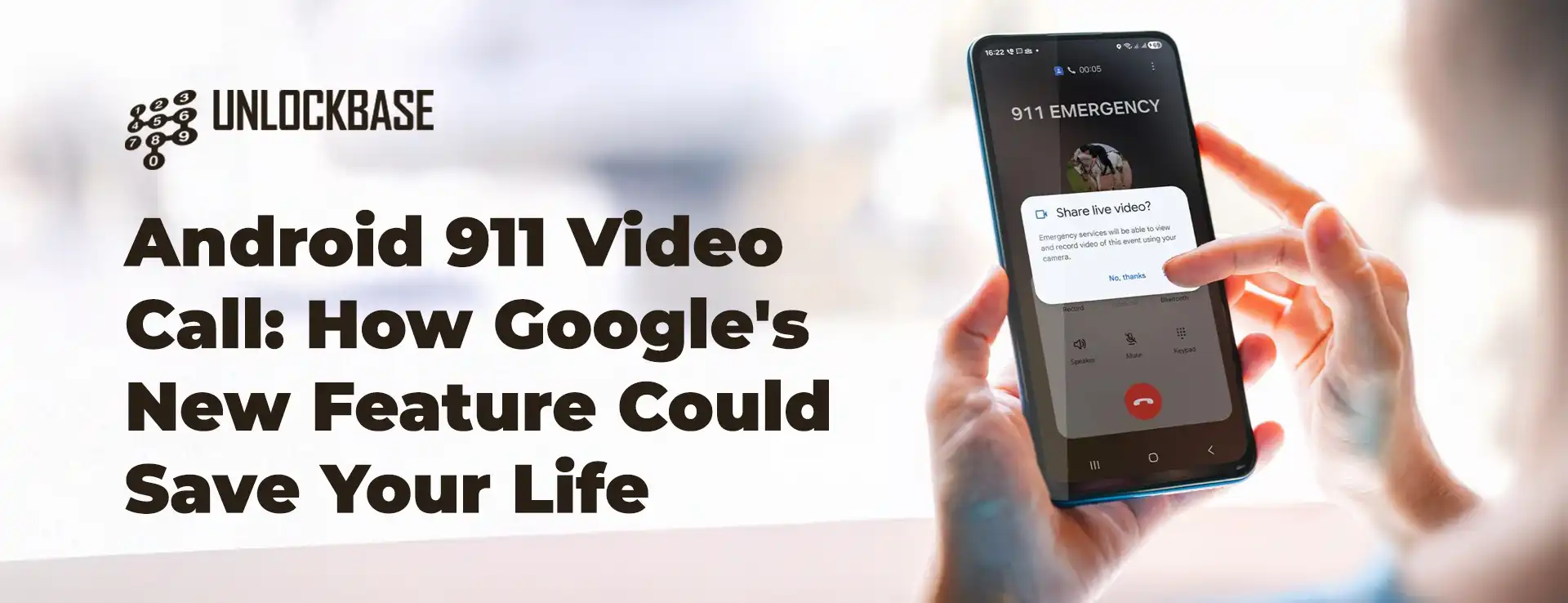
When emergencies strike, every second counts. Google just rolled out a feature that could make the difference between life and death: Android 911 video call capability that lets you share live footage with emergency dispatchers directly from your phone.
What Is Android 911 Video Call?
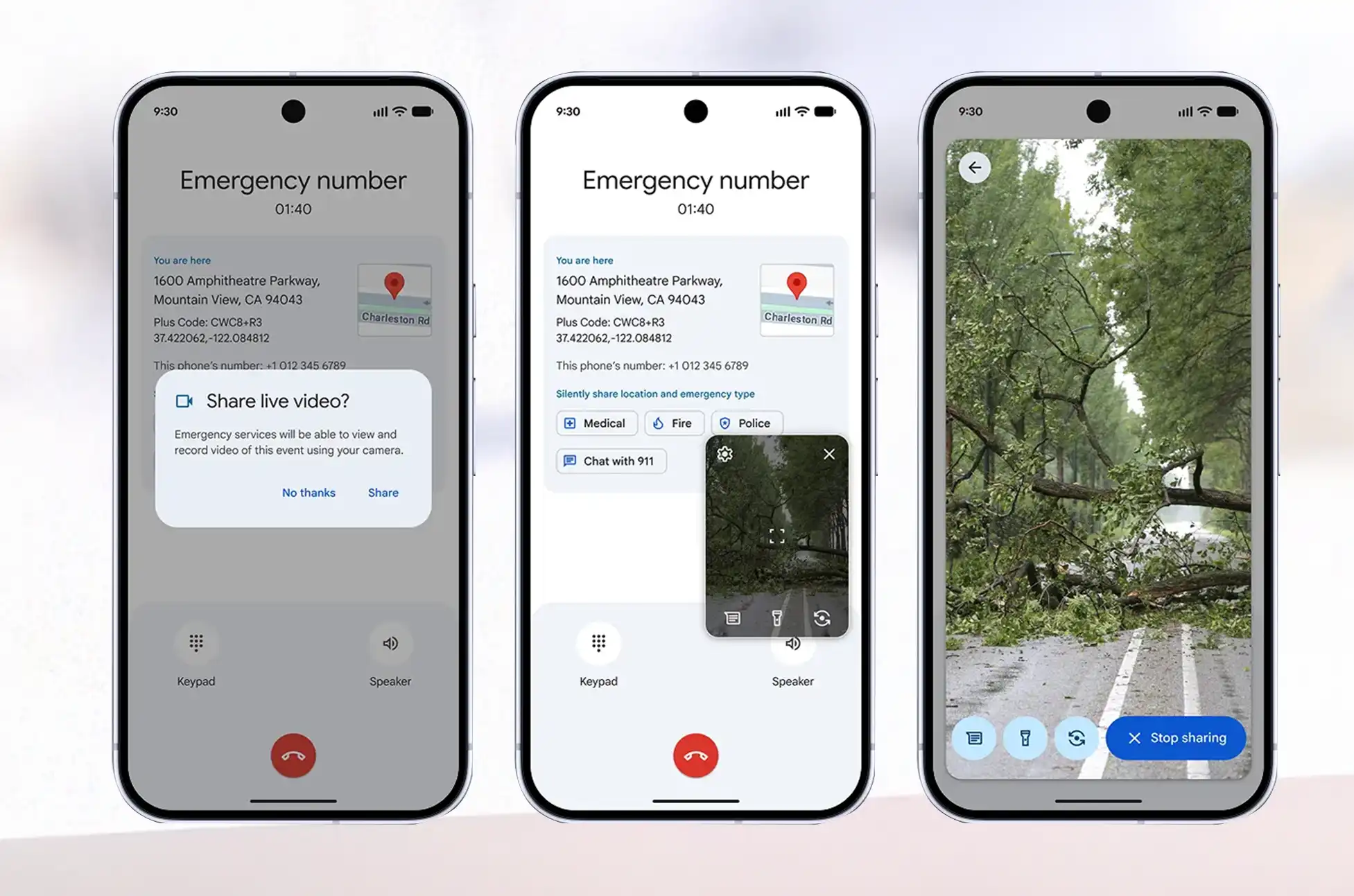
Think of it as FaceTime for emergencies, but smarter. This new safety tool, officially called Android Emergency Live Video, lets emergency dispatchers request access to your phone’s camera during a crisis call. Instead of trying to explain what’s happening while panicking, you can simply show them.
The Android 911 video call technology addresses a critical gap in emergency response. When you’re injured, hiding from danger, or witnessing an accident, describing the scene accurately can be nearly impossible. A live video feed gives first responders the full picture instantly.
How Does the Android 911 Video Call Work?
Here’s the breakdown: when you dial 911, the dispatcher can send a request to access your camera. You maintain full control—nothing happens without your permission. Once you accept, they can see what you’re seeing in real-time through your phone’s camera.
This isn’t just about convenience. Emergency dispatchers can assess medical conditions, identify hazards, verify locations, and send the right resources before responders even arrive on scene.
Device Requirements and Availability
Good news for most Android users: if your phone runs Android 8 or later with Google Play Services installed, you’re covered. That includes devices released since 2017, which means this video call feature reaches hundreds of millions of phones.
The catch? Geography matters right now. Google is launching the feature in the United States first, with limited rollout in specific areas of Germany and Mexico. The company is working with public safety organizations worldwide to expand availability, but there’s no timeline yet for other regions.
Android 911 Video Call : The Road to Launch
Google first hinted at this feature through code spotted in an APK teardown earlier in 2025. They officially confirmed it as part of the November 2025 Play Services update, though details remained scarce. Now the 911 video call capability is actually going live for users who need it most.
Why This Matters
Emergency services have remained surprisingly low-tech compared to other aspects of our digital lives. While we can video chat with anyone across the globe instantly, calling 911 has remained largely voice-only. This feature brings emergency response into the modern era.
For people with speech difficulties, language barriers, or hearing impairments, visual communication can be transformative. The Android 911 video call feature also helps in situations where speaking might put you in danger—domestic violence situations, active shooter scenarios, or medical emergencies where the caller is incapacitated.
Privacy and Security Considerations
Google hasn’t detailed the security protocols yet, but emergency communication systems typically encrypt data and restrict access to authorized personnel only. The opt-in nature of the feature means you decide whether to share video during each emergency call.
Android 911 Video Call : What’s Next?
As Android 911 video call technology expands globally, we’ll likely see it become standard protocol for emergency dispatchers. The technology exists. Now it’s about training, infrastructure, and rolling it out region by region.
If you’re in the US, Germany, or Mexico and run Android 8 or newer, check your Google Play Services to make sure you’re updated. This isn’t a feature you’ll hopefully need—but if you do, it could save your life or someone else’s.
Emergency technology rarely gets this kind of attention, but when it comes to crisis situations, any innovation that helps first responders reach people faster deserves recognition. The Android 911 video call feature represents a genuine step forward in public safety, using technology most of us already carry in our pockets.
All products, and company names, logos, and service marks (collectively the "Trademarks") displayed are registered® and/or unregistered
trademarks™ of their respective owners.
The authors of this web site are not sponsored by or affiliated with any of the third-party trade mark or third-party registered trade mark owners,
and make no representations about them, their owners, their products or services.
Stuck with a single carrier on your premium Vivo device? Want the flexibility to hop between networks or pop in a local SIM card when traveling abroad? Unlocking Vivo flagship phones gives you that freedom, and it’s easier than you might think.
This guide breaks down everything you need to know about freeing your Vivo flagship from carrier restrictions, with a focus on using UnlockBase to get the job done quickly and safely.
Why Your Vivo Flagship Might Be Locked
When you buy a phone through carriers like Verizon, AT&T, or T-Mobile, they often lock it to their network. This software restriction prevents your device from working with other carriers’ SIM cards, keeping you tied to one provider.
Benefits of Unlocking Vivo Flagship Devices
Carrier Freedom – Switch networks anytime based on better coverage, pricing, or service quality without early termination fees.
Travel Smart – Skip expensive roaming charges by using local SIM cards abroad. This simple switch can save you hundreds on international trips.
Higher Resale Value – Buyers prefer unlocked devices for their flexibility, meaning you’ll get more money when upgrading.
Better Plans – Access prepaid options and competitive deals from different carriers, often cutting your monthly bill significantly.
How to Check If Your Device Is Locked
The easiest way? Borrow a SIM card from a friend using a different carrier. If you get an error message or unlock code prompt, your phone is locked. You can also dial *#06# to get your IMEI number and check it on carrier websites or third-party services.
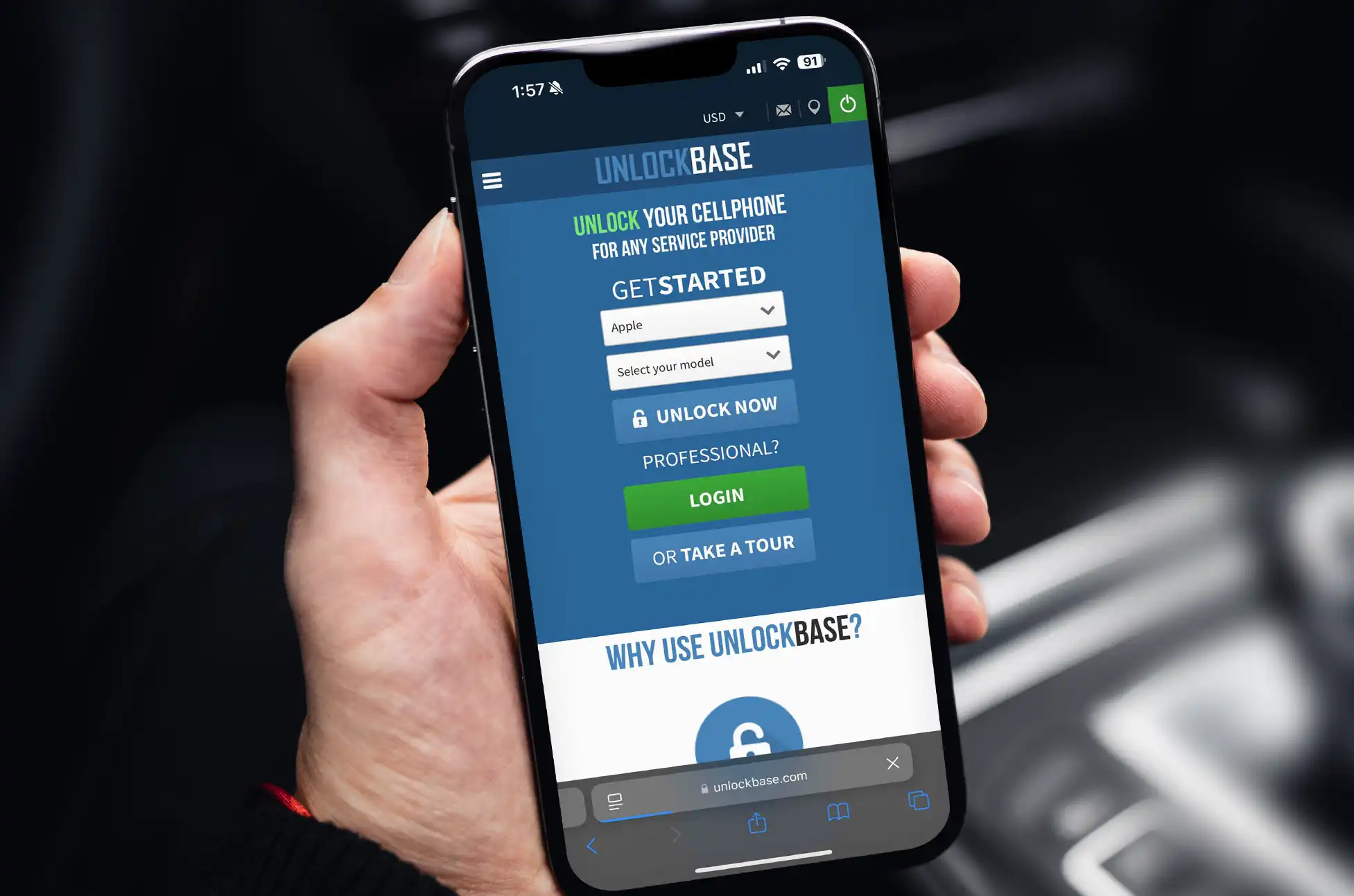
Unlocking with UnlockBase
UnlockBase offers legitimate unlocking services for all Vivo flagship models, including X and V series devices. The process is straightforward:
The service operates legally within carrier guidelines and provides 24/7 customer support throughout the process.
Take Control of Your Device
Unlocking Vivo flagship phones through UnlockBase gives you complete control over your mobile experience. Whether you’re switching carriers, traveling internationally, or preparing to sell your device, the process is simple, safe, and worth the investment for the freedom it provides.
All products, and company names, logos, and service marks (collectively the "Trademarks") displayed are registered® and/or unregistered
trademarks™ of their respective owners.
The authors of this web site are not sponsored by or affiliated with any of the third-party trade mark or third-party registered trade mark owners,
and make no representations about them, their owners, their products or services.
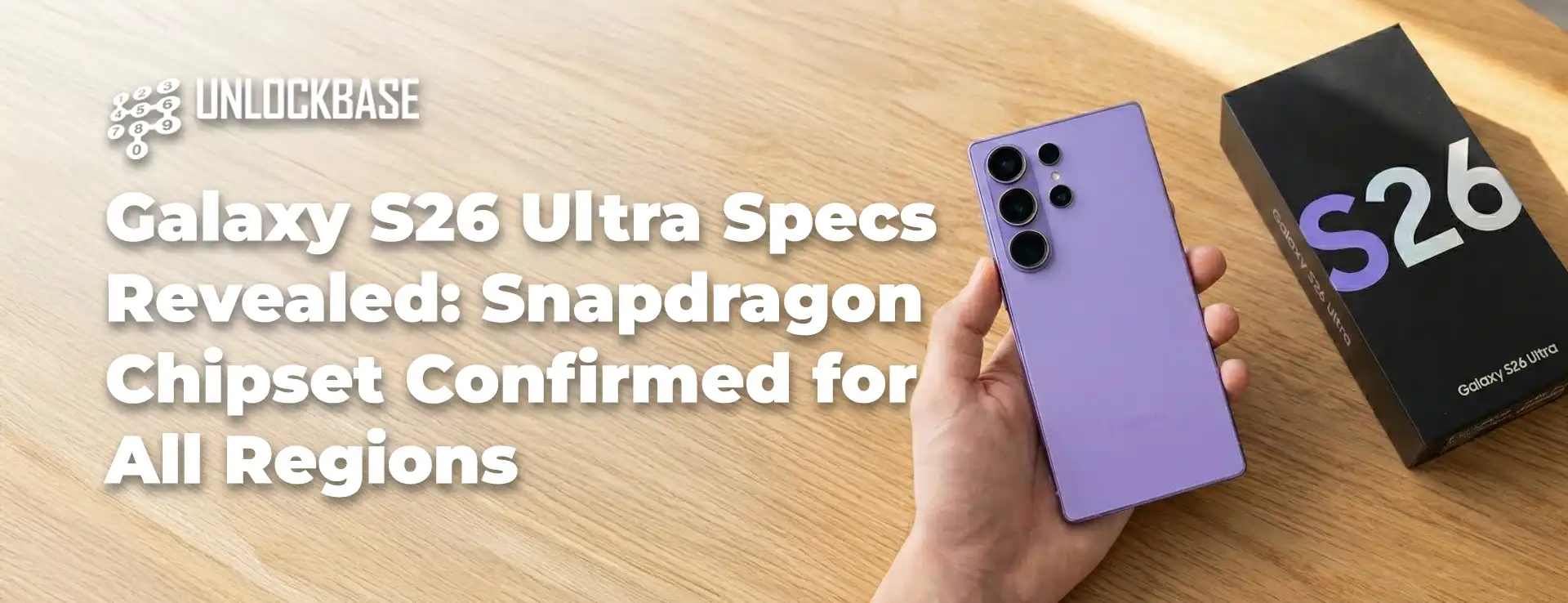
New certification documents confirm the Galaxy S26 Ultra specs include Snapdragon power worldwide no regional chip lottery this time.
Samsung’s Galaxy S26 lineup is expected to arrive sometime in early 2026, though the exact date is still anyone’s guess. Recent rumors suggested Samsung might be making last-minute changes to its plans (or backing out of those changes), which could push the launch back. The bigger question mark? Which processor would actually power these phones?
For months, leakers have been going back and forth about whether Samsung would use its own Exynos chips in certain markets while reserving Snapdragon processors for others—a strategy that’s frustrated customers in the past. The launch timing might still be up in the air, but fresh certification paperwork appears to settle the chipset debate once and for all.
FCC Documents Reveal Galaxy S26 Ultra Specs
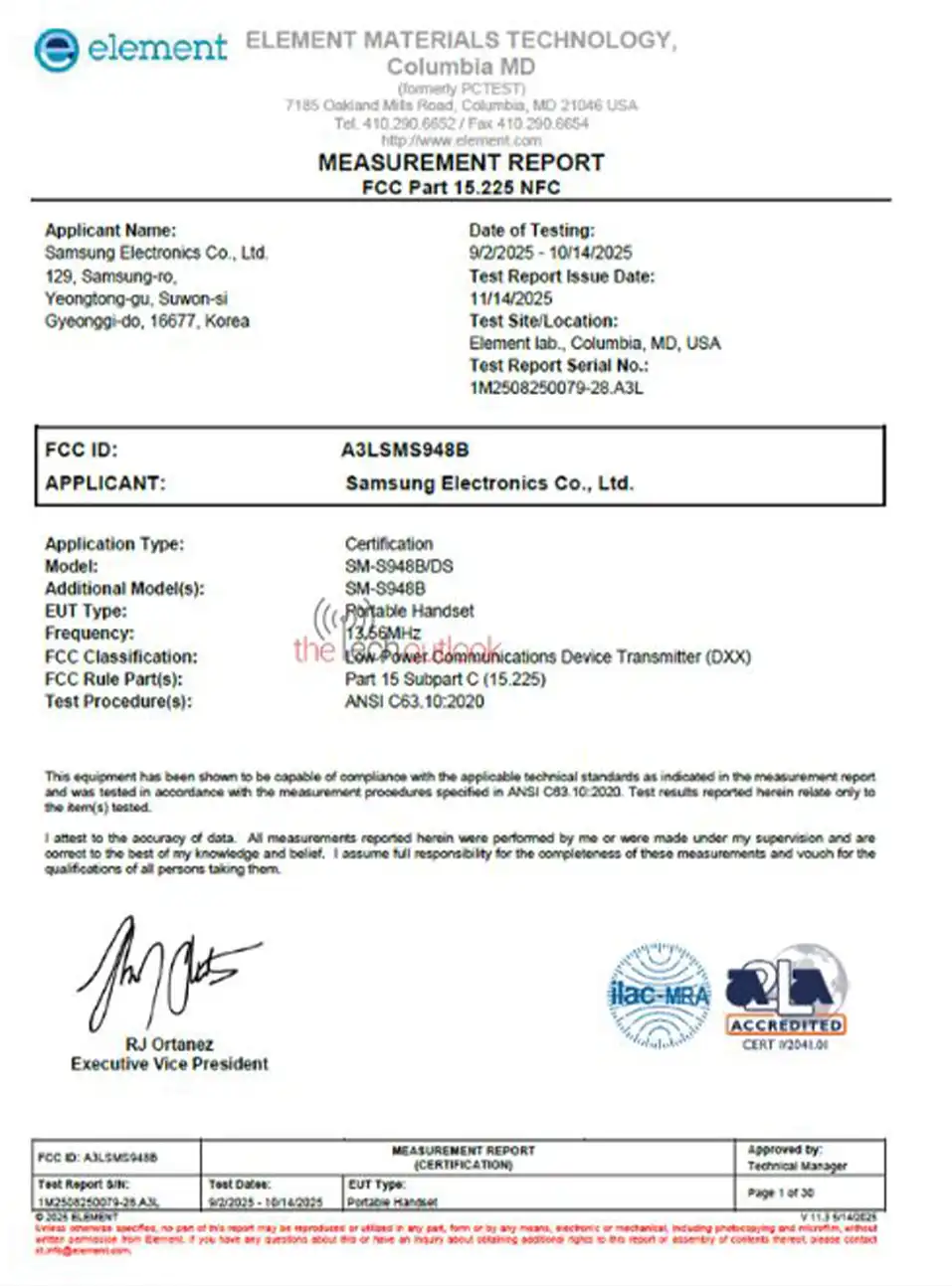
The Galaxy S26 Ultra recently passed through the FCC (Federal Communications Commission) for certification ahead of its official debut. According to documents spotted by The Tech Outlook, several variants showed up carrying model numbers SM-S948B, SM-S948B/DS, SM-S948U, and SM-S948U1. The “U” designation typically indicates US models, while “B” refers to international versions sold everywhere else.
Quick note: The FCC paperwork doesn’t explicitly label this device as the Galaxy S26 Ultra, but we’re connecting the dots here. Last year’s Galaxy S25 Ultra used the model number SM-S938B/U, making this a pretty safe bet.
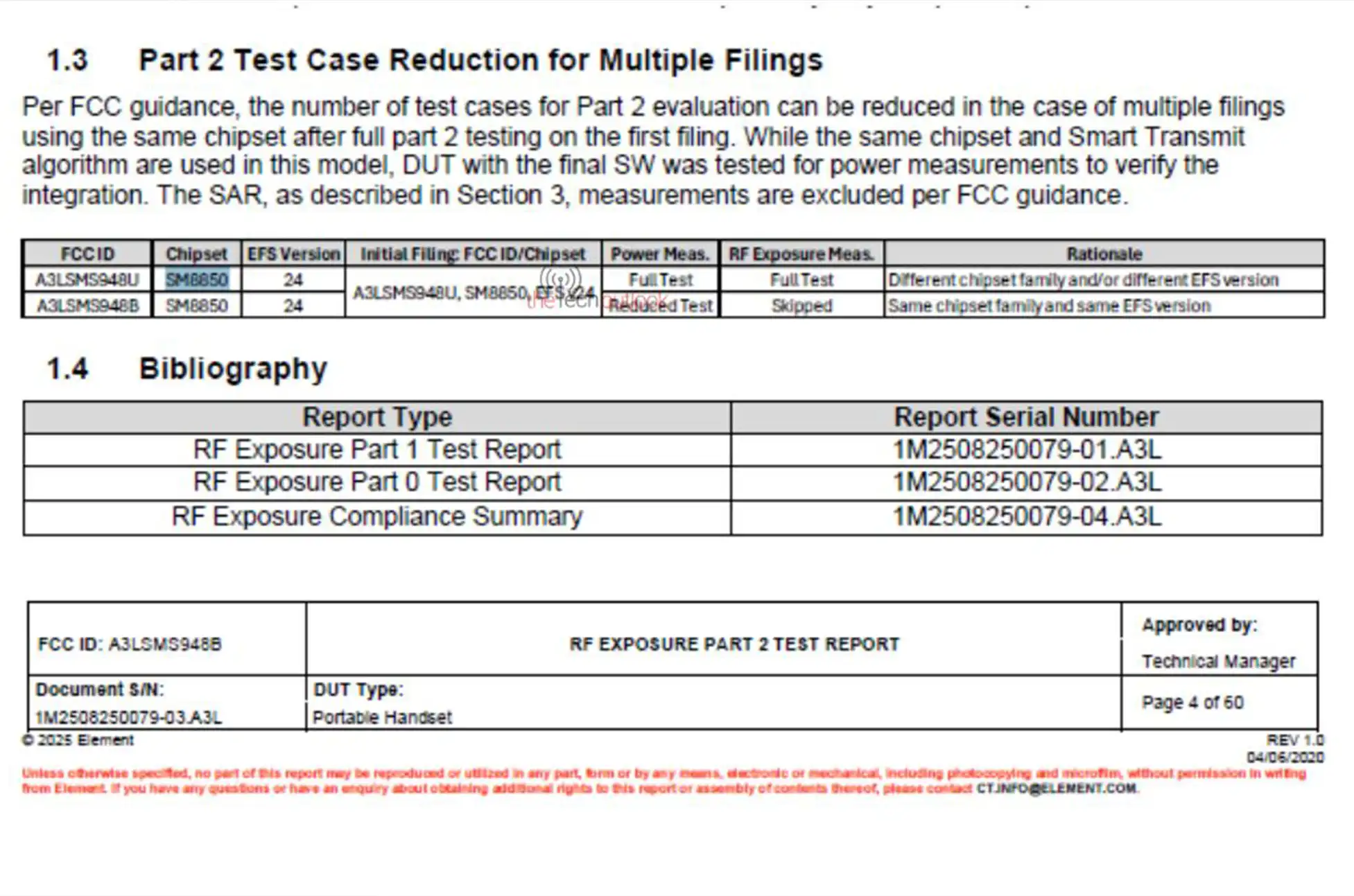
Here’s the interesting part every single variant lists the same chipset regardless of region. The documents identify it as SM8850, which is the internal code for Qualcomm’s Snapdragon 8 Elite Gen 5. This confirms that both US buyers and international customers will get the same Snapdragon-powered experience. No more chip envy based on your zip code.
Galaxy S26 Ultra Specs: Not Your Standard Snapdragon
There’s a twist, though. This probably isn’t just the regular Snapdragon 8 Elite Gen 5 you’ll find in other flagship phones. Samsung has a history of working with Qualcomm to create special “For Galaxy” editions with higher clock speeds and tweaked performance profiles. Expect this trend to continue with the S26 Ultra.
The FCC filing also mentions support for Qualcomm’s Smart Transmit Plus technology, which boosts uplink speeds. This feature only works with Qualcomm’s X85 modem the exact modem that comes with the Snapdragon 8 Elite Gen 5. It’s additional confirmation that Samsung is going all-in on Qualcomm silicon this year.
Confirmed Connectivity Specifications
Beyond the processor, the certification reveals key Galaxy S26 Ultra specs for connectivity:
Triple-band Wi-Fi 7 – Next-generation wireless speeds with support for the 2.4GHz, 5GHz, and 6GHz bands for maximum performance and reduced congestion.
5G connectivity – Full support for the latest 5G networks with Qualcomm’s X85 modem handling both sub-6GHz and mmWave bands.
NFC – Near-field communication for contactless payments and quick device pairing.
Ultra-wideband (UWB) – Precise location tracking technology for features like Samsung’s SmartTag trackers and digital car keys.
Why This Matters
For Samsung fans who’ve watched the company split its chip strategy between regions in previous years, these Galaxy S26 Ultra specs are welcome news. Everyone gets the same premium hardware experience, regardless of where they live. The Snapdragon 8 Elite Gen 5 should deliver serious performance gains, especially if Samsung adds its custom tuning on top.
While we’re still waiting on an official announcement with pricing and availability details, at least one major question has been answered. The Galaxy S26 Ultra will bring flagship-level performance to every market—no compromises, no regional variations.
All products, and company names, logos, and service marks (collectively the "Trademarks") displayed are registered® and/or unregistered
trademarks™ of their respective owners.
The authors of this web site are not sponsored by or affiliated with any of the third-party trade mark or third-party registered trade mark owners,
and make no representations about them, their owners, their products or services.
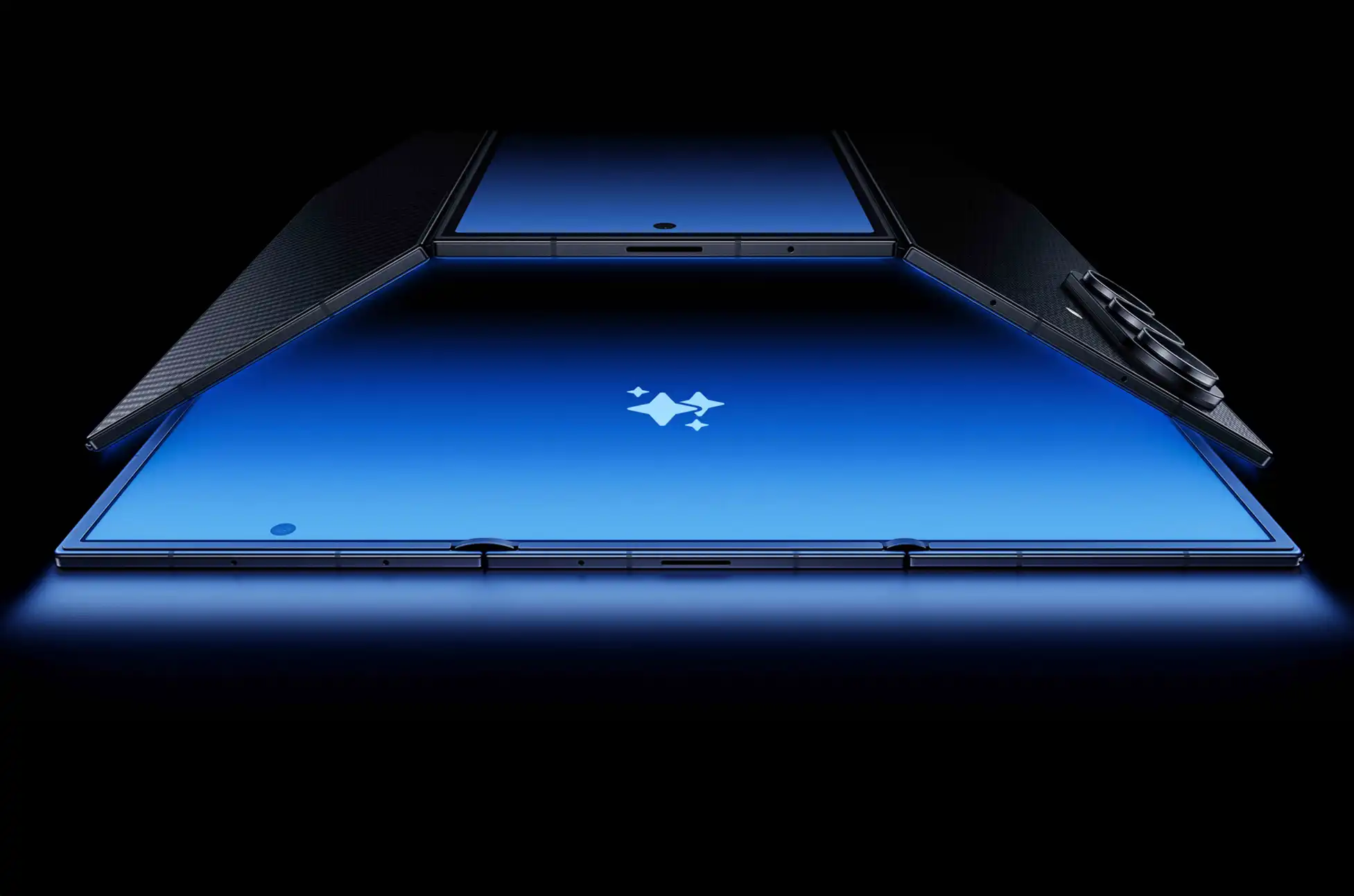
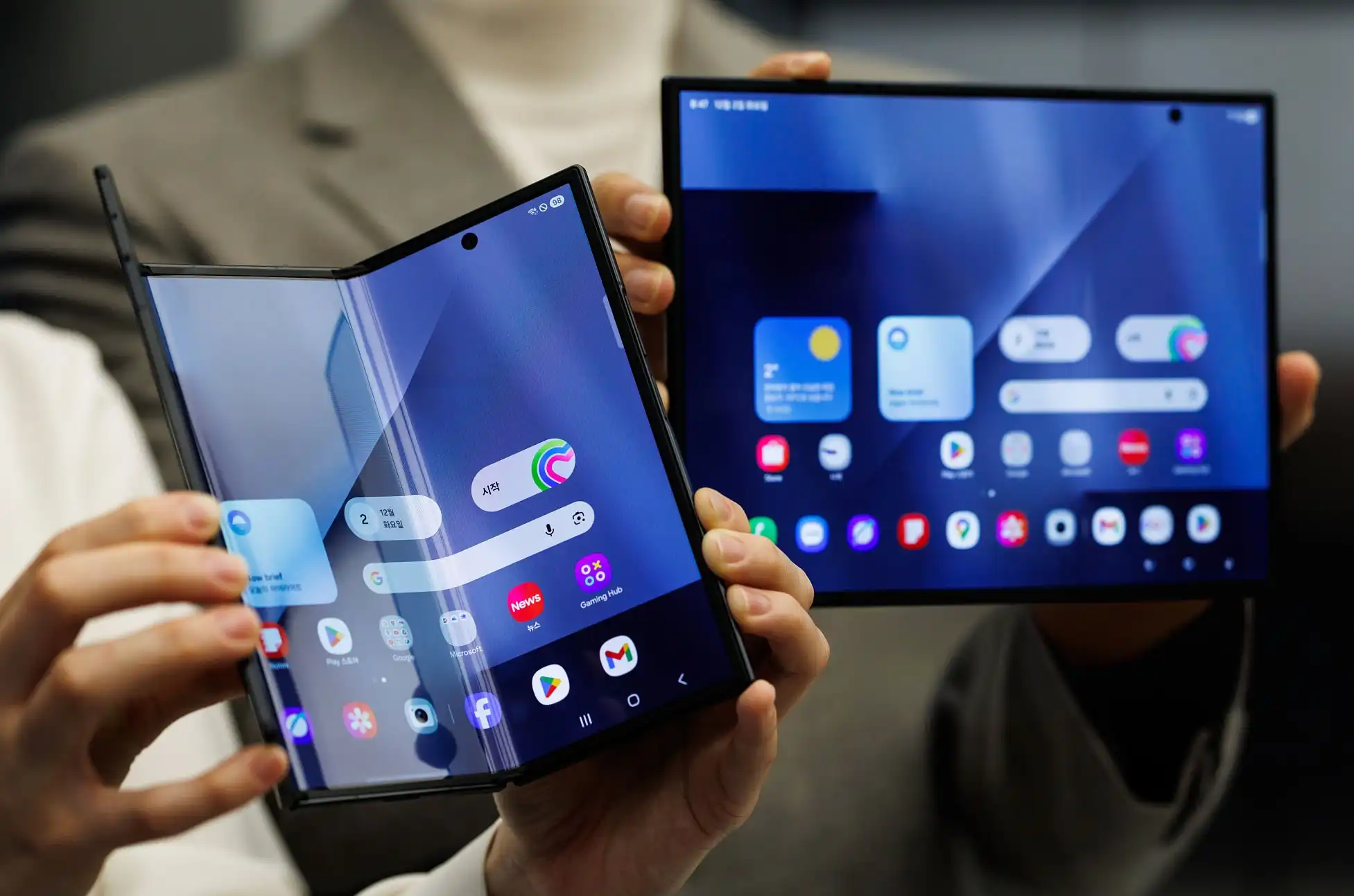
The Samsung Galaxy Z TriFold represents a significant leap forward in foldable technology, addressing many of the shortcomings that have plagued previous foldable devices. Unlike traditional book-style foldables that often feel like compromises, this trifold device delivers genuine utility that justifies its premium positioning.
While the Samsung Galaxy Z TriFold won’t appeal to mainstream consumers due to its prohibitive cost, it stands as the perfect solution for a specific subset of users who demand maximum versatility from their mobile devices.
What Makes the Samsung Galaxy Z TriFold Different
The device distinguishes itself through practical applications rather than gimmicky features. Samsung’s announcement showcased concrete use cases that demonstrate why someone would invest in this technology—something the foldable phone market has desperately needed.
Entertainment and productivity capabilities lead the charge. The device enables a complete YouTube experience where users can watch videos while simultaneously scrolling through comments and browsing recommendations without interrupting playback. The widescreen format surpasses traditional book-style foldables for consuming TV shows and movies.
Gaming performance will be particularly interesting to observe, especially regarding potential desktop game ports and how they translate to the mobile form factor.
Productivity Features That Actually Matter
The 10-inch internal display delivers a genuine tablet experience. For devices in this price range, replacing existing tech becomes a necessity rather than a luxury. The Snapdragon 8 Elite processor provides substantial power that remains largely untapped in conventional smartphones.
Multitasking feels natural, with applications receiving adequate space to function properly. The included Samsung DeX experience adds desktop functionality, though the ecosystem’s full potential depends on developers creating desktop-class applications.
Photo and video editing becomes genuinely feasible on the 10-inch display. Tasks like scrubbing through timelines or adjusting images transition from frustrating to functional. The device positions itself as a portable workstation that folds into pocket-sized dimensions.
The Samsung Galaxy Z TriFold Pricing Reality
Expected pricing ranges between $2,500 and $3,000 for the US market. Regardless of capabilities, this represents a substantial financial commitment that demands justification.
The device isn’t designed for casual use. Like high-performance race engines that require aggressive driving to function optimally, this trifold needs intensive use to justify its existence. Basic tasks like scrolling social media or checking messages don’t warrant carrying a 309-gram device with a 6.5-inch cover display.
The value proposition becomes clear for users who regularly transport premium tablets like the Galaxy Tab S11 Ultra. The device consolidates entertainment and work capabilities while dramatically reducing carried bulk.
Laptop replacement represents the most compelling use case. Paired with a portable keyboard and mouse, the device creates a legitimate productivity setup. Users who currently carry laptops for writing or work on the go can eliminate that bulk while maintaining functionality through a single, more portable device.
Limitations and Considerations
Several factors beyond price deserve consideration before purchasing this trifold device.
Thumb-typing on the internal display presents challenges. The full tablet-sized screen makes quick message composition difficult. Media consumption and gaming work well when unfolded, but email and messaging benefit from using either the cover screen or an external keyboard.
The camera bump reportedly causes wobbling when the device rests on flat surfaces. More concerning is the exposed cover screen pressing against hard surfaces during regular use. Screen protectors become essential rather than optional to prevent micro-abrasions.
The absence of S Pen support feels like a significant oversight. The massive display seems purpose-built for stylus input, yet Samsung hasn’t delivered that functionality.
Durability concerns exist despite Samsung’s six years of foldable experience. While the device benefits from accumulated knowledge about hinges and engineering, it remains the company’s first trifold implementation. Samsung offers discounted screen repairs to address concerns, but the 10-inch internal display presents a large surface area vulnerable to damage.
The trifold will likely see more use in unfolded configurations, propped at various angles for extended periods. This increased exposure to potential damage warrants consideration.
Innovation Worth Acknowledging
While Samsung isn’t the first manufacturer to create a trifold device, the company deserves recognition for bringing this innovation to the US market. This represents one of the more compelling devices released recently.
The price remains steep, but for users whose needs align with its capabilities, the device delivers substantial value beyond mere specifications and marketing promises. It’s a phone with clear purpose, designed for users who will push it to its limits rather than use it as an oversized standard smartphone.
All products, and company names, logos, and service marks (collectively the "Trademarks") displayed are registered® and/or unregistered
trademarks™ of their respective owners.
The authors of this web site are not sponsored by or affiliated with any of the third-party trade mark or third-party registered trade mark owners,
and make no representations about them, their owners, their products or services.
The OnePlus Ace 6T has officially landed in China, and if history repeats itself, international markets won’t have to wait long for their turn. This latest addition to the Ace series brings serious firepower with Qualcomm’s newest Snapdragon 8 Gen 5 chipset and some genuinely impressive specifications that push the boundaries of what mid-range flagships can deliver.
Snapdragon 8 Gen 5: Raw Performance Unleashed
At the heart of this device sits the Snapdragon 8 Gen 5 octa-core processor, clocking in at speeds up to 3.84GHz. Paired with the Adreno 840 GPU, this phone is built for demanding tasks. Configurations range from a base 12GB RAM with 256GB storage all the way up to a maxed-out 16GB RAM with 1TB of blazing-fast UFS 4.1 storage.
For those considering alternatives, check out the latest Snapdragon processor comparisons to see how the 8 Gen 5 stacks up against competitors.
OnePlus Ace 6T : 8,300mAh Battery: All-Day Power and Then Some
Here’s where things get interesting. The device packs an absolutely massive 8,300mAh battery—a number that sounds almost fictional for a smartphone. What makes this achievement even more remarkable is how OnePlus managed to keep the device from turning into a brick. Thanks to silicon-carbon battery technology, it measures just 8.3mm thick and weighs up to 216g. For context, that’s impressively slim considering the power cell inside.
The device supports 100W wired charging, reverse wired charging, and bypass charging for extended gaming sessions without degrading battery health. According to battery technology experts, silicon-carbon cells represent the next evolution in smartphone power management.
165Hz AMOLED Display for Gaming Excellence
The front features a generous 6.83-inch AMOLED panel with 1.5K resolution (2800 x 1272 pixels). The screen pushes a buttery-smooth 165Hz refresh rate, making scrolling and gaming feel incredibly responsive. Peak brightness hits 1,800 nits for outdoor visibility, and there’s support for both Dolby Vision and HDR10+ content.
OnePlus added OPPO Crystal Shield Glass for protection, and the display includes their proprietary G2 network and display chip. This dedicated silicon enables 165fps support in compatible games and native 144Hz refresh rates, giving mobile gamers a genuine competitive edge.
Vapor Chamber Cooling for Sustained Performance
To handle the heat generated by that powerful processor during intense gaming sessions, the device integrates a vapor chamber cooling system. Combined with the G2 chip’s optimizations, this phone positions itself as a serious gaming device without the typical gaming phone aesthetics—perfect for those who want performance without compromising on design.
OnePlus Ace 6T Camera Setup: Practical IMX906 Sensor
The camera array keeps things straightforward. On the back, you’ll find a 50-megapixel IMX906 main sensor with optical image stabilization and an 8-megapixel ultra-wide shooter. The front houses a 16-megapixel selfie camera. While not the most ambitious camera system on paper, the IMX906 is a proven performer in various lighting conditions.
WiFi 7 Connectivity and Military-Grade Durability
Modern connectivity comes standard with WiFi 7 support, Bluetooth 5.4, NFC, and even an IR blaster. There’s also an ultrasonic fingerprint scanner built into the display for quick, secure access.
Durability gets serious attention with an IP66/68/69/69K rating, meaning this phone can handle dust, water immersion, and high-pressure water jets. Learn more about IP rating standards to understand what these numbers mean for real-world protection.
Android 16 Software and Limited Edition Variants
The device ships with Android 16 running ColorOS 16 out of the box, putting it right at the cutting edge of Android software with the latest features and security updates.
For anime fans and collectors, OnePlus is releasing a Genshin Impact Kamisato Ayaka Limited Edition with 16GB RAM and 512GB storage, priced at CNY3,699 (approximately $510 USD).
OnePlus Ace 6T : Pricing and Global Availability
Chinese consumers can grab the device right now, with prices starting at CNY2,599 (roughly $360 USD) for the 12GB/256GB model. The top-tier 16GB/1TB variant costs CNY3,899 (around $540 USD).
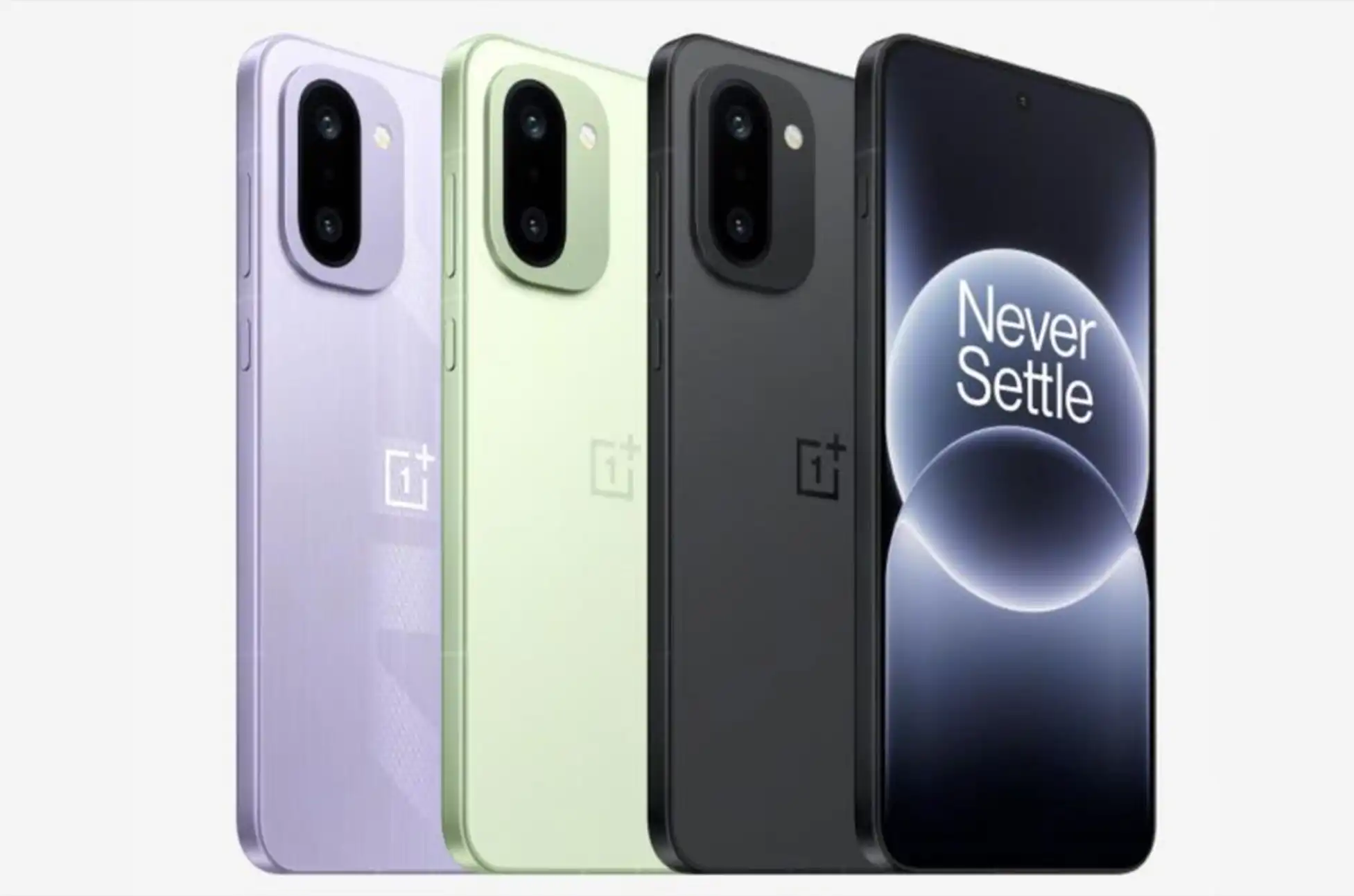
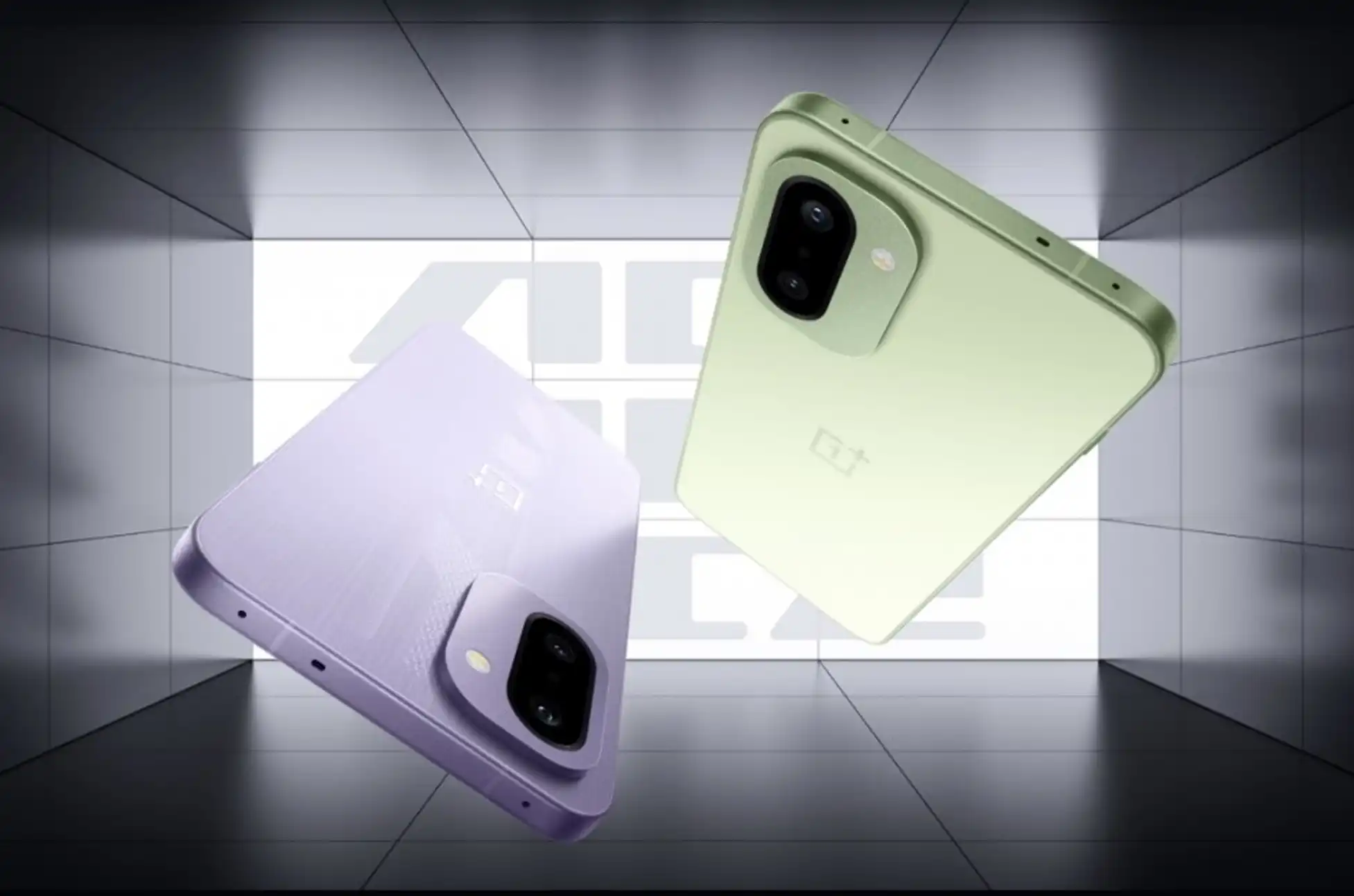
The phone comes in three color options: Green, Purple, and Black.
Cameras: 50MP main (OIS) + 8MP ultra-wide | 16MP front
Battery: 8,300mAh with 100W charging
Connectivity: WiFi 7, Bluetooth 5.4, NFC, IR blaster, USB-C
Dimensions: 163.4 x 77 x 8.1/8.3mm, 211/216g
Durability: IP66/68/69/69K rating
OS: Android 16 with ColorOS 16
This device represents a compelling package for users who prioritize battery life and performance without sacrificing portability. Whether it arrives in global markets under the same name or rebranded (as OnePlus has done previously with the Ace series) remains to be seen, but the specs alone make it worth watching. For more smartphone reviews and comparisons, explore our other flagship device analyses.
All products, and company names, logos, and service marks (collectively the "Trademarks") displayed are registered® and/or unregistered
trademarks™ of their respective owners.
The authors of this web site are not sponsored by or affiliated with any of the third-party trade mark or third-party registered trade mark owners,
and make no representations about them, their owners, their products or services.
Carrier switching lawsuit? Last November, T-Mobile took the stage in Las Vegas to introduce its latest customer acquisition strategy: “Switching MadeEasy” , an AI-driven feature built into the T-Life app. The tool promises to simplify the carrier migration process by scanning users’ existing AT&T or Verizon accounts and recommending comparable T-Mobile plans. The pitch? Make jumping ship as painless as possible.
But the wireless industry’s two biggest players aren’t rolling out the welcome mat—and one has already launched a carrier switching lawsuit that could reshape how telecom companies compete for customers.
The Big Two Strike Back
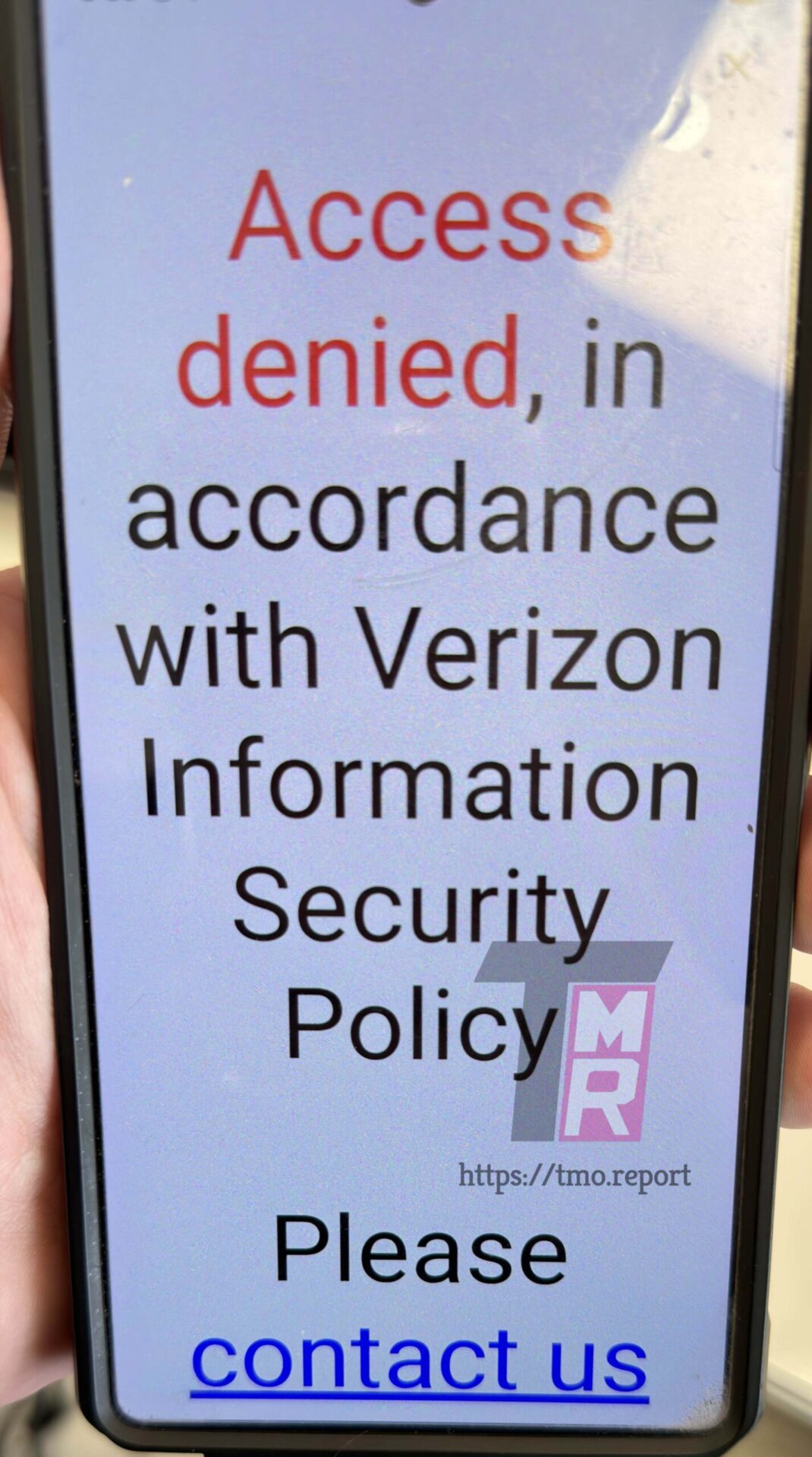
Reports from The Mobile Report suggest T-Mobile didn’t exactly ask permission before launching this feature. According to sources inside both companies, AT&T and Verizon are now actively preventing customers from logging into their accounts through T-Mobile’s app.
One Verizon subscriber who tried using the feature hit a wall—literally getting blocked from accessing their own account information via T-Life. Both carriers appear to be treating the tool as an unwelcome intrusion rather than a consumer convenience.
Carrier switching lawsuit : AT&T Brings Out the Legal Arsenal
AT&T isn’t just blocking the feature—they’re taking T-Mobile to court. The carrier switching lawsuit claims T-Mobile is improperly harvesting customer data from AT&T accounts. Their complaint alleges that T-Mobile modified T-Life’s data collection methods three separate times, essentially playing cat-and-mouse with AT&T’s security measures.
The legal action marks one of the most aggressive responses to a competitor’s switching tool in recent wireless industry history, signaling just how seriously AT&T views the threat to its customer base.
T-Mobile Fires Back
When asked for comment, T-Mobile didn’t mince words. The company insists AT&T has both the facts and the law wrong, framing Easy Switch as a consumer empowerment tool rather than a data grab:
The statement emphasizes that customers are simply accessing and sharing their own information to make better-informed decisions about wireless service. T-Mobile positioned itself as the champion of consumer choice, promising to fight back against what it characterizes as anti-competitive roadblocks.
Carrier switching lawsuit : What This Means for Consumers
This carrier switching lawsuit highlights a fundamental tension in the wireless industry: how much control should carriers have over customer data and the switching process? While T-Mobile markets Easy Switch as removing friction from an often frustrating experience, competitors see it as overstepping boundaries and potentially compromising security.
For now, customers caught in the middle may find switching carriers requires the old-fashioned approach—manual plan comparisons and direct contact with providers. The legal showdown between these telecom giants will likely determine whether AI-powered switching tools become industry standard or remain off-limits.
As this carrier switching lawsuit unfolds, it could set important precedents about data portability, consumer rights, and competitive practices in the telecommunications sector. The outcome may influence not just how carriers compete, but how much freedom customers have to easily compare and switch between wireless providers.
All products, and company names, logos, and service marks (collectively the "Trademarks") displayed are registered® and/or unregistered
trademarks™ of their respective owners.
The authors of this web site are not sponsored by or affiliated with any of the third-party trade mark or third-party registered trade mark owners,
and make no representations about them, their owners, their products or services.
Smartphone prices 2025 are headed upward, and industry insiders are sounding the alarm. Remember when a $1,000 iPhone X felt scandalous? That pricing drama feels quaint now. Today’s flagship smartphones regularly flirt with four-figure price tags, and even solid mid-range options like the Pixel 10 will set you back $800.
Sure, budget alternatives exist. Brands like OnePlus continue proving you can deliver flagship performance without flagship pricing. But here’s the reality: smartphones are about to get more expensive across the board.
Price creep has been gradual enough that most of us haven’t noticed. Companies space out increases strategically, keeping sticker shock to a minimum. That calculated approach might be ending soon, and the reason probably won’t surprise you.
Why Smartphone Prices 2025 Are Climbing: The Memory Chip Crisis
During a November 18 earnings call, Xiaomi sounded the alarm about skyrocketing memory chip costs and their inevitable impact on smartphone pricing. Reuters covered the warning, which wasn’t just aimed at consumers—manufacturers themselves face shrinking margins if they can’t pass these costs along.
The numbers are staggering. Samsung has pushed memory chip prices up by as much as 60%. While data centers consume most of this production, smartphones remain massive chip buyers. The driver behind this surge? Artificial intelligence.
AI infrastructure demands enormous memory resources. As companies race to build AI-capable data centers, chip manufacturers face a dilemma. The AI market remains volatile—everyone’s talking about a potential bubble—so ramping up production carries serious risk. Until the market stabilizes, supply will stay tight and prices will stay high.
This squeeze affects every corner of tech, but smartphones may see the most visible price jumps, even from Samsung itself.
What to Expect: Smartphone Prices 2025 and Beyond
You might assume Samsung Galaxy devices will dodge price hikes since Samsung manufactures its own chips. Unfortunately, the cost surge is too massive for any single company to absorb internally, even one controlling its own supply chain.
Memory chips tell only part of the story. Camera modules and virtually every other smartphone component have seen dramatic price increases over the past year. Until manufacturing capacity catches up with demand, we’re looking at the same pricing explosion that defined the last decade of smartphone evolution.
Historically, manufacturers raise device prices in roughly $100 increments. For 2025 smartphone prices, that might be the floor rather than the ceiling. Expect bigger jumps.
So what’s your move?
How to Beat Rising Smartphone Prices in 2025
Option one: Buy now. Option two: Don’t buy at all.
Manufacturers might try alternative approaches to manage rising production costs—think subscription fees for Android features, premium charges for photo storage, or cost-cutting on components. But if retail prices track hardware costs upward, here’s your playbook.
If you’re in the market, pull the trigger now. If you’ve purchased a smartphone within the last two years, keep it.
Timing works in your favor here. Modern smartphones last longer than ever before. The Pixel 6 remains a solid choice thanks to the Material 3 Expressive update. Owners of a Pixel 10 or Galaxy S25 can comfortably skip the next several upgrade cycles.
Let me be direct: you don’t need a new phone in 2026.
Hardware innovation has hit a plateau. The real progress happens in software. When Google backports exclusive features to older devices, buying the latest release makes less sense than ever.
Smart Consumers Won’t Feel the Pinch
Whether you should buy now, wait it out, or accept higher prices depends entirely on your situation. But this moment calls for an honest assessment of your current device. Odds are, it’s got several good years left.
Price increases naturally trigger anxiety, regardless of the product. Yet the most cost-effective approach remains simple: maximize your current phone’s lifespan.
If replacement becomes necessary within the year, consider previous-generation models like the Pixel 7. You don’t need to hunt through third-party marketplaces either. Google sells certified refurbished devices directly—a like-new Pixel 7 costs just $360 with a full one-year warranty.
Rising smartphone prices in 2025 deserve attention, not panic. With the right strategy, you can sidestep them entirely.
All products, and company names, logos, and service marks (collectively the "Trademarks") displayed are registered® and/or unregistered
trademarks™ of their respective owners.
The authors of this web site are not sponsored by or affiliated with any of the third-party trade mark or third-party registered trade mark owners,
and make no representations about them, their owners, their products or services.
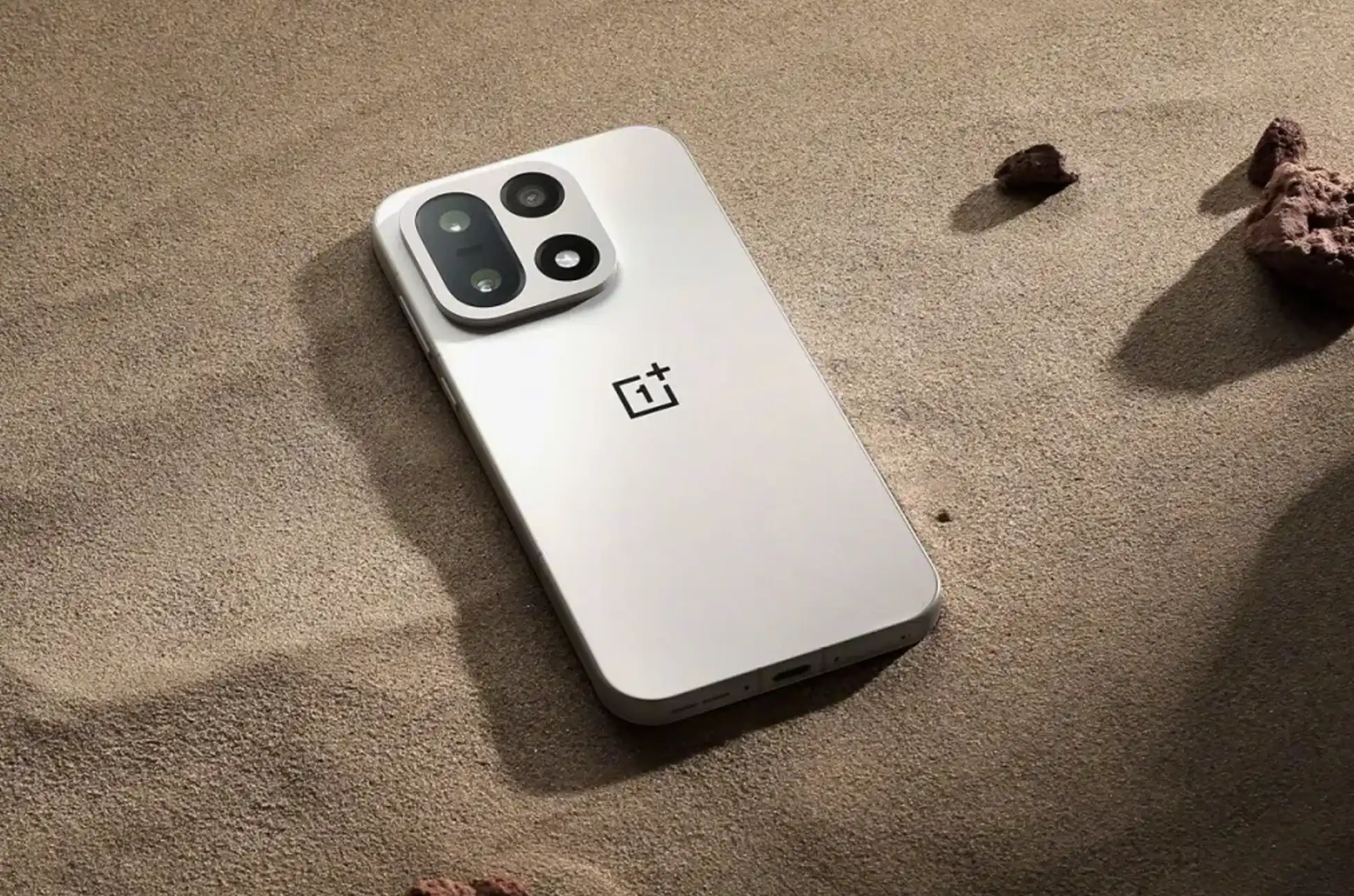
American tech fans can finally celebrate. The OnePlus 15 availability in the United States is moving forward. After weeks of waiting, the smartphone secured Federal Communications Commission approval. This removes the last major barrier to its US debut.
Breaking Through the Bureaucratic Bottleneck
OnePlus confirmed the milestone in an official statement. “The OnePlus 15 has received FCC certification in the United States. More information about when the device will be available for purchase in the U.S. will be shared very soon.”
The company hasn’t set exact dates yet. However, this certification marks a significant step forward. The FCC approval gives OnePlus the regulatory thumbs-up to start selling the device stateside.
Why the OnePlus 15 Availability Was Delayed
The OnePlus 15 launched globally earlier this month. US customers could only watch from the sidelines. The holdup wasn’t a mystery. OnePlus openly blamed the recent government shutdown. It froze FCC operations until November 12.
Federal agencies were essentially on pause. Certification requests sat gathering dust. The shutdown created an unexpected bottleneck for tech companies. They were trying to bring new devices to market.
Federal regulations require FCC testing and approval. Any wireless device needs this before legal sale in the United States. This ensures smartphones meet specific technical standards. It prevents interference with other wireless communications.
Government operations have now resumed. The approval process kicked back into gear. On November 25, the FCC granted certification. The device carries the identifier CPH2749. This matches up with the OnePlus 15’s expected model designation. You can find the certification details in the FCC’s public database. Reddit users first spotted the phone’s progress there.
What This Means for OnePlus 15 Availability in the US
The FCC certification clears the path. OnePlus can officially announce OnePlus 15 availability details. This includes US pricing and release dates. Regulatory approval is now locked in. OnePlus can move forward without legal headaches.
The company has been collecting email addresses from interested buyers. They set up a notification signup page. They promise to alert subscribers when the phone becomes available for purchase.
The OnePlus 15 represents the company’s latest flagship smartphone. It competes directly with premium devices from Samsung, Apple, and Google. The global launch showcased impressive specifications and features. This generated significant buzz in tech communities.
The certification timing is interesting. It came right after the Thanksgiving holiday. We might see an official OnePlus 15 availability announcement soon. This could happen in the coming days or weeks. OnePlus typically moves fast. They don’t waste time between clearing regulatory hurdles and actual product launches. US availability could arrive before the holiday shopping season wraps up.
Looking Ahead
American buyers have been tracking this release closely. They can now breathe easier. The biggest obstacle is behind them. The question shifts from “if” to “when.” OnePlus’s recent statement suggests the answer about OnePlus 15 availability should arrive soon.
The OnePlus 15 US release will likely include carrier partnerships. Direct sales through OnePlus’s website are expected too. Pricing details remain under wraps. They’ll need to be competitive. The premium smartphone market is crowded.
All products, and company names, logos, and service marks (collectively the "Trademarks") displayed are registered® and/or unregistered
trademarks™ of their respective owners.
The authors of this web site are not sponsored by or affiliated with any of the third-party trade mark or third-party registered trade mark owners,
and make no representations about them, their owners, their products or services.
Unlock Any Google Device? So you’ve got a Google device, whether it’s a Pixel phone, a Chromebook, or another Android gadget from the tech giant. If you’re looking to break free from carrier restrictions or simply want more control over your hardware, you’re in the right place.
Let’s explore the practical ways to unlock your Google device and what that means for you.
What Does “Unlocking” Actually Mean?
When we talk about unlocking a Google device, we’re usually referring to removing carrier restrictions. This means your phone or tablet can work with any compatible network provider, not just the one you originally purchased it through.
The benefits are straightforward:
Switch carriers whenever you want
Use local SIM cards when traveling abroad
Avoid expensive roaming charges
Increase your device’s resale value
Access better plan pricing from different providers
Method 1: Going Through Your Carrier
The most common approach is contacting your current mobile provider directly. Most carriers will unlock your device if you meet their requirements.
What you’ll typically need:
Your device must be completely paid off—no outstanding payment plans or contracts. You’ll usually need to have been a customer for 60-90 days minimum. The account must be in good standing with no past-due balances.
How it works:
Reach out to your carrier’s customer support team and request an unlock. They’ll ask for your IMEI number (found in your device settings under “About phone”). After verifying your eligibility, they’ll process the request, which typically takes 1-3 business days.
This method costs nothing if you qualify, making it the preferred option for most people.
Method 2: UnlockBase Service
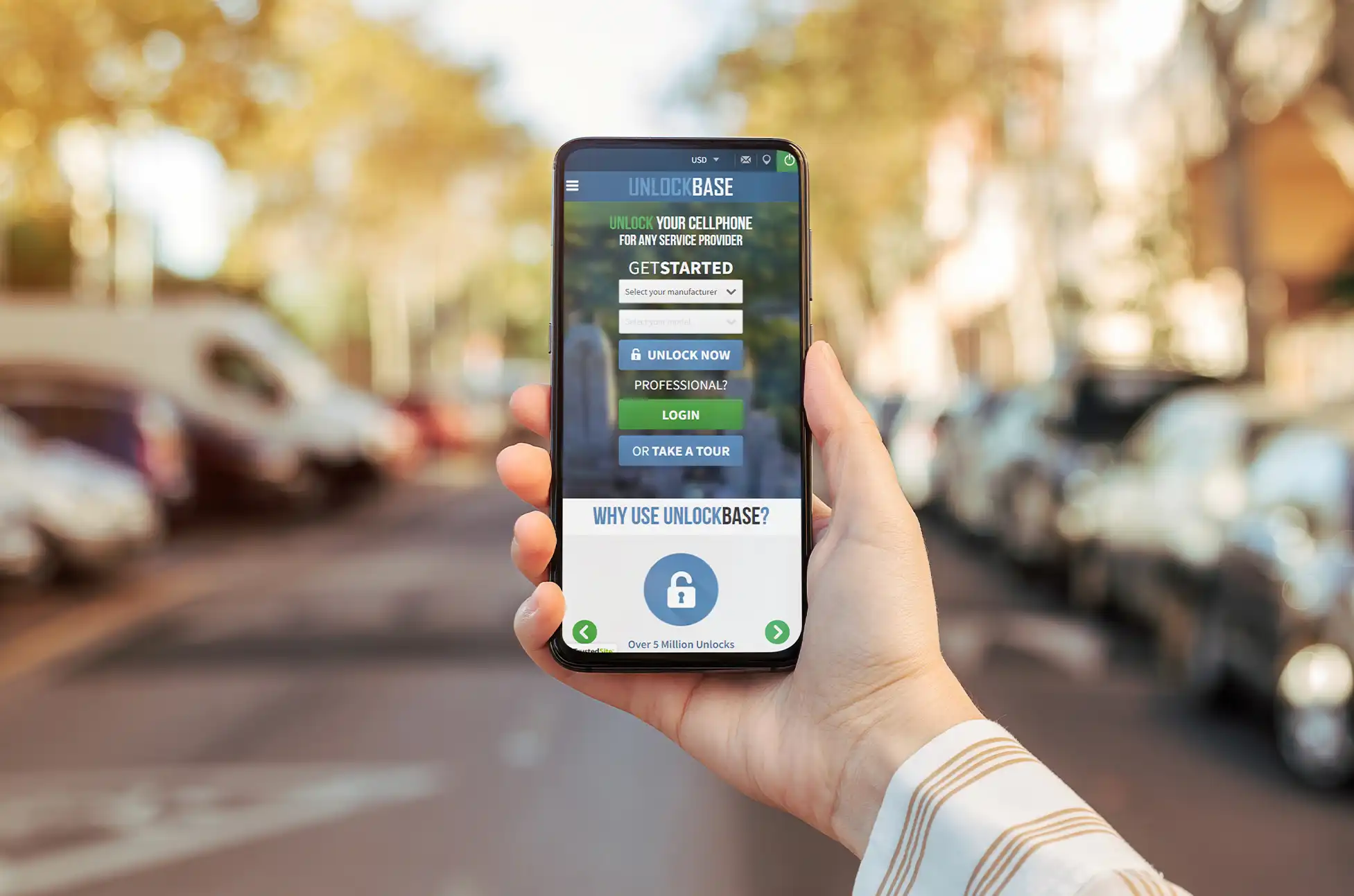
Sometimes carrier unlocking isn’t an option—maybe you’re still in a contract, or you purchased a used device with unknown history. That’s where services like UnlockBase come in.
Select your device’s current locked country and carrier
Complete the payment
After payment goes through, you’ll receive instructions via email. These services charge a fee, but they can work when traditional carrier unlocking won’t.
Unlock Any Google Device : Why Bother Unlocking?
Beyond the obvious flexibility of switching carriers, unlocking your Google device makes financial sense.
Travel becomes easier—pop in a local SIM card instead of paying inflated international rates from your home carrier. You can shop around for better deals without being locked into one provider’s ecosystem. And if you ever decide to sell your device, unlocked models command higher prices on the resale market.
For those who keep devices long-term, unlocking means you’re not tied to a carrier that might discontinue favorable plans or change their terms.
Before You Start
Check your device’s compatibility with the carriers you’re considering. Not all devices support all network bands, especially when switching between carriers that use different technologies.
Back up your data before attempting any unlocking method. While carrier unlocking shouldn’t erase anything, bootloader unlocking definitely will.
Verify that unlocking won’t violate any active agreements you have with your carrier. Breaking contract terms could result in fees or complications.
Unlock Any Google Device : Making Your Choice
The right unlocking method depends on your situation. If you’ve owned your device for a while and everything’s paid off, start with your carrier—it’s free and legitimate. If that’s not an option, reputable third-party services can help, though they’ll charge for it.
Technical users might explore bootloader unlocking for maximum customization, but most people won’t need this level of access.
Your Google device was designed to be powerful and flexible. Unlocking it simply ensures you can use that flexibility to its fullest extent, on your terms.
All products, and company names, logos, and service marks (collectively the "Trademarks") displayed are registered® and/or unregistered
trademarks™ of their respective owners.
The authors of this web site are not sponsored by or affiliated with any of the third-party trade mark or third-party registered trade mark owners,
and make no representations about them, their owners, their products or services.