The rise of the remote unlock app 2026 trend reflects how strongly users value convenience. As unlocking becomes more common for travel, resale, and carrier switching, app-based services now promise instant results directly from a smartphone screen.
At first glance, the idea sounds appealing. Install an app, tap a button, and your phone unlocks within minutes. However, the reality behind unlocking technology remains more complex. Understanding how legitimate processes work helps separate credible services from misleading shortcuts.
In 2026, clarity matters more than ever.
Why App-Based Unlock Claims Are Increasing
Several market trends explain why the remote unlock app 2026 concept has gained attention.
First, eSIM adoption has made many network changes appear digital and instant. Users now activate plans without visiting stores or inserting physical SIM cards. That shift creates the impression that unlocking might work the same way.
Second, app ecosystems continue expanding. Consumers manage banking, identification, and device security through apps, so unlocking seems like a logical extension.
Third, increased competition in the unlocking space encourages simplified marketing messages. Some providers compress complex processes into one-click promises.
While digital workflows do exist in legitimate unlocking, the idea that a standalone app can bypass carrier systems instantly does not align with how networks operate.
How Legitimate Unlocking Actually Works
To understand what is credible, it helps to examine how unlocking truly functions.
Carrier unlocking relies on database authorization. When a phone is locked, its IMEI number connects to a carrier’s internal system. Removing that lock requires updating the carrier’s records.
A legitimate unlocking process typically follows these steps:
Device identification through IMEI
Carrier and eligibility verification
Submission through authorized channels
Confirmation once the carrier updates its database
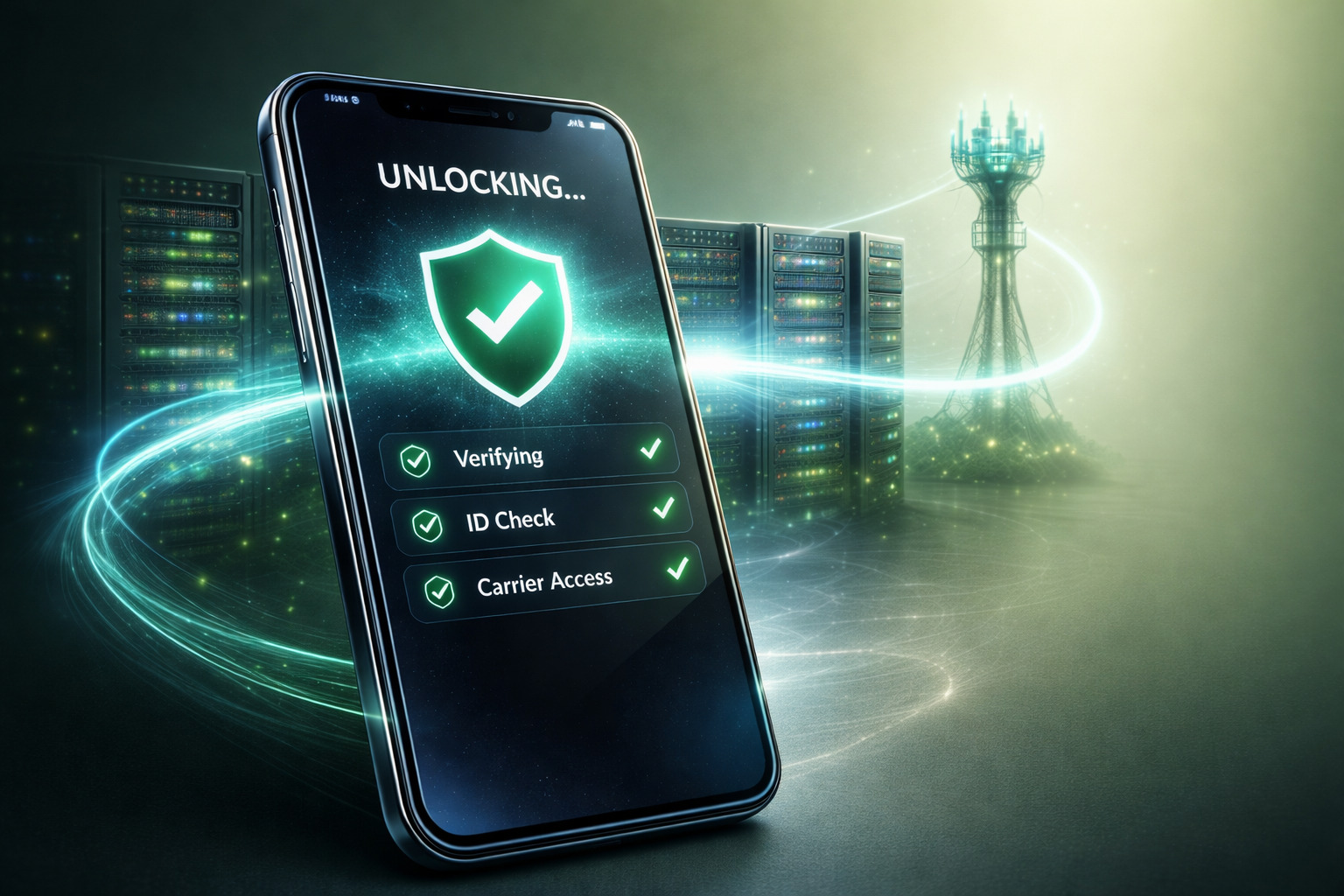
This process may involve digital systems, but it does not operate independently from carrier infrastructure. A genuine IMEI unlock method updates official records rather than altering software locally on the device.
Therefore, no app can override carrier databases without going through recognized procedures. Understanding the real unlocking process makes it easier to identify services despite oversimplification or misrepresentation of how unlocking works.
Common Misleading Claims to Watch For
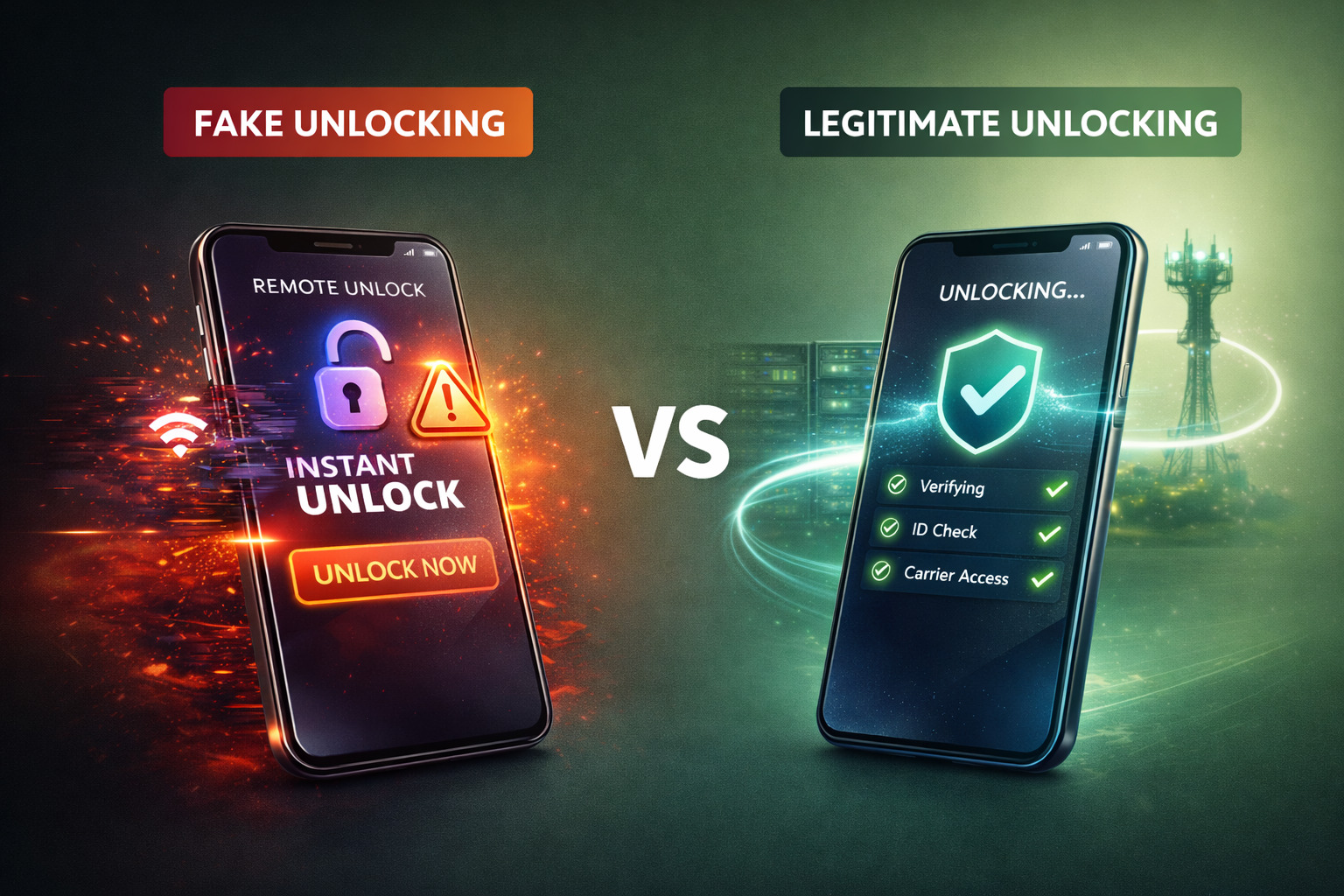
When evaluating a remote unlock app 2026 offer, certain patterns often appear in unreliable promotions.
One common claim involves universal compatibility. An app may promise to unlock any phone, any carrier, instantly. In reality, eligibility depends on carrier policies, contract status, and regional regulations.
Another red flag involves offline unlocking. Some apps claim they can unlock a device without internet access or carrier communication. Since unlocking requires database updates, such claims conflict with technical reality.
Excessive urgency can also signal concern. Messages that pressure users to act immediately or suggest limited-time “free” access often rely on impulse decisions rather than informed consent.
While not every app-based service is illegitimate, many unlock phone app scam patterns revolve around oversimplification and unrealistic guarantees.
Safe Phone Unlocking in 2026
Safe phone unlocking prioritizes transparency and compliance. A legitimate unlocking service explains:
Which carriers it supports
What information is required
How long the process may take
What limitations may apply
Providers that respect carrier rules avoid promising universal success. They clarify eligibility requirements rather than bypassing them.
In many cases, the unlocking request still happens remotely, but not through a standalone consumer app. Instead, the service coordinates backend communication with carrier systems.
This distinction defines the difference between a marketing shortcut and a legitimate unlocking service.
Unlocking Red Flags Worth Noticing
Consumers evaluating unlocking options in 2026 should look beyond convenience claims.
Warning signs may include:
No explanation of the IMEI unlock method
Lack of carrier-specific information
Absence of customer support contact details
Guarantees that ignore eligibility rules
When a service avoids clear explanations, it reduces accountability. Transparency, by contrast, signals professionalism.
App-based interfaces are not inherently problematic. The concern arises when the interface replaces explanation rather than supporting it.
Why the Appeal of “Instant” Can Be Misleading
Speed appeals to modern users. However, unlocking is not merely a software toggle—it reflects network authorization.
Even legitimate services require processing time. Carrier systems must register the change, and in some cases, verification steps ensure compliance.
Promises of immediate transformation without verification ignore the structured nature of mobile networks. Users who understand this dynamic approach unlocking decisions more confidently.
The key question is not whether an app exists, but whether the process behind it respects carrier frameworks.
How to Verify a Trusted Unlock Provider
Choosing a trustworthy service in the era of the remote unlock app 2026 trend undoubtedly involves asking practical questions.
Does the provider clearly explain the unlocking method? Does it specify supported carriers and models? Does it outline realistic timelines? Does it provide customer support and documented policies?
A reliable provider emphasizes clarity rather than marketing shortcuts. It explains why unlocking requires verification and what steps protect both user and device.
Users who take a few minutes to evaluate these factors significantly reduce risk.
The Role of Consumer Awareness in 2026
As mobile technology evolves, so do the ways services present themselves. Digital interfaces make processes feel simpler, but simplicity in presentation does not eliminate complexity behind the scenes.
In 2026, however, informed users hold the advantage. They recognize that unlocking involves carrier systems, eligibility checks, and structured procedures.
Understanding the difference between interface and infrastructure helps users avoid confusion and protect device value.
Conclusion: Convenience Should Not Replace Clarity
The remote unlock app 2026 concept reflects growing demand for digital convenience. However, legitimate unlocking remains rooted in carrier authorization and verified processes.
Users who understand how unlocking actually works can distinguish between responsible services and misleading shortcuts. Transparency, compliance, and realistic expectations define safe phone unlocking today. UnlockBase.com follows transparent, verified unlocking procedures designed to protect users and their devices. For those seeking clarity, compliance, and long-term flexibility, UnlockBase offers a professional and reliable unlocking solution in 2026.
All products, and company names, logos, and service marks (collectively the "Trademarks") displayed are registered® and/or unregistered
trademarks™ of their respective owners.
The authors of this web site are not sponsored by or affiliated with any of the third-party trade mark or third-party registered trade mark owners,
and make no representations about them, their owners, their products or services.
To make the unlock process easier, the Mobile Device Unlock app had been pre-installed by two major carriers in the US, T- Mobile and MetroPCS. Through this app, we are now able to remotely register any IMEI as “Eligible” in your carrier’s database without the need for an unlock code. However, this only works on compatible devices, please visit list at the bottom.
Good news! Turn around is less than 2 business days!
How does it work?
Select one of these two services below to unlock with “Mobile Device Unlock“
From that Application list, tap Device Unlock.
Tap Continue.
Choose the desired device unlock type: Permanent Unlock
If successful, restart the device to apply the settings.
Note: If you do not restart the device, you will have a persistent alert in the notification tray.)
You need not visit any T-Mobile or MetroPCS store to get your device unlocked. The Mobile Device Unlock app allows an unlock request right where you are at the moment.
However, please note the following preconditions for us to successfully unlock your device:
1. The Mobile Device Unlock app works only with MetroPCS and T-Mobile devices. Any device from another carrier will not unlock using this process.
2. Make sure your phone is “clean”; not blacklisted nor reported as lost or stolen. We don’t have any blacklist “cleaning” service and there’s no refund if your phone is blacklisted.
3. Before you order, make sure that the error you are getting when trying to use the app for unlocking is, “Unlock Failed: This mobile wireless device is not eligible for unlocking. For Device Unlock eligibility details, please go online or contact Customer Care.“
4. If you are getting a different error, please check troubleshooting steps before you order any unlock from us. We will not be able to fulfill any unlock request unless your other phone issues are fixed.
6. Make sure your phone can communicate with “Device Unlock App” server BEFORE you make any unlock order from us. If you are getting a “Serving not responding, please try again later” error, it means that your phone isn’t communicating with your carrier’s server. Check troubleshooting steps for more.
7. Make sure your phone is with its original software and IMEI. If you installed a custom software prior to your unlock order, it will not be possible for the app to work. Also, make sure that your phone has the latest software. There’s no refund for unsupported software fault.
8. Before starting the unlock process on your mobile phone, make sure that you have an active 3G/ 4G/ LTE or wifi connection. If your internet connection isn’t reliable, there’s a possibility that the unlock will be unsuccessful. We can’t retract the process, so we need to do it right the first time. There’s no refund for an unreliable internet or data fault.
9. Once you receive an email notification from us, make sure you follow all the necessary instructions or order prerequisites, take note that it varies per carrier, but we always ask everyone to try to unlock their device using the app before proceeding with their order. This way we will know the exact error that you are getting for us to know whether your device can be unlocked with us.
10. If in case, you have not followed all the instructions or have withheld important information from us that caused the unlock process to be unsuccessful, we will be unable to provide any refund.
11. Make sure your device memory is managed properly, and clear all cache.
12. Always restart your device after the unlock process. You’ll have to see a pop up every now and then.
Error Types and Troubleshooting Steps
Error Message
Information / Troubleshooting
Device not recognized by your service provider. Please call customer care.
Rooting your device will disable the unlock application
Download the latest T-Mobile or MetroPCS software to continue
Data corrupted during transfer. Please try again.Error during data transfer. Please try again.
Ensure the device has stable mobile signal
Restart the device and try again
Server not responding. Please try again later.
No response is received from the server
Try using an alternate internet connection
Failure in processing the request. Please reboot device and try again.
Ensure that your device has sufficient memory
Restart the device and try again
Unlock Failed: Unlock Approved : Mobile Device is permanently unlocked
Solution 1: Perform a hard reset and attempt a second unlock.
Solution 2: Perform 2 consecutive hard reset without attempting the unlock and once the second hard reset has been performed attempt the unlock again.
Make sure phone has latest Android version available for that device.
No internet connection available. Please try again when internet connection is available.
No internet connection is available:
Device is not connected to 3G/4G LTE.
A non-compatible SIM card is being used,
Unable to connect to the server at this time. Please try back again later.
Update the app using the Play Store
Attempt the unlock using the mobile network.
Unlock Failed: This mobile wireless device is not eligible for unlock. For Device Unlock eligibility details, please go online or contact Customer Care.
The device is not eligible for unlock. (Order the Unlock Service from UnlockBase)
Unlock Failed : System maintenance error, try again later.
System Maintenance is currently underway
Wait and try again later
Failure in applying the unlock settings. Please try again.
The device must be connected to the mobile network (including domestic and international roaming)
Disconnect from Wi-Fi and try again.
List of Compatible Devices By Carrier
Supported Models from T-Mobile USA
Supported Models from MetroPCS USA
Alcatel OneTouch Evolve (OT-5024N),
Alcatel OneTouch Fierce 4 (OT-5056N),
Alcatel OneTouch Fierce XL (OT-5054W),
Alcatel OneTouch POP Astro (OT-5042T),
Coolpad Catalyst (3622A),
Coolpad Defiant,
Coolpad Rogue (3320A),
HTC 10,
HTC One M9,
HTC Desire 530,
HTC Desire 626s,
HTC U11 life,
Kyocera Hydro LIFE (C6530),
Kyocera Hydro Wave (C6740),
Kyocera DuraForce PRO,
Kyocera DuraForce XD (E6790),
LG Aristo (M210),
LG Aristo 2 Plus (X212TAL),
LG G Stylo (H631),
LG G4 (H811),
LG G5 (H830),
LG G6 (H872),
LG G7 ThinQ (LMG710TM),
LG K7 (K330),
LG K10 (K428SG),
LG K20 Plus (TP260),
LG K30 (X410TK),
LG Leon LTE (H345),
LG Q7+ (Q610TA),
LG Stylo 2 Plus (K550),
LG Stylo 3 PLUS (TP450),
LG Stylo 4 (Q710TS),
LG V10 (H901),
LG V20 (H918),
LG V30 (H932),
LG V30+ (H932U),
LG V40 ThinQ (V405TAB),
Motorola moto e4,
Motorola moto e5 Play (XT1921-3),
Motorola moto e5 Plus,
Motorola Moto Z Force,
Samsung Galaxy Avant (SM-G386T),
Samsung Galaxy J3 Prime (SM-J327T),
Samsung Galaxy J3 Star (SM-J337T),
Samsung Galaxy J7 (SM-J700T),
Samsung Galaxy J7 Prime (SM-J727T),
Samsung Galaxy J7 Star (SM-J737T),
Samsung Galaxy On5 (SM-G550T),
Samsung Galaxy S6 (SM-G920T),
Samsung Galaxy S6 Edge (SM-G925T),
Samsung Galaxy S6 Edge+ (SM-G928T),
Samsung Galaxy S7 (SM-G930T),
Samsung Galaxy S7 Edge (SM-G935T),
Samsung Galaxy S8 (SM-G950T),
Samsung Galaxy S8+ (SM-G955T),
Samsung Galaxy S8 Active (SM-G892U),
Samsung Galaxy S9 (SM-G960U),
Samsung Galaxy S9 Plus (SM-G965U),
Samsung Galaxy S10+ (SM-G975U),
Samsung Galaxy Note 5 (SM-N920T),
Samsung Galaxy Note 7 (SM-N930T),
Samsung Galaxy Note 8 (SM-N950T),
Samsung Galaxy Note 9 (SM-N960U),
Samsung Galaxy Grand Prime (SM-G530T),
Samsung Galaxy Core Prime (SM-G360T),
Sony Xperia Z3 (D6616),
T-Mobile REVVL,
T-Mobile REVVL Plus,
ZTE Avid Plus (Z828),
ZTE Avid Trio (Z833),
ZTE Obsidian (Z820),
ZTE Zinger (Z667T),
ZTE Zmax Pro (Z981).
Alcatel 1X Evolve,
Alcatel 7,
Alcatel A30 Fierce (OT-5049Z),
Alcatel One TouchFierce XL (OT-5054N),
Alcatel One TouchFierce 4 (OT-5056N),
Alcatel TRU (OT-5065N),
Coolpad Catalyst (3622A),
Coolpad Defiant (3632A),
Coolpad Legacy (CP3705A),
HTC Desire 530,
HTC Desire 626s,
Kyocera Hydro ELITE (C6740 & C6740N),
LG Aristo (MS210),
LG Aristo 2 (LMX210MA),
LG Aristo 3 (LMX220MA),
LG Aristo 3+ (LMX220MB),
LG Leon 4G LTE (MS345),
LG G Stylo (MS631),
LG K7 (MS330),
LG K10 (MS428),
LG K20 Plus (MP260),
LG K30 (LMX410MK),
LG K40 (LMX420MM),
LG Q7 Plus, Q7+ (Q610MA),
LG Stylo 2 Plus (MS550),
LG Stylo 3 PLUS (MP450),
LG Stylo 4 (Q710MS),
LG Stylo 5,
Motorola moto e4,
Motorola moto e5 Play (XT1921-3),
Motorola moto e5 Plus,
Motorola moto G7 Play,
Motorola moto G7 Power
Samsung Galaxy A6 (SM-A600T1),
Samsung Galaxy A10e (SM-A102U),
Samsung Galaxy A20 (SM-A205U),
Samsung Galaxy J2 (SM-J260T1),
Samsung Galaxy J3 Prime (SM-J327T1),
Samsung Galaxy J7 (SM-J700T1),
Samsung Galaxy J7 Prime (SM-J727T1),
Samsung Galaxy J7 Star ( SM-J737T1),
Samsung Galaxy On5 (SM-G550T1),
Samsung Galaxy S7 (SM-G930T1),
Samsung Galaxy S8 (SM-G950T1),
Samsung Galaxy S8+ (SM-G955T1),
Samsung Galaxy S9 (SM-G960U),
Samsung Galaxy Core Prime (SM-G360T1),
Samung Galaxy Grand Prime (SM-G530T1),
ZTE Avid 4 (Z855),
ZTE Avid Plus (Z828),
ZTE Avid Trio (Z833),
ZTE Blade Z Max (Z982),
ZTE Obsidian (Z820),
ZTE Zmax Pro (Z981).
Select one of these two services below to unlock with “Mobile Device Unlock“
All products, and company names, logos, and service marks (collectively the "Trademarks") displayed are registered® and/or unregistered
trademarks™ of their respective owners.
The authors of this web site are not sponsored by or affiliated with any of the third-party trade mark or third-party registered trade mark owners,
and make no representations about them, their owners, their products or services.
Device Unlock is an Android app that allows you to request and apply a mobile device unlock directly from the device. This allows you to automatically apply Mobile Device Unlock to the device without using a manual code. When your phone is locked with “Mobile Device Unlock” it’s totally useless to order an unlock code.
Only supported devices (see below) may download the app or have it pre-installed. Supported devices may download the app from: Google Play.
Supported Models from T-Mobile USA
Supported Models from MetroPCS USA
Alcatel OneTouch Evolve (OT-5024N),
Alcatel OneTouch Fierce 4 (OT-5056N),
Alcatel OneTouch Fierce XL (OT-5054W),
Alcatel OneTouch POP Astro (OT-5042T),
Coolpad Catalyst (3622A),
Coolpad Defiant,
Coolpad Rogue (3320A),
HTC 10,
HTC One M9,
HTC Desire 530,
HTC Desire 626s,
HTC U11 life,
Kyocera Hydro LIFE (C6530),
Kyocera Hydro Wave (C6740),
Kyocera DuraForce PRO,
Kyocera DuraForce XD (E6790),
LG Aristo (M210),
LG Aristo 2 Plus (X212TAL),
LG G Stylo (H631),
LG G4 (H811),
LG G5 (H830),
LG G6 (H872),
LG G7 ThinQ (LMG710TM),
LG K7 (K330),
LG K10 (K428SG),
LG K20 Plus (TP260),
LG K30 (X410TK),
LG Leon LTE (H345),
LG Q7+ (Q610TA),
LG Stylo 2 Plus (K550),
LG Stylo 3 PLUS (TP450),
LG Stylo 4 (Q710TS),
LG V10 (H901),
LG V20 (H918),
LG V30 (H932),
LG V30+ (H932U),
LG V40 ThinQ (V405TAB),
Motorola moto e4,
Motorola moto e5 Play (XT1921-3),
Motorola moto e5 Plus,
Motorola Moto Z Force,
Samsung Galaxy Avant (SM-G386T),
Samsung Galaxy J3 Prime (SM-J327T),
Samsung Galaxy J3 Star (SM-J337T),
Samsung Galaxy J7 (SM-J700T),
Samsung Galaxy J7 Prime (SM-J727T),
Samsung Galaxy J7 Star (SM-J737T),
Samsung Galaxy On5 (SM-G550T),
Samsung Galaxy S6 (SM-G920T),
Samsung Galaxy S6 Edge (SM-G925T),
Samsung Galaxy S6 Edge+ (SM-G928T),
Samsung Galaxy S7 (SM-G930T),
Samsung Galaxy S7 Edge (SM-G935T),
Samsung Galaxy S8 (SM-G950T),
Samsung Galaxy S8+ (SM-G955T),
Samsung Galaxy S8 Active (SM-G892U),
Samsung Galaxy S9 (SM-G960U),
Samsung Galaxy S9 Plus (SM-G965U),
Samsung Galaxy S10+ (SM-G975U),
Samsung Galaxy Note 5 (SM-N920T),
Samsung Galaxy Note 7 (SM-N930T),
Samsung Galaxy Note 8 (SM-N950T),
Samsung Galaxy Note 9 (SM-N960U),
Samsung Galaxy Grand Prime (SM-G530T),
Samsung Galaxy Core Prime (SM-G360T),
Sony Xperia Z3 (D6616),
T-Mobile REVVL,
T-Mobile REVVL Plus,
ZTE Avid Plus (Z828),
ZTE Avid Trio (Z833),
ZTE Obsidian (Z820),
ZTE Zinger (Z667T),
ZTE Zmax Pro (Z981).
Alcatel 1X Evolve,
Alcatel 7,
Alcatel A30 Fierce (OT-5049Z),
Alcatel One TouchFierce XL (OT-5054N),
Alcatel One TouchFierce 4 (OT-5056N),
Alcatel TRU (OT-5065N),
Coolpad Catalyst (3622A),
Coolpad Defiant (3632A),
Coolpad Legacy (CP3705A),
HTC Desire 530,
HTC Desire 626s,
Kyocera Hydro ELITE (C6740 & C6740N),
LG Aristo (MS210),
LG Aristo 2 (LMX210MA),
LG Aristo 3 (LMX220MA),
LG Aristo 3+ (LMX220MB),
LG Leon 4G LTE (MS345),
LG G Stylo (MS631),
LG K7 (MS330),
LG K10 (MS428),
LG K20 Plus (MP260),
LG K30 (LMX410MK),
LG K40 (LMX420MM),
LG Q7 Plus, Q7+ (Q610MA),
LG Stylo 2 Plus (MS550),
LG Stylo 3 PLUS (MP450),
LG Stylo 4 (Q710MS),
LG Stylo 5,
Motorola moto e4,
Motorola moto e5 Play (XT1921-3),
Motorola moto e5 Plus,
Motorola moto G7 Play,
Motorola moto G7 Power,
Samsung Galaxy A6 (SM-A600T1),
Samsung Galaxy A10e (SM-A102U),
Samsung Galaxy A20 (SM-A205U),
Samsung Galaxy J2 (SM-J260T1),
Samsung Galaxy J3 Prime (SM-J327T1),
Samsung Galaxy J7 (SM-J700T1),
Samsung Galaxy J7 Prime (SM-J727T1),
Samsung Galaxy J7 Star ( SM-J737T1),
Samsung Galaxy On5 (SM-G550T1),
Samsung Galaxy S7 (SM-G930T1),
Samsung Galaxy S8 (SM-G950T1),
Samsung Galaxy S8+ (SM-G955T1),
Samsung Galaxy S9 (SM-G960U),
Samsung Galaxy Core Prime (SM-G360T1),
Samsung Galaxy Grand Prime (SM-G530T1),
ZTE Avid 4 (Z855),
ZTE Avid Plus (Z828),
ZTE Avid Trio (Z833),
ZTE Blade Z Max (Z982),
ZTE Obsidian (Z820),
ZTE Zmax Pro (Z981).
It’s very important to order the unlock service of your Cell Phone using the correct service.
How to apply a “Mobile Device Unlock”
From that Application list, tap Device Unlock.
Tap Continue.
Choose the desired device unlock type: Permanent Unlock
If successful, restart the device to apply the settings.
Note: If you do not restart the device, you will have a persistent alert in the notification tray.
Troubleshooting “Mobile Device Unlock” app
Check that you have an active data connection.
Clear the application cache.
Check that the device memory is properly managed.
Restart the device and try again.
If you receive an error, review the following table for troubleshooting:
Error Message
Information / Troubleshooting
Device not recognized by your service provider. Please call customer care.
Rooting your device will disable the unlock application
Download the latest T-Mobile or MetroPCS software to continue
Data corrupted during transfer. Please try again.Error during data transfer. Please try again.
Ensure the device has stable mobile signal
Restart the device and try again
Server not responding. Please try again later.
No response is received from the server
Try using an alternate internet connection
Failure in processing the request. Please reboot device and try again.
Ensure that your device has sufficient memory
Restart the device and try again
Unlock Failed: Unlock Approved : Mobile Device is permanently unlocked
Solution 1: Perform a hard reset and attempt a second unlock.
Solution 2: Perform 2 consecutive hard reset without attempting the unlock and once the second hard reset has been performed attempt the unlock again.
Make sure phone has latest Android version available for that device.
No internet connection available. Please try again when internet connection is available.
No internet connection is available:
Device is not connected to 3G/4G LTE.
A non-compatible SIM card is being used,
Unable to connect to the server at this time. Please try back again later.
Update the app using the Play Store
Attempt the unlock using the mobile network.
Unlock Failed: This mobile wireless device is not eligible for unlock. For Device Unlock eligibility details, please go online or contact Customer Care.
The device is not eligible for unlock. (Order the Unlock Service from UnlockBase)
Unlock Failed : System maintenance error, try again later.
System Maintenance is currently underway
Wait and try again later
Failure in applying the unlock settings. Please try again.
The device must be connected to the mobile network (including domestic and international roaming)
Disconnect from Wi-Fi and try again.
Make sure you use the original Stock ROM (no custom Firmware like CyanogenMod, or Unbranded ROM).
Make sure you’re using the latest version of Firmware for your Cell Phone.
Finally (after upgrade) perform a Hard Reset on your Cell Phone.
Turn off 3G/LTE and force the use of a local WiFi Hotspot.
Make sure you use home Wifi (and not a public/company WiFi since they might limit somehow your internet usage).
Select one of these two services below to unlock with “Mobile Device Unlock“
All products, and company names, logos, and service marks (collectively the "Trademarks") displayed are registered® and/or unregistered
trademarks™ of their respective owners.
The authors of this web site are not sponsored by or affiliated with any of the third-party trade mark or third-party registered trade mark owners,
and make no representations about them, their owners, their products or services.