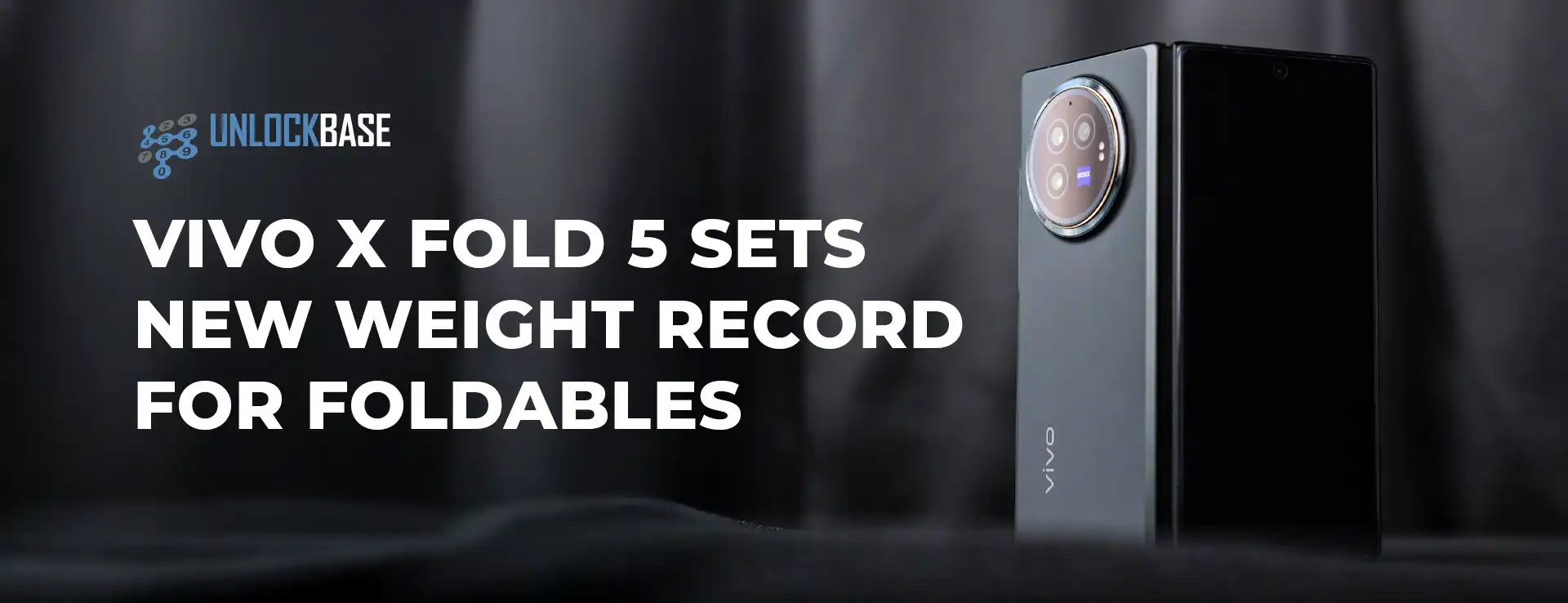
Vivo X Fold 5! The foldable smartphone race is heating up. Meanwhile, Vivo just dropped a game-changer that could leave Samsung scrambling. While everyone waits for the Galaxy Z Fold 7’s arrival next month, Chinese manufacturer Vivo has quietly unleashed a device. Furthermore, this device challenges every assumption about what foldable phones can achieve. The X Fold 5 isn’t just another iterative upgrade. Instead, it’s a bold statement that redefines the entire category.
Vivo X Fold 5 : Breaking Weight Records While Pushing Durability Boundaries
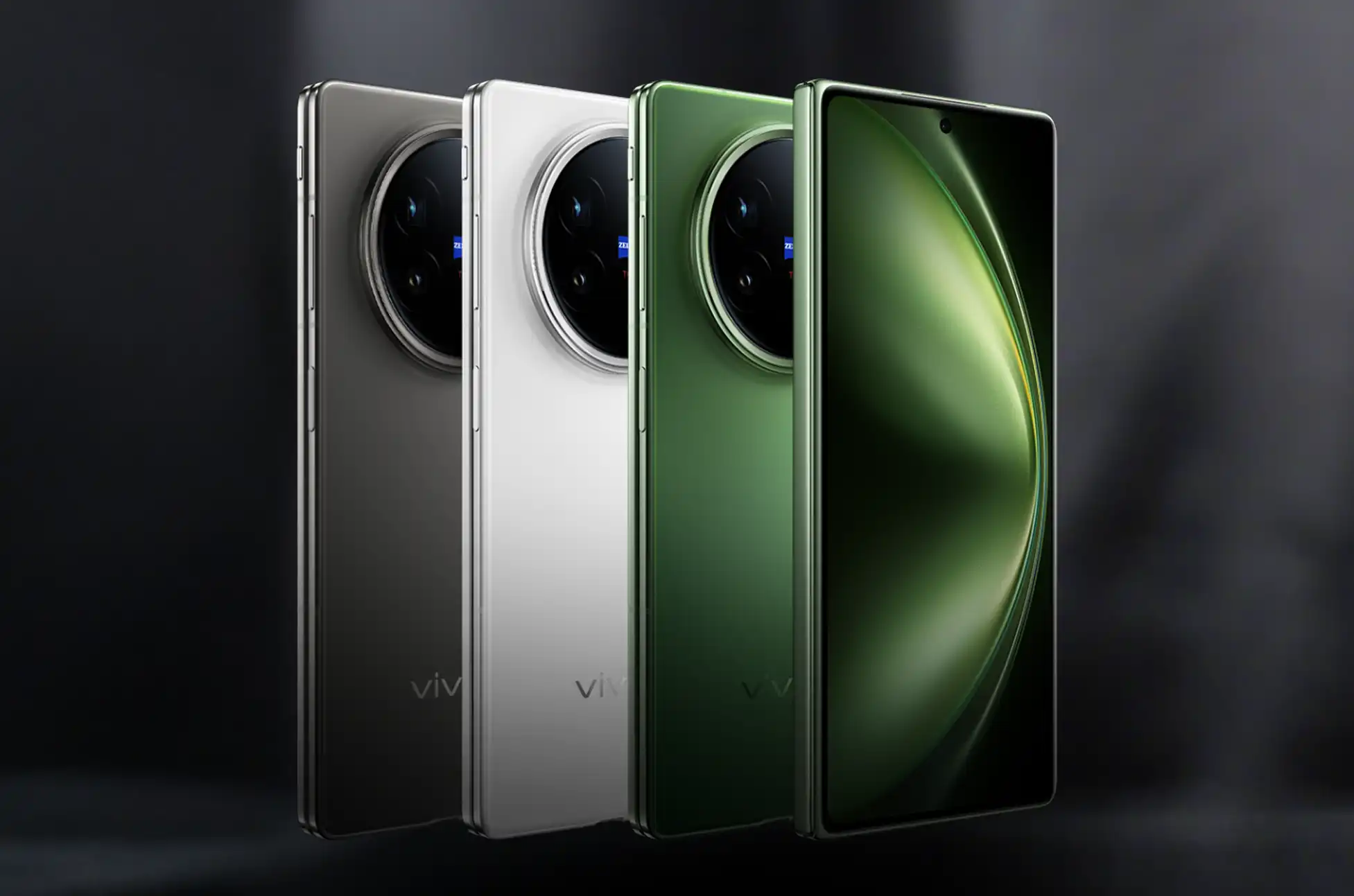
Vivo has officially launched the X Fold 5 in China, and it’s making bold claims that could reshape the foldable landscape. Most notably, this device has snatched the title of world’s lightest book-style foldable at just 217 grams—edging out last year’s X Fold 3 by a mere 2 grams.
The sleek design maintains a 9.2mm thickness when folded, though OPPO’s Find N5 still holds the crown for thinnest profile. Where Vivo truly differentiates itself is in protection. The X Fold 5 delivers comprehensive durability with IP5X dust resistance, IPX8 water resistance, and IPX9 rating for high-pressure water scenarios. This potentially makes it the first foldable offering complete dust and water protection simultaneously—a significant advantage over Samsung’s Galaxy Z Fold 6, which excels in water resistance but lacks dust protection.
Vivo X Fold 5 : Massive Battery in a Featherweight Package
Perhaps the most impressive engineering feat is cramming a 6,000mAh battery into this ultra-light chassis. Vivo claims this marks the first foldable to achieve such battery capacity, matching powerhouses like the OnePlus 13 and Vivo X200 Pro. When you need to recharge, 80W wired and 40W wireless charging ensure minimal downtime.
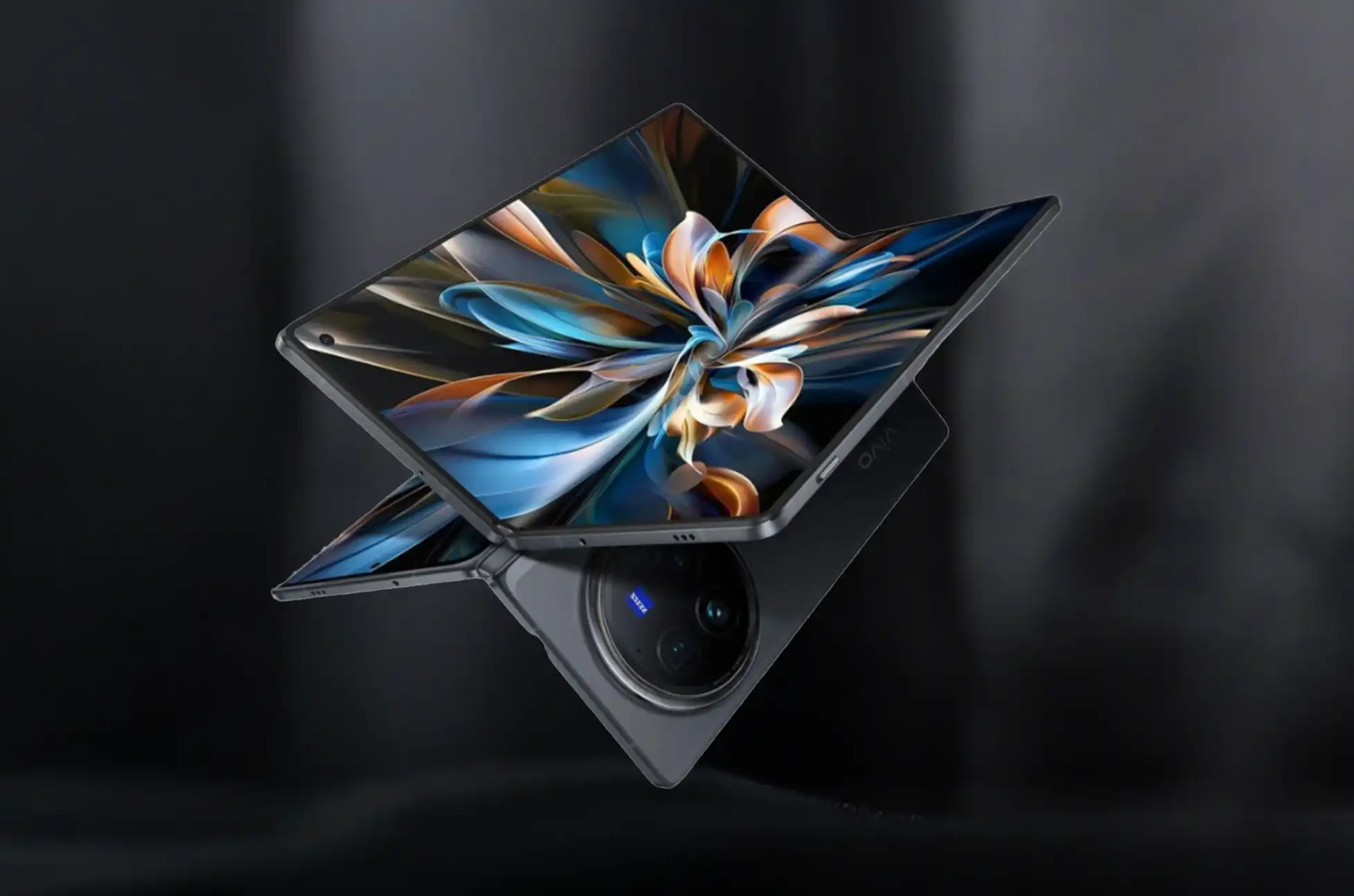
The display setup features an 8.03-inch LTPO OLED folding screen (2,480 x 2,200) and a 6.53-inch LTPO OLED cover display (2,748 × 1,172). Performance comes courtesy of the Snapdragon 8 Gen 3 processor—not the latest silicon, but still plenty powerful for demanding tasks. Additional features include a side fingerprint scanner, Bluetooth 5.4, Wi-Fi 7, and an IR blaster.
Photography and Software Innovation
The camera system delivers versatility with a triple rear setup: 50MP main sensor (IMX921), 50MP ultrawide lens, and 50MP 3x telephoto camera (IMX882) with macro support. Dual 20MP front cameras handle selfies and video calls across both screens.
OriginOS 15 based on Android 15 powers the device, featuring sophisticated multitasking that runs five apps simultaneously—one main application with four smaller windows floating above for quick access.
Groundbreaking Apple Integration
The most surprising feature is Vivo’s claimed Apple ecosystem integration. The X Fold 5 allegedly becomes the first Android device to connect with Apple Watch, supporting calls, texts, notifications, and health data sync. However, your Apple Watch must stay paired with an iPhone initially, and full functionality requires future system updates.
Extended Apple compatibility includes seamless AirPods connectivity, deep Mac integration for extended display use, and iPhone pairing for call and notification bridging. Most features will likely require app downloads, similar to Vivo’s existing Mac integration through the Office Kit app.
Vivo X Fold 5 : Pricing and Availability
Currently exclusive to China, the X Fold 5 starts at 6,999 yuan ($976) for 12GB/256GB, reaching 9,499 yuan ($1,325) for the 16GB/1TB variant. Rumors suggest a potential India launch, though broader international availability remains uncertain.
The Vivo X Fold 5 addresses key foldable compromises with record-breaking weight, comprehensive protection, massive battery capacity, and innovative cross-platform features. As Samsung prepares the Galaxy Z Fold 7 launch, Vivo has set impressive new benchmarks that could influence the entire foldable market’s direction.
All products, and company names, logos, and service marks (collectively the "Trademarks") displayed are registered® and/or unregistered
trademarks™ of their respective owners.
The authors of this web site are not sponsored by or affiliated with any of the third-party trade mark or third-party registered trade mark owners,
and make no representations about them, their owners, their products or services.
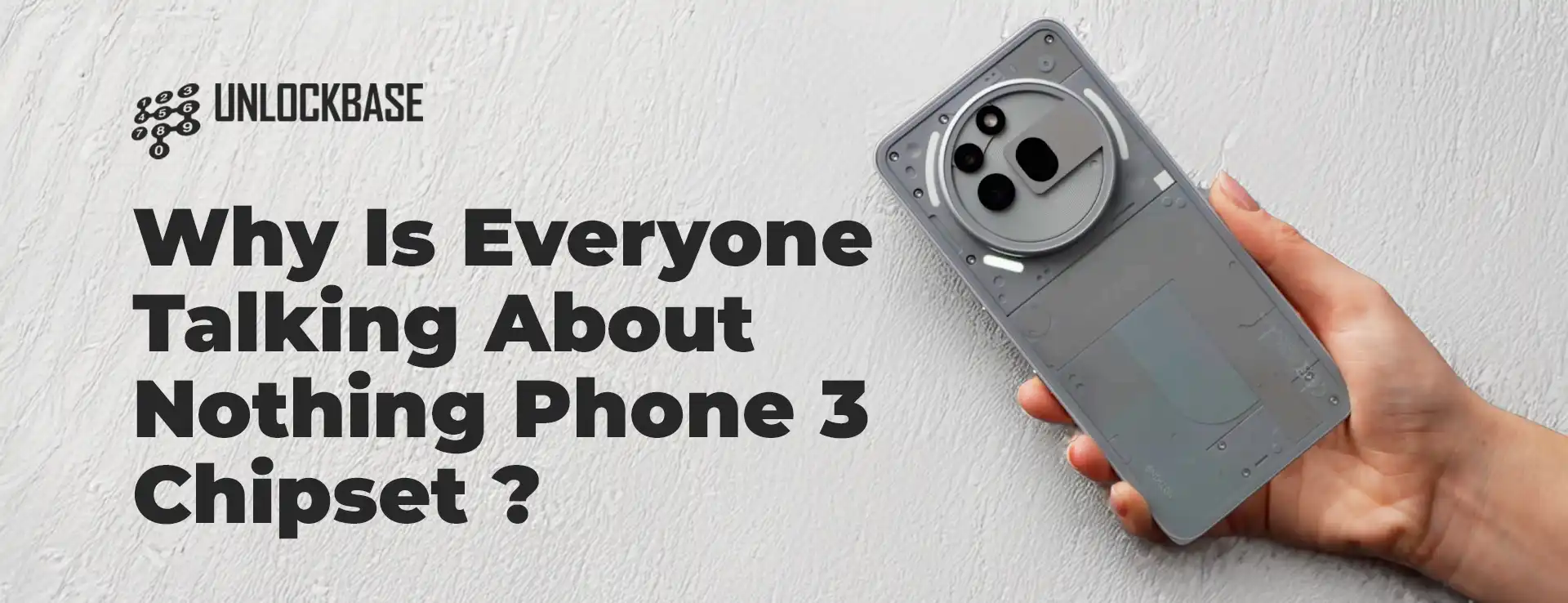
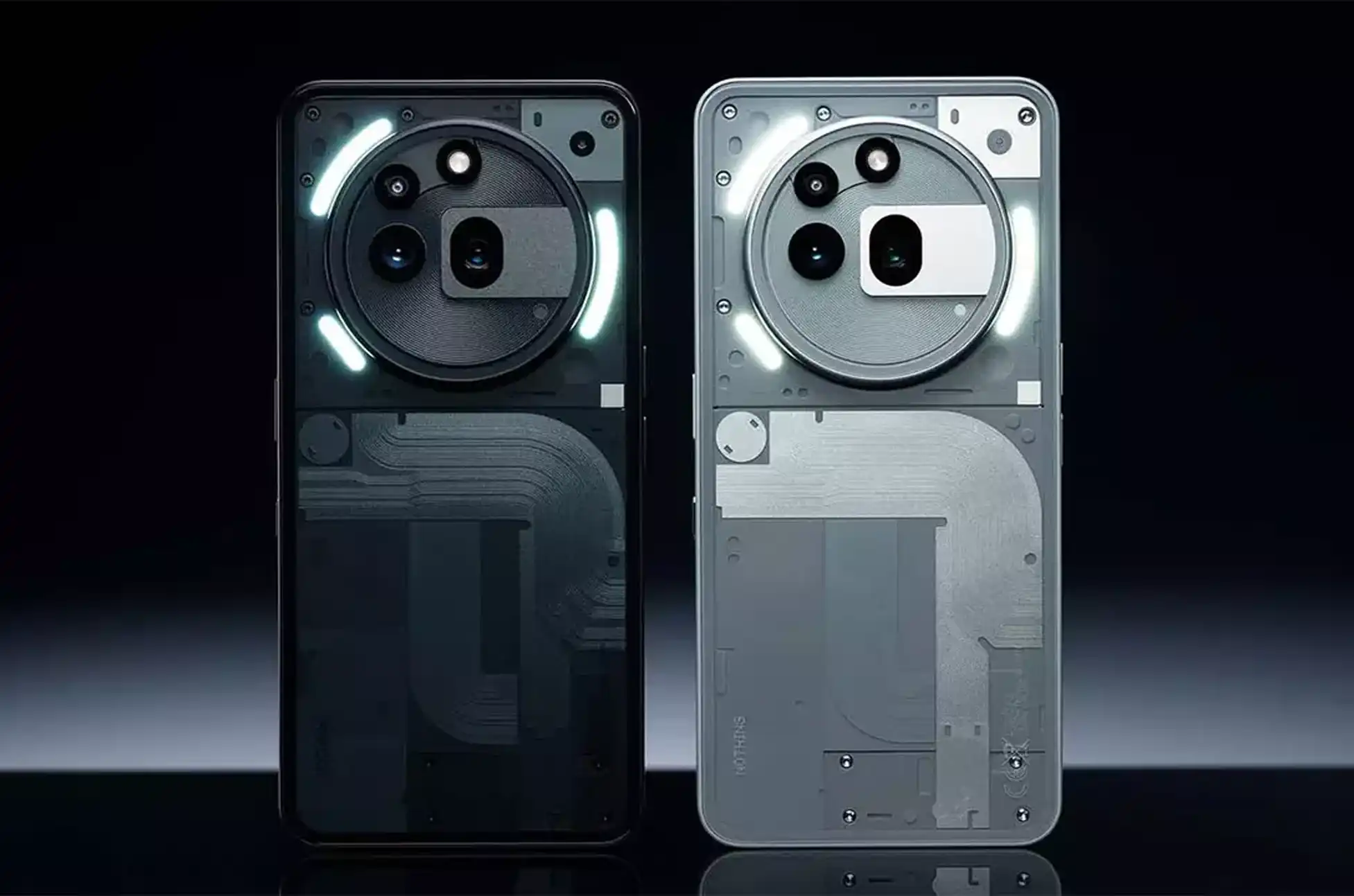
Nothing Phone 3 Chipset? Nothing just dropped a bombshell about their upcoming flagship phone. However, the news has tech fans split right down the middle. The Nothing Phone 3 won’t use Qualcomm’s top chip after all.
Nothing Phone 3 Chipset Reveal That Shocked Everyone
Yesterday, Nothing confirmed what everyone was waiting to hear. Moreover, they revealed the Nothing Phone 3 will run on the Snapdragon 8s Gen 4. Furthermore, this came as a surprise since Nothing calls this their “true flagship.”
Most people expected the Snapdragon 8 Elite instead. After all, that’s Qualcomm’s most powerful chip right now. Therefore, many fans feel disappointed by this choice.
What’s the Real Difference Between These Chips?
Let’s break down what makes these processors different. First, the Snapdragon 8 Elite uses Qualcomm’s newest Oryon CPU. Meanwhile, the 8s Gen 4 sticks with the older Kyro design.
Key Performance Gaps:
CPU runs 35% slower on the 8s Gen 4
GPU performance trails behind the Elite
Built on older 4nm tech vs. 3nm Elite
Missing 8K video recording
No 4K/120fps slow-motion support
Lacks mmWave 5G connectivity
However, these differences don’t tell the whole story. Additionally, the 8s Gen 4 has some impressive strengths too.
Why the Snapdragon 8s Gen 4 Isn’t Actually Bad
The Kyro CPU might be older, but it’s still powerful. Moreover, the 8s Gen 4 uses a unique setup with all big cores. As a result, it could beat the Snapdragon 8 Gen 3 in multi-core tasks.
Impressive Performance Numbers:
31% faster than the previous 8s Gen 3
39% more power efficient
Features one 3.2GHz prime core
Seven high-performance cores total
GPU delivers 49% better performance
Supports on-device ray tracing
Furthermore, you still get modern features like 4K/60fps recording. Additionally, it supports Wi-Fi 7 and Bluetooth 6.0. Therefore, daily performance should feel snappy and responsive.
The Smart Business Move Behind This Choice
Here’s where Nothing’s strategy gets interesting. Since the 8s Gen 4 costs less than the Elite, Nothing can price their phone lower. Moreover, this gives them more budget for other features.
Price Point Advantages:
UK price confirmed at £800
US price rumored at $800
Cheaper than most flagships
More money for cameras and design
Better value for average users
Meanwhile, Samsung uses the Elite in their Galaxy S25 at a similar price. However, they had to cut corners elsewhere. Consequently, you get bland designs and older camera sensors.
Two Possible Outcomes for Nothing Phone 3
Nothing now faces two different paths forward. First, they could simply build a basic phone with this chip. In that case, users get a compromised experience with no real benefits.
The Disappointing Scenario:
Average cameras despite savings
Basic design and build quality
Slow charging speeds
Mediocre software experience
The Smart Strategy Scenario:
Flagship cameras with saved money
Premium design and materials
Fast charging technology
Polished software experience
Better overall value than competitors
Why This Could Be Nothing’s Best Decision Yet
Think about what most people actually do with their phones. Furthermore, consider whether anyone really needs 8K recording or mmWave 5G right now. Most users won’t notice the performance difference in daily use.
Instead, they’ll appreciate better cameras, longer battery life, and faster charging. Additionally, they’ll love paying less money for these improvements. Therefore, Nothing’s choice could be genius if executed well.
Nothing Phone 3 Chipset : What This Means for Flagship Competition
This move shows how the smartphone market is changing. Moreover, it proves that raw power isn’t everything anymore. Instead, companies must balance performance, features, and price carefully.
Market Impact:
Forces competitors to reconsider pricing
Shows flagship experience doesn’t need top chips
Proves smart compromises can work
Opens door for more affordable flagships
Nothing Phone 3 Chipset – The Bottom Line: Wait and See
We’ll know Nothing’s true strategy on July 1st when they fully reveal the phone. However, early signs suggest this could work out well. Furthermore, if Nothing delivers on cameras, design, and software, nobody will care about the chip choice.
Most importantly, this decision could make flagship features accessible to more people. Therefore, instead of criticizing Nothing’s choice, we should wait to see the complete package.
All products, and company names, logos, and service marks (collectively the "Trademarks") displayed are registered® and/or unregistered
trademarks™ of their respective owners.
The authors of this web site are not sponsored by or affiliated with any of the third-party trade mark or third-party registered trade mark owners,
and make no representations about them, their owners, their products or services.
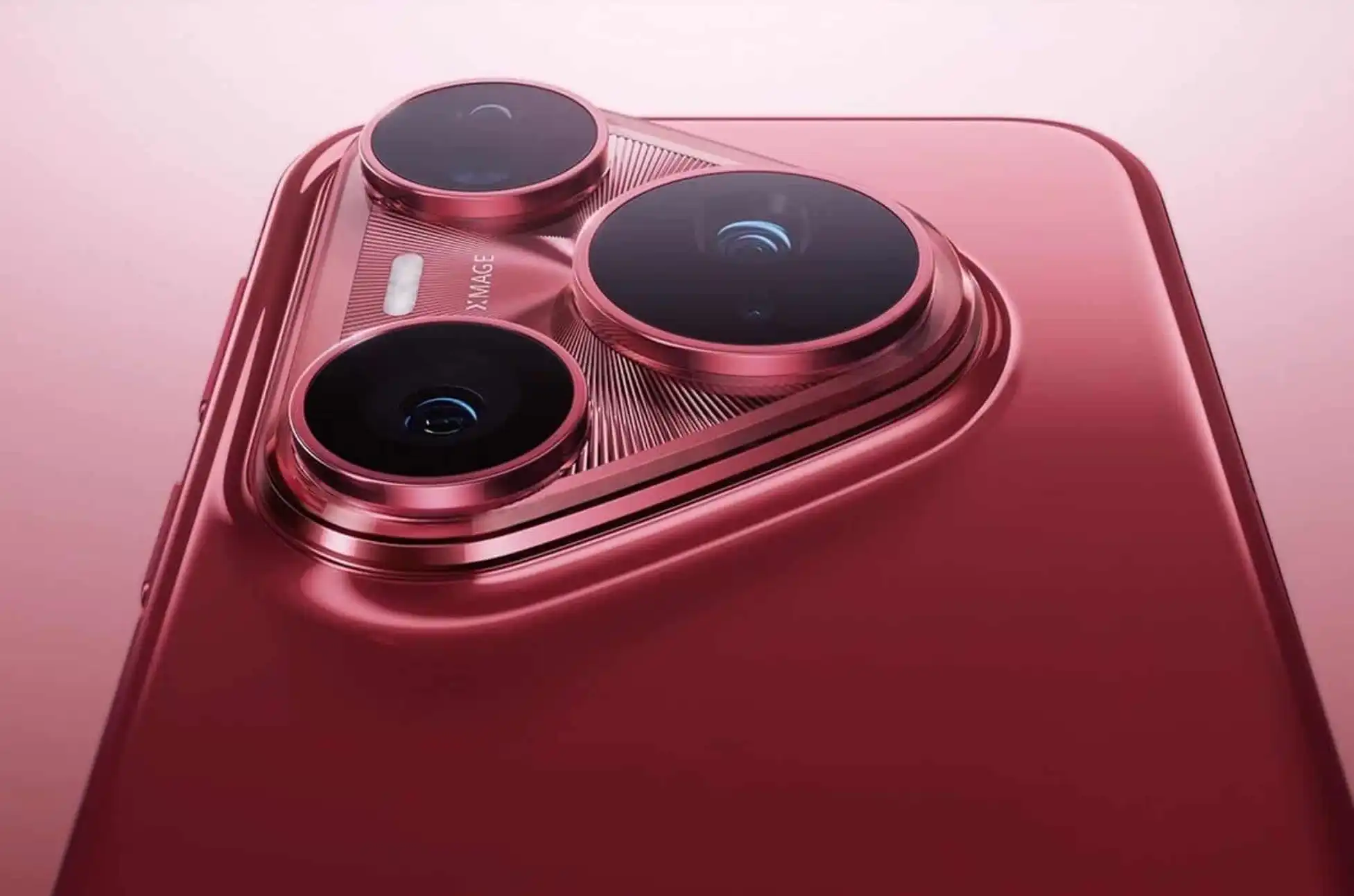
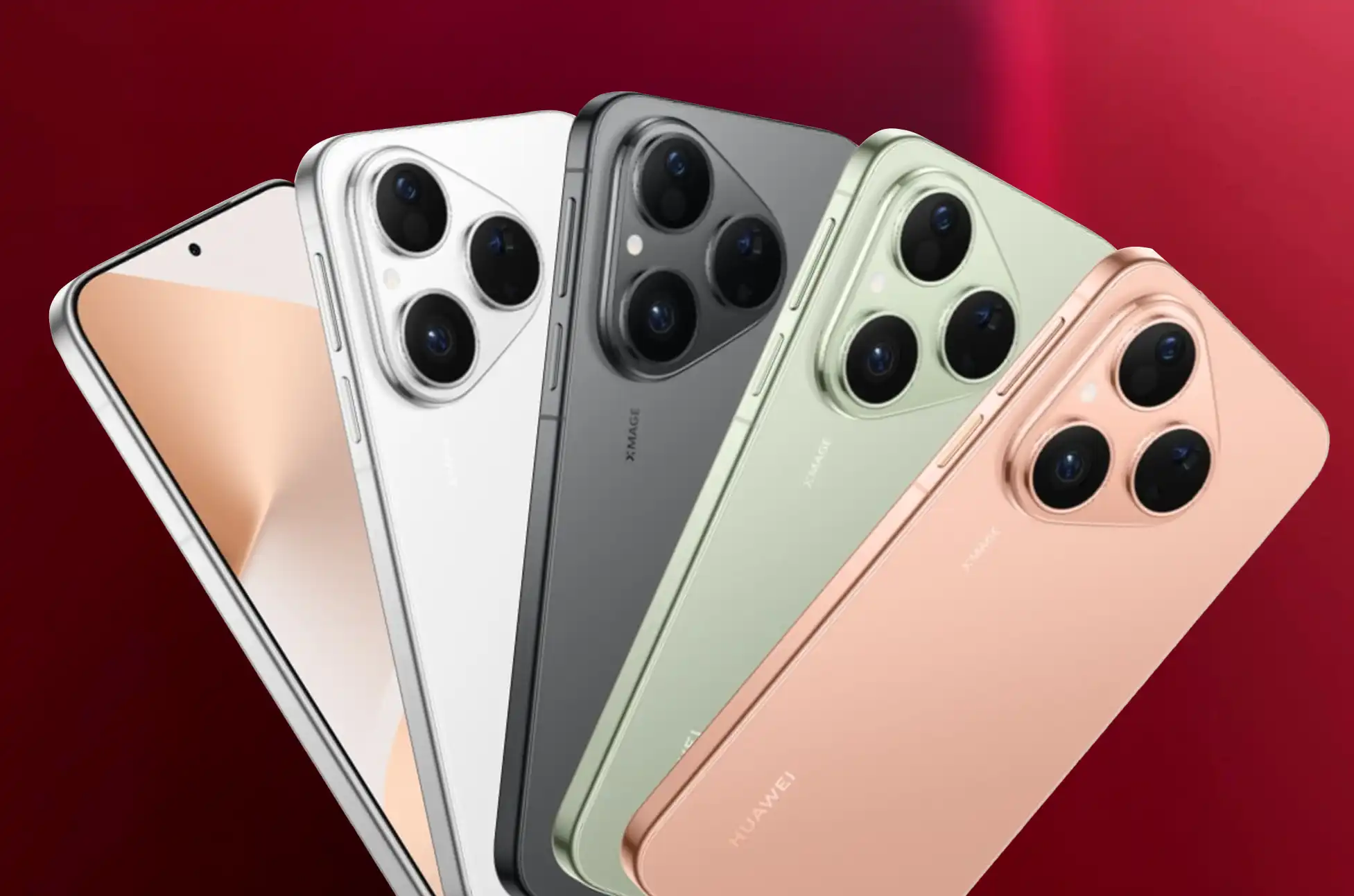
HUAWEI just launched their new Pura 80 series. However, the regular Pura 80 stands out from the crowd. While its bigger brothers show off with curves, this compact phone delivers serious power in your pocket.
What Makes the HUAWEI Pura 80 Different?
First, let’s talk about what sets this phone apart. Unlike other flagships, the Pura 80 focuses on being practical. As a result, you get top-tier features without the bulk. Moreover, it’s perfect for people who want power without compromise.
A Screen That Wows You Every Time
The Pura 80 comes with a beautiful 6.6-inch display. Furthermore, HUAWEI uses their special Kunlun Glass. In contrast to its siblings, this phone has a flat screen instead of curved edges.
Here’s what makes the screen special:
Sharp 2760 x 1256 resolution gives you crisp details
Smooth 120Hz refresh rate makes everything feel fluid
Bright 2800-nit peak so you can see clearly in sunlight
HDR support brings colors to life
Eye-friendly dimming reduces strain during long use
Additionally, the flat design means fewer accidental touches. Therefore, you’ll have better control and easier screen protection.
Battery Power That Lasts All Day
Next, let’s discuss the impressive 5,600mAh battery. Consequently, you won’t worry about running out of power. Even better, the charging options give you flexibility:
HUAWEI Pura 80 Multiple Charging Ways:
66W wired charging fills your battery fast
50W wireless charging keeps things cable-free
Plus, you can charge other devices wirelessly
Also, emergency wired charging for other gadgets
Speed and Storage That Handles Everything
Although HUAWEI keeps the chip details secret, they include 12GB of RAM. As a result, apps run smoothly together. Meanwhile, you can pick from three storage sizes:
256GB works great for most people
512GB suits content creators perfectly
1TB handles power users with ease
However, you can’t add more storage later. Therefore, choose carefully based on your needs.
Cameras That Capture Every Moment
Now, let’s explore the amazing camera setup. The main camera uses a 50-megapixel sensor with smart features. Furthermore, it changes its aperture from f/1.4 to f/4.0 automatically.
Why This Matters: In low light, it opens wide for bright photos. Meanwhile, in bright conditions, it closes down for sharp details. Additionally, image stabilization keeps your shots steady.
HUAWEI Pura 80 Complete Camera Package:
Telephoto lens zooms 5.5x without losing quality
Ultra-wide lens captures big scenes
Front camera takes great selfies
Plus, all lenses work together seamlessly
Stay Connected Anywhere
Here’s where things get exciting. The Pura 80 connects to satellites for messaging. Moreover, you can now send photos through satellite connection. Therefore, you stay connected even in remote places.
Full Connection Features:
5G gives you super-fast internet
WiFi 7 connects to the latest networks
Bluetooth 5.2 pairs with all your devices
Also, GPS works everywhere in the world
NFC handles payments and quick pairing
Built Tough for Real Life
Additionally, this phone handles tough conditions. The IP68/69 rating protects against water and dust. Whether you’re hiking, at the beach, or just living life, it keeps working.
Simple Software That Just Works
The phone runs HarmonyOS 5.1 smoothly. Furthermore, dual SIM support lets you manage two numbers easily. As a result, work and personal calls stay organized.
Security That Protects Your Privacy
Your phone offers two unlock methods. First, the fingerprint scanner hides under the screen. Second, face unlock works instantly. Therefore, you can choose what feels most comfortable.
Design That Feels Just Right
The Pura 80 weighs only 211 grams. Moreover, it measures a compact 8.2mm thick. Consequently, it feels solid but not heavy in your hand.
Four Beautiful Colors:
Green
Gold
White
Black
HUAWEI Pura 80 Series : Should You Buy This Phone?
The Pura 80 delivers flagship features in a smaller package. Moreover, you get excellent cameras and all-day battery life. Additionally, the satellite feature makes it unique.
Perfect If You Want:
Flagship power in a smaller size
Great cameras for any situation
Battery that lasts all day
Unique features others don’t have
Think Twice If You Need:
Bigger screens for media
Storage you can expand later
Confirmed chip specifications
HUAWEI Pura 80 : Conclusion
HUAWEI creates something special with the Pura 80. While we wait for pricing details, the features look impressive. Furthermore, the practical design choices make sense. Additionally, the camera system and satellite features set it apart.
Most importantly, this phone proves that smaller can still mean powerful. Therefore, if you want flagship features without the bulk, keep watching for release news.
We’ll update you with pricing and availability as soon as HUAWEI shares more details.
All products, and company names, logos, and service marks (collectively the "Trademarks") displayed are registered® and/or unregistered
trademarks™ of their respective owners.
The authors of this web site are not sponsored by or affiliated with any of the third-party trade mark or third-party registered trade mark owners,
and make no representations about them, their owners, their products or services.
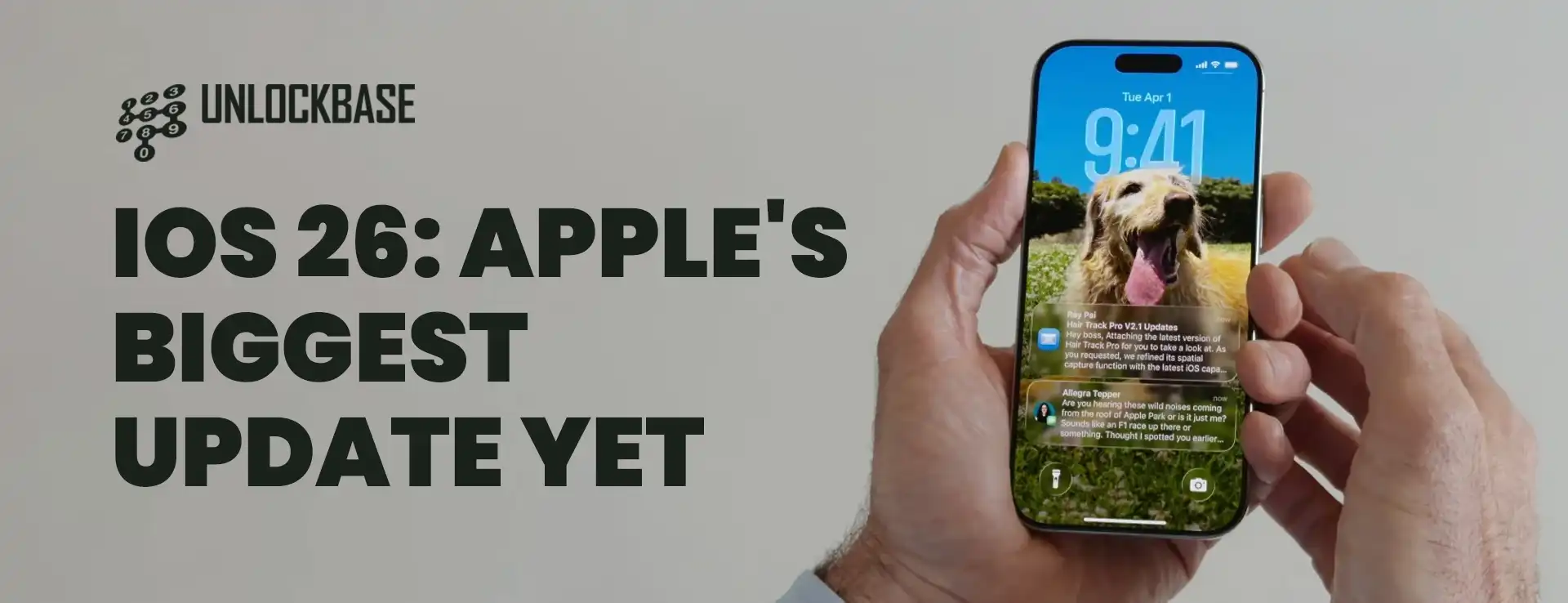
Apple has just dropped what might be the most significant iPhone software update we’ve seen in years. The tech giant has made such substantial changes that they’ve skipped several version numbers, jumping straight to iOS 26 – and trust us, this isn’t just a marketing stunt.
This groundbreaking update introduces Apple’s bold new design philosophy while solving real-world problems that iPhone users have been complaining about for years. From a complete visual overhaul to smarter spam protection, iOS 26 is packed with features that will transform how you interact with your device.
iOS 26 Liquid Glass: Apple’s Stunning New Design Revolution
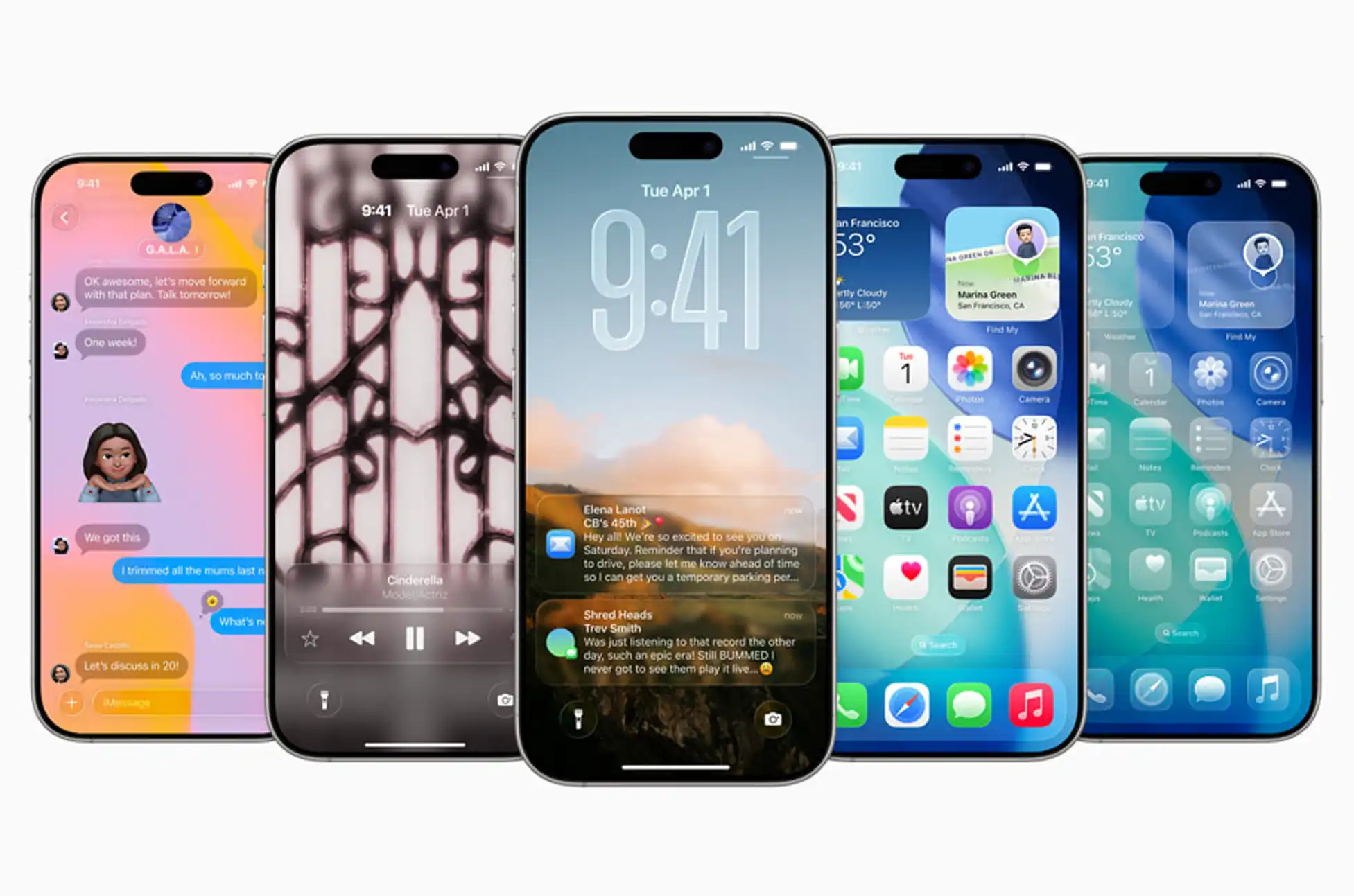
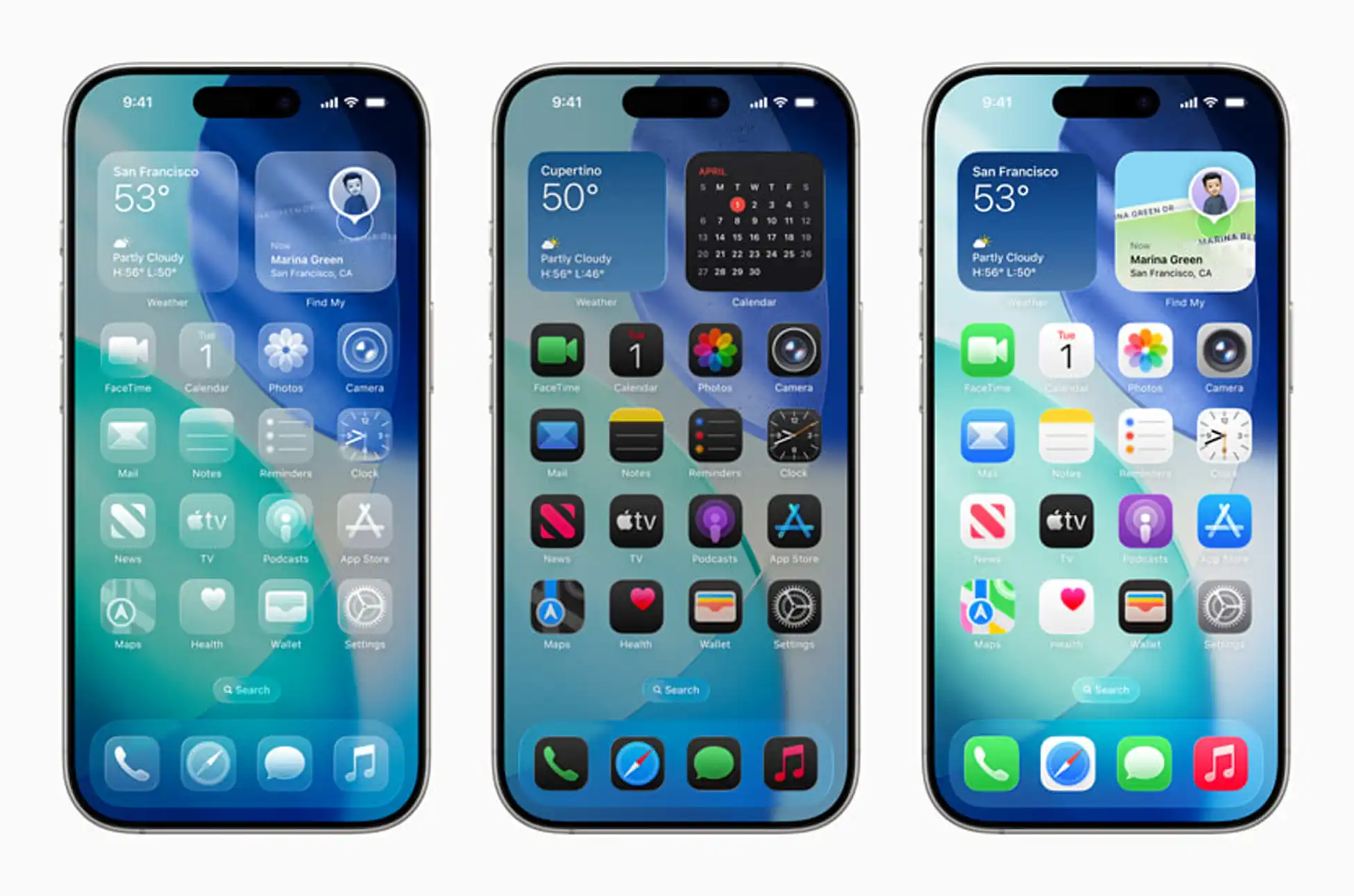
The star of iOS 26 is undoubtedly Apple’s revolutionary Liquid Glass design language. This isn’t just another visual refresh – it’s a complete reimagining of how iOS looks and feels across all Apple devices.
What Makes Liquid Glass Special?
Imagine your iPhone interface as a sheet of crystal-clear glass that responds dynamically to your every touch. The new design features:
Transparent, crystal-like elements that create depth and dimension
Unified aesthetics across iOS, iPadOS, watchOS, and tvOS
Dynamic touch responses that make interactions feel more natural and fluid
The transformation is most noticeable on your Lock Screen, where a new adaptive time widget seamlessly blends with your wallpaper and adjusts based on your notification count. This transparent aesthetic flows throughout the entire interface – from redesigned app icons and navigation controls to widgets, Messages, and beyond.
Camera and Photos: Finally Fixed After Years of Complaints
Apple has finally listened to user feedback about the confusing Photos app. The completely revamped experience now features:
Photos App Improvements
Separate tabs for Library and Collection Views, eliminating the cluttered mess
Intuitive navigation that makes finding your memories effortless
Streamlined organization that actually makes sense
Camera App Simplification
The Camera app has undergone a dramatic simplification that photography enthusiasts will love:
Bottom-aligned shooting modes for easier one-handed operation
Floating shutter button and lens switcher positioned perfectly for 16:9 shots
Cleaner interface that keeps the focus on capturing great moments
Smart Spam Protection: Your Digital Bodyguard
Spam calls and texts are a nightmare, especially in markets like the Philippines where they’re incredibly prevalent. iOS 26 tackles this problem head-on with intelligent filtering technology.
Advanced Text Filtering
Automatic spam detection that segregates unwanted messages into a special folder
Clean message list showing only communications from real people and legitimate businesses
Smart learning that improves over time
iOS 26 : Revolutionary Call Screening
iOS 26’s call screening feature is a game-changer:
Unknown number filtering that only lets calls through when callers identify themselves
Reason verification requiring callers to state why they’re calling
Hold Assist – a brilliant feature that stays on hold for you and alerts you when someone picks up (perfect for those endless customer service waits!)
Messages Gets a Major Upgrade
Group chats just got a whole lot better with iOS 26’s messaging enhancements:
Polls feature for making group decisions easier
Customizable conversation backgrounds to personalize your chats
Apple Cash integration allowing you to send, request, and receive money directly in group chats
Enhanced group management tools for better organization
iOS 26 CarPlay Ultra: Your Smart Driving Companion
CarPlay receives its most significant update ever with iOS 26:
Standard CarPlay Improvements
Liquid Glass design carried over for visual consistency
Tapbacks for quick emoji replies to messages
Pinned conversations in Messages for priority contacts
Widgets and Live Activities bringing more functionality to your dashboard
Non-intrusive call notifications that don’t take over your entire screen
CarPlay Ultra: The Premium Experience
For compatible vehicles, CarPlay Ultra offers extensive vehicle controls, though availability depends on your car’s compatibility.
Additional Game-Changing Features
iOS 26 doesn’t stop there. Here are more features that enhance your daily iPhone experience:
Live Translations during phone calls for seamless international communication
Visual Intelligence integrated with Siri, offering visual search capabilities similar to Google’s Circle to Search
New Games app serving as a central hub for your gaming life and connecting with friends
iOS 26 : Availability and Device Compatibility
Developer Beta: Available now for registered developers Public Release: September 2024 Device Support: iPhone SE (2nd generation) and newer models
Why iOS 26 Matters
This isn’t just another incremental update. iOS 26 represents Apple’s commitment to addressing real user pain points while pushing the boundaries of mobile interface design. The combination of stunning visual improvements and practical functionality enhancements makes this update a must-have for iPhone users.
Whether you’re frustrated with spam calls, confused by the Photos app, or simply want a more beautiful and intuitive iPhone experience, iOS 26 delivers on all fronts. It’s the kind of comprehensive update that reminds us why we fell in love with iPhones in the first place.
All products, and company names, logos, and service marks (collectively the "Trademarks") displayed are registered® and/or unregistered
trademarks™ of their respective owners.
The authors of this web site are not sponsored by or affiliated with any of the third-party trade mark or third-party registered trade mark owners,
and make no representations about them, their owners, their products or services.
Moto G86! Motorola has unleashed two impressive mid-range powerhouses in select European markets—the Moto G86 and G86 Power. These devices represent the brand’s commitment to delivering flagship-level features at accessible price points, making premium smartphone experiences available to a broader audience.
Both phones share identical DNA with one crucial difference: battery capacity. While they pack the same powerful performance components, Motorola offers users a choice between standard endurance and marathon-level battery life.
Moto G86 : Design and Build Quality
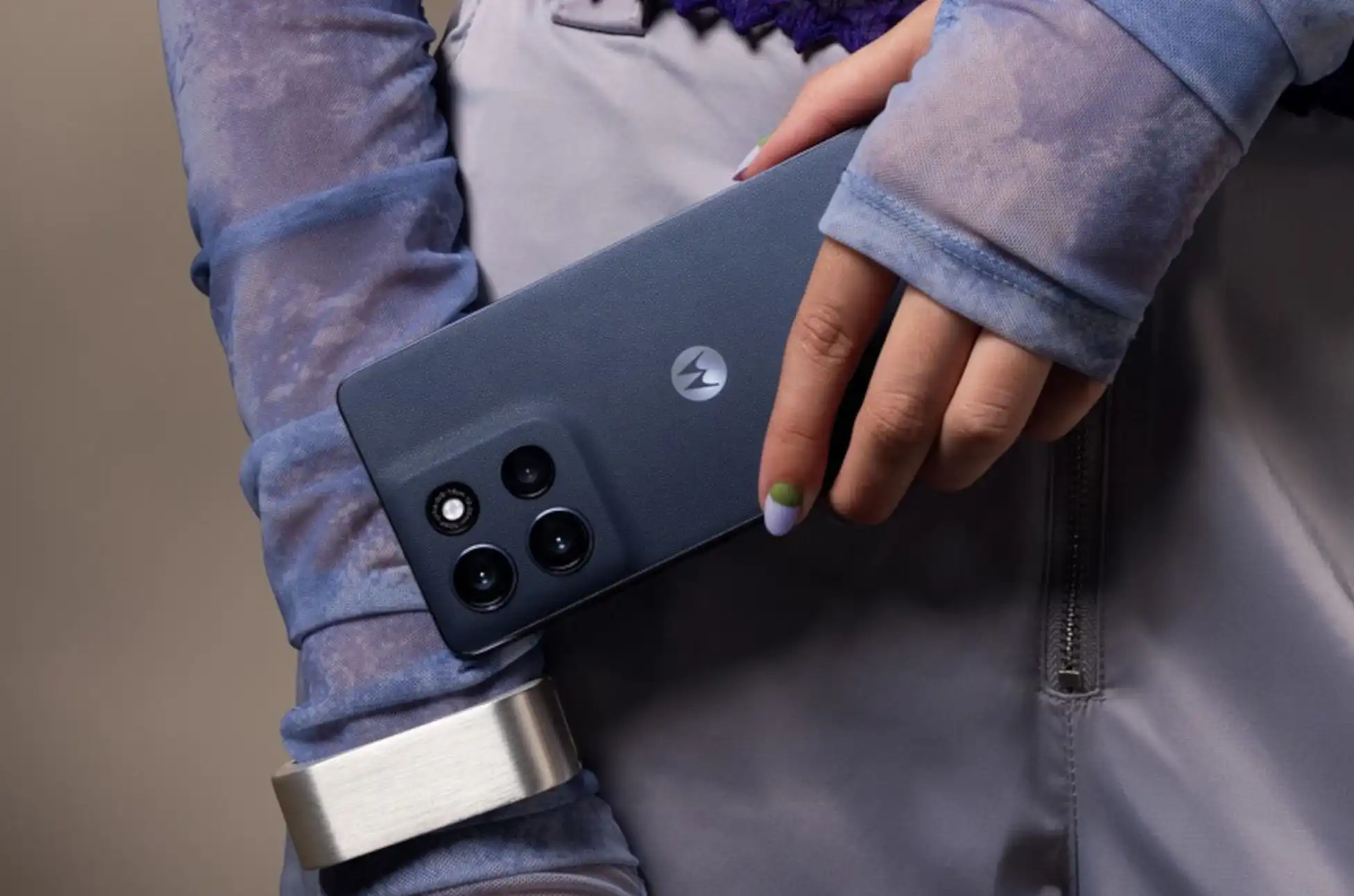
The Moto G86 series showcases Motorola’s refined design philosophy with a sleek 6.67-inch profile that feels premium in hand. These phones don’t just look good—they’re built to withstand real-world challenges.
Durability Features:
IP68/69 dust and water resistance for everyday protection
MIL-STD-810H certification for enhanced dust resistance
Corning Gorilla Glass 7i protection for the display
Lightweight construction at just 185g (G86) and 198g (G86 Power)
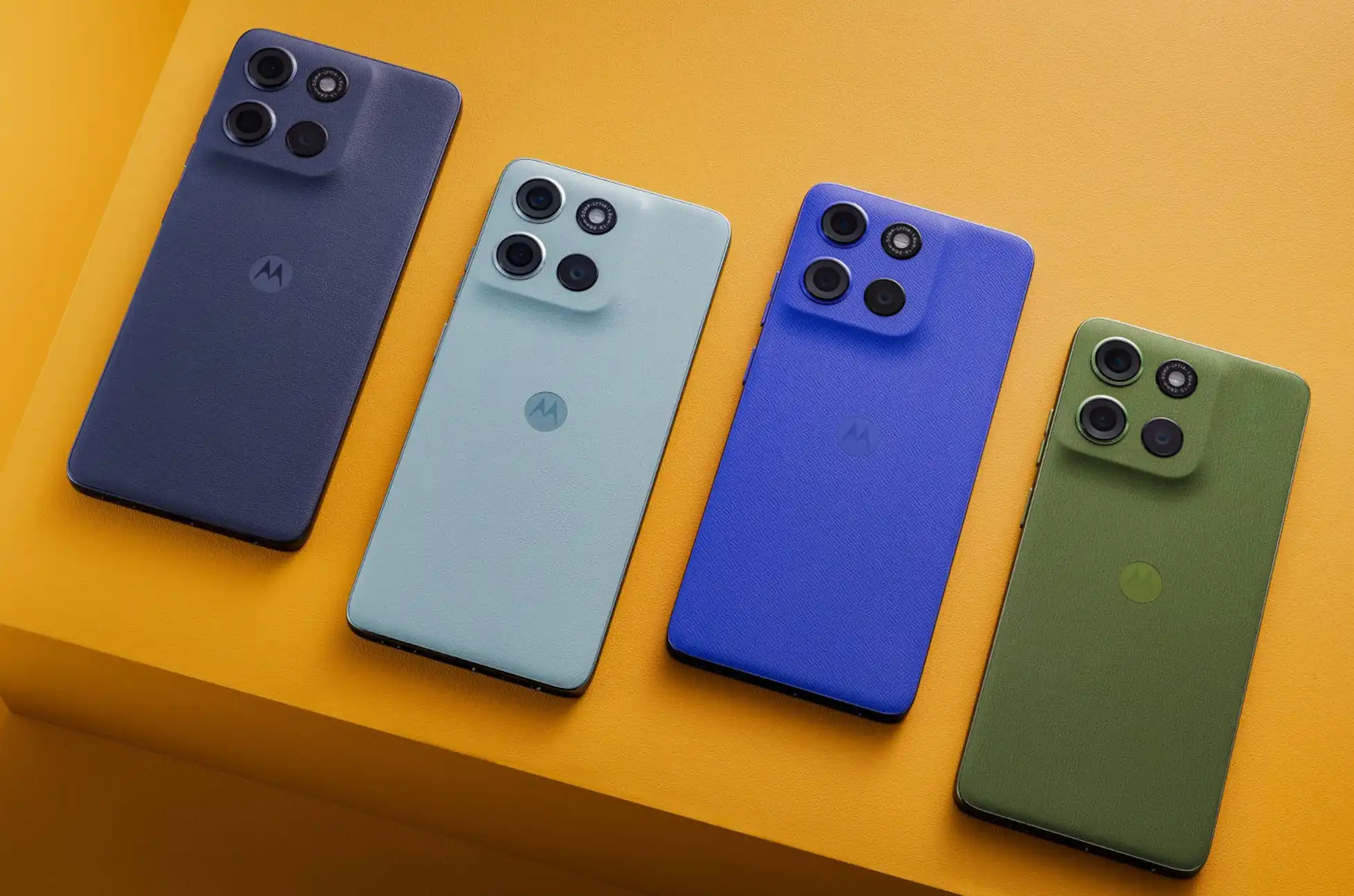
The available color options reflect Motorola’s partnership with Pantone, offering sophisticated choices like Chrysanthemum, Spellbound, Cosmic Sky, and Golden Cypress that stand out from typical smartphone palettes.
Display Excellence
The 6.67-inch pOLED display delivers stunning visual quality that rivals more expensive flagships. With 2712 x 1220 resolution and approximately 446 pixels per inch, content appears crisp and vibrant whether you’re streaming videos, gaming, or browsing social media.
The 120Hz refresh rate ensures smooth scrolling and responsive touch interactions, while HDR10+ support and an impressive 4500-nit peak brightness make outdoor visibility exceptional even in direct sunlight.
Performance That Delivers
At the heart of both devices lies the MediaTek Dimensity 7300 processor, a capable 2.5GHz octa-core chipset that handles everything from productivity tasks to mobile gaming with ease. Paired with 8GB or 12GB RAM options and Mali-G615 MC2 graphics, these phones deliver smooth performance across all applications.
Storage flexibility comes standard with 256GB or 512GB internal options, plus microSD expansion capability for users who need extra space for photos, videos, and apps.
Camera System Breakdown
Motorola has equipped both phones with a versatile camera setup that captures impressive photos and videos in various conditions.
Rear Camera Configuration:
50MP main camera with f/1.9 aperture, dual-pixel PDAF, and optical image stabilization
8MP ultra-wide camera for expansive landscape and group shots
LED flash for low-light photography
Front Camera:
32MP selfie camera for high-quality video calls and social media content
The combination of hardware and software optimization delivers reliable photo quality that competes well in the mid-range segment.
Battery Life: Choose Your Power Level
This is where the G86 and G86 Power truly differentiate themselves:
Moto G86: Features a substantial 5,200mAh battery that easily provides all-day usage for most users Moto G86 Power: Boasts an impressive 6,720mAh capacity for users who demand maximum endurance
Both models support 30W fast charging, ensuring you spend less time tethered to power outlets and more time using your phone.
Moto G86 : Technical Specifications
Feature
Moto G86
Moto G86 Power
Display
6.67″ pOLED, 2712×1220, 120Hz
6.67″ pOLED, 2712×1220, 120Hz
Processor
MediaTek Dimensity 7300 (2.5GHz)
MediaTek Dimensity 7300 (2.5GHz)
RAM
8GB/12GB
8GB/12GB
Storage
256GB/512GB + microSD
256GB/512GB + microSD
Main Camera
50MP (f/1.9, OIS, PDAF)
50MP (f/1.9, OIS, PDAF)
Ultra-wide
8MP
8MP
Front Camera
32MP
32MP
Battery
5,200mAh, 30W charging
6,720mAh, 30W charging
Dimensions
161.2×74.7×7.8mm
161.2×74.7×8.7mm
Weight
185g
198g
Protection
IP68/69, Gorilla Glass 7i
IP68/69, Gorilla Glass 7i
OS
Android 15
Android 15
Connectivity
5G, WiFi 6, Bluetooth 5.4, NFC
5G, WiFi 6, Bluetooth 5.4, NFC
Connectivity and Features
Both phones come fully loaded with modern connectivity options including 5G support, WiFi 6, Bluetooth 5.4, and NFC for contactless payments. The inclusion of multiple positioning systems (GPS, GLONASS, GALILEO, QZSS, BDS) ensures accurate navigation anywhere in the world.
Security features include an under-display fingerprint scanner and face unlock, providing convenient yet secure access to your device.
Pricing and Availability
Motorola has positioned these phones competitively in the European market:
Moto G86: EUR 299 (approximately ₱18,900)
Moto G86 Power: EUR 329 (approximately ₱20,900)
This pricing strategy makes flagship-level features accessible while maintaining excellent value for money.
Moto G86 : Conclusion
The Moto G86 series represents excellent value in the mid-range smartphone market. If you prioritize standard battery life with premium features, the regular G86 offers everything most users need. For power users who demand maximum battery endurance, the G86 Power’s 6,720mAh capacity justifies the modest price increase.
Both phones deliver flagship-quality displays, reliable performance, versatile cameras, and robust build quality at prices that won’t break the bank. Whether you choose the G86 or G86 Power, you’re getting a smartphone that punches well above its price class.
All products, and company names, logos, and service marks (collectively the "Trademarks") displayed are registered® and/or unregistered
trademarks™ of their respective owners.
The authors of this web site are not sponsored by or affiliated with any of the third-party trade mark or third-party registered trade mark owners,
and make no representations about them, their owners, their products or services.
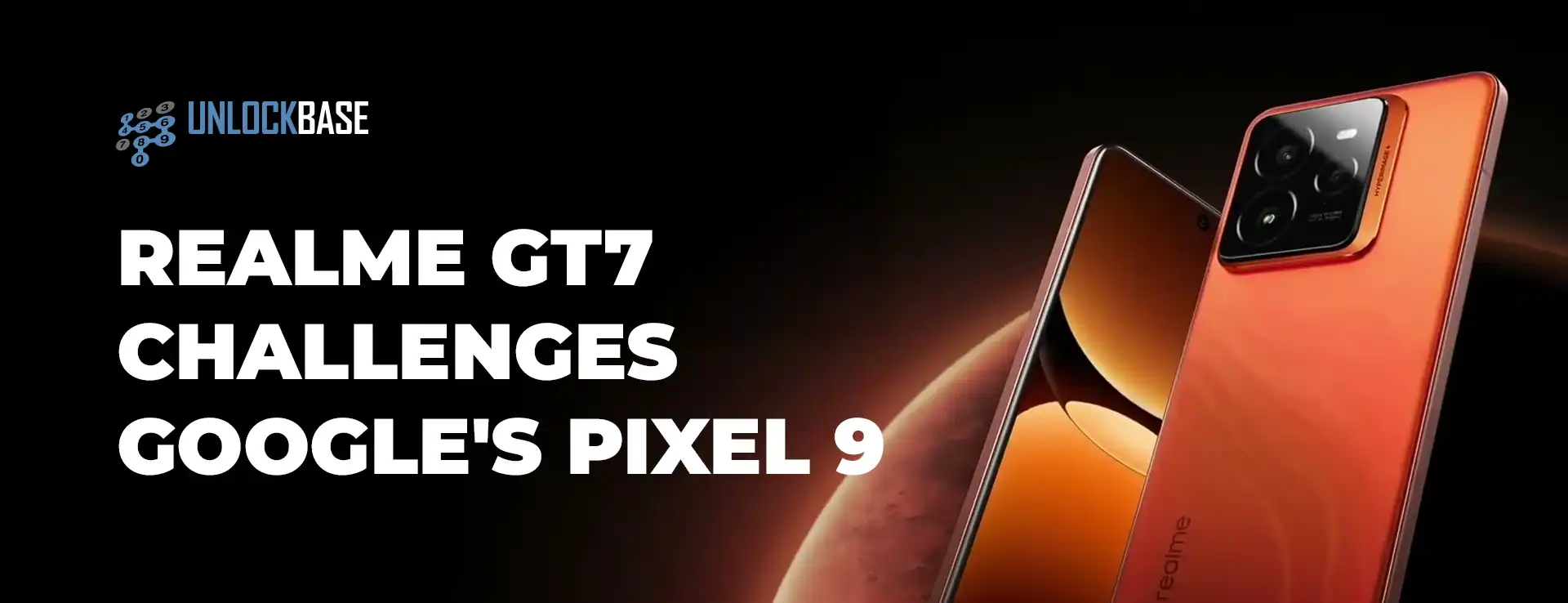
While Google’s Pixel 9 dominates with AI features, Realme just launched the GT7 with a different approach: solving real user problems. With a massive 7,000mAh battery, 120W charging, and competitive pricing, can this underdog challenge Google’s flagship?
The Underdog Smartphone That’s Rewriting the Flagship Playbook
In a smartphone market dominated by Samsung and Google, Realme just threw down the gauntlet with the GT7 – a device that dares to challenge the Pixel 9’s dominance with an audacious approach to battery technology and performance. While Google focuses on AI smarts, Realme is solving the problems that actually keep users up at night: dead batteries and slow charging.
Realme GT7 : The 7,000mAh Game Changer
The Realme GT7’s headline feature is impossible to ignore – a massive 7,000mAh battery paired with 120W fast charging. This industry-first combination delivers a full charge in just 40 minutes, making the Pixel 9’s charging speeds look prehistoric by comparison.
To put this in perspective, the GT7’s battery nearly doubles the Galaxy S25 Edge’s 3,900mAh capacity and significantly outpaces the Galaxy S25 Ultra’s 5,000mAh pack. The phone also features bypass charging technology that powers your device directly during gaming or intensive tasks, protecting long-term battery health.
Performance That Competes
Under the hood, the MediaTek Dimensity 9400e processor (essentially last year’s refined Dimensity 9300 Plus) delivers flagship-level performance that rivals premium Android devices. The 6.78-inch OLED display impresses with 2,780 x 1,264 resolution, 120Hz refresh rate, and 6,000 nits peak brightness.
Camera System: Quality Without Compromise
The GT7’s camera setup holds its own against flagship competition:
50MP main sensor (IMX906) for detailed photography
50MP 2x telephoto lens for portrait and zoom shots
8MP ultrawide lens for expansive scenes
32MP front camera for selfies and video calls
Smart features include Lightning Snap for fast-moving subjects, 4K/60fps underwater mode, and AI Landscape Plus that reduces haze while correcting composition automatically.
Smart Software Integration
The standout AI Planner feature lets you double-tap the back panel to scan on-screen content and automatically create calendar events. Whether planning through WhatsApp or organizing from booking emails, it eliminates tedious manual entry. The phone promises four years of OS updates and six years of security patches.
Built for Real-World Use
With IP69 rating and Gorilla Glass 7i protection, the GT7 handles daily abuse. The innovative graphene layer beneath the rear cover provides six times better thermal conductivity than glass alone, keeping the phone cool during intensive use and comfortable in various weather conditions.
Realme GT7 : The Aston Martin Dream Edition
The GT7 Dream Edition features exclusive Aston Martin F1 branding with a striking green colorway, custom accessories, and unique software elements including themed wallpapers and icons.
Pricing: Premium Features, Smart Price
Standard GT7:
12GB/256GB: €649.99 (~$738) early bird pricing
16GB/512GB: €699.99 (~$794) early bird pricing
Dream Edition:
16GB/512GB: €899.99 (~$1,022)
Early bird pricing runs until June 9, making the GT7 significantly more affordable than the €899 Pixel 9.
The Trade-offs
The GT7 isn’t perfect – there’s no wireless charging support, and the four-year update commitment falls short of Google’s seven-year promise. However, you gain a telephoto camera, superior battery life, and blazing-fast charging that the Pixel 9 can’t match.
Realme GT7 : Final Verdict
The Realme GT7 proves that innovation doesn’t always mean following the crowd. While Google perfects AI features, Realme solved real user problems with industry-leading battery technology and competitive pricing. For users prioritizing battery life and value over brand prestige, the GT7 presents a compelling alternative that challenges flagship assumptions.
At this price point with these specifications, the GT7 isn’t just competing with the Pixel 9 – it’s redefining what consumers should expect from a premium smartphone experience.
All products, and company names, logos, and service marks (collectively the "Trademarks") displayed are registered® and/or unregistered
trademarks™ of their respective owners.
The authors of this web site are not sponsored by or affiliated with any of the third-party trade mark or third-party registered trade mark owners,
and make no representations about them, their owners, their products or services.
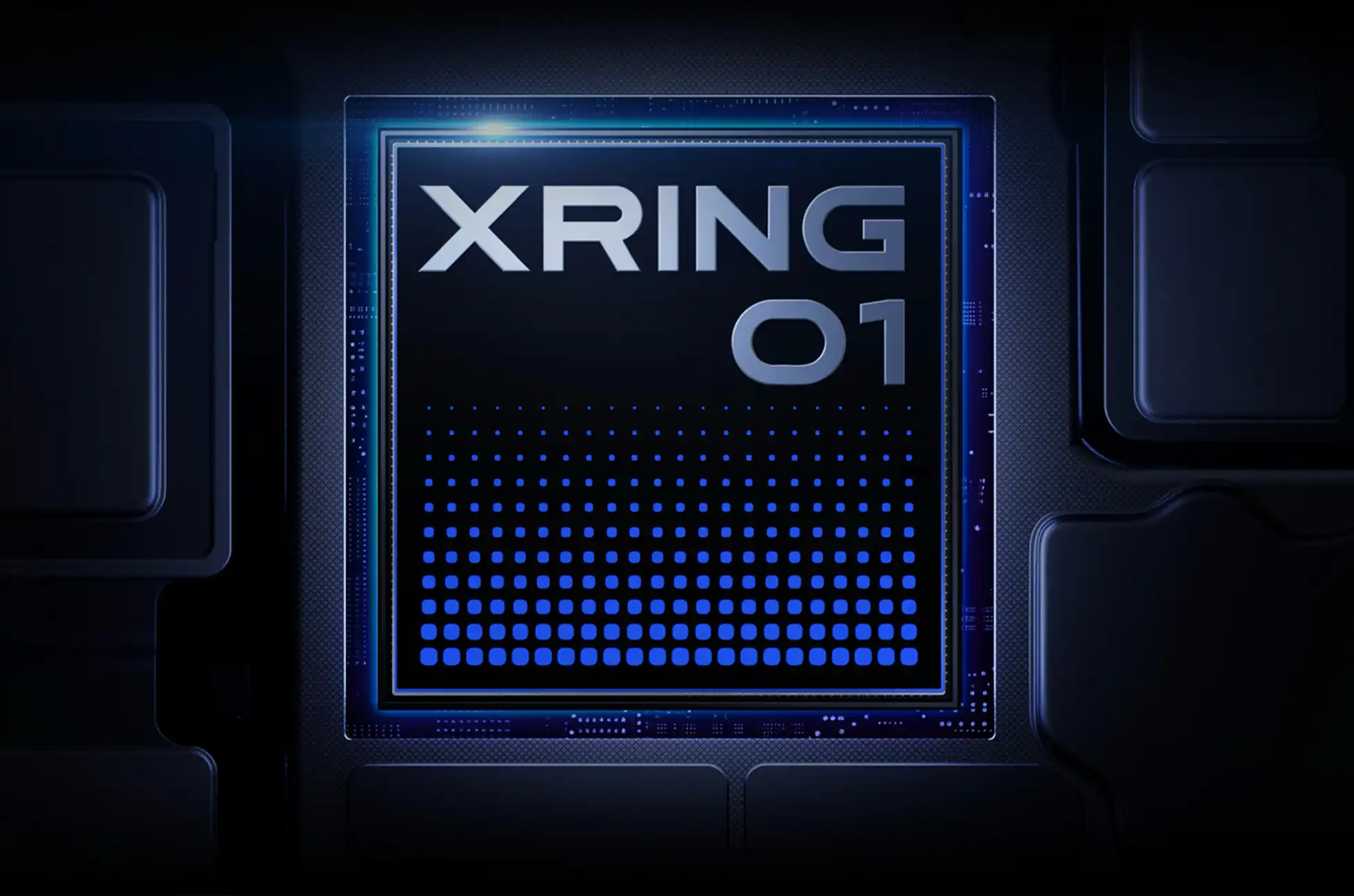
Xiaomi XRING 01! The mobile processor wars just got a lot more interesting. Xiaomi has officially pulled back the curtain on their highly anticipated custom silicon, the XRING 01, and the specifications are nothing short of impressive. This isn’t just another chip entering an already crowded market – it’s a serious contender that could reshape the competitive landscape dominated by Qualcomm, MediaTek, and even challenge Google’s Tensor ambitions.
The Beast Underneath: Xiaomi XRING 01’s Powerhouse Architecture
What makes the XRING 01 truly stand out is its ambitious deca-core CPU configuration. Xiaomi hasn’t played it safe here – they’ve crafted a processor that pushes boundaries with a sophisticated core arrangement designed for maximum performance efficiency.
The chip features a carefully orchestrated symphony of processing power:
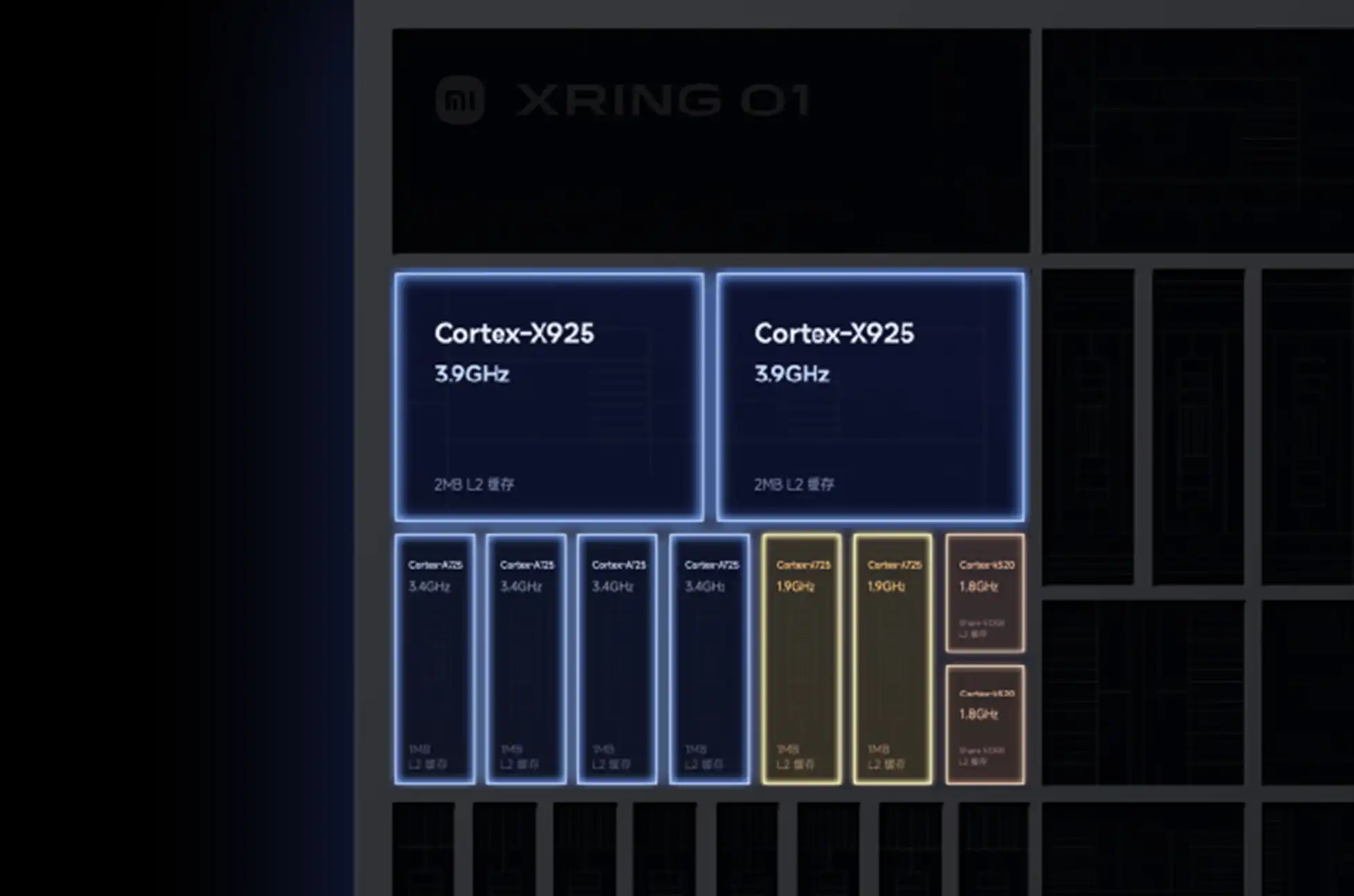
Two Cortex-X925 performance cores running at an aggressive 3.9GHz
Four Cortex-A725 cores operating at 3.4GHz for balanced workloads
Two additional Cortex-A725 cores clocked at 1.9GHz for moderate tasks
Two Cortex-A520 efficiency cores at 1.8GHz for background processes
This architecture is complemented by an intelligent caching system where the flagship cores enjoy 2MB of L2 cache each, the A725 cores get 1MB each, and the efficiency cores share 512KB – ensuring smooth data flow across all performance tiers.
How Does It Stack Against the Competition?
When comparing the XRING 01 to MediaTek’s flagship Dimensity 9400, the differences become immediately apparent. While MediaTek relies on a single Cortex-X925 core paired with older X4 and A720 architectures, Xiaomi has doubled down on the latest X925 technology and maintained consistency with modern A725 cores throughout most of the configuration.
The real battleground will likely be against Qualcomm’s Snapdragon 8 Elite. While single-core performance might favor Qualcomm’s optimized approach, Xiaomi’s deca-core strategy could deliver devastating multi-threaded performance that appeals to power users running demanding applications, gaming, and productivity workflows simultaneously.
Graphics Performance: Aiming for the Top Tier
Xiaomi hasn’t neglected the visual experience either. The XRING 01 integrates ARM’s cutting-edge Immortalis-G925 MC16 GPU, featuring a full 16 shader cores. This gives it a numerical advantage over the Dimensity 9400’s 12-core variant of the same GPU architecture.
However, raw core count doesn’t tell the complete story. Clock speeds, thermal management, and optimization will ultimately determine real-world gaming and graphics performance. What we can say is that Xiaomi has chosen premium components that position the XRING 01 as a serious gaming-focused processor.
Manufacturing Excellence and Advanced Features
Built on TSMC’s second-generation 3nm process, the XRING 01 benefits from the most advanced semiconductor manufacturing available today. This translates to improved power efficiency, better thermal characteristics, and higher transistor density – crucial factors for smartphone performance and battery life.
Photography enthusiasts will appreciate the integrated “fourth-generation” imaging processor, specifically engineered for enhanced low-light performance and 4K night video capabilities. This suggests Xiaomi is targeting the premium smartphone segment where camera quality often determines purchasing decisions.
Real-World Impact: Where You’ll Find the Xiaomi XRING 01
The processor makes its debut in two compelling devices. The Xiaomi 15s Pro smartphone and the Xiaomi Pad 7 Ultra tablet, both launching initially in the Chinese market. This dual-device approach demonstrates Xiaomi’s confidence in the chip’s versatility across different form factors and use cases.
The Bigger Picture: Industry Implications
The XRING 01 represents more than just another processor launch – it signals Xiaomi’s serious commitment to vertical integration and reduced dependence on external chip suppliers. By developing custom silicon, Xiaomi joins an exclusive club alongside Apple, Google, and Samsung in controlling their entire hardware stack.
For consumers, this competition benefits everyone. More players in the premium processor space means faster innovation cycles, better price-to-performance ratios, and more diverse feature sets across different brands.
What This Means for Google’s Tensor Ambitions
Perhaps most intriguingly, the XRING 01 appears positioned to outclass Google’s Tensor lineup significantly. With newer CPU architectures, a more advanced GPU, and cutting-edge manufacturing, Xiaomi’s first custom chip could deliver the performance that Tensor has struggled to achieve while maintaining better efficiency profiles.
Xiaomi XRING 01 : The Road Ahead
While specifications on paper look impressive, the true test will come through real-world usage, benchmark comparisons, and long-term reliability assessments. The mobile industry has seen promising chips falter due to thermal issues, software optimization challenges, or manufacturing inconsistencies.
However, Xiaomi’s track record with hardware engineering and their partnership with TSMC’s proven manufacturing capabilities suggest the XRING 01 has strong foundations for success.
The smartphone processor landscape just became significantly more competitive, and consumers worldwide should benefit from the increased innovation and performance options this new player brings to the table.
All products, and company names, logos, and service marks (collectively the "Trademarks") displayed are registered® and/or unregistered
trademarks™ of their respective owners.
The authors of this web site are not sponsored by or affiliated with any of the third-party trade mark or third-party registered trade mark owners,
and make no representations about them, their owners, their products or services.
Samsung Galaxy S25 Edge! Samsung surprised tech enthusiasts earlier this year when they teased their ultra-thin addition to the Galaxy S25 lineup during January’s Unpacked event. After months of anticipation and what industry insiders suggest was a delayed release, the Galaxy S25 Edge has finally arrived—and it’s available for pre-order right now.
At its heart, the Galaxy S25 Edge shares the same DNA as its siblings in the S25 family. You’ll find the powerful Snapdragon 8 Elite processor, a vibrant AMOLED display, and the latest One UI 7 with Samsung’s full suite of Galaxy AI features. For those tracking the usual specifications, the Edge largely aligns with the rest of the S25 series regarding storage options, RAM configurations, and Samsung’s industry-leading update policy.
But where this device truly stands out—and warrants closer examination—is in three crucial areas: design philosophy, camera capabilities, and battery capacity.
Slimming Down: Design Innovation or Familiar Territory?
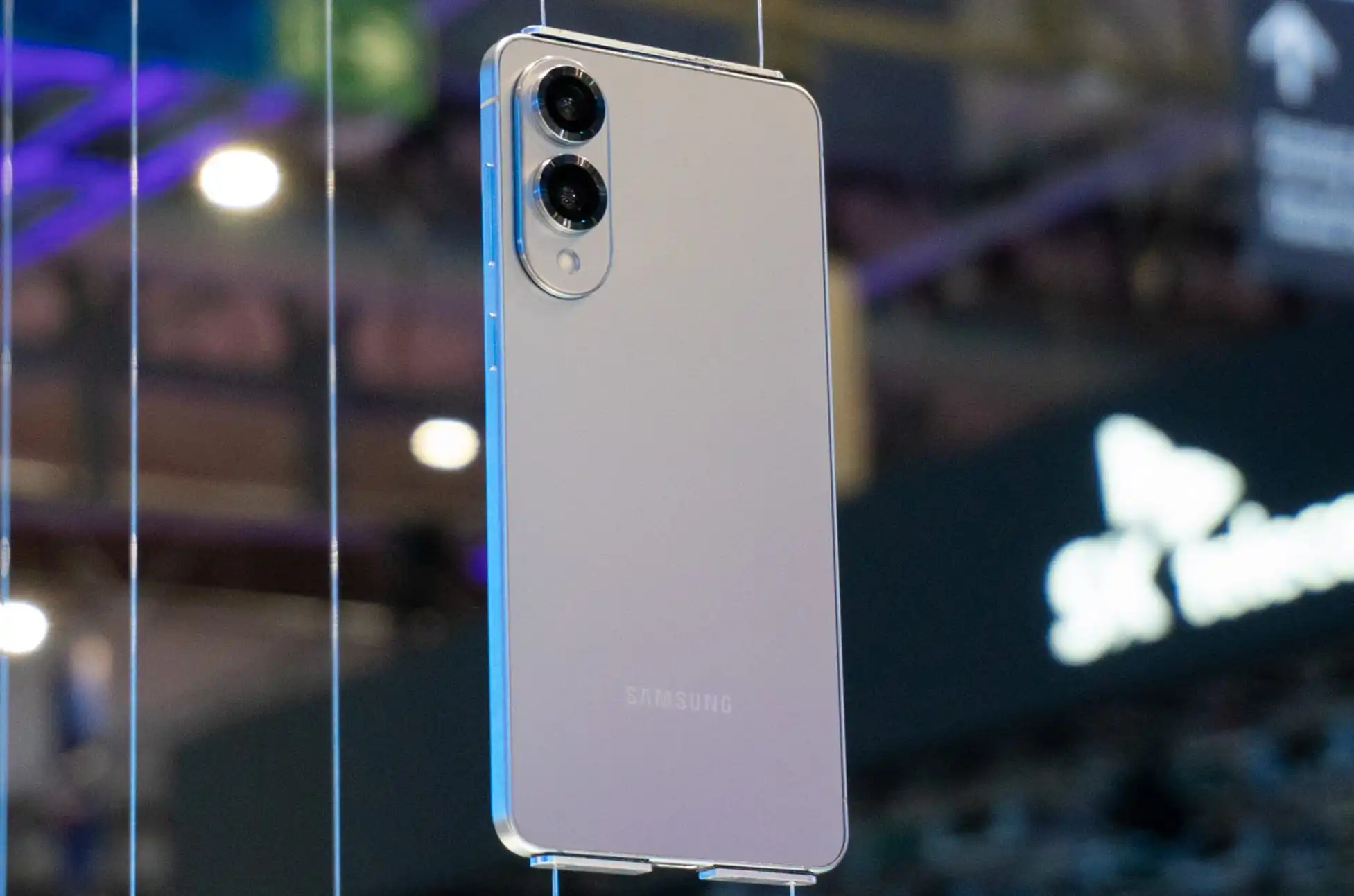
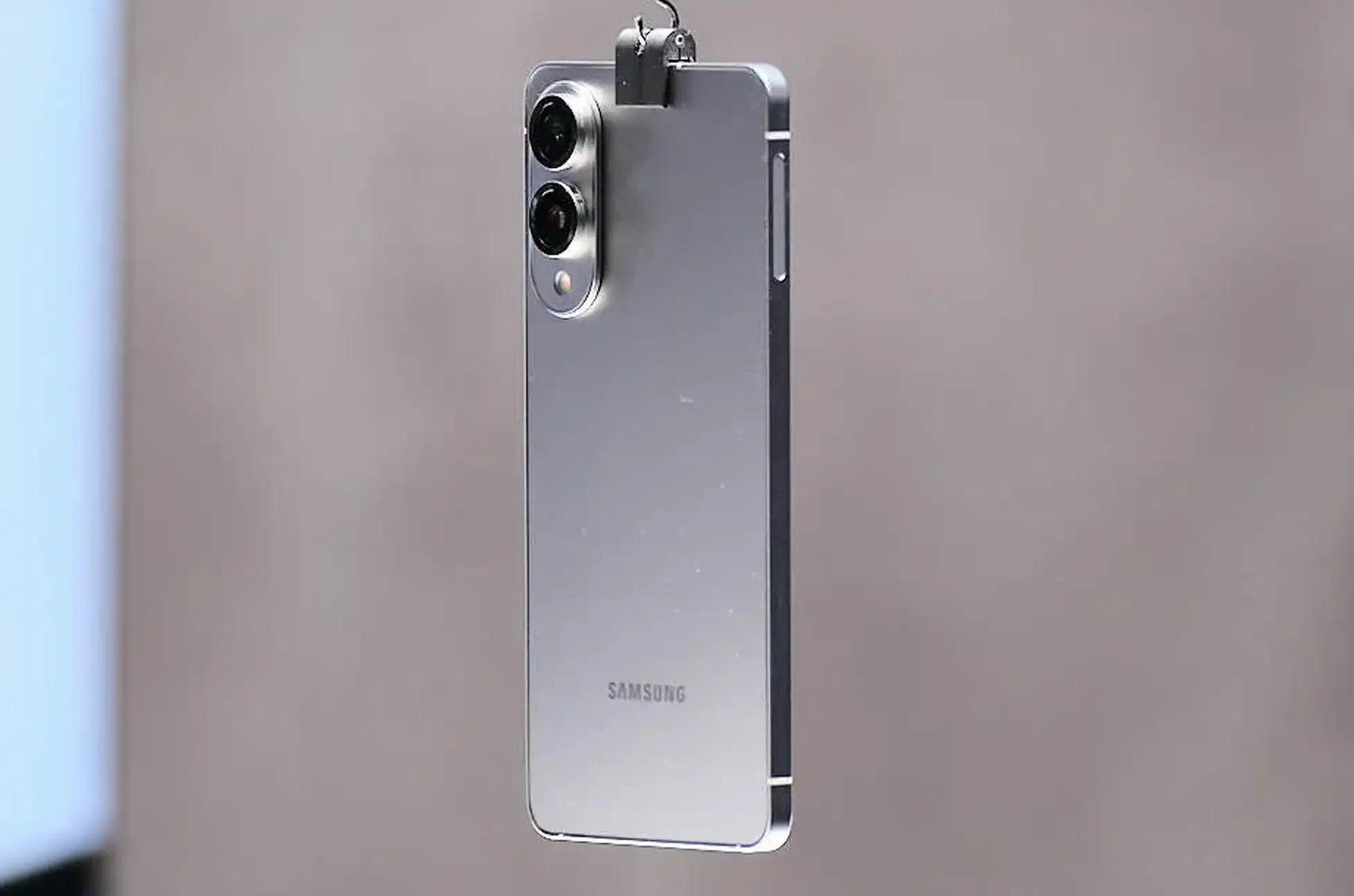
The standout feature of the Galaxy S25 Edge is undoubtedly its svelte profile. At just 5.8mm thick, it shaves approximately 1.5mm off the S25+ while maintaining an impressive 6.7-inch display. Perhaps more remarkably, it weighs only 163 grams—comparable to the much smaller 6.2-inch standard S25 (162g) or the 6.1-inch iPhone 16 (170g).
However, this ultra-thin design isn’t the groundbreaking achievement Samsung’s marketing might suggest. Tech enthusiasts with longer memories will recall that Motorola’s original Moto Z from 2015 measured an even more impressive 5.2mm while supporting the company’s modular accessories system. Samsung’s achievement, while noteworthy in today’s market, treads ground that smartphone manufacturers explored nearly a decade ago.
Camera Compromises: Quality in a Slimmer Package?
The Galaxy S25 Edge takes a surprising approach to its camera system by including just two rear lenses—a configuration more commonly found in mid-range devices than premium flagships.
The main 200MP sensor incorporates Samsung’s ProVisual Engine technology, matching its S25 counterparts on paper. However, given the space constraints of the thinner chassis, performance may align more closely with Samsung’s foldable Z-series than with traditional S-series devices.
The secondary ultra-wide lens completes the camera array—a sensible choice over a low-magnification telephoto. However, with digital zoom capabilities capped at 10x, capturing distant subjects could prove challenging. This represents a significant compromise compared to the more robust camera systems in similarly-priced devices, including Samsung’s own S25+.
Battery Concerns: Will It Last?
Perhaps the most significant question mark hangs over the Edge’s 3,900mAh battery. For a device sporting a 6.7-inch display and flagship-class processor, this capacity falls noticeably below industry standards for phones of comparable size.
Unlike clamshell foldables with similar battery sizes, the Edge doesn’t have a secondary low-power display to offset power consumption. Samsung promises “all-day” battery life, but real-world performance remains to be seen. For power users, this could be the deciding factor that determines whether the Edge’s striking design justifies its functional compromises.
Samsung Galaxy S25 EdgePricing and Availability
If you’re undeterred by these potential limitations, the Galaxy S25 Edge is available for pre-order now through Amazon, Best Buy, Samsung’s website, and major carriers. The base 256GB model starts at $1,100, while the 512GB variant costs $1,219.
Color options include Titanium Silver, Titanium Jetblack, and Titanium Icyblue—a notably conservative palette compared to the vibrant options sometimes available in Samsung’s lineup. The device officially releases on May 30th.
Pre-orders through Samsung’s store can save up to $630 with eligible trade-ins, plus an additional $50 discount and a free storage upgrade for early adopters.
Samsung Galaxy S25 Edge : Key Specifications at a Glance
Processor: Snapdragon 8 Elite
Display: 6.7″ QHD+ AMOLED
RAM: 12GB
Storage: 256GB or 512GB
Battery: 3,900mAh
Charging: 25W wired, wireless supported
Main Camera: 200MP f/1.7 with up to 10x digital zoom
Secondary Camera: 12MP f/2.2 ultra-wide
Front Camera: 12MP f/2.2
Dimensions: 75.6 x 158.2 x 5.8mm
Weight: 163g
Water/Dust Resistance: IP68
Software: Android 15 with One UI 7
The Verdict: Form Over Function?
The Galaxy S25 Edge stands as Samsung’s statement piece—a testament to the company’s engineering capabilities in creating ultra-thin devices. However, its compromises in camera versatility and potentially battery life raise important questions about prioritizing design aesthetics over practical functionality.
For those enchanted by its slim profile and lightweight construction, the Edge represents a unique option in today’s smartphone market. For others, the standard S25+ might provide a more balanced experience with minimal additional bulk.
As always, the true test will come when this device faces real-world usage scenarios. We’ll be putting the Galaxy S25 Edge through comprehensive testing to determine whether Samsung’s latest innovation truly delivers on its promises.
All products, and company names, logos, and service marks (collectively the "Trademarks") displayed are registered® and/or unregistered
trademarks™ of their respective owners.
The authors of this web site are not sponsored by or affiliated with any of the third-party trade mark or third-party registered trade mark owners,
and make no representations about them, their owners, their products or services.
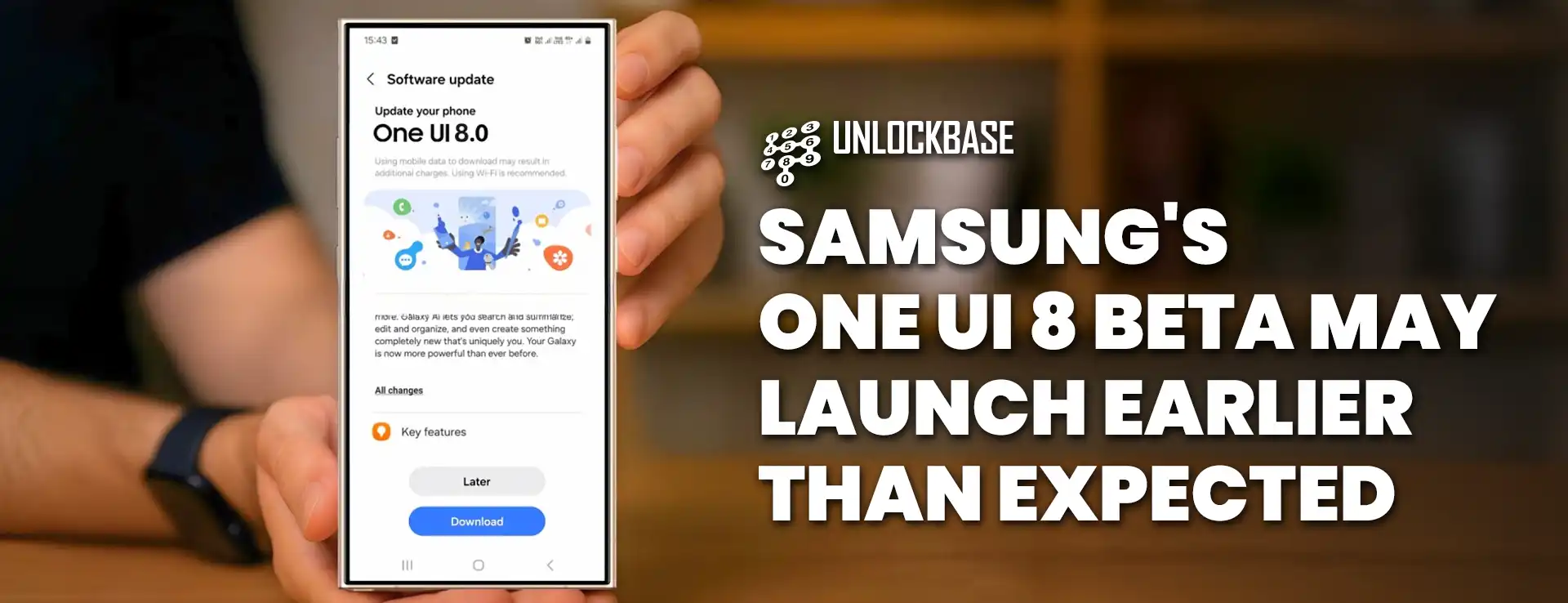
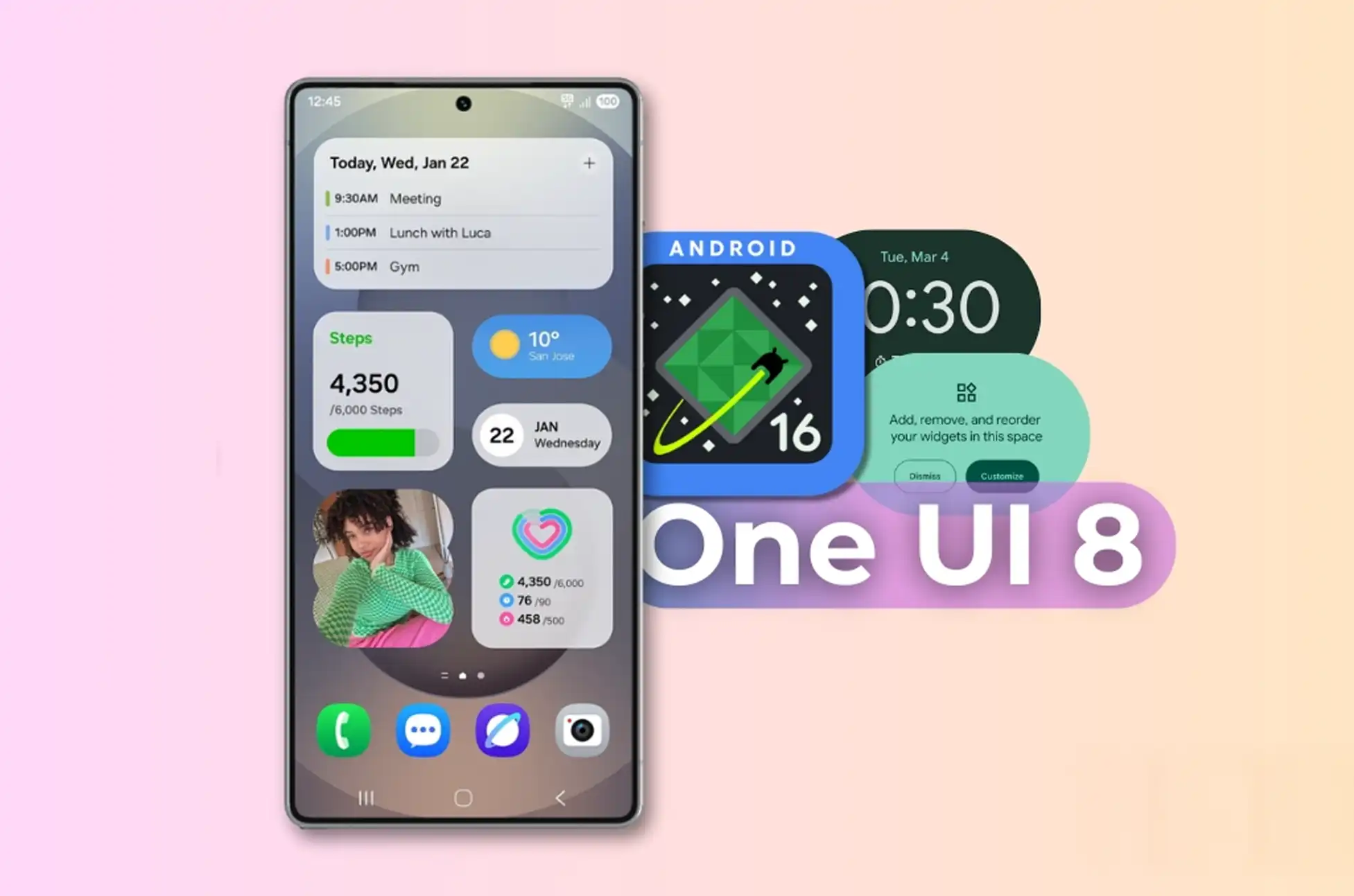
Samsung is speeding up its software timeline, with the first One UI 8 beta likely arriving before May ends. This quick turnaround represents a major change from past release schedules and could give Galaxy flagship owners early access to Android 16 features soon.
Early Access Coming Soon
Based on recent Sammobile reports, Samsung’s One UI 8 beta—running on Android 16—might roll out in just weeks. Some Galaxy flagship users in certain regions could see the beta as early as mid-May, which is surprising since many have only just updated to stable Android 15 versions.
This schedule contradicts previous claims from tipster Tarun Vats, who had pointed to a June beta release followed by stable versions in late summer.
What’s New in One UI 8
Although Samsung hasn’t officially announced any release dates yet, experts believe One UI 8 will be a smaller update compared to its feature-packed predecessor. The previous One UI 7 brought many changes, which is why it took longer to develop.
Leaked builds suggest One UI 8 will mostly polish existing features instead of completely redesigning the interface. Users can expect upgrades to:
Now Bar functions
Secure Folder design
Samsung DeX experience
New Android 16 features
Who Gets Access First
Remember that the beta program won’t be available for everyone. Samsung usually limits early access to:
Top-tier devices (probably starting with S24 models)
Certain markets (typically including the US, South Korea, and some European countries)
Users who sign up through the Samsung Members app
If you’re interested, keep checking the Samsung Members app for notifications when the beta launches in your area.
With this faster schedule, Samsung seems eager to streamline updates and reduce delays between Google’s Android releases and their own customized version. Now, the question remains: will this quicker approach still deliver the reliable experience Galaxy users expect?
All products, and company names, logos, and service marks (collectively the "Trademarks") displayed are registered® and/or unregistered
trademarks™ of their respective owners.
The authors of this web site are not sponsored by or affiliated with any of the third-party trade mark or third-party registered trade mark owners,
and make no representations about them, their owners, their products or services.
After a three-year hiatus, OnePlus has revived its beloved T-series with the launch of the impressive OnePlus 13T. This compact powerhouse brings premium features in a more manageable form factor, delighting fans who have been eagerly awaiting the return of this mid-cycle refresh option.
OnePlus 13T : Sleek Design with Premium Display
The OnePlus 13T embraces a more pocket-friendly design compared to its bigger sibling. Featuring a gorgeous 6.32-inch LTPO AMOLED display with 1.2K resolution (2640 x 1216 pixels), this compact flagship delivers stunning visuals without requiring two-handed operation. The adaptive refresh rate ranges from an energy-efficient 1Hz to a buttery-smooth 120Hz, ensuring both battery efficiency and exceptional scrolling performance.
Protected by Crystal Shield Glass, the display supports HDR10 and HDR10+ content, bringing your streaming experiences to life with vibrant colors and excellent contrast.
Extraordinary Battery in a Compact Body
Despite its smaller footprint, the OnePlus 13T surprisingly houses a massive 6,260mAh battery – even larger than the one found in the standard OnePlus 13. This powerhouse is complemented by 80W fast charging technology, ensuring minimal downtime between charges.
To maintain optimal performance during intensive tasks, OnePlus has implemented an impressive 4400mm² vapor chamber cooling system that effectively manages both processor and battery temperatures.
Cutting-Edge Performance
At the heart of the OnePlus 13T lies Qualcomm’s latest Snapdragon 8 Elite processor, delivering exceptional processing power with clock speeds up to 4.32GHz. This processing beast is paired with the Adreno 830 GPU and up to 16GB of RAM, ensuring smooth multitasking and gaming experiences.
The device comes with up to 1TB of UFS 4.0 storage, providing lightning-fast data access while offering ample space for apps, photos, videos, and games.
Reimagined Camera System
OnePlus has redesigned the camera island on the 13T, housing a powerful dual-camera setup that promises excellent photography capabilities:
50-megapixel main camera featuring Sony’s IMX906 sensor with f/1.8 aperture, PDAF, and optical image stabilization
50-megapixel 2x telephoto lens with PDAF for high-quality zoom shots
Selfie enthusiasts will appreciate the 16-megapixel front-facing camera that delivers crisp, detailed self-portraits.
Innovative Controls with Modern Software
The OnePlus 13T introduces a new programmable Shortcut Key that replaces the iconic Alert Slider. This customizable button allows users to quickly access their favorite functions or applications with a simple press.
On the software front, the device ships with Android 15-based ColorOS 15, offering a refined user experience with the latest features and optimizations from both Google and OnePlus.
Comprehensive Connectivity Options
The OnePlus 13T doesn’t compromise on connectivity, featuring:
WiFi 7 tri-band support
Bluetooth 5.4
5G capabilities
IP65 dust and water resistance
Under-display fingerprint scanner
Stereo speakers
IR Blaster for controlling home appliances
NFC for contactless payments
OnePlus 13T : Pricing and Availability
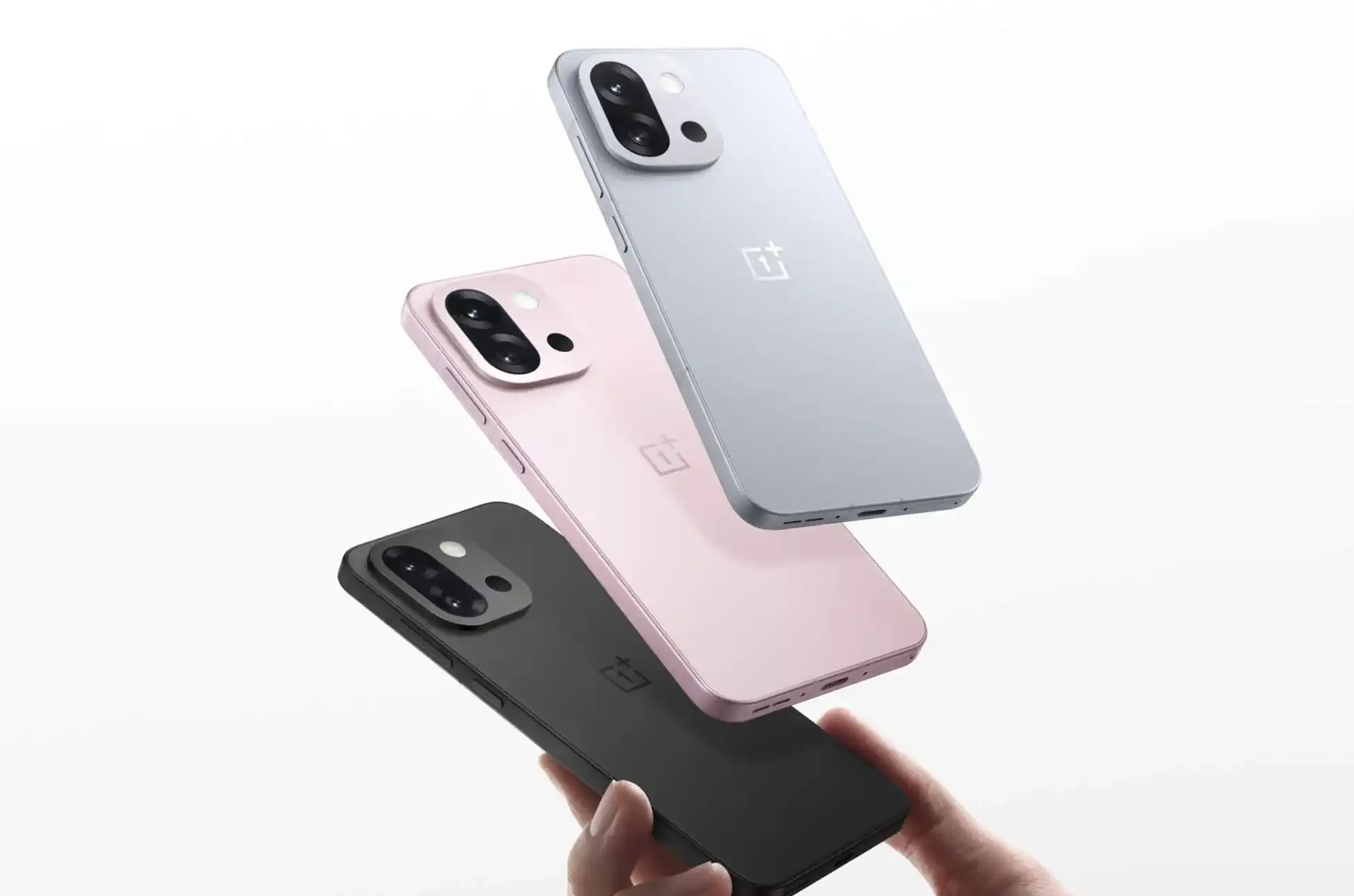
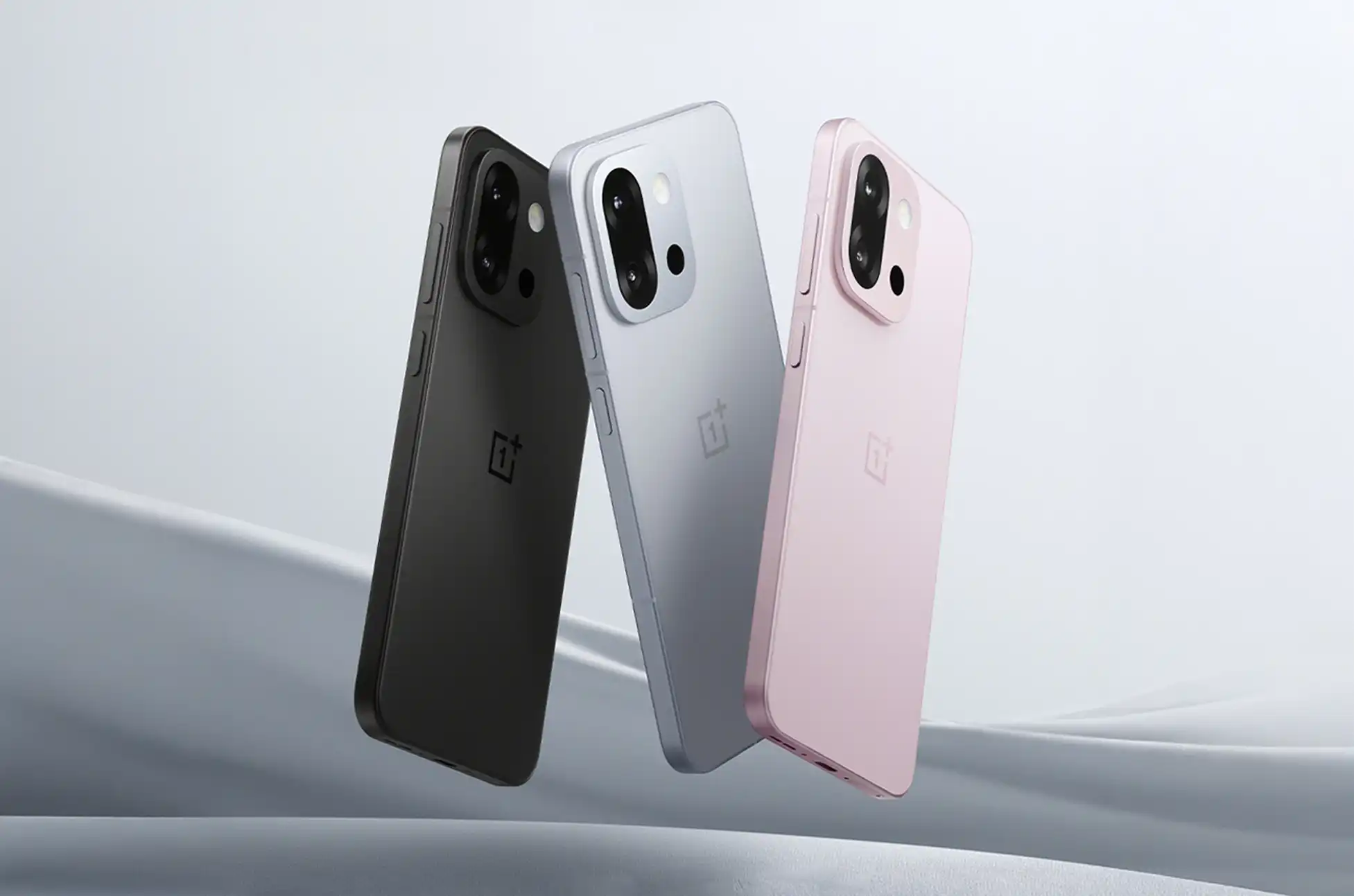
The OnePlus 13T is available in elegant Pink, Gray, and Black color options, with various configurations to suit different needs and budgets:
12GB/256GB: CNY3,399 (~$480)
16GB/256GB: CNY3,599 (~$510)
12GB/512GB: CNY3,799 (~$540)
16GB/512GB: CNY3,999 (~$565)
16GB/1TB: CNY4,499 (~$635)
International release details will be announced soon, giving global OnePlus enthusiasts something exciting to look forward to.
5G, WiFi 7 (tri-band), Bluetooth 5.4, NFC, IR Blaster
Biometrics
Under-display fingerprint scanner, Face unlock
Water Resistance
IP65 rated
Audio
Stereo speakers
Dimensions
150.8 x 71.7 x 8.2mm
Weight
185g
Colors
Pink, Gray, Black
Special Features
Programmable Shortcut Key
OnePlus 13T : Conclusion
The OnePlus 13T strikes an impressive balance between compact design and flagship performance. With its exceptional battery life, powerful processor, capable cameras, and reasonable price point, this T-series revival demonstrates OnePlus’s commitment to offering premium experiences at various form factors and price points.
What do you think about the return of the OnePlus T-series? Will you be picking up the 13T when it launches internationally? Let us know in the comments below!
All products, and company names, logos, and service marks (collectively the "Trademarks") displayed are registered® and/or unregistered
trademarks™ of their respective owners.
The authors of this web site are not sponsored by or affiliated with any of the third-party trade mark or third-party registered trade mark owners,
and make no representations about them, their owners, their products or services.