Phone Unlocking Myths? Have you ever wondered about unlocking your phone but felt hesitant due to conflicting information online? You’re not alone.
Let’s clear the air and debunk some of the most persistent myths about phone unlocking that keep circulating on the internet.
Phone Unlocking Myths : “Phone Unlocking Will Void My Warranty”
One of the most common fears about phone unlocking is that it will immediately void your warranty. Here’s the truth: unlocking your phone through official channels or authorized services won’t void your manufacturer’s warranty.
The key is using legitimate unlocking methods provided by your carrier or certified unlocking services. Your warranty only becomes at risk when you attempt unauthorized modifications or hacking of your device.
“Unlocking and Jailbreaking Are the Same Thing”
This is perhaps the most widespread misconception in the mobile world. Unlocking your phone simply means enabling it to work with different carrier networks.
Jailbreaking, on the other hand, involves modifying your device’s operating system to bypass manufacturer restrictions. They’re completely different processes with different purposes and risks. While unlocking is perfectly legal, jailbreaking may void your warranty and potentially compromise your device’s security.
“Unlocked Phones Don’t Get Network Updates”
Many people believe that unlocking their phone will cut them off from important network updates. This couldn’t be further from the truth.
An unlocked phone will continue to receive all necessary carrier updates when connected to a network. In fact, many unlocked phones receive updates directly from the manufacturer, which can sometimes mean faster access to new features and security patches.
“All Free Unlock Codes Are Scams”
While it’s true that you should be cautious about free unlock codes, not all of them are scams. Some carriers will provide unlock codes for free once you’ve met certain conditions, such as completing your contract or paying off your device.
However, it’s essential to obtain these codes directly from your carrier or trusted unlocking services rather than random websites promising “free” solutions.
“Unlocking Will Damage My Phone”
This fear keeps many people from unlocking their devices. The reality is that proper unlocking is a software-level change that doesn’t affect your phone’s hardware in any way. When done correctly through legitimate channels, unlocking is completely safe and won’t cause any damage to your device.
The problems only arise when people attempt unsafe unlocking methods or fall for scam services.
“Once Unlocked, My Phone Will Work With Any Carrier”
While unlocking your phone does give you more carrier options, it doesn’t guarantee compatibility with every network. Your phone needs to be technically compatible with a carrier’s network bands and technologies.
For example, a CDMA phone might not work on a GSM network even after unlocking. Always check your phone’s technical specifications and carrier compatibility before unlocking.
“Unlocking Will Delete All My Data”
This is another myth that causes unnecessary worry. Unlocking your phone doesn’t affect your personal data in any way. Your photos, contacts, apps, and other personal information remain exactly as they were before the unlock.
However, it’s always a good practice to back up your data regularly, regardless of whether you’re unlocking your phone or not.
“Professional Unlocking Services Are Always Expensive”
While some unlocking services can be pricey, the cost varies significantly depending on your phone model and the service provider.
UnlockBase offer competitive prices, and the investment often pays off when you consider the flexibility and potential savings on carrier plans that come with an unlocked phone.
Moreover, some carriers will unlock your phone for free if you meet their requirements.
“I Need Technical Skills to Unlock My Phone”
Modern phone unlocking is much simpler than many people think. When using official carrier unlocking or professional services, the process usually involves simply entering a code or following basic instructions.
You don’t need any technical expertise or special tools. The service provider typically guides you through each step of the process.
Phone Unlocking Myths : The Bottom Line
Phone unlocking has become a standard practice in the mobile industry, but myths and misconceptions continue to create unnecessary fears. The key to successful unlocking is using legitimate services and understanding what unlocking can and cannot do for your device. When done properly, unlocking your phone can give you more freedom in choosing your carrier while keeping your device safe and functional.
Remember, whether you’re traveling abroad, switching carriers, or simply want more flexibility with your device, phone unlocking is a safe and legal option when done through proper channels. Don’t let common myths hold you back from making the most of your mobile device.
All products, and company names, logos, and service marks (collectively the "Trademarks") displayed are registered® and/or unregistered
trademarks™ of their respective owners.
The authors of this web site are not sponsored by or affiliated with any of the third-party trade mark or third-party registered trade mark owners,
and make no representations about them, their owners, their products or services.
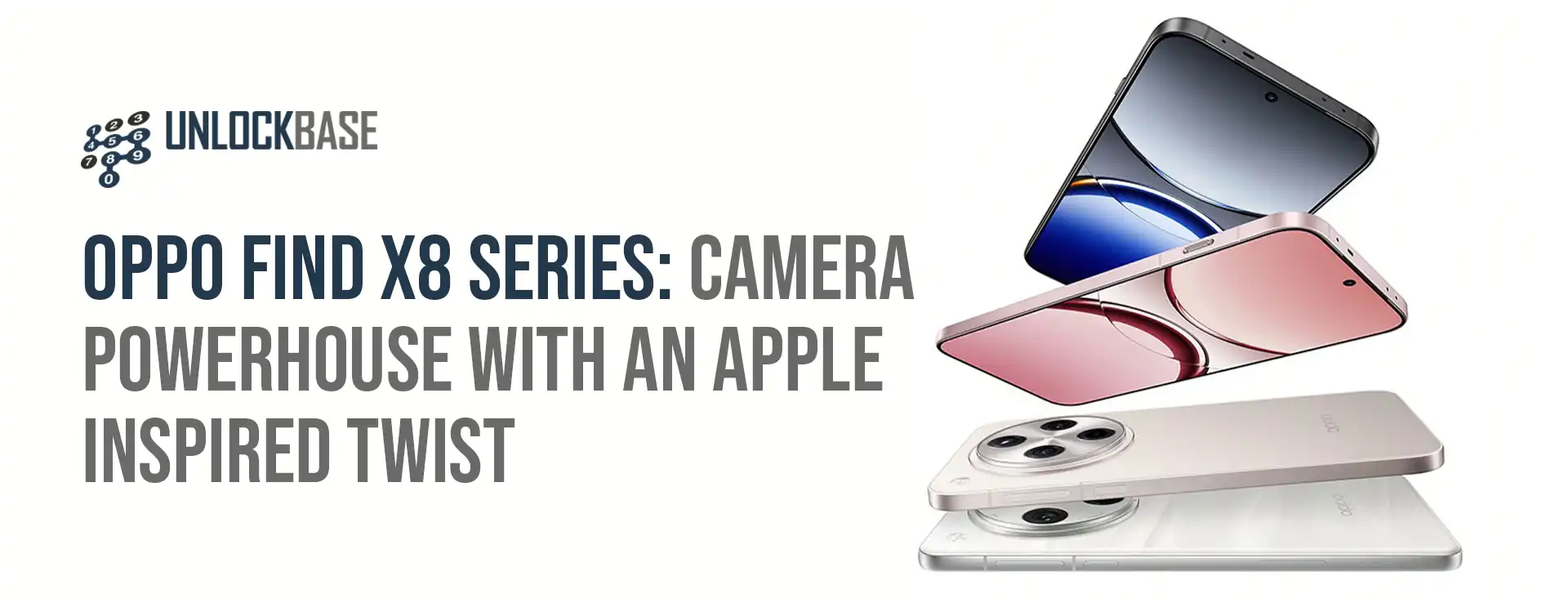
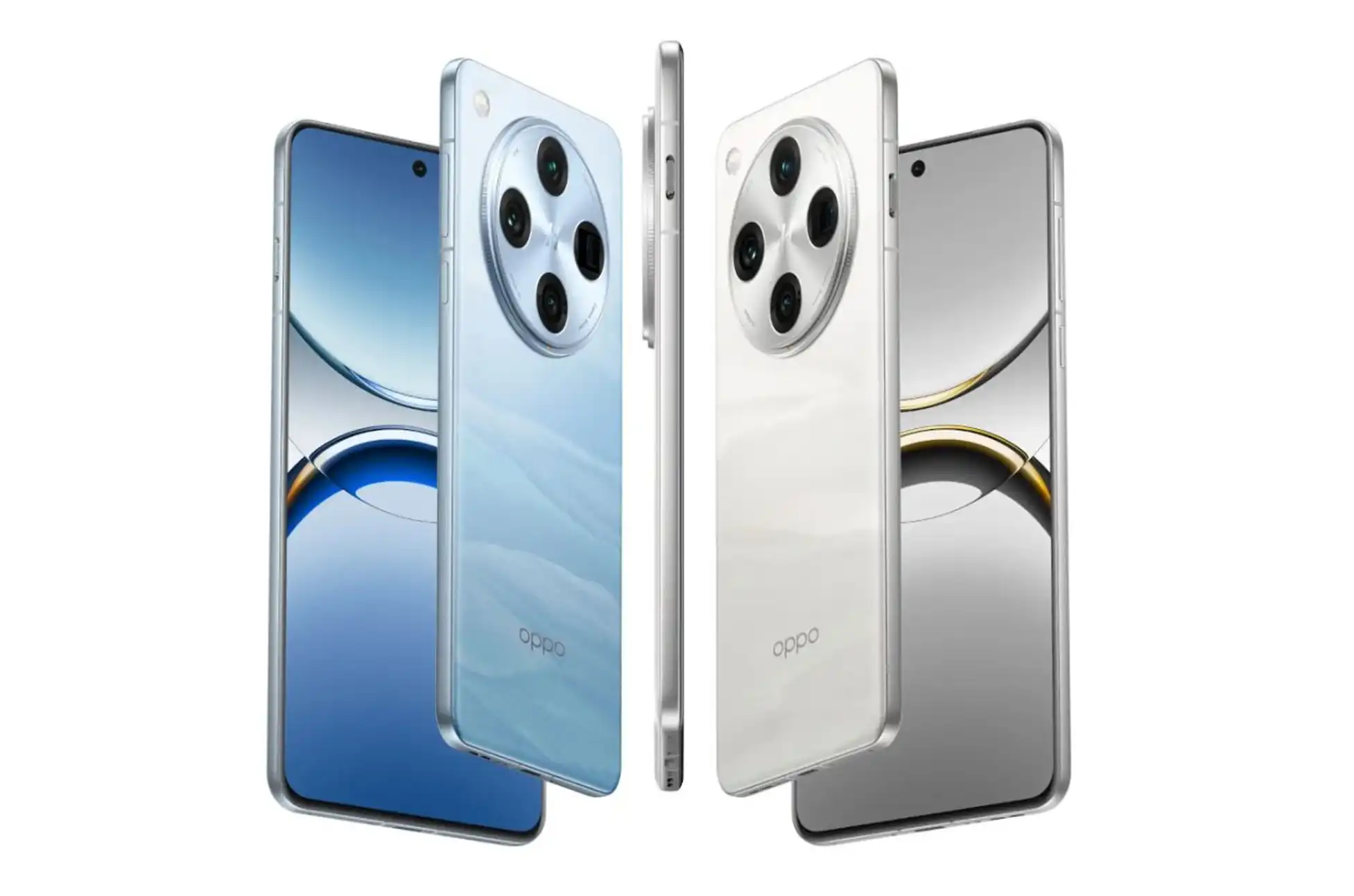
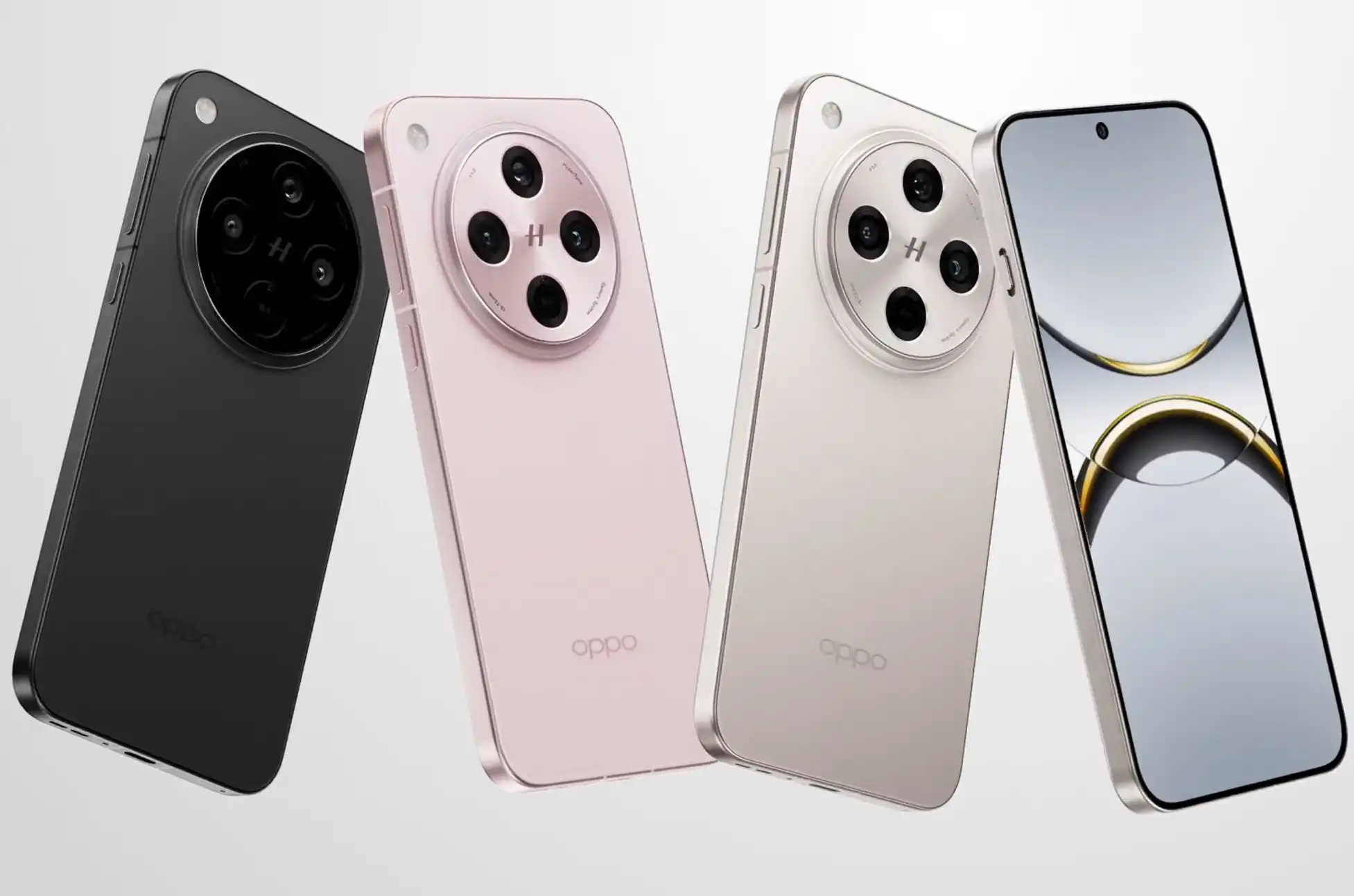
OPPO Find X8 Series! After a two-year hiatus from global markets, OPPO’s flagship Find X series is making a triumphant return. The new Find X8 and Find X8 Pro aren’t just playing catch-up. They’re bringing innovative features that might make even iPhone users do a double-take.
OPPO Find X8 Series : That Apple-Style Camera Button
Let’s start with what everyone’s talking about: the Find X8 Pro’s camera shutter button. Taking a page from Apple’s playbook, OPPO has implemented a physical camera key that does more than just snap photos. This innovative button supports swipe gestures for seamless zoom control, making it a small addition that makes a big difference.
Power Under the Hood
Both the Find X8 and X8 Pro come equipped with MediaTek’s latest powerhouse, the Dimensity 9400 chipset. OPPO didn’t stop there – these devices pack serious endurance with massive batteries.
The Pro model boasts a 5,910mAh battery, while the standard X8 carries a robust 5,610mAh cell. When it comes to charging, both devices support 80W wired and 50W wireless charging, with magnetic wireless charging available through optional cases.
The Camera System: Four Times the Fun
The Find X8 Pro’s camera system is where things get really interesting. At its heart is a 50MP LYT-808 main camera with a 1/1.4-inch sensor. This is complemented by a 50MP ultrawide lens, a 50MP 3x periscope lens, and an impressive 50MP 6x periscope camera. The standard Find X8 keeps up with its bigger sibling, sporting the same setup minus the 6x periscope lens. Both phones feature Dolby Vision video recording and Lightning Snap capture technology for those can’t-miss moments.
OPPO Find X8 Series : Displays That Dazzle
The Find X8 Pro showcases a stunning 6.78-inch micro-curved OLED display with a resolution of 2,780 x 1,264, a smooth 120Hz refresh rate, and an eye-popping 4,500 nits peak brightness. The Find X8, while slightly smaller at 6.59 inches, maintains the same impressive brightness and refresh rate, making it a formidable option for content consumption.
Software That Keeps Getting Better
OPPO is stepping up its software game with five major OS updates and six years of security patches. The AI features are particularly impressive, including AI Clarity Enhance for improving low-resolution shots, AI Reflection Remover, AI Studio for image generation, and smart summaries and writing assistance tools.
Pricing and Global Availability
The Find X8 Pro is making its way to the UK at £1,049 ($1,328) for the 16GB/512GB model, available through OPPO’s e-store and O2. In India, the series starts at Rs 69,999 ($829) for the Find X8, while the Pro model commands Rs 99,999 ($1,184). Here’s the official link : https://www.oppo.com/en/newsroom/press/find-x8-series-coloros-15-launch-camera-ai/
Looking Ahead: The Ultra Whispers
For those wondering if this is as good as it gets, rumors are swirling about a Find X8 Ultra model in the works. While nothing’s confirmed, it suggests OPPO might have one more ace up its sleeve.
OPPO Find X8 Series : The Bottom Line
OPPO’s return to global markets with the Find X8 series marks a significant moment in the flagship phone race. While the Find X8 Pro’s camera sensor might be smaller than its predecessor’s one-inch sensor, the addition of innovative features like the gesture-controlled camera button and impressive battery life make these devices worthy contenders in the premium smartphone segment.
The combination of powerful hardware, versatile cameras, and long-term software support positions the Find X8 series as a compelling option for tech enthusiasts looking for something different in the flagship space.
All products, and company names, logos, and service marks (collectively the "Trademarks") displayed are registered® and/or unregistered
trademarks™ of their respective owners.
The authors of this web site are not sponsored by or affiliated with any of the third-party trade mark or third-party registered trade mark owners,
and make no representations about them, their owners, their products or services.
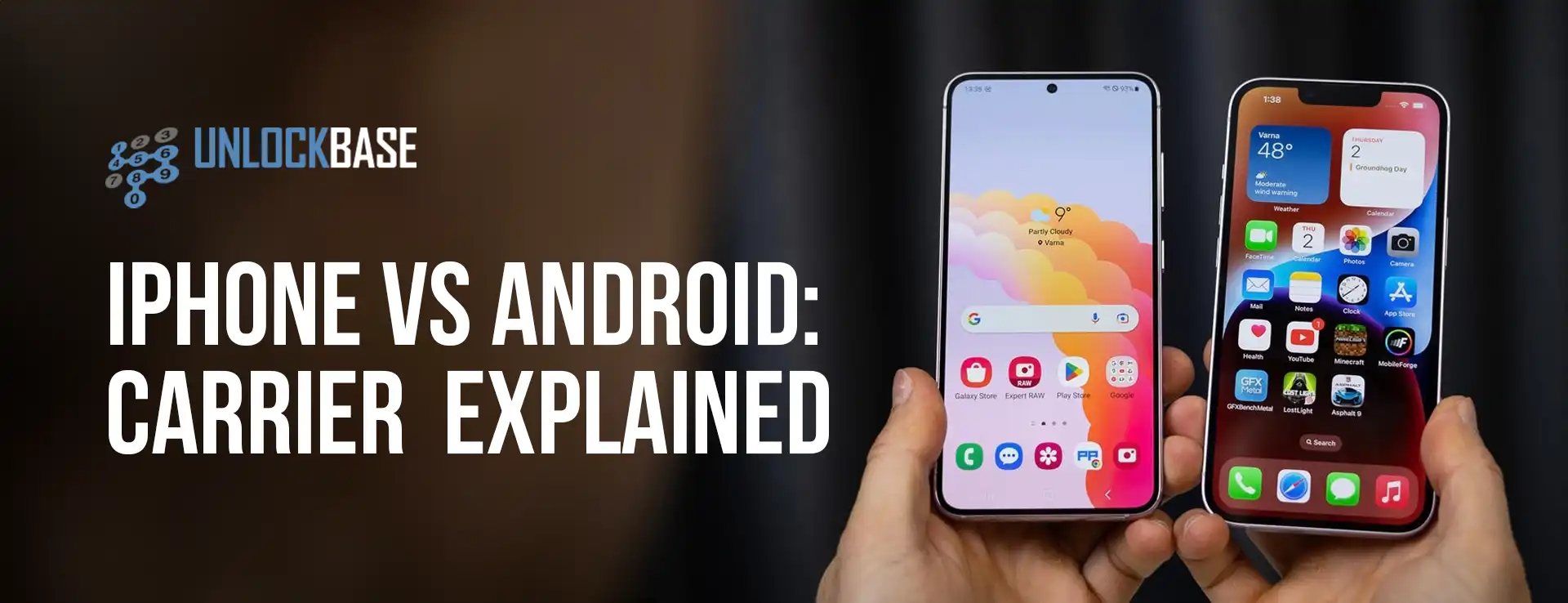
iPhone vs Android Unlocking ? Carrier unlocking is a critical process that allows smartphones to work across different mobile networks. While iPhone and Android devices approach this differently, the end goal remains the same: giving users the freedom to choose their preferred carrier.
iPhone Carrier Unlocking
Apple has a standardized, straightforward carrier unlocking process:
Must meet carrier’s requirements (typically contract completion or full device payment)
Can request unlock directly through Apple or the original carrier
Permanent unlock that applies to the device’s IMEI number
Android: Fragmented, manufacturer and carrier-specific methods
iPhone: Generally simpler unlock procedures
Android: More complex but offers more flexibility
iPhone vs Android Unlocking : Legal and Technical Considerations
Carrier unlocking is legal in many countries, including the United States, where the Unlocking Consumer Choice and Wireless Competition Act protects consumer rights. However, specific regulations and processes can vary internationally.
Future of Carrier Unlocking
Emerging trends include:
eSIM technology reducing traditional carrier locks
Increased consumer demand for network flexibility
Growing international roaming requirements
iPhone vs Android Unlocking : Conclusion
The choice between iPhone and Android for carrier unlocking depends on your specific needs, technical comfort, and desired level of flexibility. While iPhones offer a more streamlined process, Android provides more diverse options for the tech-savvy user.
All products, and company names, logos, and service marks (collectively the "Trademarks") displayed are registered® and/or unregistered
trademarks™ of their respective owners.
The authors of this web site are not sponsored by or affiliated with any of the third-party trade mark or third-party registered trade mark owners,
and make no representations about them, their owners, their products or services.
GPS often struggles with accuracy indoors due to blocked signals. Android 15’s new Wi-Fi Ranging feature is set to change that, offering a more precise way to track location inside buildings. Wi-Fi access points (APs) are key to this, as they allow for more accurate positioning than GPS when used with modern technology.
The Evolution of Wi-Fi Positioning
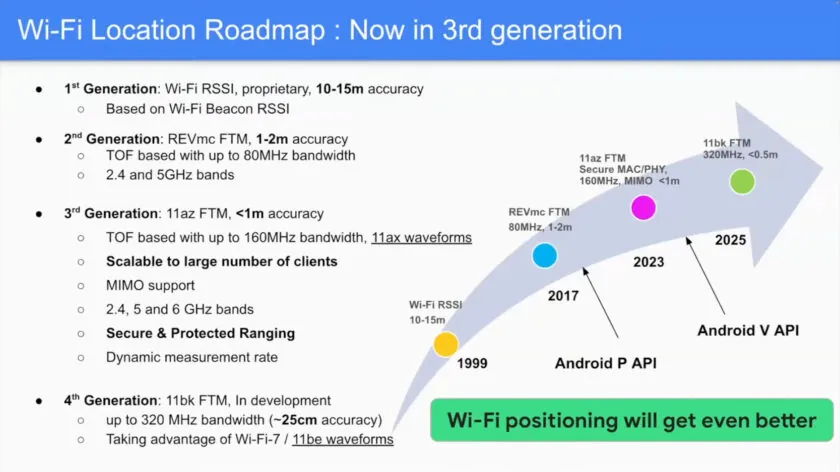
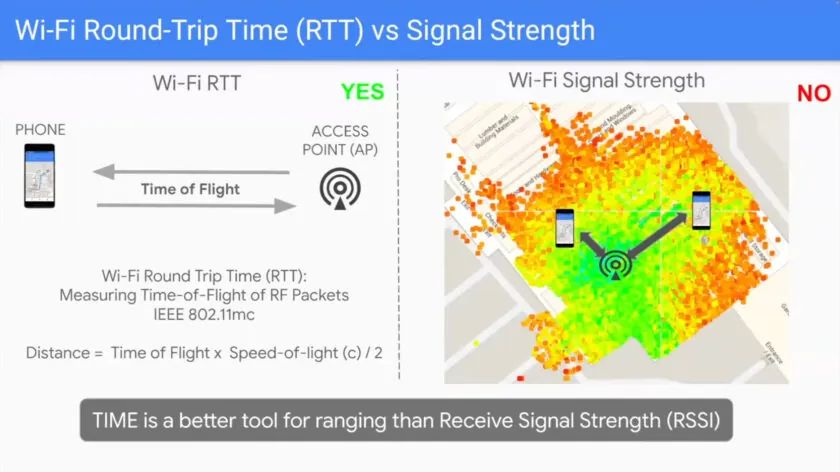
Early Wi-Fi positioning was based on signal strength, which could only provide 10-15 meter accuracy—far from ideal for indoor navigation.
The introduction of Wi-Fi Round Trip Time (RTT) improved accuracy to 1-2 meters by measuring signal travel time between devices and nearby APs. While Android has supported Wi-Fi RTT since version 9, it hasn’t been widely implemented.
Now, Wi-Fi Ranging (802.11az) takes accuracy to the next level, achieving precision within less than 1 meter. It doubles the bandwidth, works on the 6GHz band, and is scalable to many devices, making it ideal for crowded areas like malls or convention centers.
Android 15 fully supports Wi-Fi Ranging, allowing devices to switch between older Wi-Fi standards (802.11mc) and the new 802.11az for better indoor location tracking.
Why Wi-Fi Ranging Feature Stands Out
While Ultra-Wideband (UWB) and Bluetooth 6.0 with Channel Sounding are also emerging for precise location tracking, Wi-Fi Ranging holds its own due to better range, scalability, and cost efficiency. It’s compatible with previous Wi-Fi generations, and with the huge spectrum available, it meets the growing demand for more precise indoor navigation. Although slightly less accurate than UWB, it’s more practical for large-scale use cases.
Wi-Fi Ranging: What’s Coming Next?
Google sees many possibilities for Wi-Fi Ranging.
It could revolutionize retail, helping customers find products in stores or enhancing smart home automation by allowing devices to know exactly where you are.
While most phones don’t yet support Wi-Fi Ranging, new chips like Qualcomm’s FastConnect 7900 will bring this feature to future devices.
However, many Wi-Fi 6 access points will need firmware updates to support this new standard.
Wi-Fi Ranging Feature : Conclusion
Wi-Fi Ranging in Android 15 is a leap forward in indoor positioning technology, offering accurate, scalable, and secure tracking. While it may take a bit of time for devices and infrastructure to catch up, this innovation is set to transform how we navigate indoor spaces.
All products, and company names, logos, and service marks (collectively the "Trademarks") displayed are registered® and/or unregistered
trademarks™ of their respective owners.
The authors of this web site are not sponsored by or affiliated with any of the third-party trade mark or third-party registered trade mark owners,
and make no representations about them, their owners, their products or services.
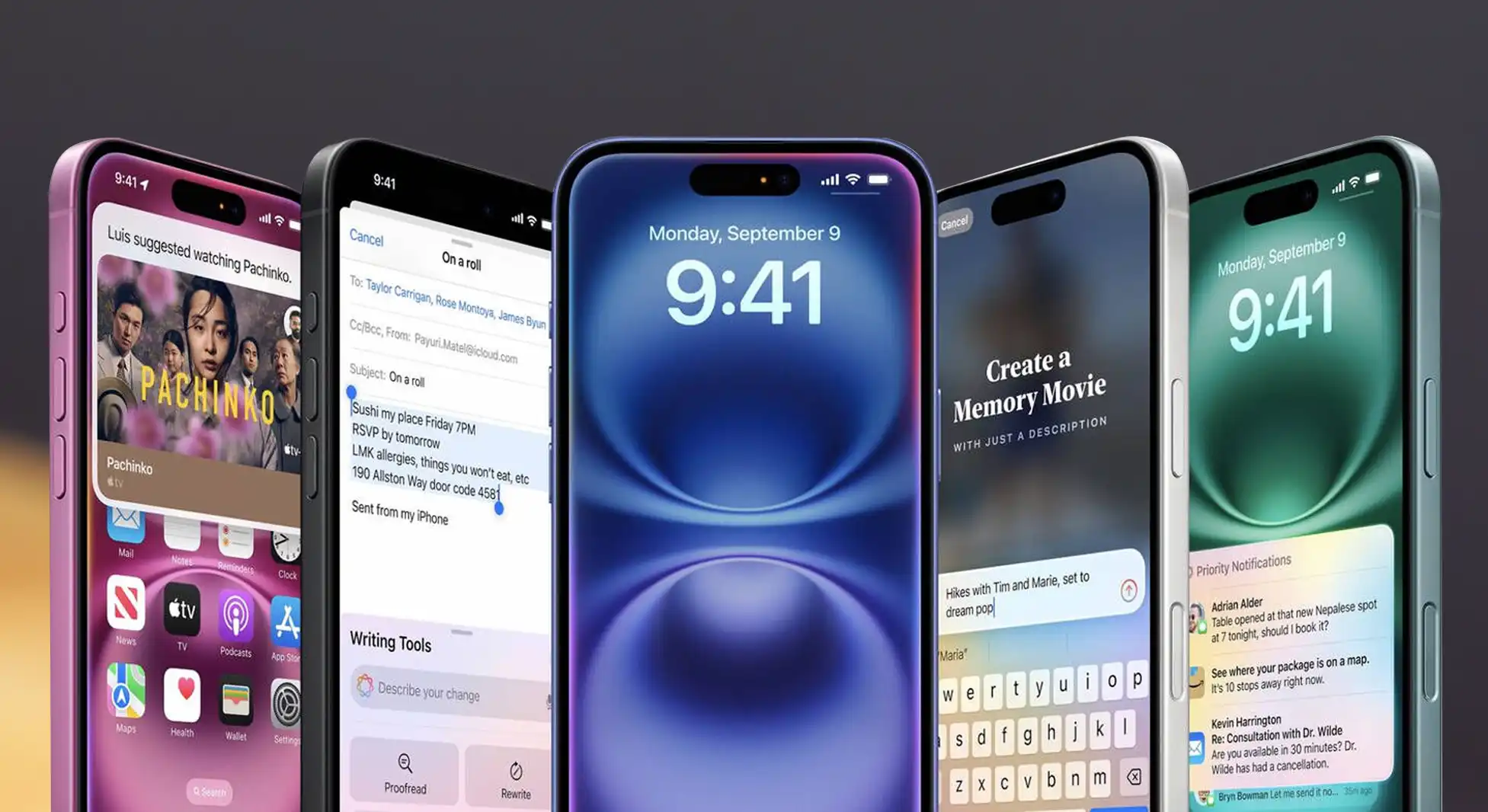
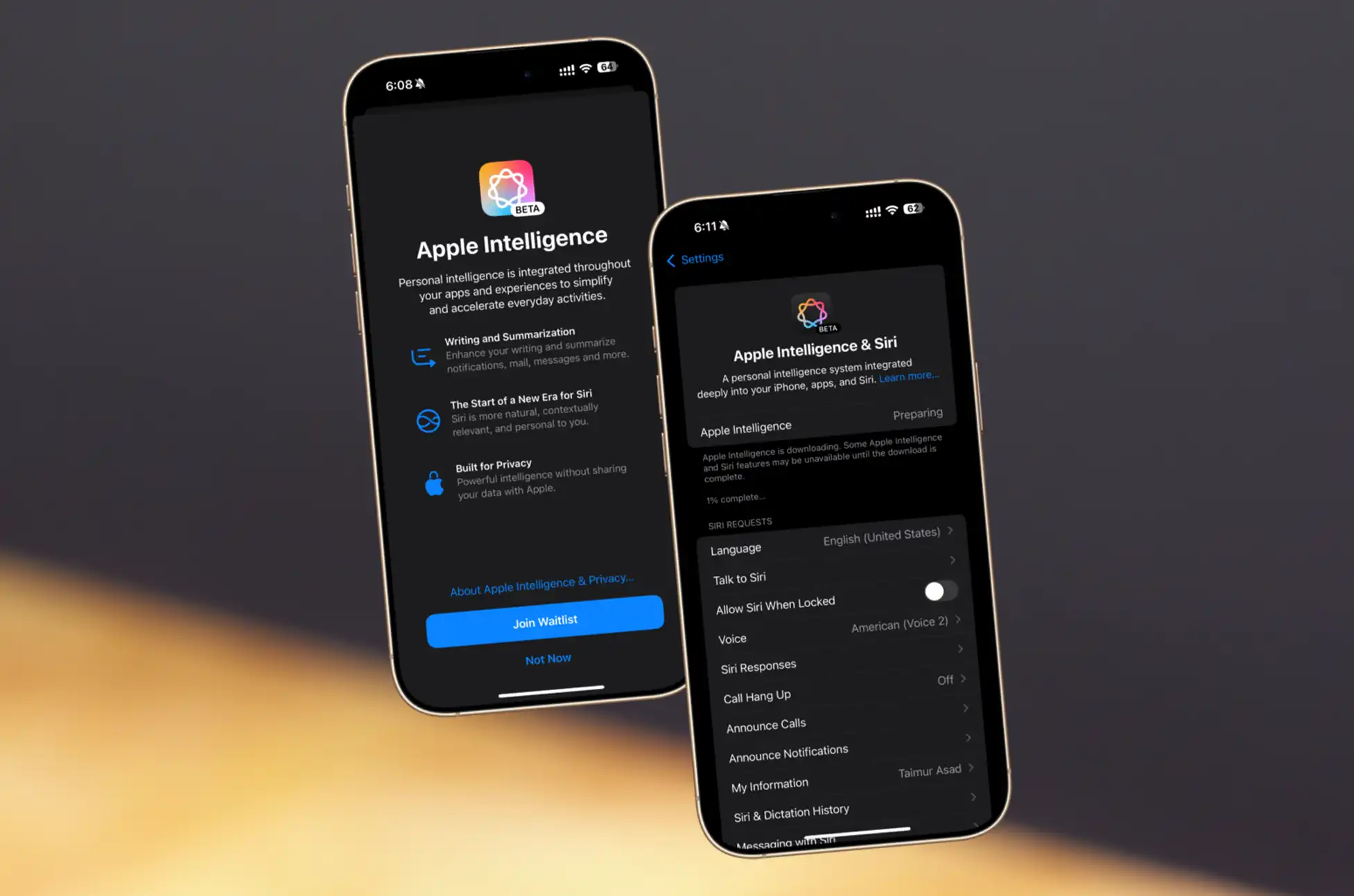
Has Apple quietly supercharged your iPhone 16? The latest iOS 18.1 update isn’t just about Apple Intelligence – it’s packing some serious performance improvements under the hood.
Let’s dive into what this means for the eternal Apple vs Android battle, especially with Qualcomm’s mighty Snapdragon 8 Elite making waves in the Android world.
A Welcome Performance Surprise
Remember those early iPhone 15 Pro temperature issues? Apple’s got a history of fine-tuning performance post-launch, and they’re at it again. The iOS 18.1 update brings a sweet 6% CPU performance boost to both iPhone 16 and 16 Pro models. While you might not notice it scrolling through Instagram, it’s a significant step in Apple’s quest to maintain its performance crown.
iOS 18.1 Update : Breaking Down the Numbers
CPU Performance: 6% average improvement across all iPhone 16 models
Single-core vs Multi-core: Consistent gains between 4.9% and 7.3%
Graphics Performance: Remains unchanged
Battery Impact: Still under observation (fingers crossed!)
The Epic Showdown: A18 Pro vs Snapdragon 8 Elite
Things get really interesting when we pit the newly-boosted iPhone 16 against the first Snapdragon 8 Elite phone, the Realme GT7 Pro. Here’s where the chips fall:
Single-Core Performance:
iPhone 16 Pro (A18 Pro): Takes an impressive 18% lead
Apple maintains its traditional single-core dominance
Multi-Core Battle:
Snapdragon 8 Elite: Squeaks ahead by a narrow margin
Real-world performance differences? Barely noticeable in daily use
Graphics Crown:
Snapdragon 8 Elite: Clear winner in both burst and sustained performance
The catch? Both phones run noticeably hot under heavy loads
iOS 18.1 Update : The Bottom Line
The mobile processor race is closer than ever. While Apple’s A18 Pro still rules single-core performance, Qualcomm’s closing the gap with multi-core prowess. For mobile gamers, Android phones with the Snapdragon 8 Elite offer unmatched graphics performance – if you can handle the heat.
iOS 18.1 Update : What This Means for You:
iPhone 16 users: Enjoy the free performance boost
Android enthusiasts: The Snapdragon 8 Elite delivers, especially for gaming
Both camps: Expect top-tier performance with some thermal considerations
This heating battle between mobile titans shows one thing clearly: whether you’re Team Apple or Team Android, you’re getting flagship performance that’s closer than ever to desktop-class computing.
All products, and company names, logos, and service marks (collectively the "Trademarks") displayed are registered® and/or unregistered
trademarks™ of their respective owners.
The authors of this web site are not sponsored by or affiliated with any of the third-party trade mark or third-party registered trade mark owners,
and make no representations about them, their owners, their products or services.
Benefits of Unlocked Phone? Ever felt trapped by your carrier’s high prices and restrictive plans? You’re not alone. More savvy consumers are discovering a money-saving secret: unlocked phones. Let’s dive into why these freedom-enabling devices could be your ticket to significant savings and greater flexibility.
What Exactly is an Unlocked Phone?
Think of an unlocked phone as a “carrier-independent” device. Unlike carrier-locked phones, these devices aren’t tied to a specific network provider. It’s like having a universal key that works with any carrier’s door – just pop in a SIM card, and you’re good to go.
Breaking Down the Financial Benefits
The most immediate advantage of an unlocked phone is the freedom to choose your carrier and plan. Gone are the days of being locked into expensive contracts or dealing with carriers who know you can’t leave. With an unlocked phone, you can switch providers whenever you find a better deal, potentially saving $15-30 every month on your plan.
International travelers stand to gain even more. Instead of paying excessive roaming charges, you can simply purchase a local SIM card at your destination. This simple switch can reduce your travel communication costs by up to 90%. Imagine exploring Paris or Tokyo while paying local rates instead of premium international fees.
Another often-overlooked benefit is the higher resale value. When it’s time to upgrade, unlocked phones typically command 20-30% more on the resale market. This higher value comes from the simple fact that these phones can work with any carrier, opening up a much larger pool of potential buyers.
The Hidden Cost Savings
Perhaps one of the most significant advantages is avoiding carrier financing markup. When you buy an unlocked phone outright, you’re paying the true cost of the device without hidden fees or interest charges. While the upfront cost might seem higher, you’re actually saving money in the long run by avoiding these additional charges.
The Long-Term Financial Impact
When we look at the big picture, switching to an unlocked phone can save you a significant amount of money. Monthly plan savings add up to hundreds of dollars per year. International travelers can save $50-100 per trip. The higher resale value puts an extra $100-200 in your pocket when it’s time to upgrade. Add in the savings from avoiding financing charges, and you’re looking at a total benefit of $500-1000 over the life of your device.
Is an Unlocked Phone Right for You?
An unlocked phone makes perfect sense if you’re looking to maximize your mobile budget and value flexibility. It’s especially beneficial for international travelers, frequent upgraders, and anyone who likes to shop around for the best mobile plans.
The initial investment might be higher, but the freedom and long-term savings make it a smart financial decision.
Benefits of Unlocked Phone : Steps to Remove your SIM lock
Once you receive your unlock code from UnlockBase:
Power off your device
Remove your SIM card
Insert a SIM card from a different carrier
Power on your device
When prompted, enter the unlock code provided by UnlockBase
Wait for confirmation that the unlock was successful
Benefits of Unlocked Phone : The Bottom Line
Unlocked phones aren’t just about freedom – they’re about making smart financial decisions. The ability to choose your carrier, avoid unnecessary fees, and maximize resale value makes unlocked phones a powerful tool for the budget-conscious consumer. While the upfront cost might be higher, the long-term savings and flexibility make it a worthy investment that keeps paying dividends.
All products, and company names, logos, and service marks (collectively the "Trademarks") displayed are registered® and/or unregistered
trademarks™ of their respective owners.
The authors of this web site are not sponsored by or affiliated with any of the third-party trade mark or third-party registered trade mark owners,
and make no representations about them, their owners, their products or services.
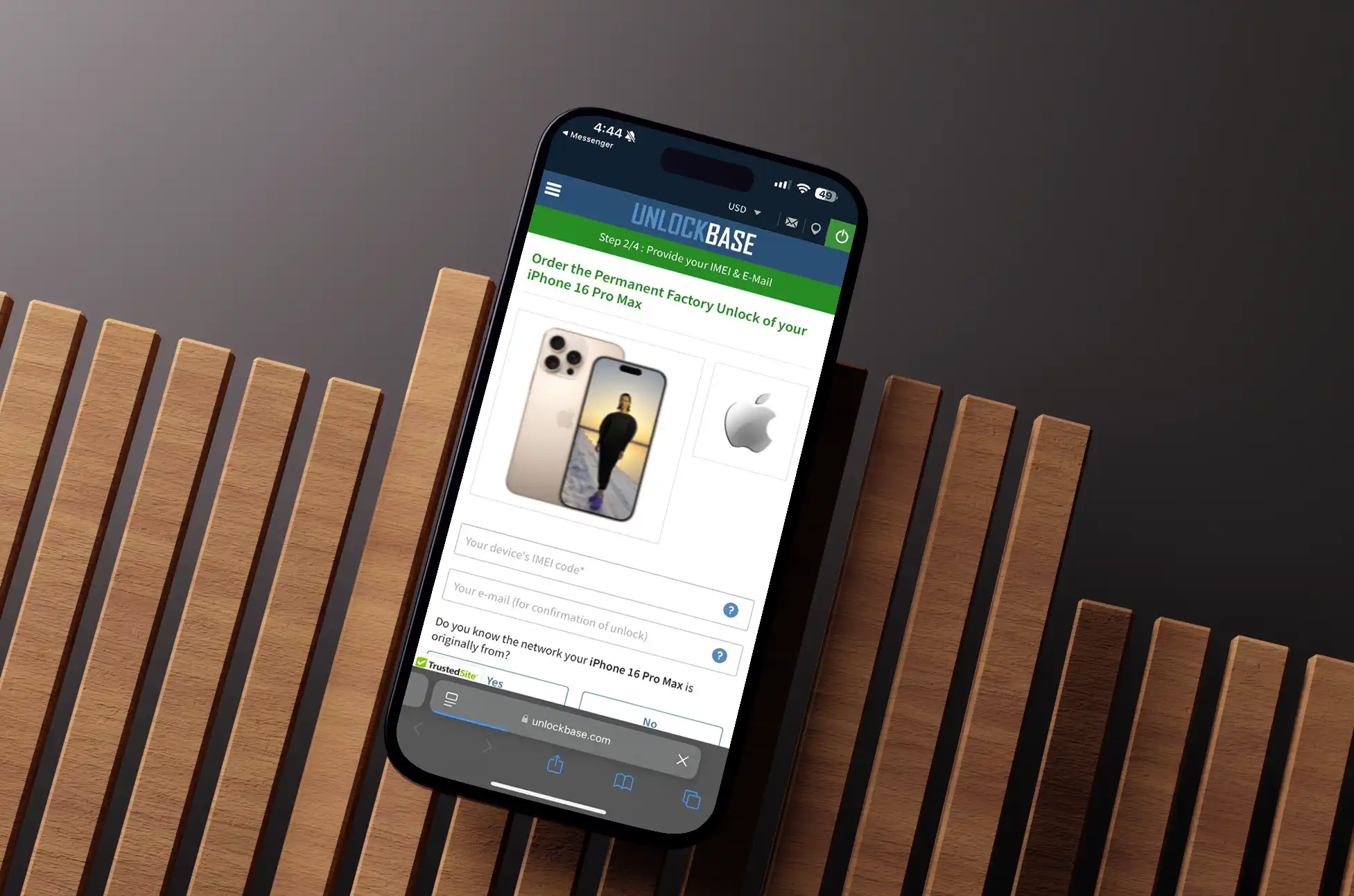
Unlocking iPhone 16 Series? Have you just unboxed your shiny new iPhone 16, only to find yourself trapped with a single carrier? Don’t let that dampen your excitement! UnlockBase is here to help you unleash your device’s full potential. Whether you’re holding the sleek iPhone 16, the powerful iPhone 16 Pro, or the spectacular iPhone 16 Pro Max, we’ve got the key to your digital freedom.
Unlocking iPhone 16 Series : Why Your iPhone 16 Deserves Better
Picture this: You’re planning that dream vacation to Europe, excited about your new iPhone 16’s amazing camera capabilities for capturing every moment. But wait – your carrier’s international rates might cost more than the trip itself! This is just one of many reasons why unlocking your iPhone 16 makes perfect sense.
Our customers love their unlocked iPhones because they can finally:
Kiss goodbye to ridiculous roaming charges by using local SIM cards
Jump ship to a better carrier deal whenever they spot one
Sell their phone for a higher price when it’s time for an upgrade
The UnlockBase Promise: Unlocking iPhone 16 Series
We get it – the thought of unlocking your precious iPhone 16 might seem daunting. But here’s the thing: we’ve been in this game long enough to make it as smooth as your iPhone’s ProMotion display. Our process is faster than your A18 chip and more secure than Face ID (okay, maybe that’s a stretch, but you get the idea!).
Here’s what makes us different: we don’t just unlock phones; we open doors to possibilities. Our service is completely legal, permanent, and backed by years of expertise. Think of us as your iPhone’s freedom fighters!
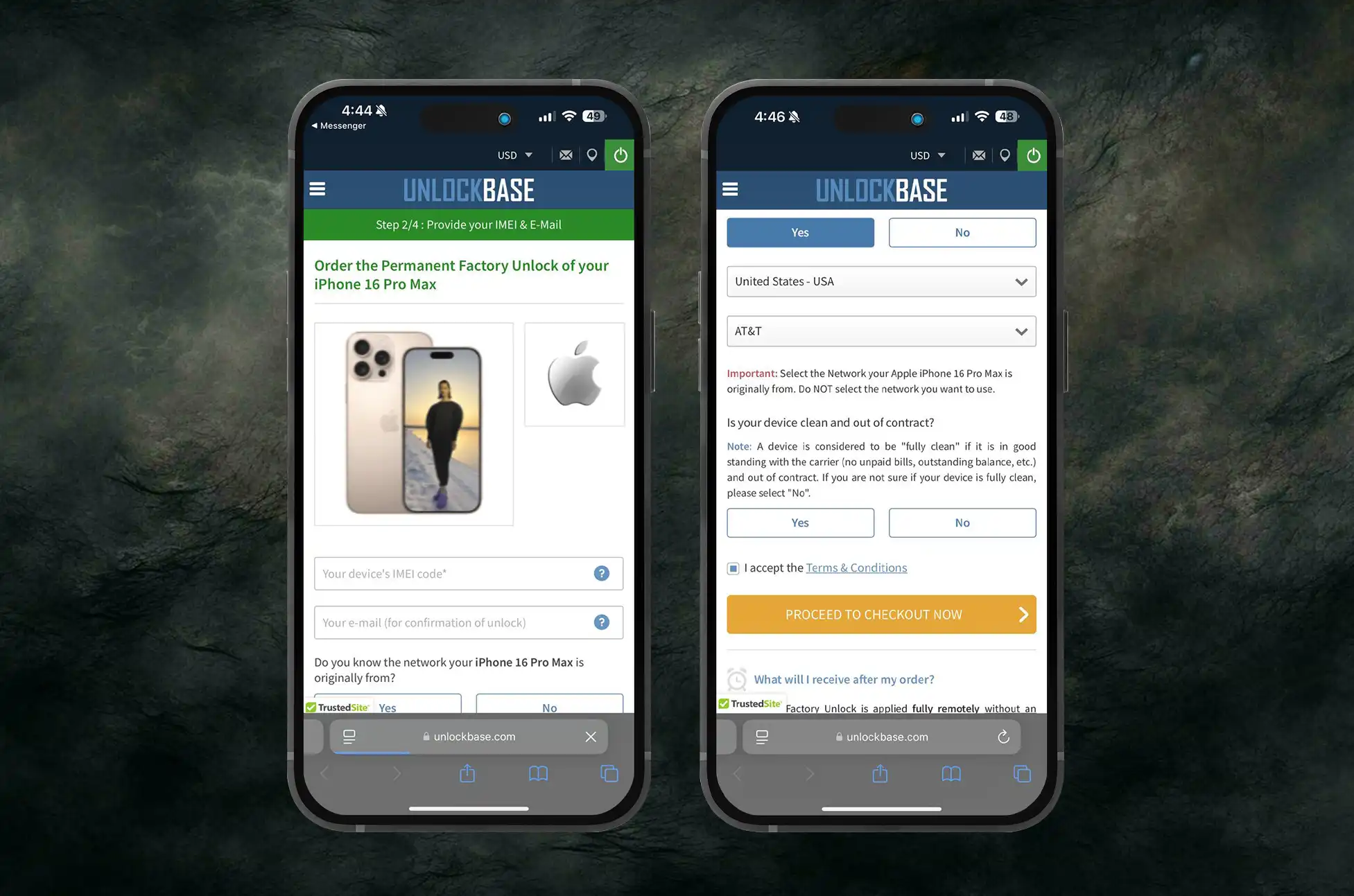
Choose your iPhone 16 model (regular, Pro, or Pro Max)
Enter your IMEI number
Select your current carrier
Complete Your Purchase
Enter your contact details
Choose your preferred payment method
Complete the secure payment process
Wait for Confirmation
We’ll send updates to your email
Most unlocks complete within 24-72 hours
Once confirmed, proceed to the final step
Complete the Unlock
Insert a new SIM card from your preferred carrier
If prompted, connect to WiFi and follow any on-screen instructions
Your iPhone will activate and unlock automatically
Let’s Talk About That Gorgeous iPhone 16
While we’re here, can we take a moment to appreciate what Apple has achieved with the iPhone 16? This isn’t just a phone; it’s a technological masterpiece. With its blazing-fast A18 chip, that eye-popping ProMotion XDR display, and the Pro models’ incredible quad-camera system, it’s basically a miracle in your pocket. And don’t even get us started on those mind-bending iOS 18 AI features!
Making Magic Happen: The Unlock Process
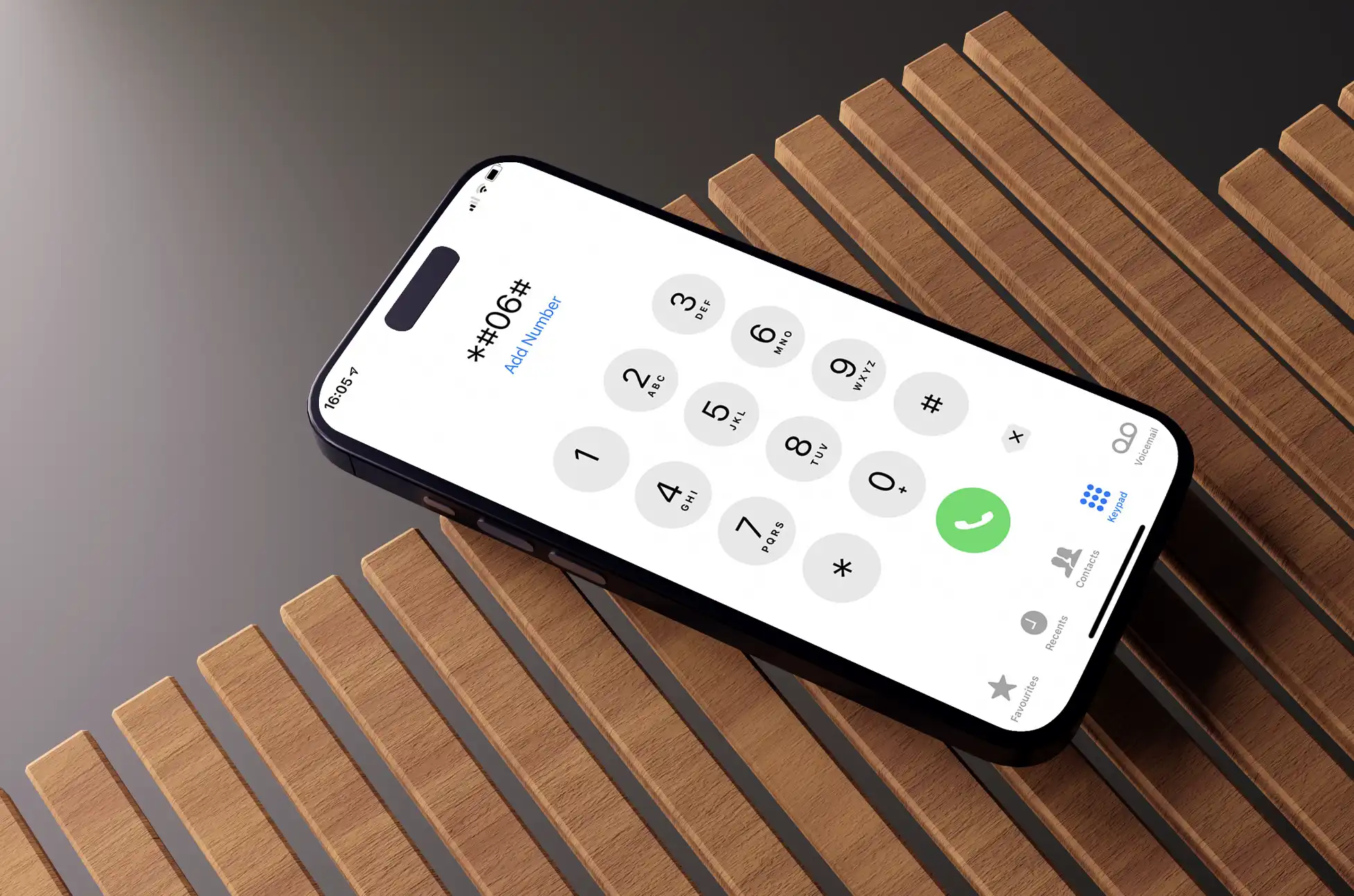
Ready to set your iPhone 16 free? It’s easier than posting a TikTok! Just hop over to UnlockBase.com, pick your iPhone 16 model, and follow our simple steps. We’ll guide you through finding your IMEI number (it’s easier than you think!), and before you know it, your phone will be carrier-independent.
Unlocking iPhone 16 Series: Your Burning Questions, Answered
“But will this void my warranty?” Nope! Our method is as Apple-approved as apple pie.
“How long will I have to wait?” Usually just 24-72 hours. We’re like the Ferrari of phone unlocking – fast and reliable!
“What if something goes wrong?” That’s what our 24/7 support team is for! Though honestly, they’re getting pretty lonely because things rarely go wrong.
All products, and company names, logos, and service marks (collectively the "Trademarks") displayed are registered® and/or unregistered
trademarks™ of their respective owners.
The authors of this web site are not sponsored by or affiliated with any of the third-party trade mark or third-party registered trade mark owners,
and make no representations about them, their owners, their products or services.
Perfect Time to Unlock Your Phone? Planning your dream holiday getaway? Before you start packing those suitcases, let’s talk about something crucial that many travelers overlook – unlocking your smartphone. As the holiday season approaches, timing becomes critical for ensuring your communication needs are seamlessly met during your travels.
Perfect Time to Unlock Your Phone : Why Timing Is Everything
The holiday rush affects everything, including phone unlocking services. Processing times often double during peak travel seasons, and the last thing you want is to be stuck with a locked phone when you’re about to board your flight.
By unlocking your phone ahead of time, you’re not just avoiding stress – you’re also positioning yourself to catch seasonal unlocking deals that many services offer during the holiday period.
The Hidden Costs of Traveling with a Locked Phone
What many travelers don’t realize is how quickly phone expenses can add up when traveling internationally with a locked device. International phone plans typically charge anywhere from $10-15 per day, and that’s just for basic service.
Add in data packages, emergency calls, and text messages, and a two-week vacation could easily cost you upwards of $360 just for phone service. Compare this to using an unlocked phone with a local SIM card, where your total expenses might only reach $130, including the one-time unlocking fee. That’s a potential saving of nearly $230 – money better spent on holiday experiences.
Perfect Time to Unlock Your Phone : Guide to Unlocking Your Phone for Holiday Travel
The unlocking process is simpler than many think. First, verify whether your phone is eligible for unlocking – this typically means your device is fully paid off and your contract obligations are complete. Most carriers require that your account is in good standing and the device hasn’t been reported lost or stolen.
Simply contact your carrier directly or visit their website and request an unlock. Major carriers like AT&T, Verizon, and T-Mobile all have dedicated unlocking portals. If your device is eligible,
But if not, Dont worry UnlockBase Got you Covered!
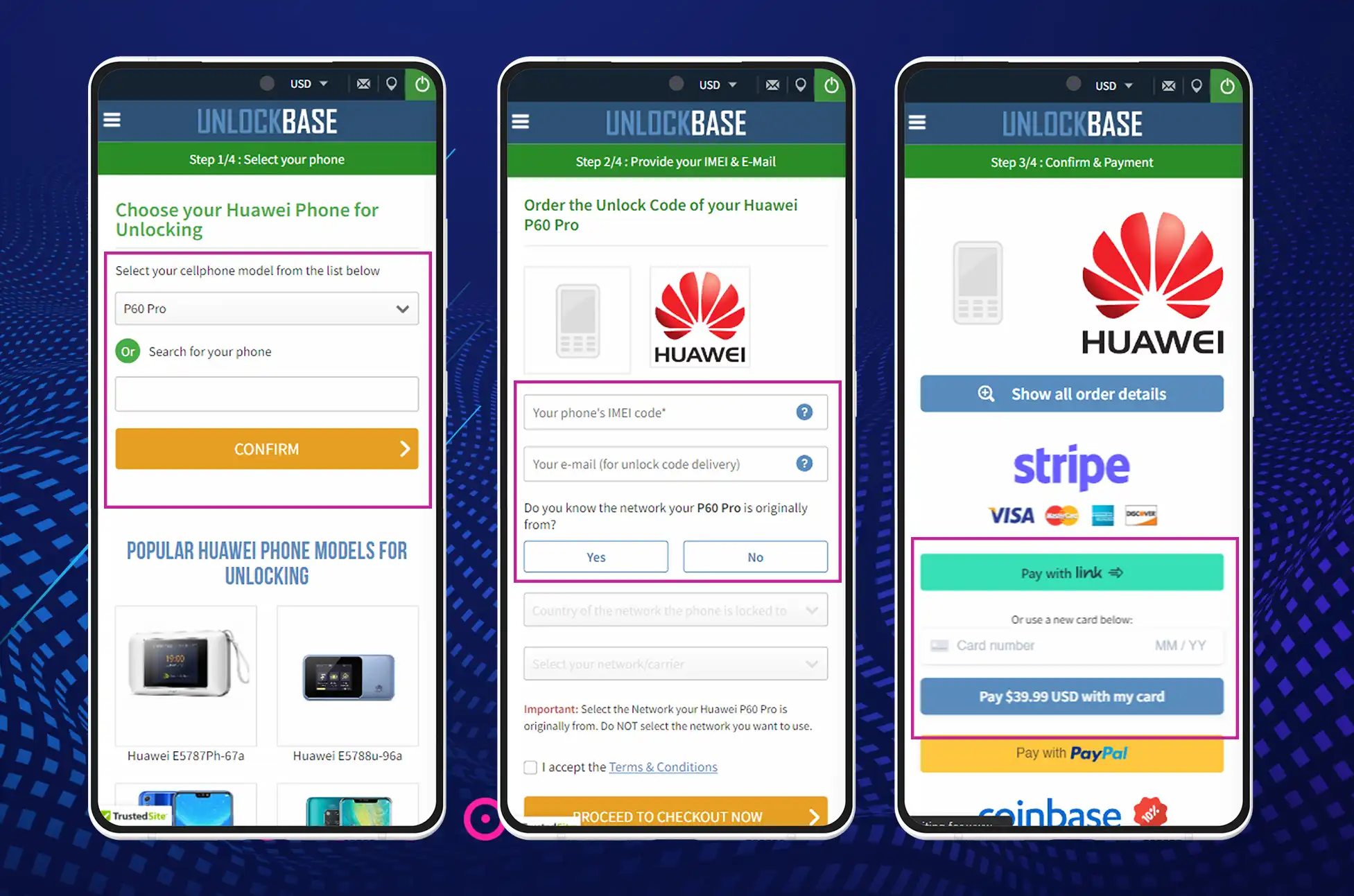
Confirm your payment and wait for an email confirmation.
Insert an unauthorized Sim Card and turn ON your phone.
When the device asks for the code, enter the code which is provided by unlockbase
Enter Unlock Code.
Beyond Basic Communication
Travel today isn’t just about making calls or sending texts. It’s about sharing experiences in real-time, staying safe with reliable access to maps and emergency services, and maintaining the flexibility to change plans on the fly. An unlocked phone puts all these capabilities at your fingertips without the constant worry about excessive charges or limited service.
Creating Lasting Memories
Holiday travel is about making memories and sharing experiences with loved ones, whether they’re traveling with you or waiting back home. With an unlocked phone, you can spontaneously share your adventures through video calls, photos, and messages without constantly watching the clock or counting megabytes. This freedom to connect adds an extra layer of joy to your holiday experience.
Perfect Time to Unlock Your Phone : The True Spirit of Holiday Travel
The essence of holiday travel lies in the freedom to explore, discover, and connect. A locked phone acts as an invisible leash, limiting your ability to truly immerse yourself in the travel experience. By unlocking your phone before the holiday season, you’re not just saving money – you’re investing in the quality of your travel experience.
All products, and company names, logos, and service marks (collectively the "Trademarks") displayed are registered® and/or unregistered
trademarks™ of their respective owners.
The authors of this web site are not sponsored by or affiliated with any of the third-party trade mark or third-party registered trade mark owners,
and make no representations about them, their owners, their products or services.
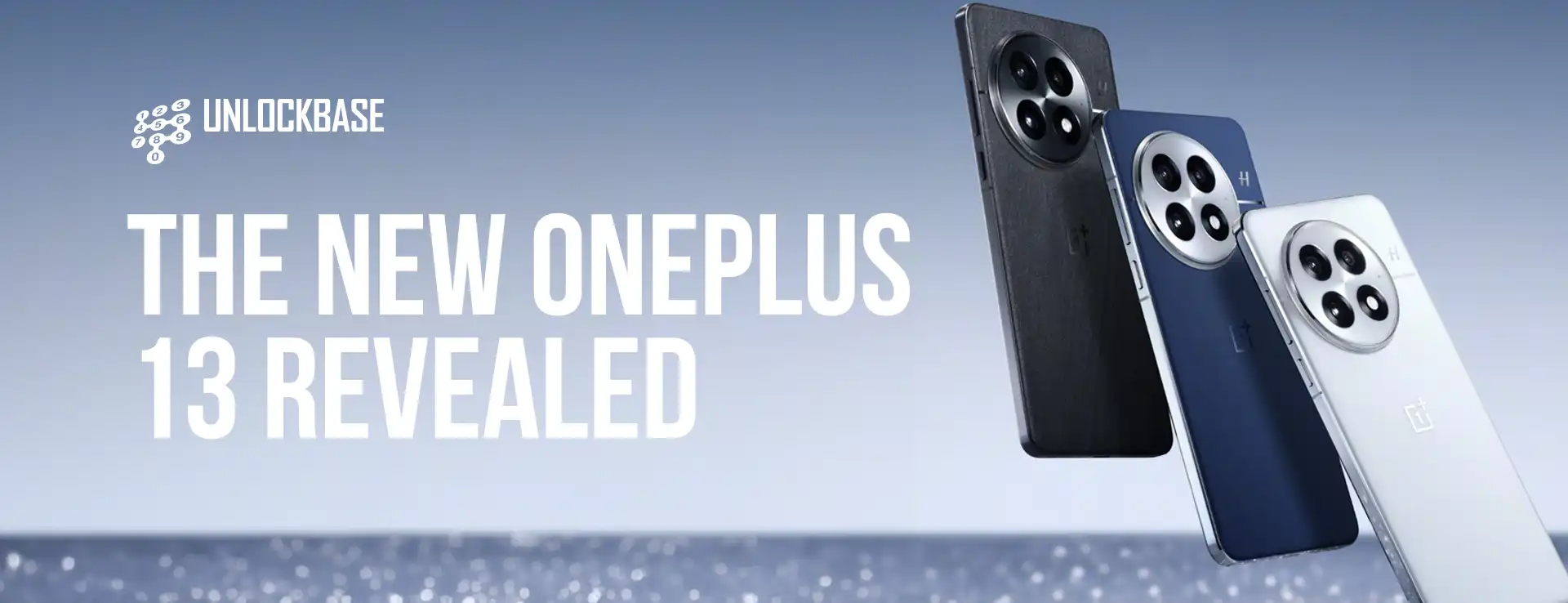
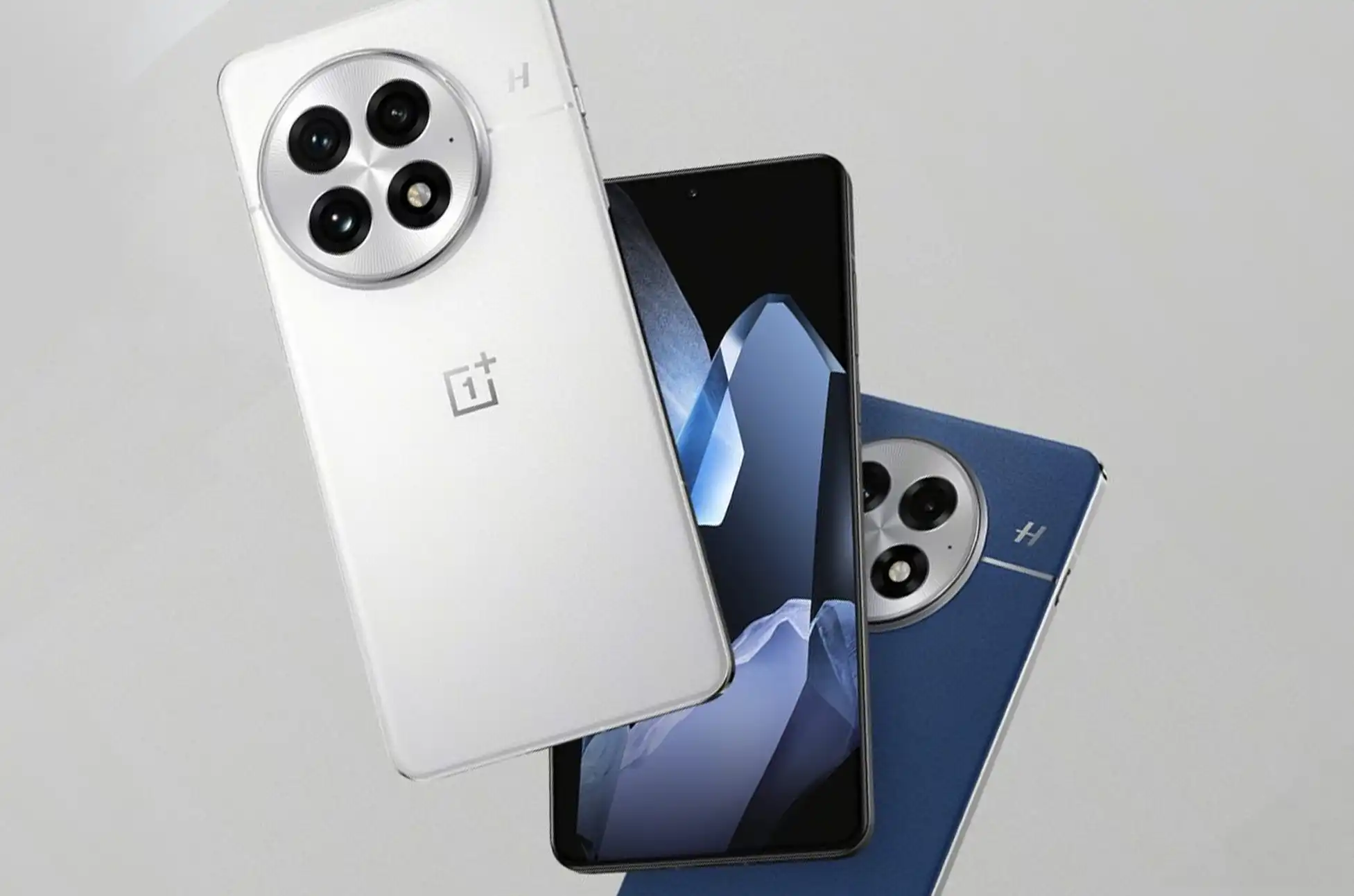
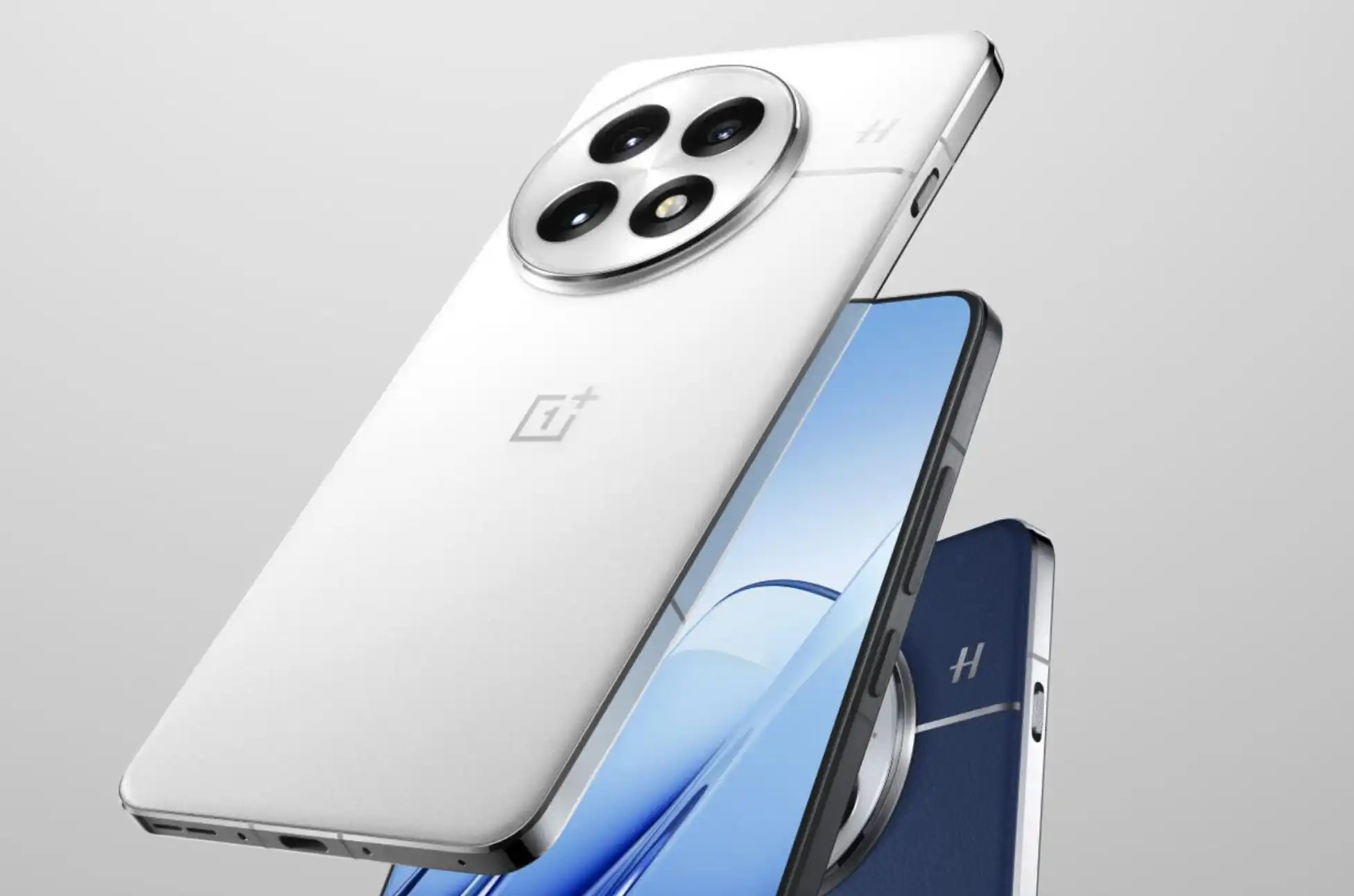
OnePlus 13 Revealed! At last, OnePlus has unveiled exciting details about their upcoming flagship phone. The OnePlus 13 is set to launch on October 31, and there’s plenty to get excited about.
Power-Packed Battery Life
First off, OnePlus has made a significant upgrade to the battery. The new OnePlus 13 will feature a robust 6,000mAh battery. Moreover, this represents a 600mAh boost from the previous OnePlus 12 model.
Lightning-Fast Charging
Additionally, the charging capabilities are getting a major boost. Users can expect:
100W wired charging
50W wireless charging
Furthermore, OnePlus claims impressive battery performance. On a full charge, you can enjoy:
Up to 11 hours of video playback
Or 7.1 hours of navigation
Cutting-Edge Connectivity
Meanwhile, the OnePlus 13 keeps pace with other flagship devices. As a result, it comes equipped with Wi-Fi 7 technology. Subsequently, this puts it in the same league as the Samsung Galaxy S24 Ultra and Google Pixel 9.
OnePlus 13 Revealed : Fan-Favorite Features Return
Besides the new upgrades, OnePlus is keeping what works. Therefore, the popular Alert Slider will return. This beloved feature lets users easily switch between:
Silent mode
Vibrate mode
Ring mode
OnePlus 13 Revealed : Enhanced Audio Experience
In addition, OnePlus has improved the phone’s audio capabilities. Consequently, the device now features:
Four microphones
AI noise reduction
Crystal-clear call quality
Competition Heats
Up Currently, the OnePlus 13 is positioning itself against the Xiaomi 15 series. However, it stands out with its slightly smaller but still impressive battery. Nevertheless, both devices promise top-tier performance.
OnePlus 13 Revealed : Coming Soon
Finally, the wait is almost over. The OnePlus 13 launches on October 31. After that, we’ll see how it performs against other flagship phones.
What to Expect:
Larger 6,000mAh battery
Fast 100W wired charging
Quick 50W wireless charging
Latest Wi-Fi 7 technology
Beloved Alert Slider
Advanced audio system
All products, and company names, logos, and service marks (collectively the "Trademarks") displayed are registered® and/or unregistered
trademarks™ of their respective owners.
The authors of this web site are not sponsored by or affiliated with any of the third-party trade mark or third-party registered trade mark owners,
and make no representations about them, their owners, their products or services.
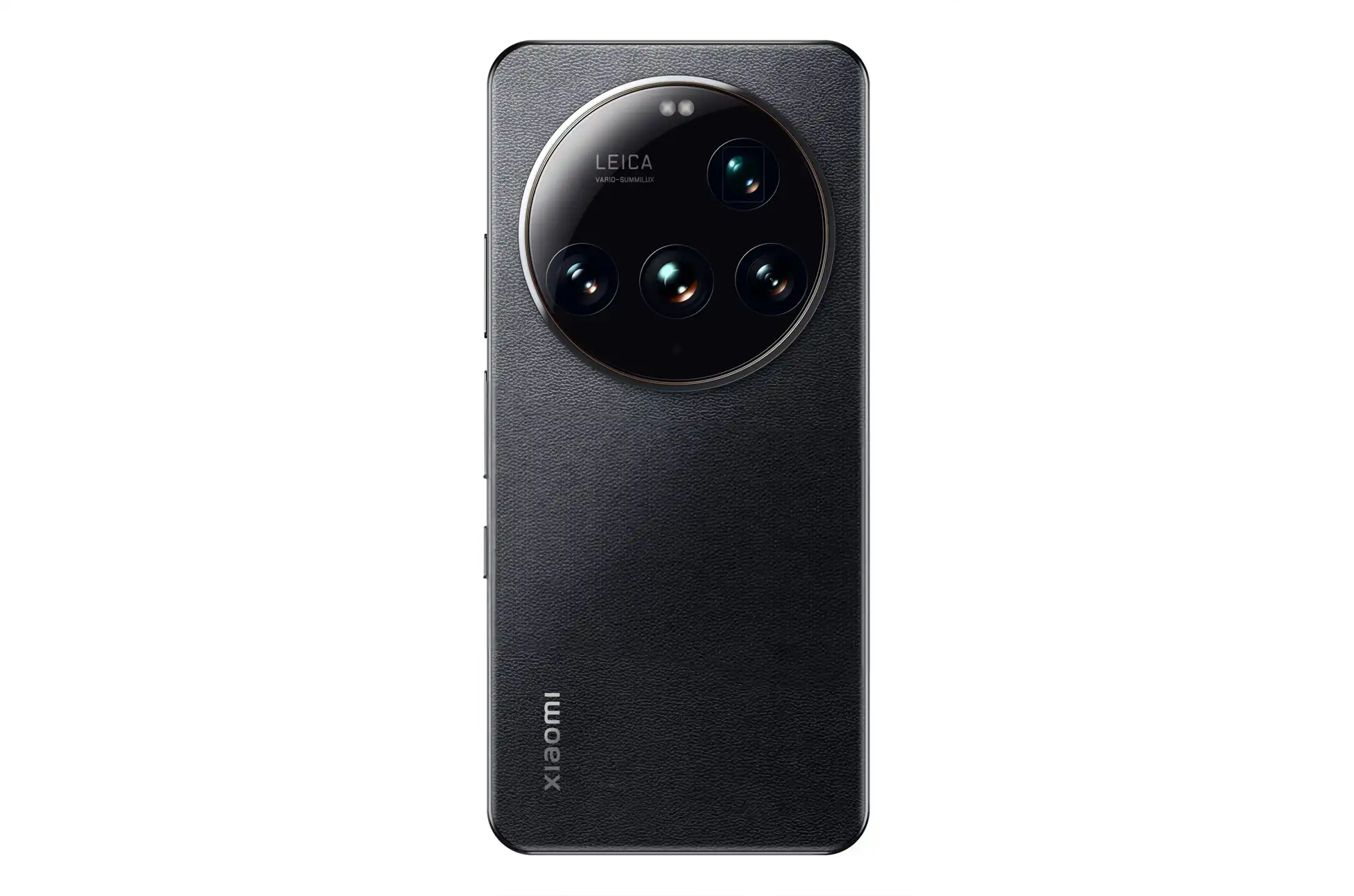
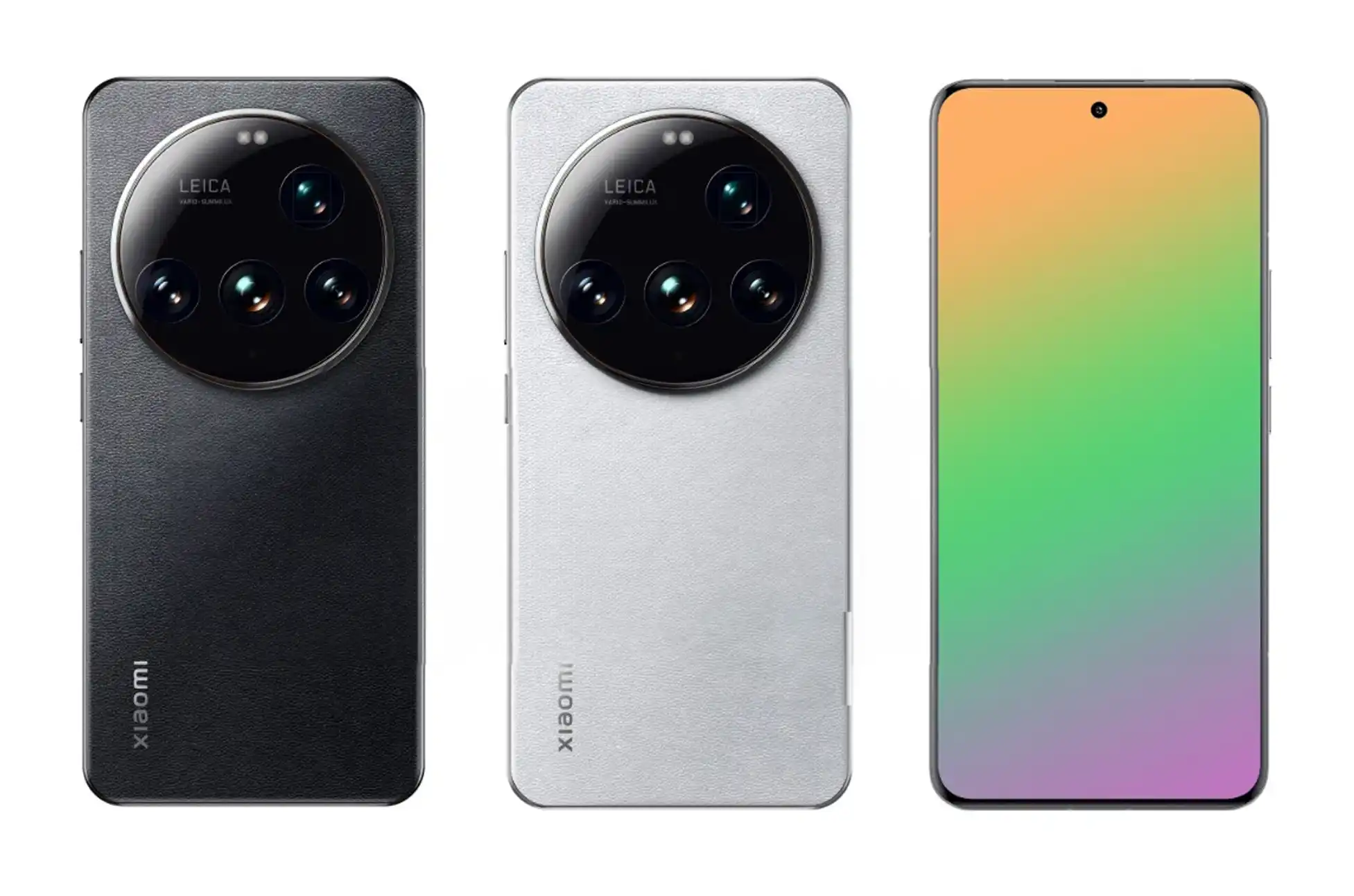
Xiaomi 15 Ultra Leaked? The smartphone world is buzzing with excitement as fresh leaks reveal the upcoming Xiaomi 15 Ultra’s groundbreaking design and impressive specifications. The standout feature? A head-turning circular camera module that’s set to redefine mobile photography.
A Revolutionary Camera Setup
At the heart of this flagship device is an eye-catching circular camera bump that houses four powerful lenses. The star of the show is a game-changing 200MP periscope zoom lens (f/2.6 aperture) with 4.3x optical zoom capabilities, powered by Samsung’s advanced ISOCELL HP9 1/1.4″ sensor. This marks a massive leap forward from its predecessor’s 50MP offering.
Xiaomi 15 Ultra Leak : The remaining camera setup is equally impressive:
50MP Sony primary sensor
50MP ultrawide lens
50MP 2x telephoto lens
32MP front-facing camera for stunning selfies
Leica’s prestigious branding sits prominently within the camera module, promising professional-grade photography experience.
Power and Display
The Xiaomi 15 Ultra isn’t just about cameras. The device features:
A stunning 6.7-inch micro quad-curved display
120Hz LTPO technology for smooth scrolling
2K resolution for crystal-clear visuals
Snapdragon 8 Elite chipset for flagship-level performance
Battery Life Gets a Major Boost
In a significant upgrade, Xiaomi has packed a massive 6,000mAh battery into the Ultra – a considerable jump from the previous model’s 5,300mAh capacity. The charging capabilities are equally impressive:
90W wired charging
80W wireless charging support
Launch Timeline and Software
While the standard Xiaomi 15 and 15 Pro are set to debut this October in China, the Ultra model will make its grand entrance in February 2025, launching simultaneously in China and India. The device will run on HyperOS 2, based on Android 15, offering a refined user experience.
Design and Color Options
The leaked renders showcase the device in sophisticated black and white colorways, with the distinctive circular camera module dominating the rear design. The Xiaomi logo is elegantly positioned vertically at the bottom left, completing the premium look.
Xiaomi 15 Ultra Leak : What to Expect
Xiaomi is reportedly focusing heavily on HDR performance improvements, suggesting that the 15 Ultra will deliver exceptional photo and video quality across various lighting conditions. While pricing details remain under wraps, industry watchers expect it to maintain similar price points to its predecessor.
Are you excited about this upcoming flagship? The Xiaomi 15 Ultra appears to be pushing the boundaries of smartphone photography and design, making it one of the most anticipated releases of early 2025.
All products, and company names, logos, and service marks (collectively the "Trademarks") displayed are registered® and/or unregistered
trademarks™ of their respective owners.
The authors of this web site are not sponsored by or affiliated with any of the third-party trade mark or third-party registered trade mark owners,
and make no representations about them, their owners, their products or services.